---
title: "Setting SPF, DKIM, and DMARC for Omnisend | DMARC Report"
description: "DMARC (RFC 7489) ties SPF and DKIM together by requiring alignment between the envelope sender and the visible From header."
image: "https://dmarcreport.com/og/blog/setting-spf-dkim-and-dmarc-for-omnisend.png"
canonical: "https://dmarcreport.com/blog/setting-spf-dkim-and-dmarc-for-omnisend/"
---
Quick Answer
DMARC (RFC 7489) ties SPF and DKIM together by requiring alignment between the envelope sender and the visible \`From\` header. According to Google's February 2024 bulk sender requirements, a DMARC policy of at least \`p=none\` is now mandatory for any domain sending 5,000+ messages per day to Gmail users.
Related: [Free DMARC Checker](/tools/dmarc-checker/) ·[How to Create an SPF Record](/tools/spf-record-generator/) ·[SPF Record Format](/blog/spf-format-checker-dos-and-donts-for-email-authentication/)
Share
[ ](https://www.linkedin.com/sharing/share-offsite/?url=undefined%2Fblog%2Fsetting-spf-dkim-and-dmarc-for-omnisend%2F "Share on LinkedIn") [ ](https://twitter.com/intent/tweet?text=Setting%20SPF%2C%20DKIM%2C%20and%20DMARC%20for%20Omnisend&url=undefined%2Fblog%2Fsetting-spf-dkim-and-dmarc-for-omnisend%2F "Share on X/Twitter") [ ](https://www.facebook.com/sharer/sharer.php?u=undefined%2Fblog%2Fsetting-spf-dkim-and-dmarc-for-omnisend%2F "Share on Facebook") [ ](https://reddit.com/submit?url=undefined%2Fblog%2Fsetting-spf-dkim-and-dmarc-for-omnisend%2F&title=Setting%20SPF%2C%20DKIM%2C%20and%20DMARC%20for%20Omnisend "Share on Reddit") [ ](mailto:?subject=Setting%20SPF%2C%20DKIM%2C%20and%20DMARC%20for%20Omnisend&body=Check out this article: undefined%2Fblog%2Fsetting-spf-dkim-and-dmarc-for-omnisend%2F "Share via Email")

## Try Our Free DMARC Checker
Validate your DMARC policy, check alignment settings, and verify reporting configuration.
[ Check DMARC Record → ](/tools/dmarc-checker/)
DMARC ([RFC 7489](https://datatracker.ietf.org/doc/html/rfc7489)) ties SPF and DKIM together by requiring alignment between the envelope sender and the visible `From` header. According to Google’s February 2024 bulk sender requirements, a DMARC policy of at least `p=none` is now mandatory for any domain sending 5,000+ messages per day to Gmail users.
> DKIM is the authentication protocol that survives email forwarding, says Brad Slavin, General Manager of DuoCircle. When SPF fails because a forwarder’s IP isn’t in the original record, DKIM alignment is the only path to DMARC pass. That’s why we monitor DKIM alongside SPF in every DMARC Report dashboard.
```
DMARC Report
```
Setting SPF, DKIM, and DMARC for Omnisend
```
```
/
```
```
RSS Feed
```
Share
Link
Embed
```
/\*! This file is auto-generated \*/ ’ title=“Embed Code” class=“input-embed input-embed-19909” readonly/>
```
```
Omnisend users who don’t have SPF, [DKIM](https://dmarcreport.com/what-is-dkim/), and DMARC protocols in place are in for a problem. Their emails are highly likely to be blocked, **hindering communication and operations**. With these three [email authentication](https://dmarcreport.com/blog/why-email-security-matters-and-how-to-get-it-right/) protocols in place, users comply with Omnisend’s requirements and keep their brand names out of [phishing and spoofing](https://thehackernews.com/2024/07/proofpoint-email-routing-flaw-exploited.html) reports.
No matter how frequently you send emails, you must protect your domain and [brand image](https://www.indeed.com/career-advice/career-development/brand-image) with SPF, DKIM, and [DMARC](https://dmarcreport.com/).
## How Do You Configure up SPF for Omnisend?
_SPF allows you to list down all the servers that are officially authorized to be used for sending emails on your behalf._ If any other server than the ones you mentioned in your \*\*SPF record is used for sending emails from your domain, then those emails will fail the SPF checks. They will either land in the [spam folders](https://cybernews.com/news/microsofts-breach-notification-emails-end-up-in-spam-folder/) of the recipients or get rejected from entering their mailboxes. This ultimately \*\*prevents the targeted victims from engaging with such [malicious emails](https://www.securitymagazine.com/articles/100687-the-last-six-months-shows-a-341-increase-in-malicious-emails) sent under your name.
Here is how you can start with [SPF](https://dmarcreport.com/what-is-spf/) for Omnisend-
- Use an online SPF record generator tool to create a [TXT record](https://en.wikipedia.org/wiki/TXT%5Frecord). While you can generate it manually, we don’t recommend this approach as it’s time-consuming and **more prone to errors**.
- Authorize Omnisend as a trusted sender by entering ‘mailgun.org’ in the ‘authorize [third-party](https://www.investopedia.com/terms/t/third-party.asp) domain’ field of the tool, as Omnisend relies on Mailgun for [email delivery](https://sendgrid.com/en-us/email-delivery).
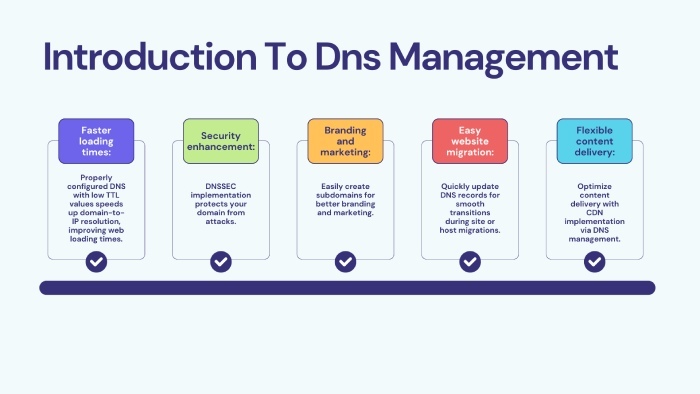
- Publish the generated SPF TXT record in your domain’s **DNS**. To do this, log in to your DNS management console or request that your hosting provider add it for you.
- _Finally, use an SPF lookup tool to verify the accuracy of your SPF record and confirm that Omnisend is listed as an authorized sender_.
If you already have an SPF record, here’s how to update it for Omnisend:
- Use an SPF checker tool to find your **current record**, such as: `v=spf1 include:_spf.example.net -all`.
- Add Mailgun for Omnisend, updating it to: `v=spf1 include:mailgun.org include:_spf.example.net -all`.
- Edit the record in your [DNS management](https://www.techradar.com/news/what-is-dns-management) console and save it.
- Wait up to 24 hours for the changes to take effect.
## How Do You Configure up DKIM for Omnisend?
- Use your login credentials to log in to your **Omnisend account**.
- Go to Store Settings
> [Sender Domains](https://docs.acquia.com/campaign-studio/add-ons/campaign-factory/configuration/sender-domains).
- _On the Sender Domain page, go to the ‘Your sender domains’ tab and click on ‘+ Add sender domain’ to log in to your domain_.
- Next, enter your domain name.
- The DKIM record for your domain is on the ‘[Domain Authentication](https://enginemailer.zendesk.com/hc/en-us/articles/360018731691-What-is-Domain-Authentication-and-why-it-is-important)’ page. It is a TXT record that consists of the [public key](https://www.coursera.org/in/articles/public-key) and name.
- Add this record to your domain’s [DNS settings](https://www.ntchosting.com/encyclopedia/dns/settings/).
- The authentication mechanism will be activated in a **maximum of 24 hours**.
## How Do You Configure up DMARC for Omnisend?
- Generate a DMARC record using an online tool, starting with the ‘none’ policy before moving to [‘quarantine’ and ‘reject](https://dmarcreport.com/blog/dmarc-enforcement-timeline-none-to-reject-roadmap/).’
- Log in to your DNS management console and add the [DMARC record](https://dmarcreport.com/dmarc-record/).
- Check its accuracy with an online **DMARC lookup tool**.
## Topics
[ dkim ](/tags/dkim/)[ DMARC ](/tags/dmarc/)[ dmarc record ](/tags/dmarc-record/)[ SPF ](/tags/spf/)

[ Vishal Lamba ](/authors/vishal-lamba/)
Content Specialist
Content Specialist at DMARC Report. Writes vendor-specific email authentication guides and troubleshooting walkthroughs.
[LinkedIn Profile →](https://www.linkedin.com/in/vishal-lamba/)
## Take control of your DMARC reports
Turn raw XML into actionable dashboards. Start free - no credit card required.
[Start Free Trial](https://app.dmarcreport.com/) [Check Your DMARC Record](/tools/dmarc-checker/)
## Related Articles
[ Foundational 7m 4 sectors that need email authentication the most and why Oct 15, 2024 ](/blog/4-sectors-that-need-email-authentication-the-most-and-why/)[ Foundational 4m 8 Misconceptions About DMARC and its Deployment for Businesses Dec 4, 2023 ](/blog/8-misconceptions-about-dmarc-and-its-deployment-for-businesses/)[ Foundational 8m 9 technologies to protect your emails from cyber actors Dec 10, 2024 ](/blog/9-technologies-to-protect-your-emails-from-cyber-actors/)[ Foundational 14m Add TXT Record on Namecheap (SPF, DKIM & DMARC) - 2026 Mar 5, 2025 ](/blog/add-txt-record-on-namecheap-a-complete-dns-guide/)
```json
{"@context":"https://schema.org","@type":"Organization","@id":"https://www.wikidata.org/wiki/Q138898167","name":"DMARC Report","url":"https://dmarcreport.com","logo":{"@type":"ImageObject","url":"https://dmarcreport.com/images/dmarcreport-logo.png"},"description":"DMARC reporting and email authentication management. Monitor aggregate and forensic DMARC reports, analyze authentication results, and enforce DMARC policies across all your domains.","parentOrganization":{"@type":"Organization","@id":"https://www.wikidata.org/wiki/Q138883901","name":"DuoCircle LLC","url":"https://www.duocircle.com","sameAs":["https://www.wikidata.org/wiki/Q138883901","https://www.crunchbase.com/organization/duocircle-llc","https://www.linkedin.com/company/duocircle","https://github.com/duocircle"],"subOrganization":[{"@type":"Organization","@id":"https://www.wikidata.org/wiki/Q138898167","name":"DMARC Report","url":"https://dmarcreport.com"},{"@type":"Organization","@id":"https://www.wikidata.org/wiki/Q138897474","name":"AutoSPF","url":"https://autospf.com"},{"@type":"Organization","@id":"https://www.wikidata.org/wiki/Q138897912","name":"Phish Protection","url":"https://www.phishprotection.com"}]},"sameAs":["https://www.wikidata.org/wiki/Q138898167","https://www.linkedin.com/company/duocircle","https://x.com/duocirclellc","https://www.g2.com/products/dmarc-report/reviews","https://github.com/duocircle","https://www.crunchbase.com/organization/duocircle-llc","https://www.trustradius.com/products/duocircle/reviews"],"aggregateRating":{"@type":"AggregateRating","ratingValue":"4.8","reviewCount":"470","bestRating":"5","worstRating":"1","url":"https://www.g2.com/products/dmarc-report/reviews"},"contactPoint":{"@type":"ContactPoint","contactType":"customer support","url":"https://dmarcreport.com/support/"},"knowsAbout":["DMARC","DMARC Reporting","DMARC Aggregate Reports","DMARC Forensic Reports","Sender Policy Framework","DKIM","Email Authentication","Email Security","DNS Management","Email Deliverability"]}
```
```json
{"@context":"https://schema.org","@type":"WebSite","name":"DMARC Report","url":"https://dmarcreport.com","description":"DMARC reporting and email authentication management. Monitor aggregate and forensic DMARC reports, analyze authentication results, and enforce DMARC policies across all your domains.","publisher":{"@type":"Organization","name":"DMARC Report","url":"https://dmarcreport.com","logo":{"@type":"ImageObject","url":"https://dmarcreport.com/images/dmarcreport-logo.png"},"description":"DMARC reporting and email authentication management. Monitor aggregate and forensic DMARC reports, analyze authentication results, and enforce DMARC policies across all your domains.","parentOrganization":{"@type":"Organization","@id":"https://www.wikidata.org/wiki/Q138883901","name":"DuoCircle LLC","url":"https://www.duocircle.com","sameAs":["https://www.wikidata.org/wiki/Q138883901","https://www.crunchbase.com/organization/duocircle-llc","https://www.linkedin.com/company/duocircle","https://github.com/duocircle"],"subOrganization":[{"@type":"Organization","@id":"https://www.wikidata.org/wiki/Q138898167","name":"DMARC Report","url":"https://dmarcreport.com"},{"@type":"Organization","@id":"https://www.wikidata.org/wiki/Q138897474","name":"AutoSPF","url":"https://autospf.com"},{"@type":"Organization","@id":"https://www.wikidata.org/wiki/Q138897912","name":"Phish Protection","url":"https://www.phishprotection.com"}]}}}
```
```json
[{"@context":"https://schema.org","@type":"BlogPosting","headline":"Setting SPF, DKIM, and DMARC for Omnisend","description":"DMARC (RFC 7489) ties SPF and DKIM together by requiring alignment between the envelope sender and the visible From header.","url":"https://dmarcreport.com/blog/setting-spf-dkim-and-dmarc-for-omnisend/","datePublished":"2025-01-10T12:00:38.000Z","dateModified":"2026-04-16T15:53:43.000Z","dateCreated":"2025-01-10T12:00:38.000Z","author":{"@type":"Person","@id":"https://dmarcreport.com/authors/vishal-lamba/#person","name":"Vishal Lamba","url":"https://dmarcreport.com/authors/vishal-lamba/","jobTitle":"Content Specialist","description":"Vishal Lamba writes DMARC Report's how-to guides and vendor-specific configuration walkthroughs. His work focuses on step-by-step implementation guides for major email platforms (Google Workspace, Microsoft 365, SendGrid, Mimecast, Proofpoint, Brevo, and others), troubleshooting common SPF and DMARC errors, and translating RFC-level specifications into practical deployment procedures for IT administrators.","image":"https://media.mailhop.org/dmarcreport/images/team/vishal-lamba.jpg","knowsAbout":["SPF Vendor Configuration","Email Platform Integrations","SPF Troubleshooting","Technical Documentation","Step-by-Step Guides"],"worksFor":{"@type":"Organization","name":"DMARC Report","url":"https://dmarcreport.com"},"sameAs":["https://www.linkedin.com/in/vishal-lamba/"]},"publisher":{"@type":"Organization","@id":"https://www.wikidata.org/wiki/Q138898167","name":"DMARC Report","url":"https://dmarcreport.com","logo":{"@type":"ImageObject","url":"https://dmarcreport.com/images/dmarcreport-logo.png"},"description":"DMARC reporting and email authentication management. Monitor aggregate and forensic DMARC reports, analyze authentication results, and enforce DMARC policies across all your domains.","parentOrganization":{"@type":"Organization","@id":"https://www.wikidata.org/wiki/Q138883901","name":"DuoCircle LLC","url":"https://www.duocircle.com","sameAs":["https://www.wikidata.org/wiki/Q138883901","https://www.crunchbase.com/organization/duocircle-llc","https://www.linkedin.com/company/duocircle","https://github.com/duocircle"],"subOrganization":[{"@type":"Organization","@id":"https://www.wikidata.org/wiki/Q138898167","name":"DMARC Report","url":"https://dmarcreport.com"},{"@type":"Organization","@id":"https://www.wikidata.org/wiki/Q138897474","name":"AutoSPF","url":"https://autospf.com"},{"@type":"Organization","@id":"https://www.wikidata.org/wiki/Q138897912","name":"Phish Protection","url":"https://www.phishprotection.com"}]},"sameAs":["https://www.wikidata.org/wiki/Q138898167","https://www.linkedin.com/company/duocircle","https://x.com/duocirclellc","https://www.g2.com/products/dmarc-report/reviews","https://github.com/duocircle","https://www.crunchbase.com/organization/duocircle-llc","https://www.trustradius.com/products/duocircle/reviews"],"aggregateRating":{"@type":"AggregateRating","ratingValue":"4.8","reviewCount":"470","bestRating":"5","worstRating":"1","url":"https://www.g2.com/products/dmarc-report/reviews"},"contactPoint":{"@type":"ContactPoint","contactType":"customer support","url":"https://dmarcreport.com/support/"},"knowsAbout":["DMARC","DMARC Reporting","DMARC Aggregate Reports","DMARC Forensic Reports","Sender Policy Framework","DKIM","Email Authentication","Email Security","DNS Management","Email Deliverability"]},"mainEntityOfPage":{"@type":"WebPage","@id":"https://dmarcreport.com/blog/setting-spf-dkim-and-dmarc-for-omnisend/"},"articleSection":"foundational","keywords":"dkim, DMARC, dmarc record, SPF","wordCount":793,"image":{"@type":"ImageObject","url":"https://media.mailhop.org/dmarcreport/images/2022/04/dmarc-alignment-6379.jpg","caption":"Setting SPF, DKIM, and DMARC for Omnisend","width":900,"height":600},"speakable":{"@type":"SpeakableSpecification","cssSelector":[".answer-block","h1"]}}]
```
```json
{"@context":"https://schema.org","@type":"BreadcrumbList","itemListElement":[{"@type":"ListItem","position":1,"name":"Home","item":"https://dmarcreport.com/"},{"@type":"ListItem","position":2,"name":"Blog","item":"https://dmarcreport.com/blog/"},{"@type":"ListItem","position":3,"name":"Foundational","item":"https://dmarcreport.com/foundational/"},{"@type":"ListItem","position":4,"name":"Setting SPF, DKIM, and DMARC for Omnisend","item":"https://dmarcreport.com/blog/setting-spf-dkim-and-dmarc-for-omnisend/"}]}
```