What Is Baiting in Cybersecurity? Understanding the Attack, Common Examples, and How to Stay Protected

Quick Answer
Baiting is a social engineering attack that tricks users with enticing offers, fake downloads, or infected USB devices. Once victims interact with the bait, attackers can steal credentials, install malware, or gain unauthorized access to sensitive systems.
Cybercriminals rely on more than sophisticated malware and hacking tools to compromise organizations. Many successful attacks begin by exploiting human curiosity, trust, or the desire to gain something valuable. One social engineering tactic that continues to deceive both individuals and businesses is baiting.
Unlike phishing attacks that typically rely on convincing emails, baiting lures victims with something appealing, such as free software, exclusive content, or abandoned storage devices. Once the victim interacts with the bait, attackers gain an opportunity to install malware, steal credentials, or compromise sensitive data.
Understanding how baiting attacks work is essential for maintaining strong cybersecurity. This guide explains the different forms of baiting, real-world examples, warning signs, and practical strategies that can help reduce the risk of becoming a victim.
What Is Baiting?
Baiting is a type of social engineering attack designed to entice people into performing actions that compromise their security. Instead of forcing entry into a system, attackers encourage victims to voluntarily interact with malicious content by offering something they find valuable or interesting.
The “bait” may be:
- Free software downloads
- Gift cards or promotional offers
- Movies or music
- USB flash drives
- External hard drives
- Fake software updates
- Cryptocurrency giveaways
- Premium online accounts
Once the victim clicks, downloads, or connects the bait, malicious code executes or credentials are collected.
The success of baiting depends largely on human behavior rather than technical vulnerabilities.
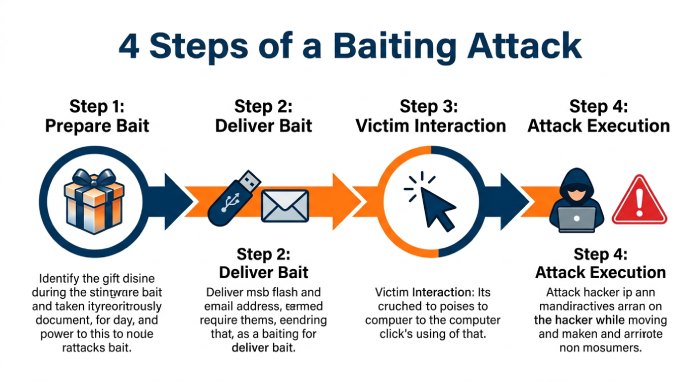
How Does a Baiting Attack Work?
Although attacks vary, they generally follow a similar sequence.
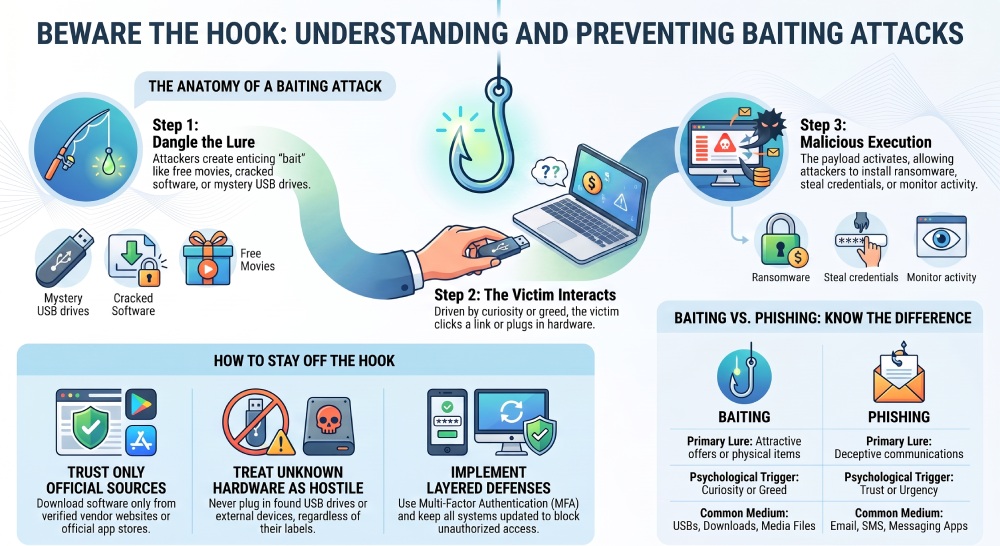
Step 1: Preparing the Bait
Attackers create something attractive enough to tempt potential victims. This could include fake promotional offers, pirated software, or infected storage devices.
Step 2: Delivering the Bait
The bait is distributed through various channels, including:
- Emails
- Social media
- Messaging apps
- Websites
- Online advertisements
- Public locations
- Physical USB devices
Step 3: Victim Interaction
The victim clicks a link, opens a file, downloads software, or plugs an unknown USB drive into their computer.
Step 4: Attack Execution
The malicious payload activates, allowing attackers to:
- Install ransomware
- Deploy spyware
- Capture login credentials
- Monitor user activity
- Gain remote access
- Steal confidential files
Why Is Baiting Effective?
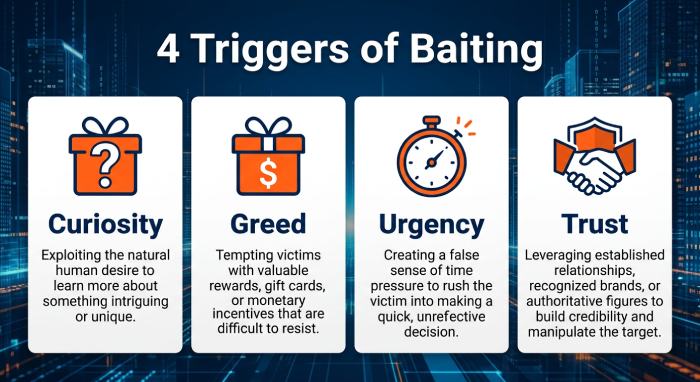 Baiting succeeds because it targets common human instincts rather than software flaws.
Some psychological triggers include:
- Curiosity: People naturally want to know what’s inside an unfamiliar USB drive or hidden behind an enticing download.
- Greed: Offers promising free subscriptions, expensive products, or financial rewards can encourage risky decisions.
- Urgency: Limited-time promotions pressure users into acting quickly without verifying legitimacy.
- Trust: Victims often believe offers appearing on familiar platforms or from recognizable brands.
Common Types of Baiting Attacks
1. Infected USB Devices
One of the oldest yet still effective methods involves leaving infected USB drives in locations such as:
- Parking lots
- Office entrances
- Conference rooms
- Cafeterias
- Public libraries
Labels like “Payroll,” “Confidential,” or “Executive Reports” increase the likelihood someone will plug the device into a computer.
2. Free Software Downloads
Attackers create websites advertising:
- Premium software
- Cracked applications
- License key generators
- Video editing tools
- Games
Instead of installing legitimate software, victims unknowingly install malware.
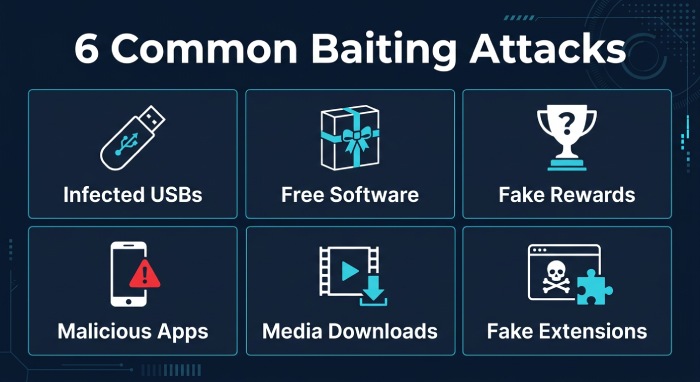
3. Fake Rewards
Victims receive messages claiming they have won:
- Smartphones
- Gift cards
- Vacation packages
- Shopping vouchers
- Cryptocurrency
Claiming the reward usually requires downloading a file or providing personal information.
4. Malicious Mobile Apps
Cybercriminals publish fake applications that imitate legitimate tools.
These apps may request unnecessary permissions, allowing attackers to collect:
- Contacts
- Photos
- Messages
- Financial information
- Device location
5. Online Media Downloads
Free movies, music albums, eBooks, or streaming applications can contain malicious installers that compromise systems immediately after installation.
6. Fake Browser Extensions
Extensions promising additional functionality may secretly:
- Record browsing activity
- Capture passwords
- Redirect web traffic
- Display malicious advertisements
Real-World Examples of Baiting
Example 1: USB Drive in an Office
An employee discovers a flash drive labeled “Annual Salary Review.”
Curious, they connect it to their work computer.
The device silently installs malware that spreads across the organization’s network.
Example 2: Free Streaming Subscription
A website advertises a lifetime premium streaming subscription at no cost.
Users download an installer that instead deploys spyware capable of stealing saved passwords.
Example 3: Cryptocurrency Giveaway
Social media users encounter posts promising to double any cryptocurrency sent to a specific wallet.
Victims transfer funds and never receive anything in return.
Example 4: Fake Productivity Tool
Employees download what appears to be a free office utility.
The software secretly installs a remote access trojan, allowing attackers to monitor activity and steal company data.
Risks Associated with Baiting
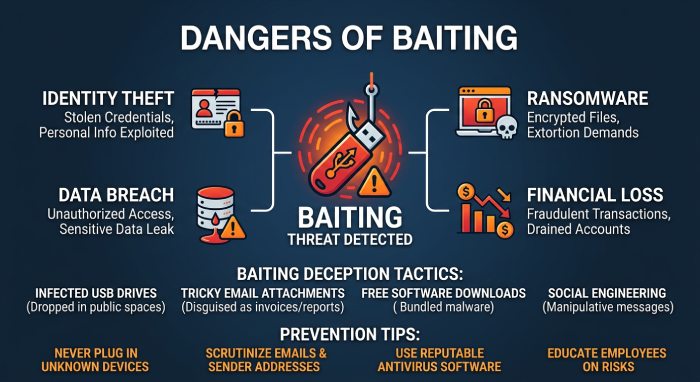 Successful baiting attacks can result in serious consequences.
These include:
- Identity theft
- Financial fraud
- Credential compromise
- Ransomware infections
- Data breaches
- Business disruption
- Intellectual property theft
- Regulatory compliance issues
- Reputation damage
For organizations, even one compromised employee can create significant operational and financial losses.
Warning Signs of a Baiting Attack
Users should be cautious when they encounter:
- Offers that seem unusually generous
- Unknown USB drives
- Cracked or pirated software
- Download links from unfamiliar websites
- Requests for unnecessary permissions
- Pop-ups claiming immediate prizes
- Suspicious browser extensions
- Unexpected software update prompts
- Files from unknown senders
When something appears too good to be true, it often is.
How to Protect Yourself from Baiting Attacks
Avoid Unknown Storage Devices
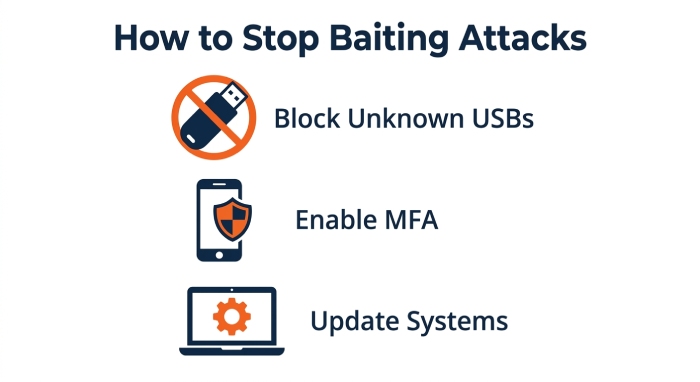
Never connect USB drives or external devices unless you know their origin and trust the owner.
Download Software Only from Official Sources
Use vendor websites or trusted app stores rather than third-party download sites.
Verify Promotions
Research giveaways and promotional offers before participating.
Visit the company’s official website instead of following links shared through unsolicited messages.
Keep Systems Updated
Install operating system updates and security patches promptly to reduce exposure to known vulnerabilities.
Use Reliable Security Software
Modern endpoint protection solutions can detect and block many forms of malware delivered through baiting attacks.
Enable Multi-Factor Authentication
Even if passwords are compromised, MFA adds another layer of protection against unauthorized account access.
Educate Employees
Organizations should conduct regular cybersecurity awareness training covering:
- Social engineering
- Suspicious downloads
- USB security
- Credential protection
- Safe browsing practices
Human awareness remains one of the strongest defenses.
Restrict USB Usage
Businesses can reduce risk by limiting or disabling unauthorized USB devices through endpoint management policies.
Monitor Network Activity
Security monitoring tools can identify unusual behavior early, helping organizations contain attacks before they spread.
Baiting vs. Phishing
Although both attacks rely on social engineering, they differ in their approach.
| Baiting | Phishing |
|---|---|
| Uses attractive offers or physical items | Uses deceptive communications |
| Relies on curiosity or rewards | Relies on trust and urgency |
| Often involves malware downloads | Frequently targets credentials |
| May include USB devices | Primarily uses email, SMS, or messaging platforms |
| Victims willingly interact with the bait | Victims are tricked into revealing information |
Both attack methods may ultimately lead to malware infections or data theft, but the initial tactics differ.
How Organizations Can Strengthen Their Defenses
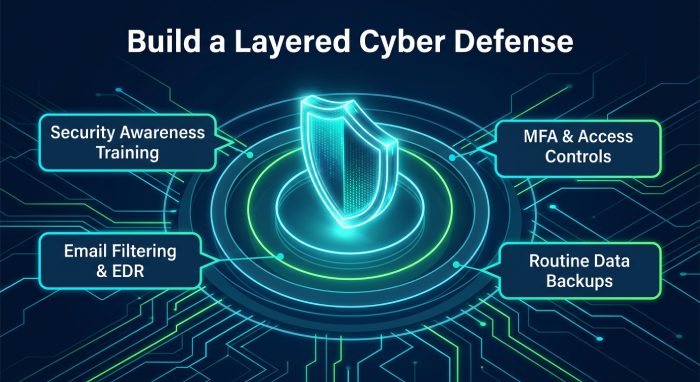 Businesses should adopt a layered security strategy that includes:
- Security awareness training
- Email filtering
- Endpoint detection and response (EDR)
- Strong access controls
- Multi-factor authentication
- Device management policies
- Application allowlisting
- Regular vulnerability assessments
- Security audits
- Incident response planning
- Routine data backups
Combining technical controls with employee education significantly reduces the effectiveness of social engineering attacks.
Best Practices for Individuals
To stay protected:
- Think before clicking or downloading.
- Ignore offers that appear unusually generous.
- Use unique passwords for every account.
- Enable multi-factor authentication wherever available.
- Update software regularly.
- Install reputable antivirus software.
- Download apps only from trusted marketplaces.
- Avoid connecting unknown USB devices.
- Verify websites before entering sensitive information.
- Report suspicious activity promptly.
Frequently Asked Questions
Is baiting considered a social engineering attack?
Yes. Baiting manipulates human behavior rather than exploiting technical weaknesses, making it a classic social engineering technique.
Can baiting happen without email?
Absolutely. Baiting attacks can occur through physical media, websites, social media, messaging apps, online advertisements, and mobile applications.
Why are USB drives commonly used in baiting attacks?
People are often curious about unknown storage devices, especially if they appear to contain important or valuable information. This curiosity increases the likelihood that someone will connect the device to a computer.
Can antivirus software stop baiting attacks?
Security software can detect many malicious files, but it cannot prevent every attack. Safe browsing habits, employee awareness, and cautious decision-making remain essential.
Who is most vulnerable to baiting?
Anyone can become a target. Individuals, employees, students, and organizations of all sizes are susceptible if they interact with malicious content without verifying its legitimacy.
Conclusion
Baiting remains one of the most effective social engineering techniques because it exploits natural human behavior rather than relying solely on technical vulnerabilities. Whether delivered through a suspicious USB drive, a fake software download, or an enticing online offer, these attacks are designed to convince victims to lower their guard. While baiting attacks often rely on human curiosity, DMARC, SPF, and DKIM provide an essential layer of protection against email-based deception. See SPF, DKIM, and DMARC explained for how these protocols work together. A DMARC generator can help you publish the right policy without deep technical expertise.
Reducing the risk requires a combination of cybersecurity awareness, cautious online behavior, strong authentication, trusted software sources, and layered security controls. By recognizing common baiting tactics and following security best practices, individuals and organizations can significantly reduce the likelihood of falling victim to these deceptive attacks.
General Manager
General Manager of DuoCircle. Product strategy and commercial lead for DMARC Report's 2,000+ customer base.
LinkedIn Profile →Take control of your DMARC reports
Turn raw XML into actionable dashboards. Start free - no credit card required.