What Is _domainconnect? Understanding The Domain Connect Protocol

Quick Answer
_domainconnect is a DNS protocol that lets domain owners connect websites, email, and online services without manually editing DNS records. It automates domain configuration between registrars and service providers, making setup faster, easier, and less prone to errors.
The _domainconnect record is a special DNS entry used by the Domain Connect protocol, an open standard designed to simplify DNS configuration. It allows websites, email providers, and other online services to automatically discover which company manages a domain’s DNS settings and guide users through an approved setup process. Instead of manually adding DNS records such as CNAME, TXT, or MX entries, users can authorize changes through their DNS provider, making domain configuration faster, easier, and less prone to errors. Understanding _domainconnect helps domain owners troubleshoot DNS settings and determine whether the record is necessary for their current hosting or service setup.
What _domainconnect Is and Why It Appears in DNS
_domainconnect is a special DNS entry used by the Domain Connect protocol to help a Service Provider discover which DNS Provider manages a domain’s DNS settings. In practical terms, it often appears as a CNAME record with the record name _domainconnect, pointing to a provider-specific hostname such as connect.domains.google.com.
For example, a domain name using Google Domains or domains.google.com may include a _domainconnect CNAME record that points to connect.domains.google.com. This does not usually host a website or affect normal browsing. Instead, it acts as a reference that helps an external website, web hosting platform, mail service, or other application determine where to send the user for an authorized DNS configuration workflow.
Domain Connect is an open standard designed to make DNS settings easier to manage. Instead of asking a customer to manually copy and paste DNS records, a Service Provider can use the protocol to request specific changes—such as adding a CNAME, SPF, or verification record—through the DNS Provider’s supported interface.
The record name and provider discovery
The key idea behind _domainconnect is discovery. A Service Provider needs to discover DNS provider information before it can offer automatic DNS setup. The _domainconnect record name gives it a predictable lookup point.
A common pattern looks like this:
Record type: CNAME Record name: _domainconnect Target: connect.domains.google.com
In that example, the CNAME record tells compatible tools that the DNS Provider’s Domain Connect service is associated with connect.domains.google.com. Other DNS Provider implementations may use different targets. GoDaddy, IONOS, 1&1, and Google Domains have all been associated with Domain Connect support in different contexts.
This is especially helpful when a domain registrar is separate from the company that hosts the website or mail service. The protocol gives the Service Provider a consistent way to discover DNS provider details without asking the user to identify where their DNS settings are managed.
How the Domain Connect Protocol Works
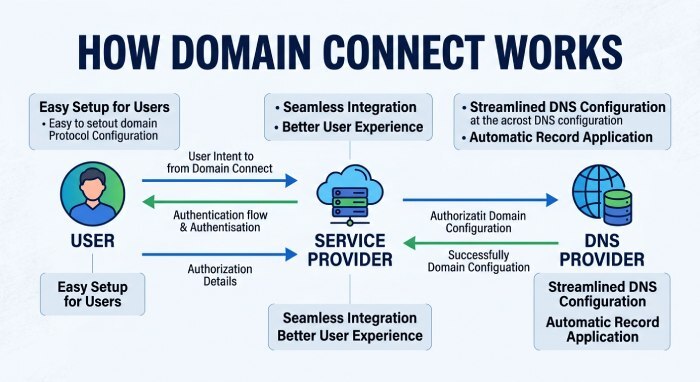
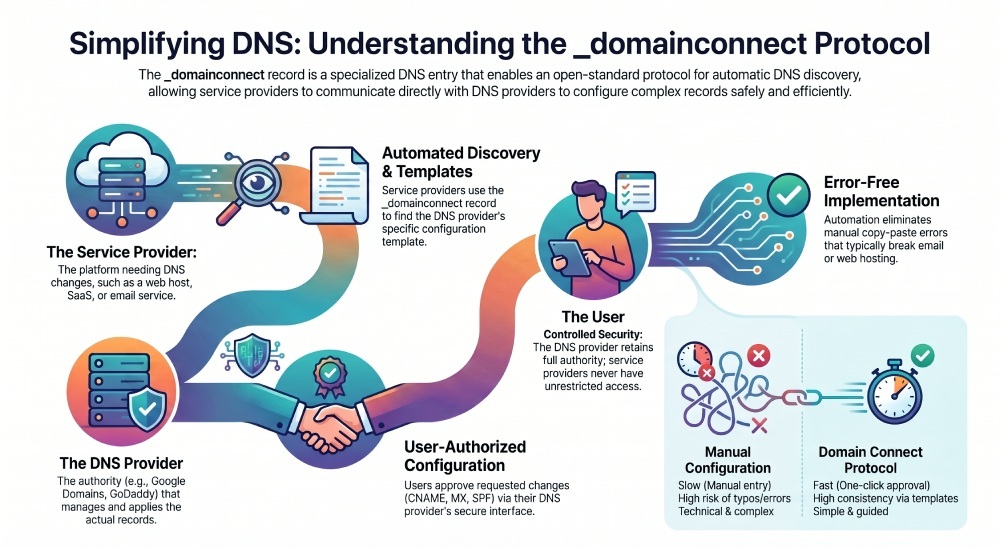
The Domain Connect protocol connects three parties: the user, the Service Provider, and the DNS Provider. The Service Provider is the platform that needs DNS changes, such as a web hosting company, email platform, SaaS (Software as a Service) application, or verification service. The DNS Provider is the company that can update DNS records for the domain.
The protocol is built around templates. A Service Provider publishes a service configuration that describes the DNS records it needs. This may include a CNAME record, TXT verification record, MX records, or SPF records for email configuration. The DNS Provider then presents those requested changes to the user for approval.
Discovery, templates, and authorization
A typical Domain Connect flow works like this:
- The user starts setup with a Service Provider.
- The Service Provider checks for _domainconnect on the domain.
- The lookup identifies the DNS Provider endpoint, such as connect.domains.google.com.
- The Service Provider sends the user to the DNS Provider for authorization.
- The DNS Provider shows the requested DNS configuration.
- The user approves the changes.
- The DNS Provider applies the requested DNS records automatically.
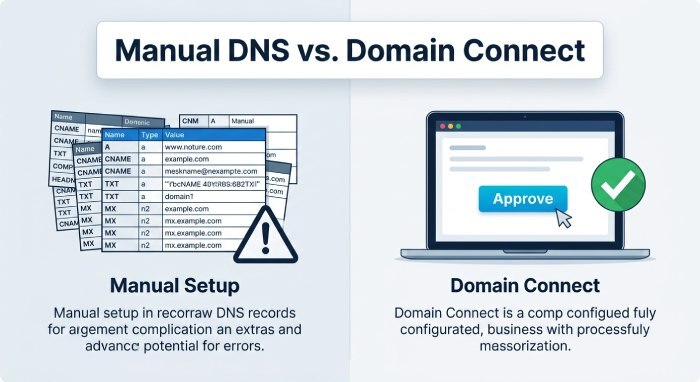
This process turns a potentially difficult task into an easy setup experience. Instead of manually editing DNS settings, the user can authorize an automatic connection. That automatic DNS workflow improves consistency because the records come from a specification rather than from copied instructions in a support article.
The open standard is documented through public materials, including GitHub repositories, specification discussions, and references connected to the IETF, the DCONN Working Group, the dconn Mailing List, and draft work visible through resources such as datatracker.ietf.org. Implementations may refer to a spec draft or IETF draft during standardization efforts, but production behavior depends on what the DNS Provider and Service Provider actually support.
Automatic DNS changes vs manual edits
Domain Connect does not give every Service Provider unrestricted control over DNS settings. The DNS Provider remains the authority that can add, update record values, or remove record entries. The user must generally approve the requested configuration.
That distinction matters for security. A Service Provider can request changes, but the DNS Provider controls authentication, authorization, and the final DNS configuration.
The role of Google Domains and connect.domains.google.com
With Google Domains, many users have seen _domainconnect configured as a CNAME record pointing to connect.domains.google.com. The hostname connect.domains.google.com acts as the Domain Connect discovery target for supported workflows.
If a domain uses Google Domains DNS settings, this record can help a Service Provider discover DNS Provider support and guide the customer through automatic setup. If the nameserver has moved away from Google Domains to another DNS Provider, such as Cloudflare, the old _domainconnect reference may no longer be useful unless that provider supports the same protocol flow.
Common Use Cases for Domain Connect
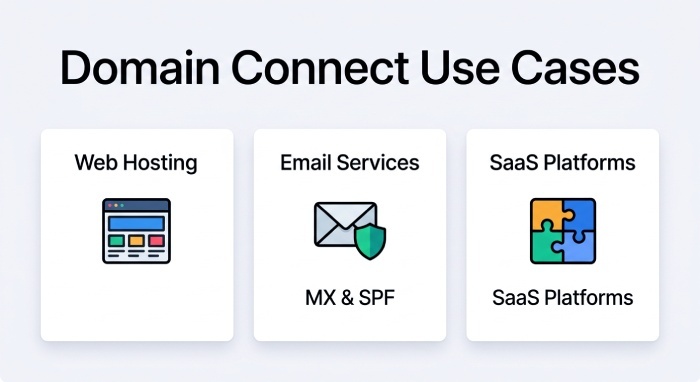
Domain Connect is most useful when a Service Provider needs to set up DNS records quickly and correctly. It is common in web hosting, email configuration, ecommerce, site builders, security tools, and domain verification systems.
Web hosting, mail service, and application services
Common use cases include:
- Connecting a custom domain to web hosting.
- Pointing a subdomain to an external website using a CNAME record.
- Adding SPF records for a mail service.
- Creating MX records for mail configuration.
- Verifying ownership for application services.
- Setting up CDN or proxy services.
- Connecting attached services from a SaaS platform.
For example, a web hosting provider may need a CNAME record for www, an A record for the root domain, or a TXT verification entry. A mail service may require MX records and SPF records. Domain Connect allows the Service Provider to request those DNS records in a structured, user-friendly flow. After the records propagate, run them through a DMARC toolset to confirm your email authentication is aligned. If your setup also needs email authentication, you can create DMARC record entries to protect the domain against spoofing.
Cloudflare users may encounter _domainconnect when importing DNS settings from a previous provider or when reviewing inherited records. Discussions on Community.cloudflare.com sometimes mention records added by Google Domains, GoDaddy, or IONOS. A user named Alex, handles such as alejo or fritex, or a site such as powermarc.com might appear in community examples where people ask whether a _domainconnect record is needed after moving DNS to Cloudflare or Cloudflare Pro.
Benefits, Limitations, and Security Considerations
Domain Connect’s main benefit is reducing manual DNS errors. DNS configuration can be unforgiving: a wrong record name, missing dot, incorrect target, or stale CNAME can break mail service, web hosting, or verification. The protocol helps by making setup more consistent.
Because Domain Connect is an open standard, independent provider platforms can implement it without building one-off integrations for every registrar. The open standard approach also gives the community a shared reference for how Service Provider templates and DNS Provider discovery should work. The specification has historically been available in public development channels, including GitHub, with licensing references such as the MIT license associated with some materials.
Benefits and limitations for users and providers
Key benefits include:
- Faster DNS configuration.
- Fewer support tickets.
- More consistent DNS records.
- Better customer experience.
- Easier setup for non-technical users.
- Safer authorization through the DNS Provider.
- Automatic DNS changes for supported services.
However, limitations remain. Not every DNS Provider supports Domain Connect. Not every Service Provider publishes templates. Some domains use custom nameserver configurations, making it harder to map nameserver values to the correct provider. If you run DNS through Cloudflare but registered the domain elsewhere, the active DNS Provider is Cloudflare, not necessarily the domain registrar.
Security considerations include:
- Only approve changes from trusted Service Provider platforms.
- Review each requested DNS configuration before accepting.
- Be cautious with mail configuration changes, especially SPF, DKIM, DMARC, and MX records.
- Do not leave obsolete records if they point to abandoned services.
- Confirm that _domainconnect points to the correct DNS Provider endpoint.
A _domainconnect CNAME record is not inherently dangerous, but it should match the DNS Provider that actually manages the zone. If the record points to connect.domains.google.com while the domain now uses Cloudflare nameservers, the record may be unnecessary or misleading depending on the setup.
How to Check, Configure, or Troubleshoot _domainconnect
To check _domainconnect, open your DNS Provider’s DNS settings and look for a CNAME record with the record name _domainconnect. You can also use DNS lookup tools from a terminal or online checker.
For example:
dig *CNAME* _domainconnect.example.comIf the result points to connect.domains.google.com, the domain likely has a Google Domains-style Domain Connect reference. If it points elsewhere, compare the target with your current DNS Provider documentation.
When troubleshooting, ask these questions:
- Which nameserver is authoritative for the domain?
- Does the current DNS Provider support the Domain Connect protocol?
- Is the _domainconnect record still relevant?
- Did the domain recently move from Google Domains, GoDaddy, IONOS, 1&1, or another provider?
- Is the Service Provider trying to set up web hosting, email configuration, or another application?
- Are there conflicting DNS records?
If you need to configure _domainconnect, use your DNS Provider’s recommended value. For Google Domains-style setups, that may be connect.domains.google.com. For another DNS Provider, do not assume the same target is correct.
If instructed to remove record entries, make sure no attached services still depend on Domain Connect. If a Service Provider support article tells you to update record values, verify that the instruction matches your active DNS Provider. On cloudflare.com, for instance, imported records may include _domainconnect, but Cloudflare’s handling of DNS settings depends on the zone configuration and active nameservers.
If a Discourse CDN (Content Delivery Network) mail service, web hosting platform, or verification application fails after DNS changes, review both manual DNS records and automatic DNS changes made through Domain Connect. The protocol simplifies setup, but accurate DNS configuration still depends on the right provider, current records, and user approval.
General Manager
General Manager of DuoCircle. Product strategy and commercial lead for DMARC Report's 2,000+ customer base.
LinkedIn Profile →Take control of your DMARC reports
Turn raw XML into actionable dashboards. Start free - no credit card required.