What Is An NS Record? DNS NS Record Function, Setup, And Management

Quick Answer
NS record defines authoritative nameservers for a domain, directing DNS queries to the correct DNS servers. It ensures domain resolution works properly. Setup/management is done via DNS zone settings at your registrar or hosting provider to update or change nameservers when needed.
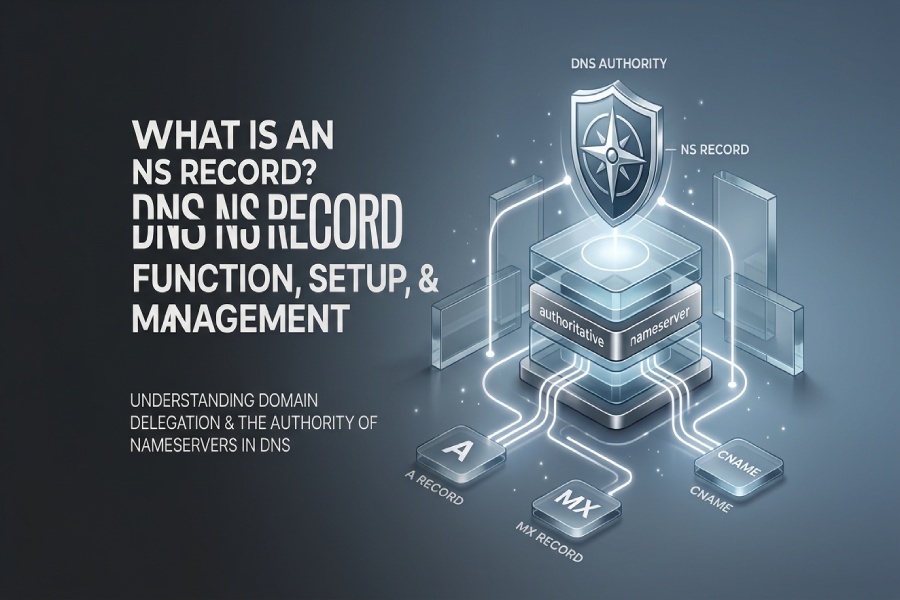
An NS (Name Server) record is a type of DNS record that identifies which authoritative name servers are responsible for a domain. It plays a key role in the Domain Name System (DNS) by directing DNS queries to the correct servers that contain the domain’s official DNS records. When a user visits a website, NS records help DNS resolvers locate the authoritative source for information such as IP addresses, email servers, and other DNS settings. In simple terms, NS records establish a domain’s DNS authority and ensure internet traffic reaches the correct destination.
What Is an NS Record? Definition and Role in DNS
An NS record, short for Name Server record, is a type of DNS record that identifies which authoritative name server is responsible for a domain or subdomain. Its primary purpose is to tell the global DNS system where to find the servers that hold the domain’s authoritative DNS data.
In practical terms, a Name Server record answers the question: “Which DNS server has authority for this domain?” If a user tries to visit www.example.comDNS must determine which servers know the correct records for example.com. The NS record points DNS resolvers toward those servers.
An NS record is typically stored in a zone file, which is the DNS file containing records for a domain. A zone file may include an A record for IPv4 address mapping, an AAAA record for IPv6, an MX record for mail routing, CNAME records for aliases, TXT records, SOA records, and NS records. Among these, the Name Server record is especially important because it establishes the domain’s authority in the DNS system.
For example, a domain using DNSimple may have Name Server record values such as:
ns1.dnsimple.comns2.dnsimple-edge.netns3.dnsimple.comns4.dnsimple-edge.org
These servers may act as the authoritative name server set for the domain. In DNSimple, some of these may appear as system records or system-managed records, often visible in a System Records section or a Zone NS records section, depending on the DNS management interface.
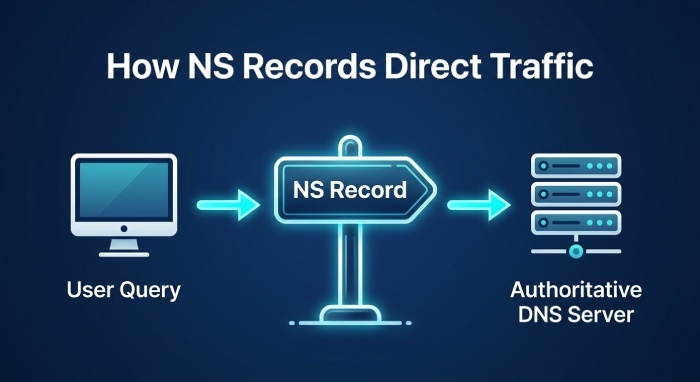
How NS Records Work: Delegation, Authoritative Nameservers, and DNS Resolution
The NS record is central to domain delegation, DNS delegation, and DNS resolution. DNS works as a hierarchy: the root, the top-level domain, and then the authoritative servers for individual domains. This structure is known as the DNS hierarchy.
When a browser or application needs to resolve a name, such as www. example.com, it usually asks a recursive DNS resolver. The recursive DNS resolver performs a DNS lookup by following the chain of authority from the root to the correct authoritative source.
The DNS resolution path
The DNS resolution path
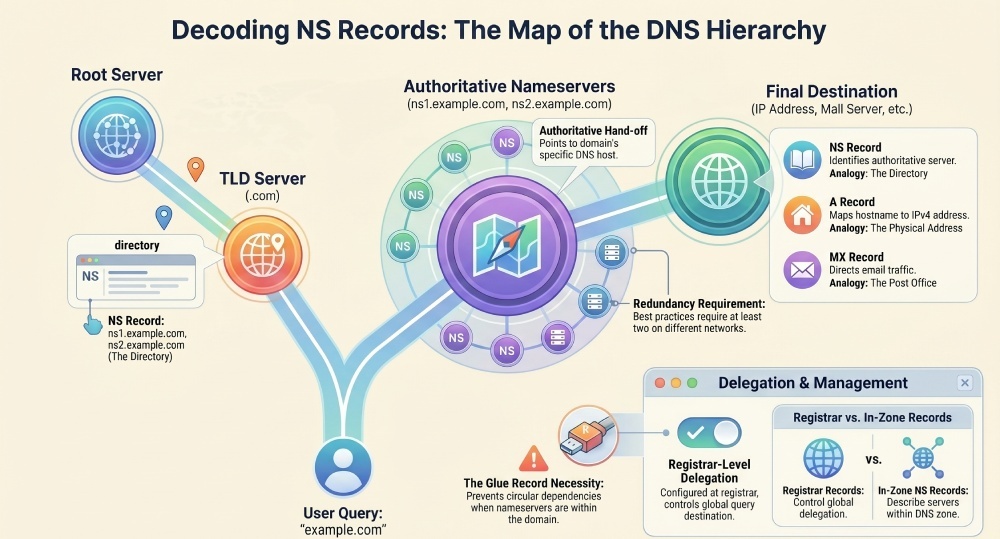
A typical DNS resolution process looks like this:
- The client asks a recursive DNS resolver for www.example.com
- The resolver asks a root name server where to find information for .com.
- The root name server points to a TLD name server for COM.
- The TLD name server, operated under the .COM registry for .com domains, returns the NS record values for example.com.
- The recursive DNS resolver contacts the listed authoritative name server.
- The authoritative server returns the requested DNS record, such as an A record or AAAA record.
This process depends on correct domain delegation. At the domain registrar, the domain owner configures which nameservers should be authoritative. The registrar sends this delegation to the relevant registry, such as the .COM registry for COM domains or the ORG registry for ORG domains. Those registry-level records are what let resolvers find the right authoritative name server.
If the domain registrar points the domain to Cloudflare, DNSimple, or another DNS hosting provider, then that provider’s servers become the domain’s DNS authority. If DNS delegation is misconfigured, the recursive DNS resolver may not be able to complete DNS resolution, even if the zone file at the DNS provider is otherwise correct.
Delegation at the registrar and in the zone
There are two common places where NS records appear:
- At the domain registrar or registry level, where they define domain delegation.
- Inside the domain’s zone file, where they appear as Zone NS records.
Registrar-level NS records determine which DNS provider receives live DNS queries for the domain. In-zone NS records describe the authoritative nameservers inside the DNS zone itself. Both matter, but registrar level changes are what control global delegation.
For example, if dnsimple.com is delegated to DNSimple’s name servers, the registrar points to DNSimple’s name servers. The DNSimple-hosted zone then contains a zone file with the domain’s records. If the registrar points somewhere else, the DNSimple-hosted zone may exist, but it will not be the authoritative source for public DNS queries.
NS Record vs. Other DNS Records: A, CNAME, MX, SOA, and Glue Records
An NS record differs from other DNS records because it does not map a hostname directly to an IP address or service. Instead, the Name Server record identifies the authoritative name server responsible for answering further DNS queries.
Common DNS record comparisons
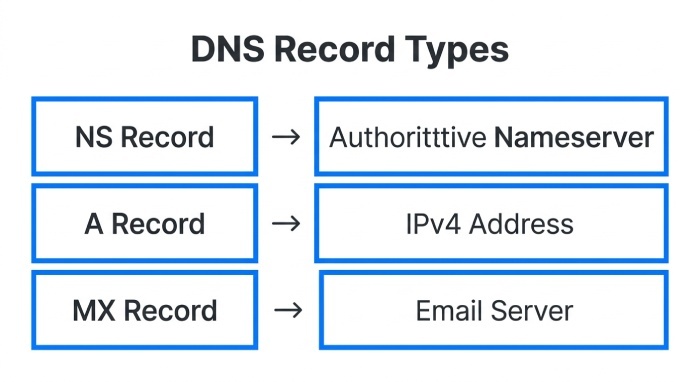
An A record maps a hostname to an IPv4 address. For example, www.example.com might point to 192.0.2.10. An AAAA record performs the same function for IPv6. This is the direct IP address association many people think of when they hear “DNS record.”
An MX record tells mail systems where to deliver email for a domain. A CNAME record creates an alias from one hostname to another. An SOA record defines administrative data for the zone, such as the primary nameserver, serial number, and refresh intervals.
By contrast, the NS record says, “Ask these nameservers for authoritative answers.” It supports DNS delegation, not direct hostname-to-address resolution.
Glue records are related but distinct. A glue record is an A or AAAA record stored at the parent zone to prevent circular dependency. For example, if ns1.example.com is a nameserver for example.com The parent zone may need a glue A record so resolvers can find that nameserver. This is essential for some delegated domain configurations.
The DNS specification, including RFC 1035, defines how these record types function. RFC 1035 remains one of the foundational references for DNS behavior, zone file syntax, and DNS server interoperability.
Zone file example
A simplified zone file might include:
example.com. 3600 IN NS ns1.dnsimple.com.example.com. 3600 IN NS ns2.dnsimple-edge.net.[www.example.com.](https://www.example.com.) 3600 IN A 192.0.2.10example.com. 3600 IN MX 10 mail.example.com.
Here, the Name Server record entries define the authoritative nameservers, while the A record and MX record define web and mail services. The NS entries are part of the zone file, but the live domain delegation still depends on the registrar pointing name servers correctly.
How to Set Up and Update NS Records for a Domain
To set up or update name servers, you usually work at the domain registrar, not only in the DNS hosting interface. This is because changing delegation requires updating the parent zone through the registrar or registry.
Step-by-step setup process
- Choose a DNS provider Select a DNS hosting provider such as DNSimple, Cloudflare, or another provider. Different DNS providers may offer different DNS services, redundancy models, edge name servers, email automation tools, and security controls.
- Create or verify the hosted zone In DNSimple, for example, create a DNSimple-hosted zone for the domain. The provider generates a zone file and may create system records, including Zone NS records.
- Copy the assigned nameservers DNSimple may assign servers such as ns1.dnsimple.com, ns2.dnsimple-edge.net, ns3.dnsimple.com, and ns4.dnsimple-edge.org. The dnsimple-edge.net infrastructure may be used for edge name servers that improve resiliency and response time.
- Update the registrar settings Go to the domain’s management page at the domain registrar and replace the existing nameserver values with the new ones. This is the actual DNS delegation change. Some interfaces call this “custom nameservers,” “change nameservers,” or “delegation.”
- Wait for propagation and verify After the registrar submits the update to the registry, recursive resolvers begin seeing the new delegation. Use dig, nslookup, DNSimple tools, or third-party DNS lookup services to verify that the recursive DNS resolver path reaches the expected authoritative name server.
For example, if a domain is registered at one company but hosted at DNSimple, the domain registrar controls delegation, while DNSimple controls the zone file. The domain’s authority becomes DNSimple only after the registrar-level NS records point to DNSimple’s name servers.
Vanity name servers are another option. With vanity name servers, a domain might use branded names such as ns1.example.com while still relying on a backend DNS provider. This setup often requires glue records and careful DNS management.
Best Practices for Managing, Troubleshooting, and Securing NS Records
Managing an NS record correctly is essential for uptime, email delivery, and reliable DNS resolution. A broken Name Server record can make every other DNS record unreachable, even if the records inside the zone file are valid.
Operational best practices
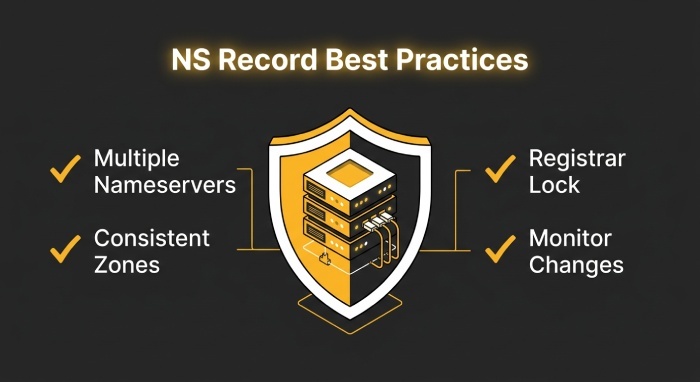
Use at least two authoritative nameservers, preferably on different networks or anycast infrastructures. Providers like DNSimple and Cloudflare operate resilient platforms with multiple edge locations. Multiple authoritative name server entries improve availability if one DNS server or network path fails.
Keep registrar delegation and in-zone NS records consistent. If the parent zone says the domain is delegated to one set of nameservers, but the zone file lists another, troubleshooting becomes harder. This mismatch can lead to intermittent DNS resolution problems depending on which recursive DNS resolver is queried.
When making registrar level changes, lower Time To Live values in advance where possible, document the old and new NS record set, and verify delegation after the change. Use DNS lookup tools to query the root name server, TLD name server, and authoritative name server chain directly.
In DNSimple, review the System Records section and the Zone NS records section before editing records. Some records are system-managed records and should not be manually changed unless the platform explicitly supports it. DNSimple’s name servers, such as ns1.dnsimple.com and ns4.dnsimple-edge.orgshould match what the registrar has configured when DNSimple is intended to provide DNS authority.
Troubleshooting and security tips
If DNS queries fail, start by checking the delegation path:
- Does the registrar list the correct nameservers?
- Does the TLD name server return the expected NS record set?
- Does each authoritative name server answer for the zone?
- Does the zone file contain the expected DNS record data?
- Are glue records required for in-domain nameservers?
Tools and communities such as Server Fault, Meta Server Fault, Stack Exchange, Stack Overflow, Stack Internal, Stack Overflow for Teams, and technical explainers like “How DNS Works” can be useful when diagnosing complex DNS delegation issues. Some modern platforms also provide AI Assist features for DNS management workflows.
For security, enable registrar lock, use strong authentication at the domain registrar and DNS provider, restrict account access, and monitor for unauthorized changing delegation events. Attackers who alter NS records can redirect traffic, intercept email, or take over subdomain resolution. Because those same DNS records also carry your email policies, make sure you create an SPF record that authorizes every legitimate sending source.
SPF, DKIM, and DMARC work alongside DNS records like NS records to verify email authenticity, prevent spoofing, and improve domain security. Once your nameservers are stable, create your DMARC record to layer policy and reporting on top of SPF and DKIM. The same DNS provider that hosts your NS records is where you create DMARC record TXT entries to authenticate outbound email.
For a delegated subdomain, such as app.example.com, you can place NS records inside the parent zone to delegate that subdomain to another DNS provider. This is a legitimate form of delegation, but it should be documented carefully, especially when multiple teams or different DNS providers manage parts of the namespace.
The safest approach is to treat every NS record as a control point for DNS authority. The domain’s authority depends on accurate delegation, correct zone file contents, reliable authoritative name server infrastructure, and disciplined DNS management. If you don’t have one yet, generate a DMARC record to protect the same domain from spoofing.
General Manager
General Manager of DuoCircle. Product strategy and commercial lead for DMARC Report's 2,000+ customer base.
LinkedIn Profile →Take control of your DMARC reports
Turn raw XML into actionable dashboards. Start free - no credit card required.