DNS TXT Lookup Tool For Checking DNS TXT Records

Quick Answer
A DNS TXT Lookup Tool lets you quickly check the TXT records published for a domain. Use it to verify SPF, DKIM, DMARC, domain verification records, and other DNS TXT entries to help troubleshoot email authentication and DNS configuration issues.
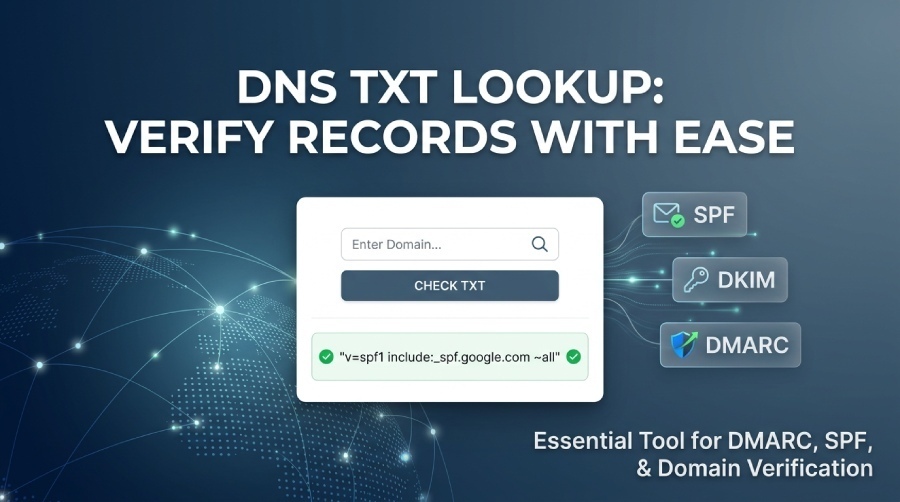
A DNS TXT Lookup Tool is a simple utility used to retrieve and verify TXT records associated with a domain name. These TXT records are stored in the Domain Name System (DNS) and often contain important information such as email authentication settings (SPF, DKIM, and DMARC), domain ownership verification codes, and security policies. By performing a DNS TXT lookup, administrators can quickly confirm whether the correct TXT records are published and visible on the public DNS, helping ensure proper email delivery, secure domain configuration, and successful third-party service verification.
What DNS TXT Records Are and Why They Matter
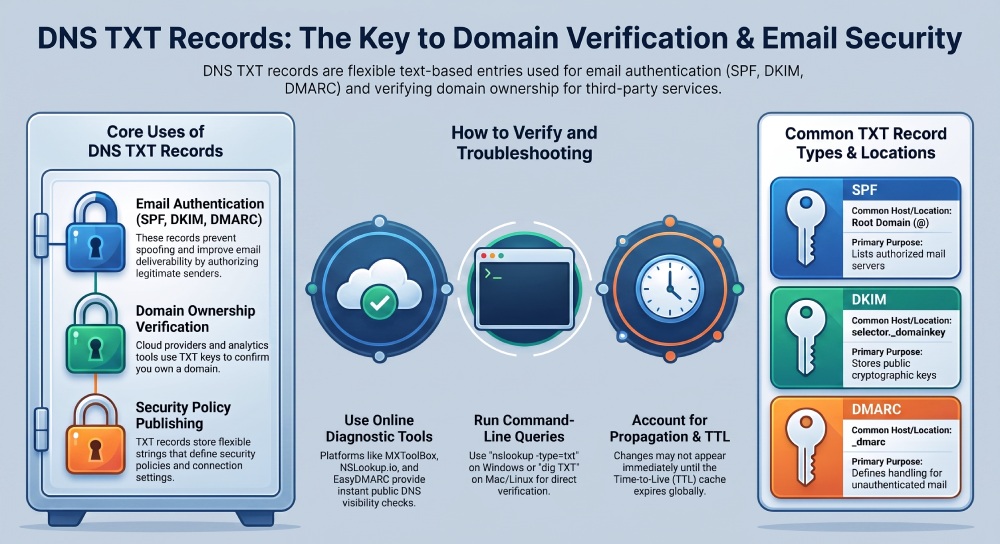
A TXT record is a DNS record type used to publish plain text information in the Domain Name System. Although it is often called a text record, it is not merely informational; many modern internet services rely on a TXT record to validate a domain name, authenticate email, and connect third-party services. DNS TXT records commonly store SPF, DKIM, and DMARC policies that help authenticate email, prevent spoofing, and improve email deliverability. A DNS TXT lookup helps retrieve these values from DNS so administrators can confirm that the correct record value is visible publicly.
TXT records as flexible DNS data
Unlike an MX Record, CNAME, SOA Record, DNSKEY, or older record types such as AFSDB, a TXT record can store flexible strings. This flexibility is why Google, Microsoft, Cloud Service Providers, email platforms, and SaaS (Software as a Service) vendors use TXT records for verification and policy publishing.
A typical record example might look like:
example.com. 3600 IN TXT "v=spf1 include:_spf.google.com -all"`In this example, the TTL, or time to live, is 3600 seconds. The TXT value is an SPF record, which defines authorized mail senders through the Sender Policy Framework.
Why a text record matters
A text record can support:
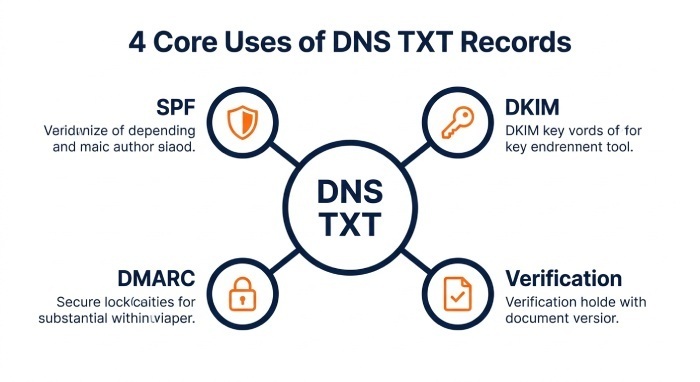
- Email authentication through SPF, DKIM, and DMARC
- Email verification for hosted platforms
- Domain validation for a cloud service provider
- Ownership checks for analytics, search, and security products
- Policy controls designed to reduce email spam
Because these values affect email security, email deliverability, and sender reputation, a reliable DNS TXT lookup is essential for operational DNS management.
How a DNS TXT Lookup Tool Works
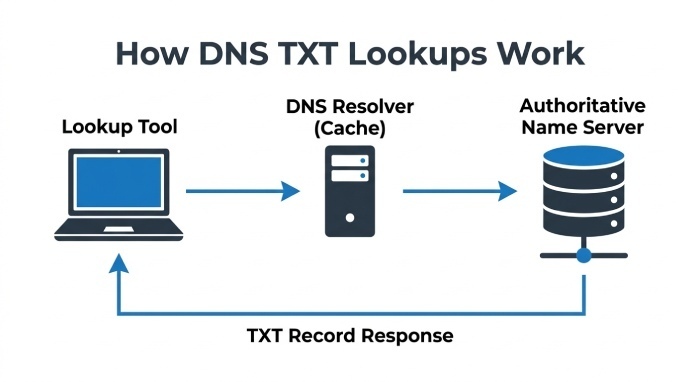
A DNS TXT Lookup Tool performs a targeted DNS lookup for TXT records associated with a specific domain name. Instead of checking all DNS records, the lookup tool requests only the TXT record type and returns the matching text record entries.
The DNS query process
When you enter a domain name into a DNS TXT checker, the tool sends a DNS query through DNS resolvers and, when needed, traces the answer back to the authoritative name servers for that domain. These authoritative name servers are the final source of truth for DNS records.
A good lookup tool can show whether a TXT record is available globally, whether multiple TXT values exist, and whether the returned response matches expected configuration settings.
Authoritative vs cached answers
A standard DNS lookup may return cached information from recursive DNS servers. That is useful for speed, but during troubleshooting, authoritative results matter more. A proper DNS TXT lookup can help distinguish between cached responses and the values currently published by the authoritative name servers.
This is especially important after changing an SPF record, adding a verification key, or correcting a malformed text record. Cached responses may persist until the TTL expires.
Online lookup tools and diagnostic platforms
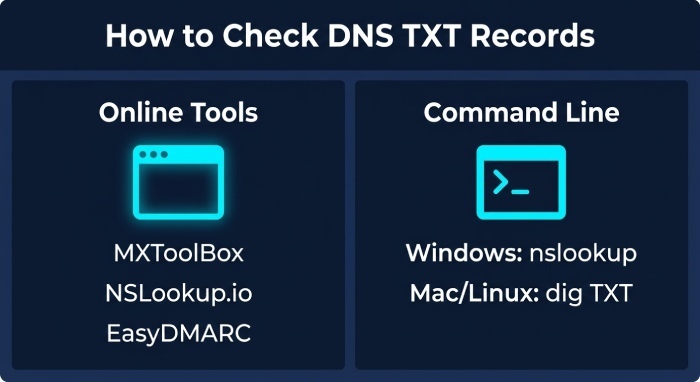
Popular options include MXToolBox SuperTool, NSLookup.io, WhatsMyDNS, and EasyDMARC. These tools often provide instant results, making them convenient for quick checks. A broader DNS checker may also support MX lookup, blacklist checks, global DNS propagation tests, and other diagnostics.
Platforms such as EasyDMARC may pair DNS checks with email health, Inbox Placement Tests, EasyDMARC Outbound, and a Delivery Center for deeper email infrastructure monitoring.
API-based TXT lookup
For automation, teams may use an API Reference from a DNS or security platform to query DNS programmatically. This is useful for continuous monitoring, compliance checks, and validating TXT records across many domain name assets.
Common Uses for DNS TXT Lookup: SPF, DKIM, DMARC, and Verification
A DNS TXT lookup is most commonly used to confirm email authentication records and service validation tokens. Since many email systems depend on TXT records, even a small typo can affect inbox placement. For DMARC specifically, a dedicated DMARC lookup can decode each tag for you.
SPF records and Sender Policy Framework
An SPF record is a TXT record that lists which mail servers are authorized to send email for a domain name. SPF stands for Sender Policy Framework, and it helps receiving mail systems determine whether a message is likely legitimate.
For example:
v=spf1 include:spf.protection.outlook.com include:_spf.google.com -allThis SPF record may authorize Microsoft and Google’s mail infrastructure. A DNS TXT lookup confirms whether the Sender Policy Framework policy is published correctly and whether the full text record is returned without truncation.
SPF best practices
When reviewing an SPF record, verify that:
- The domain name has only one SPF TXT record
- The Sender Policy Framework syntax is valid
- The lookup count does not exceed SPF limits
- Old third-party services are removed
- The policy aligns with your email security goals
A broken SPF record can damage email deliverability, weaken sender reputation, and increase the risk of spoofing. Use a checker to validate your SPF record after any change.
DKIM and DMARC records
DKIM uses a public cryptographic key published as a TXT record. Mail receivers use that key to verify that a message was signed by an authorized sender. The TXT record usually appears under a selector, such as:
selector1._domainkey.example.com
DMARC also uses a TXT record, typically published at:
_dmarc.example.com
DMARC builds on SPF and DKIM by defining how receivers should handle unauthenticated mail. A DNS lookup can confirm whether DMARC is set to monitoring mode or enforcement mode. You can check your DMARC record to confirm its policy and syntax. Running a dedicated DMARC lookup shows your published policy and flags any syntax errors at a glance.
Domain ownership and third-party verification
Many services ask users to verify domain ownership by publishing a TXT record containing a unique verification key. This is common with Google Search Console, Microsoft 365, ResearchGate, CNBlogs, marketing tools, and other third-party services.
A DNS TXT lookup verifies whether the record value is visible to the public DNS. If the online tool cannot find it, the issue may be an incorrect domain name, a wrong DNS zone, or delayed propagation across the global DNS.
How to Check DNS TXT Records Step by Step
Checking a TXT record can be done through an online tool, command-line utilities, or platform-specific DNS dashboards.
Step 1: Identify the exact domain name
Start by confirming the precise domain name or subdomain. For SPF, check the root domain. For DKIM, check the selector host. For DMARC, check _dmarc.domain.com.
Step 2: Use an online DNS TXT lookup tool
Open a lookup tool such as MXToolBox, NSLookup.io, WhatsMyDNS, or EasyDMARC. Enter the domain name, choose TXT as the record type, and run the DNS TXT lookup.
The tool should return the TXT record, TTL, and sometimes the responding DNS servers. If the result shows “not found,” use a second DNS checker to confirm.
Step 3: Check from the command line
You can also use nslookup or the dig command. On Windows, open Command Prompt:
nslookup -type=txt example.com
On Mac OS or Linux, open Terminal:
dig TXT example.com
These commands perform a DNS lookup and return TXT records visible through your resolver. To query the authoritative name servers directly, first identify the name servers, then run a targeted DNS query against them.
Troubleshooting DNS TXT Record Issues and Best Practices
TXT record problems are usually caused by syntax errors, duplicate records, propagation delays, or incorrect DNS hosting. A careful DNS TXT lookup helps isolate where the failure occurs.
Common TXT record issues
A TXT record may fail because the value was pasted incorrectly, quotation marks were changed, or the DNS provider split long strings improperly. DKIM keys, in particular, can be long and sensitive to formatting.
Propagation and TTL delays
If a new text record does not appear immediately, check the time-to-live(TTL) and wait for cached data to expire. Different DNS servers may return different answers during propagation, which is why global DNS testing can be useful.
Also, confirm that the DNS zone is hosted by the correct authoritative name servers. If the registrar points to one provider but the TXT record was added at another, public DNS will not return the expected value.
Best practices for reliable TXT records
- Keep a documented inventory of TXT records and related configuration settings
- Use a trusted DNS TXT checker after every DNS change
- Avoid publishing more than one SPF record for the same domain name
- Review the Sender Policy Framework includes regularly
- Remove unused verification keys from old third-party services
- Monitor blacklist status, email health, and sender reputation
- Validate SPF, DKIM, and DMARC after mail platform changes
- Use diagnostics from MXToolBox, EasyDMARC, or similar platforms
- Run an MX lookup alongside TXT checks when troubleshooting mail flow
- Test inbox placement after major authentication changes using tools such as Inbox Placement Tests or Delivery Center features
General Manager
General Manager of DuoCircle. Product strategy and commercial lead for DMARC Report's 2,000+ customer base.
LinkedIn Profile →Take control of your DMARC reports
Turn raw XML into actionable dashboards. Start free - no credit card required.