Network Security And DMARC: Building A Comprehensive Sender Stack

Quick Answer
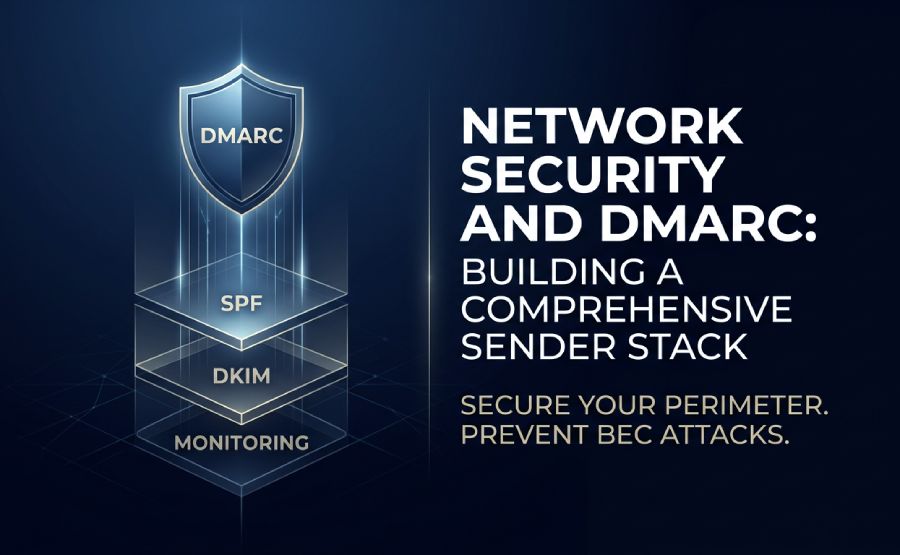
Network security and DMARC work together to create a comprehensive sender stack. SPF and DKIM authenticate email sources, while DMARC enforces policies, reduces spoofing and phishing, and strengthens domain protection and email deliverability.
Try Our Free DMARC Checker
Validate your DMARC policy, check alignment settings, and verify reporting configuration.
Check DMARC Record →When it comes to protecting your business, the thought of someone impersonating your email domain is enough to make any IT manager wince. Spoofing a company’s domain puts confidential information and financial assets at serious risk, which is why modern network security calls for robust authentication protocols – and fast. This post walks you through building a secure sender stack by weaving together DMARC and a handful of traffic‑control tools.
Why Any Solid Network Security Setup Must Include DMARC
Mail servers handle thousands of requests every day, so securing your perimeter without checking whether messages are genuine simply isn’t enough. Effective network security depends on being able to pinpoint exactly where each email really came from. The DMARC standard uses your existing DNS records to confirm that a sender actually has the right to use a particular domain name. To understand DMARC fully, it helps to see how it builds on SPF and DKIM.
According to the technical specification RFC 7489, putting blocking policies in place dramatically reduces the risk of successful phishing attacks on your customers. Without this tool, an attacker can easily spoof the “from” field in a header.
The Protection Toolkit: Infrastructure That Stops Address Spoofing
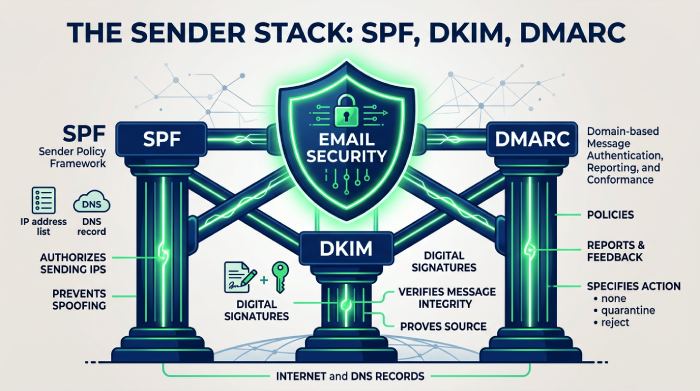
Building a resilient corporate shield starts by rolling out a few core email authentication technologies. A trustworthy anti-spoofing infrastructure combines checking a sender’s IP address with cryptographic signatures.
Administrators create special text records on public name servers. These records give receiving servers precise instructions on how to handle suspicious emails.
Getting SPF and DKIM to work together when authenticating domains
Validating messages means meeting two mandatory conditions:
- Checking the IP address against the published list of allowed senders (SPF).
- Validating the digital signature using the public cryptographic key (DKIM).
Full SPF and DKIM alignment guarantees highly accurate verification of every email’s legitimacy. If a message’s headers fail this check, the recipient’s server applies strict traffic‑cleansing rules.
How a Properly Configured Secure SMTP Gateway Transforms E-Mail Protection
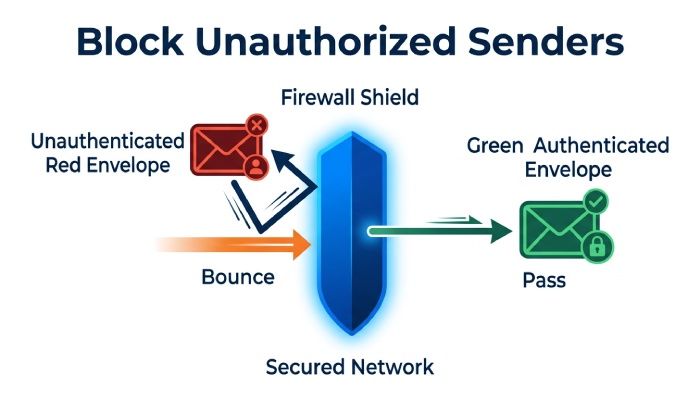
Protecting your corporate perimeter means keeping an eye on where information flows in and out. A secure SMTP gateway configuration stops malicious code from spreading and prevents confidential documents from leaking out.
The gateway inspects headers and checks messages against your DMARC policy before sending them out into the public network. Your corporate network security gets a substantial boost because the gateway automatically rejects unauthorized mail.
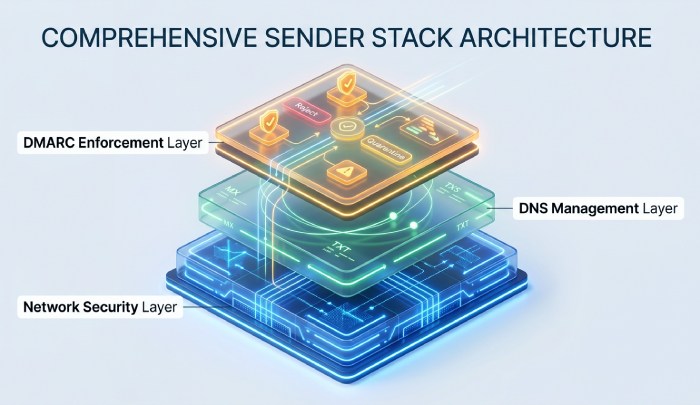
Mail Routing With TLS Encryption and DNS-Level Threat Protection
Intercepting data while it’s in transit is a common threat to distributed corporate networks. Reliable TLS-encrypted mail routing shields message content from prying eyes.
At the same time, administrators put DNS‑level threat protection in place, which stops attackers from swapping out IP addresses. Combining these technologies creates a defensive barrier against sophisticated attack vectors.
Integration With Your Corporate Firewall and Inbound Filtering
Your email stack can’t operate in isolation from the rest of your company’s information security systems. Deep corporate firewall integration ensures that network ports are monitored and suspicious activity is blocked.
The firewall shares information with an analysis engine that performs inbound mail filtering based on reputation lists. This approach keeps spam out and protects employees’ workstations from infection.
Corporate Traffic Control
The link between internal servers and the outside world often requires intermediary nodes. A dedicated email proxy server isolates your internal infrastructure from the external environment.
This tool inspects outgoing connections and hides the real technical addresses of your mail systems. As a result, your organization’s network security gains an extra layer of protection against targeted port scanning.
Choosing a Provider: Top Proxy Providers for IT Infrastructure
When engineers need to run large‑scale delivery tests from different regional nodes, they turn to specialized IP networks. In these situations, the best proxy providers offer stable, high‑availability technical solutions.
To check the configuration of filters in various countries, companies often decide to buy residential proxies from trusted suppliers. These tools support both the HTTP and SOCKS5 protocols.
Analytics and Monitoring: Keeping Tabs on Your Sender Domain’s Reputation
Constantly monitoring your configuration minimizes the chance of legitimate messages landing in spam folders. Systematic sender domain reputation tracking lets you spot anomalies in your company’s mail flows early.
A dedicated platform collects daily reports from major providers around the world. Automated report analytics show every attempt to send mail on behalf of your organization. This is the core of DMARC reporting: turning raw aggregate feedback into a clear picture of your mail flows. Run a quick DMARC check to confirm your policy is published correctly. Thanks to these reports, your corporate infrastructure becomes fully manageable and transparent for IT staff.
Business Network Security and Preventing BEC Attacks
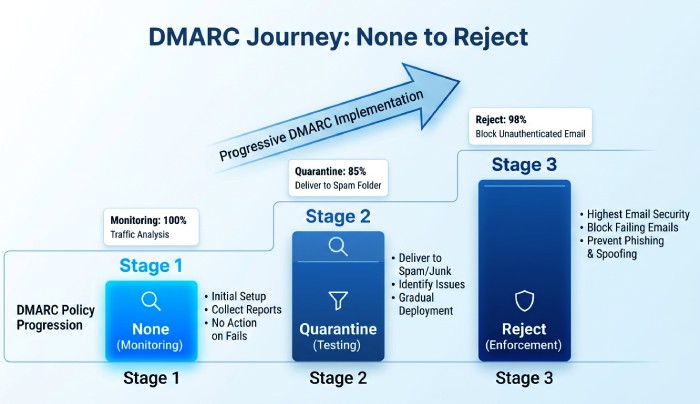
Business email compromise is a significant threat to finance departments everywhere. Effective BEC attack prevention demands activating the strictest policy – the one that blocks unauthorized mail outright.
Fraudsters often use name‑spoofing techniques to trick staff. When they try to send fake invoices or bogus executive orders, the recipient’s system destroys those messages instantly. In this context, network security extends beyond your local network and envelops your external communication channels.
Access List Optimization: Whitelisting Dedicated IP Addresses
To set up stable communication between different company branches, administrators configure filtering rules on firewalls. Precise dedicated IP whitelisting eliminates delays when transferring large volumes of data.
This reduces the load on verification servers and speeds up the exchange of service information. When your network security relies on fixed parameters for trusted nodes, the risk of falsely blocking critical services drops to zero.
DMARC Policy Levels and Comprehensive Company Network Security
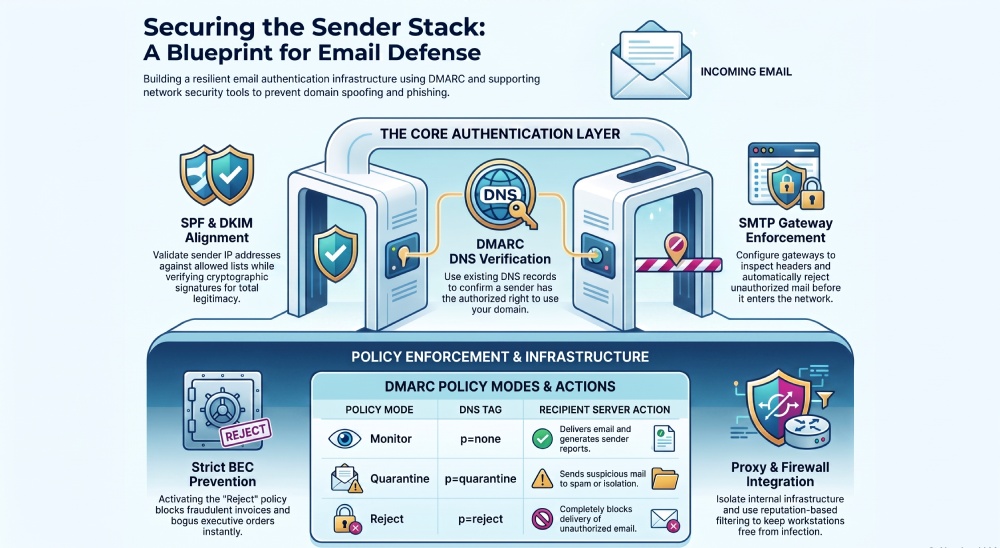
| Policy mode | DNS tag | Recipient server action |
|---|---|---|
| Monitor | p=none | Email delivery and sender report generation |
| Quarantine | p=quarantine | Suspicious emails are placed in the spam folder or isolated |
| Reject | p=reject | The server completely blocks the delivery of unauthorized email |
Each policy level requires careful analysis to avoid losing important correspondence. When your network security moves to full domain isolation, your phishing protection reaches its peak.
Summing Up
Building a secure infrastructure requires network gateways and authentication protocols to work together seamlessly. Combining DMARC with filtering tools creates a dependable shield against today’s cyber‑threat landscape. Properly configuring every layer of verification minimizes technical errors and guarantees the steady delivery of your business correspondence.
General Manager
General Manager of DuoCircle. Product strategy and commercial lead for DMARC Report's 2,000+ customer base.
LinkedIn Profile →Take control of your DMARC reports
Turn raw XML into actionable dashboards. Start free - no credit card required.