What Is a Trojan Virus? How It Works, Common Types, and Ways to Stay Protected

Quick Answer
A Trojan is malware that pretends to be legitimate software to trick users into installing it. Once active, it can steal data, give hackers remote access, or install more malware. Stay protected by downloading only from trusted sources and keeping security software updated.
Cybercriminals use many different techniques to compromise computers and steal sensitive information. Among the most deceptive threats is the Trojan, a type of malware that disguises itself as legitimate software to trick users into installing it. Unlike viruses that spread by infecting other files, Trojans rely on social engineering and user interaction to infiltrate devices.
Understanding how Trojans operate can help individuals and organizations recognize suspicious activity, avoid infections, and strengthen their overall cybersecurity posture.
What Is a Trojan?
A Trojan, often called a Trojan horse, is malicious software designed to appear safe or useful while secretly performing harmful actions after installation. The name comes from the ancient Greek story of the Trojan Horse, where attackers gained access to a fortified city by hiding inside what appeared to be a harmless gift.
Modern Trojans follow the same principle. They disguise themselves as trusted applications, software updates, email attachments, games, or downloadable files. Once a user opens or installs the file, the malware begins executing its hidden functions.
How Does a Trojan Work?
A Trojan attack generally follows several stages.
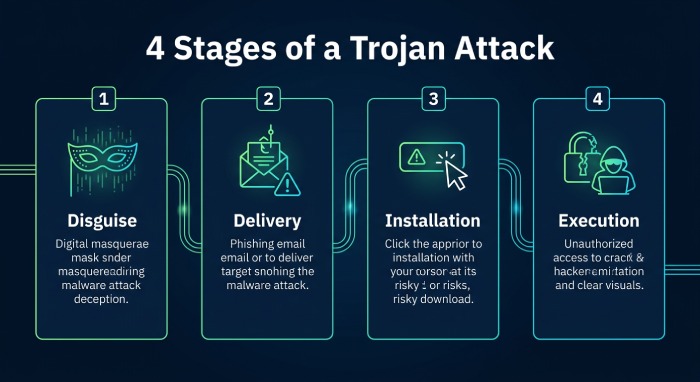
1. Disguising the Malware
Attackers package malicious code inside software that appears legitimate. The file may imitate:
- Free software
- Mobile applications
- Office documents
- PDF files
- Browser extensions
- Software cracks
- Fake security updates
The goal is to convince users that downloading the file is safe.
2. Delivery
The Trojan reaches victims through various channels, including:
- Phishing emails
- Fake download websites
- Malicious advertisements
- Compromised websites
- Social media messages
- USB storage devices
3. Installation
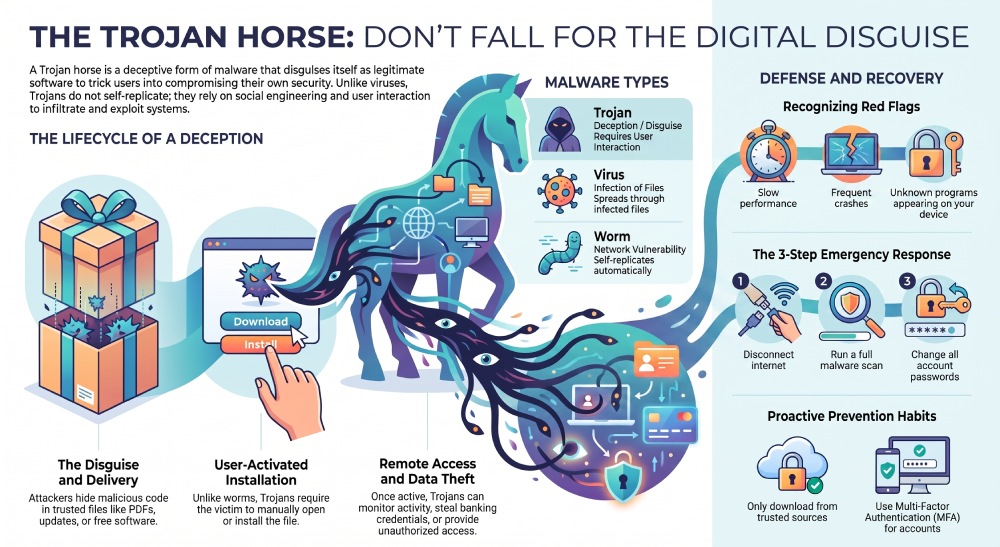
Unlike self-replicating malware, a Trojan typically requires user interaction. Once the victim opens the attachment or installs the application, the malicious code becomes active.
4. Execution
After installation, the Trojan connects with its attacker or executes pre-programmed instructions. Depending on its purpose, it may steal information, install additional malware, monitor activity, or provide unauthorized access to the infected device.
How Trojans Differ from Viruses and Worms
Although these threats all fall under the malware category, they behave differently.
| Trojan | Virus | Worm |
|---|---|---|
| Disguises itself as legitimate software | Infects existing files | Spreads automatically across networks |
| Requires user interaction | Often spreads through infected files | Self-replicates without user action |
| Focuses on deception | Focuses on infection | Focuses on rapid propagation |
Recognizing these differences helps security teams choose appropriate prevention and detection strategies.
Common Types of Trojan Malware
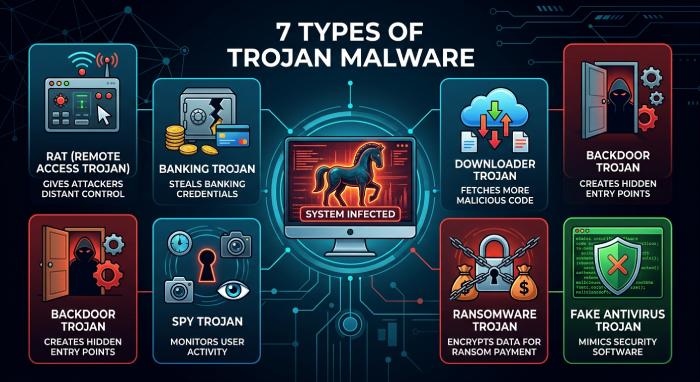
- Remote Access Trojans (RATs): These give attackers remote control over an infected device. Once connected, criminals may browse files, capture screenshots, install additional malware, or monitor user activity.
- Banking Trojans: Designed to steal financial information, banking Trojans target online banking sessions, payment portals, and digital wallets.
- Downloader Trojans: Rather than causing immediate damage, these Trojans download additional malicious software after successfully infecting a device.
- Backdoor Trojans: Backdoor Trojans create hidden entry points that allow attackers to regain access without the user’s knowledge.
- Spy Trojans: Spy Trojans monitor activity and collect sensitive information such as login credentials, browsing history, or personal documents.
- Ransomware Droppers: Some Trojans act as delivery mechanisms for ransomware, silently preparing the system before encrypting files.
- Fake Antivirus Trojans: These programs pretend to detect infections and pressure users into purchasing fake security software or granting unnecessary permissions.
Signs Your Device May Be Infected
Trojan infections often produce subtle warning signs before causing significant damage.
Common symptoms include:
- Unusually slow system performance
- Frequent application crashes
- Unexpected pop-up windows
- Unknown programs appearing on the device
- High CPU or network activity
- Browser redirects
- Disabled security software
- Unauthorized account activity
While these symptoms do not always indicate a Trojan, they warrant further investigation.
How Trojans Spread
Cybercriminals continually develop new methods to distribute Trojan malware.
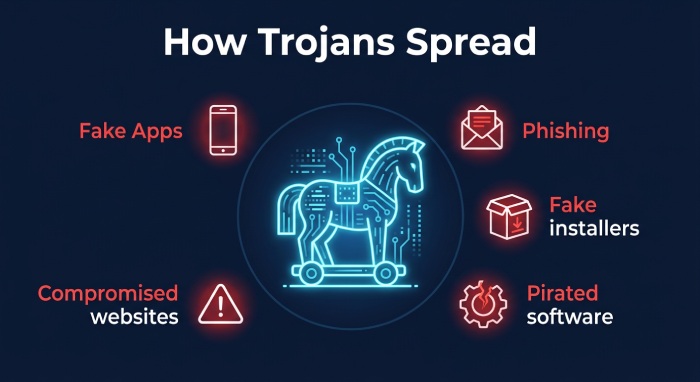 Popular infection methods include:
- Phishing campaigns
- Fake software installers
- Pirated applications
- Cracked software
- Malicious browser extensions
- Fake mobile apps
- Compromised websites
- Drive-by downloads
- Social engineering scams
The most successful attacks often rely on convincing users to trust malicious content. Because so many Trojans arrive by email, verifying senders with SPF authentication blocks a common delivery route before the payload ever reaches an inbox.
Risks Associated with Trojan Infections
The impact of a Trojan depends on its capabilities and the attacker’s objectives.
Potential consequences include:
- Theft of passwords
- Identity theft
- Financial fraud
- Data loss
- Corporate espionage
- Unauthorized remote access
- Installation of additional malware
- Device instability
- Network compromise
Organizations may also face operational downtime, regulatory penalties, and reputational damage following a serious infection.
How to Prevent Trojan Infections
Preventing Trojans requires a combination of technology, awareness, and good security practices.
- Keep Software Updated: Install operating system and application updates promptly to reduce known vulnerabilities.
- Use Reputable Security Software: Modern antivirus and endpoint protection solutions can detect many Trojan variants before they execute.
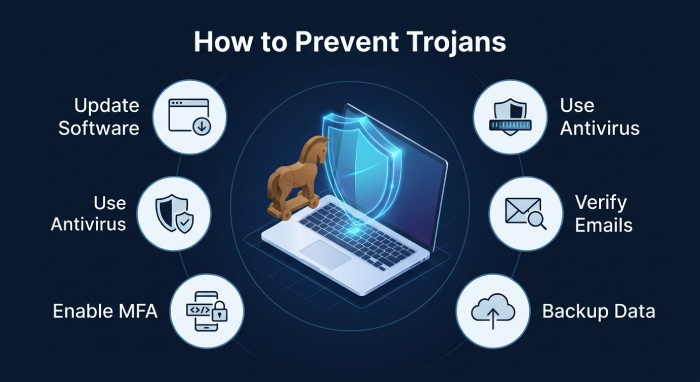
- Download Only from Trusted Sources: Avoid installing applications from unofficial websites or unknown developers.
- Be Cautious with Email Attachments: Verify unexpected emails before opening attachments or clicking embedded links.
- Enable Multi-Factor Authentication: Even if login credentials are stolen, multi-factor authentication adds another layer of protection.
- Avoid Pirated Software: Illegal software frequently contains hidden malware that activates during installation.
- Back Up Important Data: Regular backups reduce the impact of malware attacks and improve recovery options.
- Educate Users: Security awareness training helps employees recognize phishing attempts and suspicious downloads before they become security incidents.
What to Do If You Suspect a Trojan Infection
If you believe your device has been infected:
- Disconnect it from the internet.
- Run a complete malware scan using trusted security software.
- Remove or quarantine detected threats.
- Update all software and security tools.
- Change passwords for important accounts using a clean device.
- Review account activity for suspicious behavior.
- Restore files from a clean backup if necessary.
- Seek professional IT assistance if the infection persists.
Quick action can help limit the damage and prevent further compromise.
Best Practices for Businesses
Organizations should strengthen their defenses by implementing:
- Endpoint detection and response (EDR)
- Email filtering
- Network segmentation
- Least-privilege access controls
- Continuous monitoring
- Employee cybersecurity awareness training
- Routine vulnerability assessments
- Incident response planning
A layered security strategy significantly reduces the likelihood of successful Trojan attacks. Implementing DMARC, DKIM, and SPF helps prevent phishing emails that often deliver Trojan malware by verifying the authenticity of incoming messages. A free DMARC report analyzer makes it easy to review these authentication results.
Frequently Asked Questions
Is a Trojan the same as a virus?
No. A Trojan disguises itself as legitimate software and depends on user interaction, while a virus infects other files and spreads by replicating itself.
Can a Trojan steal passwords?
Yes. Many Trojans are designed to collect usernames, passwords, banking credentials, and other sensitive information.
Can antivirus software remove Trojans?
Most reputable antivirus solutions can detect and remove known Trojan infections, especially when definitions are kept up to date.
Can smartphones get Trojans?
Yes. Android and other mobile platforms can also be targeted by Trojan apps distributed through unofficial app stores, phishing links, or malicious downloads.
Are Trojans dangerous for businesses?
Absolutely. Trojans can lead to data breaches, financial losses, unauthorized network access, and the deployment of additional malware such as ransomware.
Conclusion
Trojans remain one of the most effective forms of malware because they exploit human trust rather than technical vulnerabilities alone. By disguising themselves as legitimate files or applications, they can infiltrate devices, steal valuable information, and open the door to more serious cyberattacks.
Maintaining updated software, practicing safe browsing habits, using reliable security tools, and educating users about phishing and social engineering are among the most effective ways to reduce the risk of Trojan infections. A proactive cybersecurity strategy helps individuals and organizations stay resilient against this evolving threat. Reviewing common DMARC questions answered can also help teams close the email gap attackers rely on to deliver malware.
General Manager
General Manager of DuoCircle. Product strategy and commercial lead for DMARC Report's 2,000+ customer base.
LinkedIn Profile →Take control of your DMARC reports
Turn raw XML into actionable dashboards. Start free - no credit card required.