What Is Reverse DNS And How Do Reverse DNS Records Work?

Quick Answer
Reverse DNS (rDNS) is a DNS lookup method that maps an IP address back to a domain name using PTR records. Reverse DNS records help verify server identity, improve email deliverability, reduce spam, and support network troubleshooting and authentication.
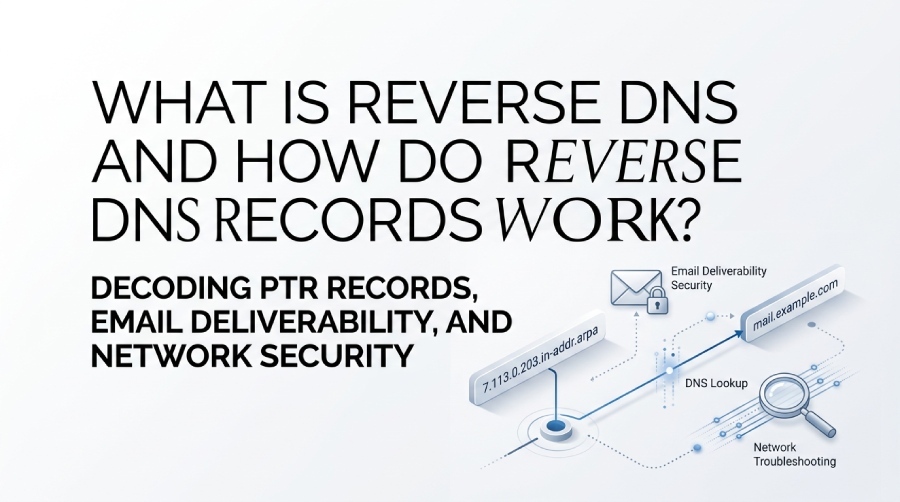
Reverse DNS (rDNS) is a crucial part of the Domain Name System that maps an IP address back to its associated hostname. Unlike forward DNS, which converts domain names into IP addresses, reverse DNS helps verify server identities, improve email deliverability, strengthen network security, and simplify troubleshooting. In this guide, you’ll learn how reverse DNS records work, what PTR records are, how reverse DNS lookups function, and why proper rDNS configuration is essential for modern internet infrastructure and email authentication.
What Reverse DNS Is and How It Differs From Forward DNS
The Domain Name System (DNS) is fundamental to how the internet functions, acting as a digital phonebook by translating human-readable hostnames into numerical IP addresses via a process known as forward DNS. When users enter a website URL—like www.example.com—a DNS lookup is performed to resolve this hostname into its associated IP address so the client can connect to the intended server.
However, the reverse process also exists: reverse DNS (rDNS). While forward DNS maps a hostname to an IP address using records such as the A record (for IPv4) or AAAA record (for IPv6), reverse DNS maps an IP address back to its corresponding hostname. This procedure is known as reverse mapping, and forms the basis for reverse DNS lookups. The primary DNS record type facilitating reverse DNS is the PTR record, which resides within a reverse lookup zone under the in-addr.arpa (for IPv4) or ip6.arpa (for IPv6) domains in the DNS hierarchy.
The differences between forward DNS and reverse DNS can be summarized as follows:
- Forward DNS: Starts with a hostname and returns an IP address using DNS records such as A record, AAAA record, and MX record for mail servers.
- Reverse DNS: Begins with an IP address and returns the associated hostname through a DNS lookup targeting a PTR record within a designated reverse lookup zone.
Both systems rely on structured DNS queries navigated through authoritative DNS servers, but they play distinct roles in Internet addressing, security, and network diagnostics.
How Reverse DNS Lookups Work: PTR Records, IP Addresses, and the DNS Tree
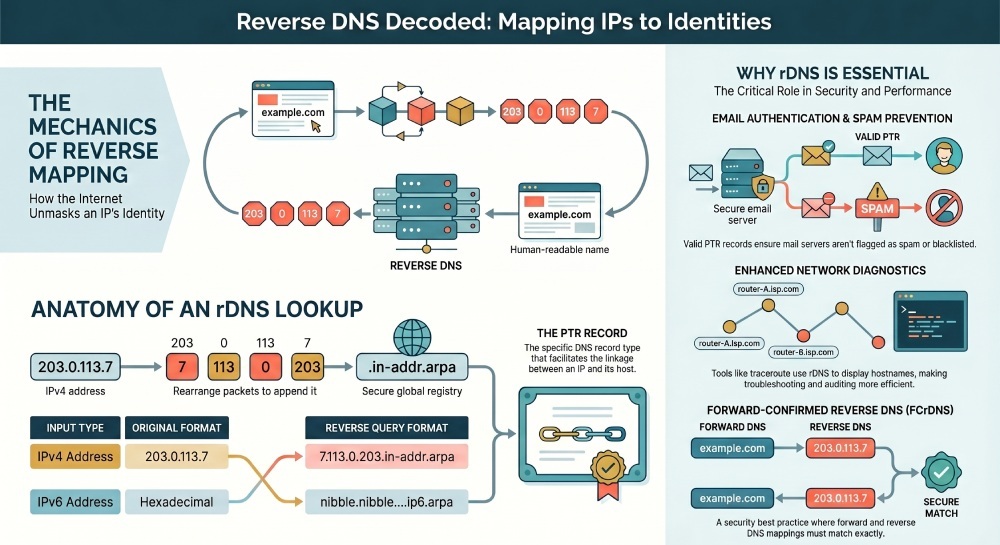
Central to the reverse DNS process is the PTR record—short for Pointer record. Unlike the A record used in forward DNS, a PTR record maps an IP address to the canonical hostname. This DNS record is essential for establishing a verified linkage between numeric addresses and domain names, facilitating checks for authenticity and traceability across networks.
Anatomy of a Reverse DNS Lookup
A reverse DNS lookup operates in the following stages:
- IP Address Transformation: The IP address, either IPv4 or IPv6, is reversed for the structure of the reverse DNS query. For IPv4, the octets are reversed and appended to the
in-addr.arpa zone. For example, the address203.0.113.7would be represented in the query as7.113.0.203.in-addr.arpa. For IPv6, the process involves reversing each hexadecimal nibble and using the ip6.arpa zone. - Query and Resolution: A DNS resolver now queries the global DNS tree, targeting the appropriate reverse lookup zone corresponding to the
in-addr.arpaorip6.arpasuffix. The DNS server responsible for this zone holds the PTR record that maps to the hostname. - Delegation and Authority: DNS delegation is critical here. Entities such as RIPE NCC, ARIN, APNIC, LACNIC, and AFRINIC allocate network blocks and delegate reverse lookup zone authority to ISPs or organizations through authoritative nameservers. This ensures the PTR record is managed by those controlling the specific IP allocation.
- Response and Verification: Upon DNS resolution, if a corresponding PTR record exists, the requested hostname is returned to the client or service conducting the check.
ISC BIND, PowerDNS, and Infoblox are among the commonly used DNS server software to configure reverse mapping and maintain PTR records in the zone file. Hosting providers like Cloudflare, Google Public DNS, Amazon Route 53, Hetzner Online, GoDaddy, and DigitalOcean offer DNS management platforms that support reverse DNS configuration, typically via customer control panels such as cPanel.
Why Reverse DNS Matters for Email Deliverability, Security, and Network Troubleshooting
Role in Email Authentication and Spam Prevention
Reverse DNS is pivotal in verifying the relationship between mail servers (via their IP addresses) and their claimed hostnames. Many email providers—including industry standards set by Barracuda Networks, Spamhaus, and Cisco Umbrella—implement rDNS checks as a filter to prevent spam and fraudulent emails. A valid PTR record, matching the forward-confirmed reverse DNS (FCrDNS) for the sending IP address, assures receivers that the message is not originating from a compromised or blacklisted host. If a mail server attempts to deliver email without a proper PTR record set, it may fail authentication checks, leading to rejection or increased likelihood of being flagged as spam or added to a blacklist. Pairing a valid PTR record with your DMARC record gives receivers even stronger signals that your mail is legitimate.
SPF, DKIM, and DMARC work alongside reverse DNS to strengthen email authentication, verify sender legitimacy, and improve email deliverability by reducing spoofing and spam risks.” If you have not published one yet, one of the best DMARC record generators can create a valid record in minutes. You can create DMARC record entries alongside proper rDNS to further protect your sending domain.
Network Diagnostics and Security
Network diagnostics tools such as traceroute, the dig command, nslookup command, and the host command rely on reverse DNS functionality to display hostnames instead of only IP addresses, greatly enhancing readability and investigation efficiency during troubleshooting. Enterprises and security solutions providers like Check Point Software and Microsoft Azure DNS use rDNS to track suspicious activity, audit DNS records, and correlate events in logs, aiding in the rapid identification of compromised machines or rogue services.
Reverse DNS also helps in IP address reputation management and ensures accurate data in WHOIS records, further reinforcing network security and operational transparency.
How to Set Up and Check Reverse DNS Records
Configuration Process
Setting up reverse DNS requires administrative access to the authoritative DNS server for the IP range in question. Whether you’re using solutions like Dyn, Verisign, Namecheap, DNSimple, CenturyLink, PowerDNS, or managed platforms from entities such as Microsoft Azure DNS, DigitalOcean, or GoDaddy, the general process remains as follows:
- Determine Delegation and Authority: Reverse lookup zone authority typically resides with the organization that owns the network block, as delegated by their IP registry (ARIN, RIPE NCC, LACNIC, etc.).
- Create the Reverse Lookup Zone: For IPv4, establish a zone file under in-addr.arpa, specifying the appropriate SOA record and necessary NS records for delegation. For IPv6, use ip6.arpa.
- Add PTR Records: Insert PTR records associating each IP address (or a range within a subnet) to the desired FQDN or canonical hostname in the reverse mapping zone file.
- DNS Propagation: Allow time for DNS propagation so that updated PTR records are distributed among global DNS resolvers and caches in public DNS services such as Quad9 or OpenDNS.
- Set TTLs Appropriately: Configure an optimal TTL (Time To Live) for the PTR records to balance propagation speed and cache effectiveness.
Modern DNS management platforms (cPanel, DNSimple, Cloudflare) simplify much of this workflow with intuitive user interfaces.
Performing an RDNS Check
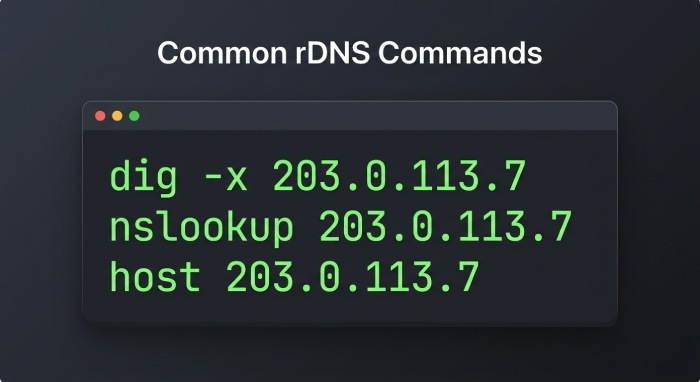
You can verify reverse DNS records using DNS utilities on most platforms:
- dig command:
dig -x 203.0.113.7(returns PTR record) - nslookup command:
nslookup 203.0.113.7 - host command:
host 203.0.113.7
Online tools from AWS Route 53, Google Public DNS, or Check Point Software can also be used to confirm PTR record existence and accuracy.
Common Reverse DNS Issues and Best Practices
Typical Issues
Reverse DNS can be hindered by several common misconfigurations:
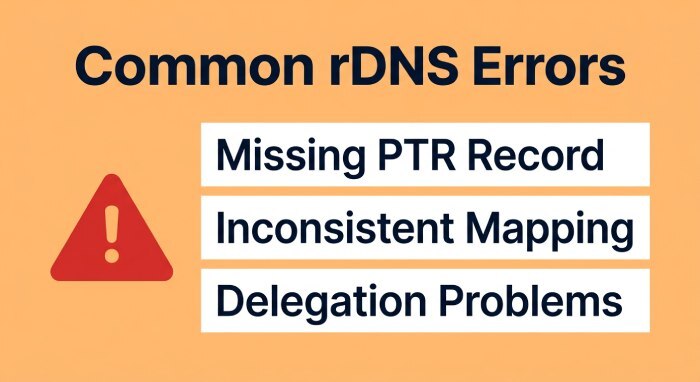
- Missing or Incorrect PTR Record: If the PTR record does not exist or does not match the intended FQDN, email authentication and server trust can fail.
- Inconsistent Forward and Reverse Mapping: A discrepancy between forward DNS and reverse DNS (e.g., PTR record pointing to a hostname without a corresponding A record) triggers failures during forward-confirmed reverse DNS checks.
- Delegation Problems: If the IP address block is not correctly delegated to your DNS nameserver, you won’t be able to set or modify PTR records.
- Improper DNS Propagation or TTL Settings: Changes may not be globally visible if propagation is incomplete or TTLs are too high.
- Issues with Dynamic DNS: For environments using dynamic DNS, automatic updates must extend to reverse DNS zones.
Best Practices
- Ensure Forward-Confirmed Reverse DNS: Always align PTR records with corresponding A records (and vice versa) for seamless DNS resolution.
- Establish Proper Delegation: Coordinate with your IP allocation authority (e.g., ARIN, RIPE NCC) and hosting provider to ensure you control the reverse lookup zone.
- Use Automation and Monitoring: DNS utilities or modern management tools from DNS providers like Infoblox, ISC BIND, or PowerDNS can automate RDNS checks and alert on misconfigurations.
- Protect Against DNS Spoofing: Employ DNSSEC (DNS Security Extensions) on both forward and reverse DNS zones to safeguard against tampering and ensure reliable address mapping.
- Maintain Accurate Documentation: Record changes in network diagnostics logs, and keep network block, zone file, and PTR record information up-to-date.
- Routine Checks: Regularly verify reverse DNS functionality using traceroute, nslookup command, and web-based RDNS check platforms.
By adhering to these best practices and leveraging reputable DNS service providers—whether it be OpenDNS, Cloudflare, Amazon Route 53, or traditional hosting environments like Namecheap and Hetzner Online—network operators can ensure robust, accurate, and secure reverse DNS deployments supporting both operational and security needs throughout the modern internet infrastructure.
General Manager
General Manager of DuoCircle. Product strategy and commercial lead for DMARC Report's 2,000+ customer base.
LinkedIn Profile →Take control of your DMARC reports
Turn raw XML into actionable dashboards. Start free - no credit card required.