What’s PII and how to protect it in emails?

Quick Answer
The three core email authentication standards - SPF (RFC 7208), DKIM (RFC 6376), and DMARC (RFC 7489) - work together to verify that an email genuinely originates from the domain it claims to represent. What’s PII and how to protect it in emails?
Related: Free DMARC Checker ·How to Create an SPF Record ·SPF Record Format


The three core email authentication standards - SPF (RFC 7208), DKIM (RFC 6376), and DMARC (RFC 7489) - work together to verify that an email genuinely originates from the domain it claims to represent.
The most common mistake we see during DMARC setup is jumping straight to p=reject without monitoring first, says Vasile Diaconu, Operations Lead at DuoCircle. Start at p=none, analyze your reports for at least a full quarter - you need to catch monthly, quarterly, and annual email senders that only fire periodically. Then fix any legitimate senders that fail before enforcing. We walk every customer through this sequence.
Money is not the only thing you part with while placing an online order. As a buyer, you are also required to share personal information such as your name, date of birth, location**, social security number, and so on. The personal data that you share over email to complete the checkout process is called PII or Personally Identifiable Information.
PII sharing is not restricted to just shopping activities. From applying for a job, SIM registration, using banking services, to travel bookings, opting for subscription services, and gaming, sharing your personally identifiable information online has become the new normal. We are living in a time where cyber threats have penetrated into our everyday lives. And in such a situation, sharing this extremely sensitive data over email can pose a serious risk to your data and network.
This blog aims to explore PII and the actionable steps that can actually safeguard your personal data.
What does Personally Identifiable Information (PII) mean
PII or Personally Identifiable Information is the personal data of a user that is used to locate or determine a specific individual. In other words, PII is the **digital footprint **that can lead people directly to you. It is your unique data that helps people locate you in this digital ecosystem.
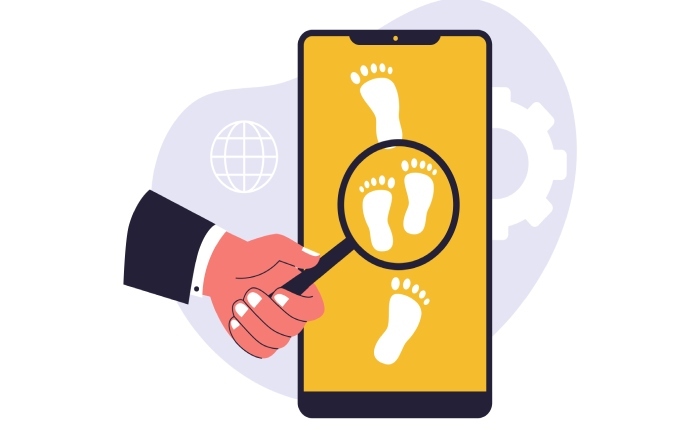
There are two types of PII: direct identifiers and indirect identifiers.
While direct identifiers include data such as your full name, social security number, contact number, home address, passport details, etc., indirect identifiers include details such as your gender, medical information, IP addresses, and so on.
PII in email communications
Email was primarily used as a communication tool back in the 1970s. At present, email has become an integral part of everyday business and life operations. Sophisticated phishing attacks are on the rise, and even the most secure email network can get compromised.
This is exactly why sharing personally identifiable information over email can put you at risk:
Manual error
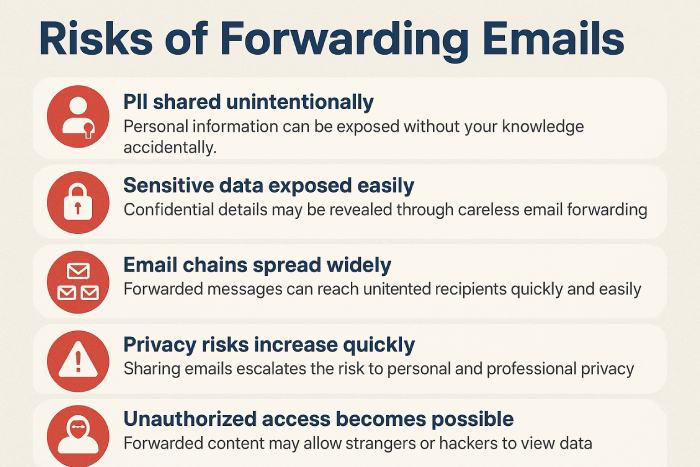
Human error adds to the risk of your personal data being misused by a cybercrook. Suppose you send your sensitive information to the wrong recipient. Now you are at risk of your data being abused. Forwarding email chains that contain PII unknowingly can also pose a substantial threat to your data. You may also fall for sophisticated and highly convincing phishing emails.
Transmission risk
An unencrypted email containing PII goes through **multiple servers **before reaching the recipient’s inbox. During the transmission, the email can easily be intercepted, especially when the network is not secure.
Storage problems
An email doesn’t self-destruct once it is read by the recipient. It continues to exist in the inboxes, backups, or archives for years. Can you imagine what’ll happen if the device gets stolen or hacked? Also, if you are accessing your email account across multiple devices, the element of risk further increases.
Impersonation threats
Cybercrooks can carry out domain spoofing to increase the credibility of malicious emails. These spoofed emails can often arrive at your inbox in the form of fake bank communications, false HR emails, and malicious emails from executives asking for critical employee data. If your email network is not protected by a reliable authentication protocol **(SPF, DKIM, DMARC), then you are actually making it quite easy for threat actors to impersonate your boss, bank, or a tourism service provider. Reviewing DMARC report data reveals who is attempting to impersonate your domain.
Lifecycle vulnerability
Emails that contain PII are prone to cyberattack at all stages, right from creation, transmission, use by the recipient, to storage, and finally disposal. Since the **email ecosystem doesn’t operate like purpose-driven messaging platforms, the level of risk is quite high.
How to protect your PII in emails from being misused by threat actors
Below are a couple of simple and proven tricks to **prevent your personal information from ending up in a threat actor’s hands:
1. **Do not share the details if not mandatory If it is not mandatory, then there is absolutely no need to share PII over email. Alternatively, you can think of using secure customer portals or safe document-sharing platforms.
2. End-to-end encryption is a must
If an end-to-end encrypted email gets encrypted, then it is not possible for them to read the content of the email. Opt for a convenient email encryption service today.
3. Implementing email authentication is the key
Deploying SPF, DKIM, and DMARC can safeguard you against email-based PII risks. A DMARC enforcement policy tells receivers to quarantine or reject messages that fail authentication. These protocols actively verify the identity of the sender to **protect your network against phishing and spoofing attacks.
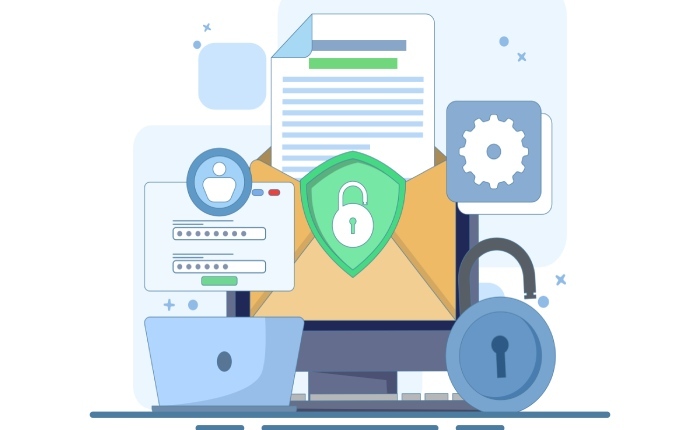
4. **Practising email hygiene Practicing email hygiene is no longer a luxury but a need. Some of the best practices include deleting old emails with PII, implementing MFA, and using strong passwords.
5. Regular training
Human error can lead to PII breaches, and therefore, it is best to conduct regular training sessions. Trained individuals are in a better position to identify sensitive data and can manage it with greater efficiency.
Sources
Content Specialist
Content Specialist at DMARC Report. Writes vendor-specific email authentication guides and troubleshooting walkthroughs.
LinkedIn Profile →Take control of your DMARC reports
Turn raw XML into actionable dashboards. Start free - no credit card required.