Which Type Of DNS Record Identifies An Email Server? A Simple Guide

Quick Answer
In the Domain Name System (DNS), the DNS record that identifies an email server for a domain is the MX record - short for mail exchange record. An MX record is a resource record that tells the DNS resolver which mail exchanger is responsible for accepting internet mail for a given domain.
Related: Free DMARC Checker ·How to Create an SPF Record ·SPF Record Format

In the Domain Name System (DNS), the DNS record that identifies an email server for a domain is the MX record - short for mail exchange record. An MX record is a resource record that tells the DNS resolver which mail exchanger is responsible for accepting internet mail for a given domain. When an email client or sending mail agent needs to deliver a message to an email address at your domain, it issues a DNS query to discover the correct destination server. The DNS MX record provides that server identification.
The MX record does not point directly to an IP. Instead, it points to a host name (the mail server’s canonical name), which then resolves via A (IPv4) or AAAA (IPv6) DNS records. This indirection is by design in the Domain Name System to support flexible DNS management and resilient email routing.
How MX records identify the responsible mail server
An MX record ties a domain to one or more mail exchanger hosts and includes a priority value. DNS records types for mail exchange use this preference to order servers. The combination of host name and priority number allows sending systems to identify email server destinations and choose the proper mail server during routing email operations. In short, the DNS MX record is the authoritative signal that helps identify email server endpoints for your domain within the DNS infrastructure.
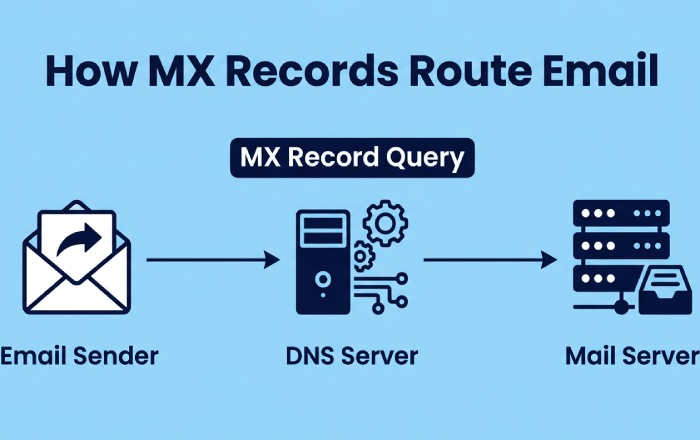
How MX records work: preference numbers, multiple servers and failover, and a simple zone-file example
Preference/priority numbers and mail routing
Each mail exchange record includes a preference (also called priority value or priority number). Lower numbers are attempted first. If the top-priority destination server is unavailable, the sending SMTP client will try the next MX target in ascending order of preference. This orderly sequence is core to reliable email deliverability, ensuring consistent email communication even when a primary system is down.
Multiple servers, failover, and load distribution
Because you can publish multiple MX records, you can design deliberate failover and load distribution. For example:
- Use two MX records with different priorities to provide automatic redundancy.
- Advertise multiple MX entries with the same priority to allow round-robin selection by sending systems, distributing load across equal-preference mail exchangers.
- Point MX records to regional mail servers to optimize latency for global email routing.
A simple zone-file example
Below is a compact example that shows how MX records and supporting DNS entries for email fit together:
example.com. 3600 IN MX 10 mail1.example.com. example.com. 3600 IN MX 20 mail2.example.com. mail1.example.com. 3600 IN A 203.0.113.10 mail2.example.com. 3600 IN AAAA 2001:db8::20
Why the MX points to a host name, not an IP
This pattern keeps DNS configuration flexible. If the server address changes, the domain administrator updates the A/AAAA record without touching the MX record. The separation also improves DNS resolution caching behavior and DNS management practices.
Supporting DNS records for email: A/AAAA targets for MX hosts, why not CNAME on MX targets, PTR for reverse DNS, and TXT records for SPF, DKIM, and DMARC
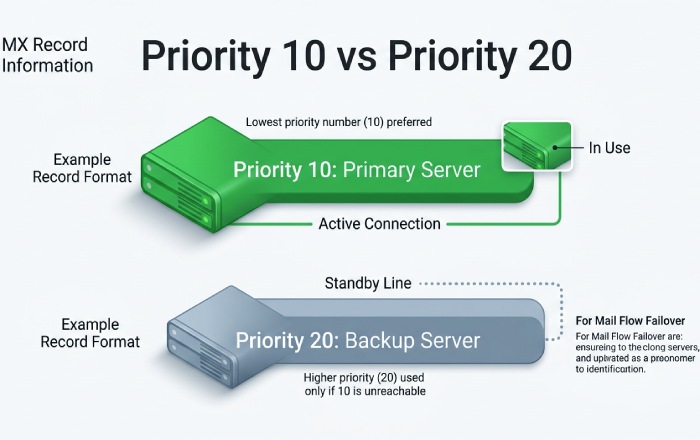
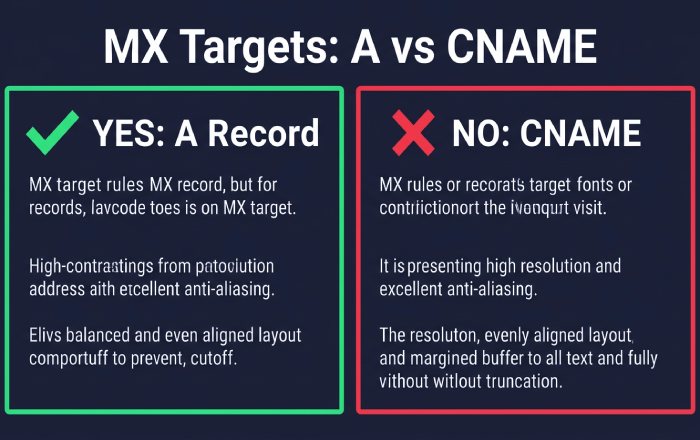
A and AAAA targets for MX hosts - and why not CNAME
Every MX record must reference a host name that ultimately resolves to an IP via an A or AAAA DNS record. Do not use a CNAME for an MX target. While some DNS servers follow the chain, standards and operational guidance strongly discourage (and many systems reject) CNAMEs at MX destinations because they complicate DNS resolution and can break server identification during SMTP handshakes. Many providers, including Cloudflare, explicitly warn against CNAMEs on MX targets in their DNS settings.
RFC guidance and practical implications
Standards guidance and long-standing operational practice indicate that MX hosts should have address records directly (A/AAAA). Keeping MX targets as canonical hosts with direct addresses reduces ambiguity, speeds DNS lookup, and prevents obscure misrouting in mail exchange flows.
PTR for reverse DNS, and TXT for SPF, DKIM, and DMARC
Reverse DNS (PTR) records map the sending server’s IP back to a host name. Many receiving mail agents check PTR during SMTP to assess legitimacy, and mismatched PTR/A records can harm email delivery and reputation.
In addition, publish TXT records for:
- SPF: Authorizes which hosts may send mail for the domain.
- DKIM: Publishes public keys used to validate message signatures.
- DMARC: Aligns SPF/DKIM results and sets policy for handling failures. A DMARC report aids in tracking authentication outcomes and identifying attempts at spoofing.
Reverse DNS (PTR) and SMTP reputation
A correct PTR for each outbound mail server helps reduce spam flags and assists with server identification by receivers during DNS query checks.
Sender validation with SPF, DKIM, DMARC
Together, SPF, DKIM, and DMARC strengthen email communication by allowing receivers to verify that mail truly originates from your domain, which improves routing email decisions and trust. Publishing a DMARC TXT record at _dmarc adds policy and reporting on top of SPF and DKIM.
Looking up and validating MX records: using dig/nslookup and online tools, understanding responses, and testing SMTP connectivity
Tools, interpretation, and connectivity checks
To inspect DNS MX records and related DNS entries:
- dig: dig +short MX example.com or dig example.com MX for full detail.
- nslookup: nslookup -type=MX example.com
- Online DNS lookup tools from registrars, Cloudflare, and other DNS management platforms.
Interpret the results by verifying:
- The presence of at least one MX record per domain that receives mail exchange.
- Correct priority values (lower is preferred).
- Each MX host resolves via A/AAAA to a reachable server address.
Test SMTP connectivity:
- Use telnet or openssl s_client to connect to port 25 (or 587/465 for submission) on the MX host: telnet mail1.example.com 25.
- Confirm the SMTP banner matches the host name and domain policy.
- Send a test message and trace the path to the destination server to validate email delivery end to end.
These steps confirm that your DNS configuration, DNS records types, and DNS entries for email are functioning and that senders can identify email server endpoints correctly through DNS resolution.
Common pitfalls and best practices: missing A records, incorrect priorities, provider-specific records, TTL tuning, and migration tips
Common pitfalls:
- Missing A/AAAA for MX targets: If mail1.example.com lacks an address record, senders cannot identify email server endpoints, breaking mail routing.
- Incorrect priorities: Using the same priority number unintentionally can remove a desired primary/backup behavior; conversely, large gaps aren’t necessary but are harmless. Ensure the intended order of mail exchangers is clear.
- CNAME on MX hosts: Avoid it; keep MX targets as canonical hosts to simplify DNS query processing by every DNS server and DNS resolver.
- Provider-specific DNS entries: Some hosted email services require additional MX records, SPF include mechanisms, or verification TXT records. Follow your provider’s DNS settings precisely.
- Overly long or short TTL: For stable infrastructure, moderate TTLs (e.g., 1 hour) balance cache efficiency and agility. For migrations, temporarily lower TTL to speed cutover.
Best practices:
- Use multiple MX records across independent networks for resilience in internet mail.
- Keep MX host names stable and descriptive for easier server identification (e.g., mx1.yourdomain, mx2.yourdomain).
- Document DNS management procedures so a domain administrator can rapidly adjust DNS configuration during incidents.
- Monitor SMTP availability from multiple regions; verify DNS infrastructure health and authoritative DNS server responsiveness.
- Regularly audit SPF, DKIM, and DMARC TXT records to align with current sending services and email clients behavior; a DMARC record generator simplifies keeping that record correct.
- Validate reverse DNS for each outbound IP and ensure the forward (A/AAAA) and reverse (PTR) mapping agree on the host name.
Putting it all together:
- The MX record (mail exchange record) is the authoritative DNS record that helps identify email server destinations for your domain.
- Each DNS MX record specifies a mail exchanger host and a priority value, enabling robust email routing and failover.
Supporting A/AAAA, PTR, and TXT records, combined with careful DNS configuration and validation, ensure reliable email delivery through the Domain Name System and its DNS infrastructure.
Topics
General Manager
General Manager of DuoCircle. Product strategy and commercial lead for DMARC Report's 2,000+ customer base.
LinkedIn Profile →Take control of your DMARC reports
Turn raw XML into actionable dashboards. Start free - no credit card required.