WHOIS Verification and ICANN Rules: What Happens After You Register a Domain

Quick Answer
WHOIS verification confirms that your domain registration details are valid. Learn how ICANN rules affect domain verification, suspension, privacy, transfers, and security, plus the steps to keep your domain active and protected.
Registering a domain name is an important first step toward establishing a website, online business, or digital identity. However, purchasing a domain does not mean the process ends there. Domain owners must complete certain verification steps, maintain accurate registration information, and follow policies established by the Internet Corporation for Assigned Names and Numbers (ICANN).
One of the most important requirements is WHOIS verification. Shortly after registering a domain, your registrar may ask you to confirm the contact information associated with the registration. Failing to complete this process can result in domain suspension and disruption to websites, email accounts, and other services connected to the domain.
Understanding what WHOIS verification involves, why ICANN requires accurate information, and how to protect your domain can help you avoid unnecessary interruptions.
Key Points to Remember
- Complete any required domain verification as soon as you receive the registrar’s notification.
- Make sure your registration contact information is accurate and accessible.
- Keep your email address, telephone number, and other relevant details updated.
- Ignoring verification or compliance requests can result in domain suspension.
- WHOIS privacy services can reduce public exposure of personal information where supported.
- Enable security features such as two-factor authentication and automatic renewal.
- Be aware of ICANN’s domain transfer policies before moving a recently registered domain.
What Is ICANN?
ICANN stands for the Internet Corporation for Assigned Names and Numbers. It coordinates important aspects of the global domain name system and establishes policies that registrars and registries must follow.
When you register a domain such as a .com, .net, .org, or another participating top-level domain, your registration is handled through a registrar that operates within the broader ICANN ecosystem.
ICANN’s policies help create consistency in the domain registration process. They address areas such as domain registration, transfers, contact information, and procedures for maintaining domain ownership.
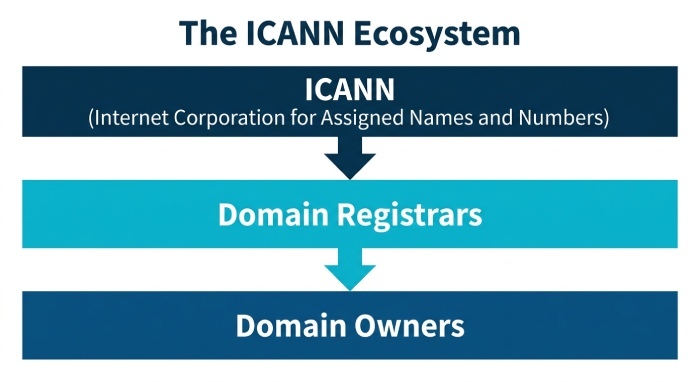 For domain owners, this means registration comes with certain responsibilities. Providing valid information and responding to verification requests are among the most important.
What Is WHOIS Verification?
WHOIS traditionally refers to a system used to provide registration information associated with domain names. Although the way registration data is stored and publicly displayed has evolved over time, the term WHOIS remains widely used when discussing domain registration records.
When you register a domain, you generally provide information such as:
- Registrant name
- Email address
- Telephone number
- Mailing or physical address
- Administrative contact information
- Technical contact information
Your registrar uses this information as part of managing the domain registration.
WHOIS verification is essentially the process of confirming that the contact information associated with a domain is valid. In many cases, this involves receiving an email from the registrar and selecting a verification link.
The exact procedure can vary depending on the registrar, domain extension, and applicable policies.
What Should You Do Immediately After Registering a Domain?
After purchasing a domain, check the email account you used during registration. Your registrar may send an email requesting that you confirm your contact information.
If verification is required, open the message and follow the instructions provided.
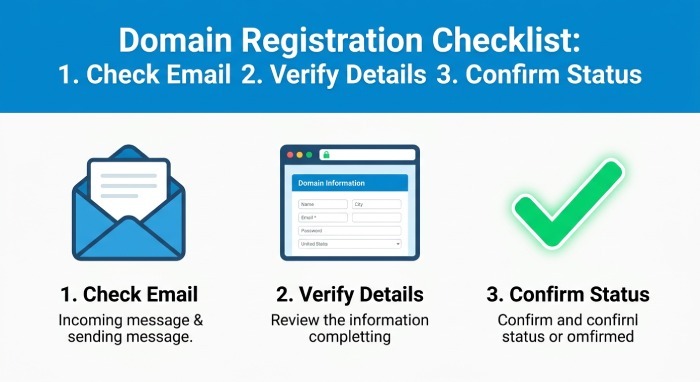 A simple post-registration checklist can help:
- Sign in to your registrar account.
- Confirm that your registration details are correct.
- Check the email address associated with the domain.
- Look for a verification message from your registrar.
- Follow the verification instructions.
- Check your spam or junk folder if the message does not appear.
- Confirm that the domain shows as active and verified in your registrar account.
Do not ignore these emails simply because your website appears to be working. Verification requirements can still apply even when your domain is functioning normally.
How Long Do You Have to Complete Verification?
The verification period depends on the applicable registration policies and your registrar’s procedures. Where an email verification request is issued under the relevant ICANN requirements, registrants should complete it promptly rather than waiting until the deadline.
The commonly cited period for certain verification requests is 15 days.
Because registrar procedures and domain policies can change, domain owners should always read the instructions contained in the verification message and follow the stated deadline.
Waiting until the final day creates an unnecessary risk. If the email is filtered, overlooked, or sent to an inaccessible mailbox, you may not have enough time to correct the problem.
What Happens If You Do Not Verify Your Domain?
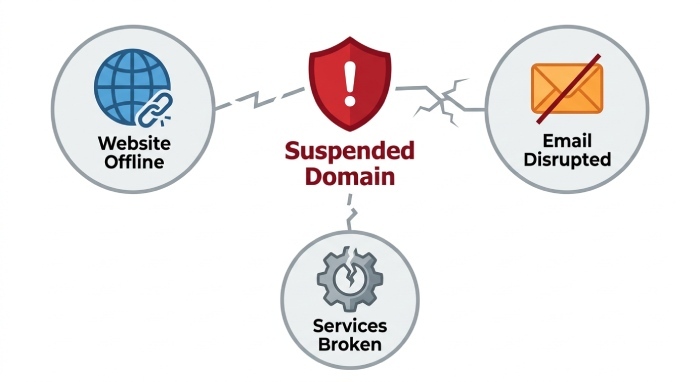 Failing to complete a required verification request can lead to restrictions on the domain.
Depending on the circumstances and registrar’s procedures, a domain may be suspended until the requested information is verified or corrected.
A suspended domain can create several problems.
Your Website May Become Unavailable
If the domain is suspended, visitors may no longer be able to access your website normally.
For an individual website, this may be inconvenient. For an online business, however, even temporary downtime can affect customers, sales, advertising campaigns, and brand credibility.
Email Services Can Be Disrupted
If your business email uses the affected domain, suspension can interfere with sending or receiving messages.
For example, an organization using addresses such as sales@example.com or support@example.com could experience communication problems if its domain becomes inactive.
Other Domain-Dependent Services May Stop Working
Domains are not used only for websites. They can also support:
- Business email
- Marketing platforms
- Customer portals
- Subdomains
- Online applications
- Authentication systems
- API endpoints
- DNS-based services
A domain-related suspension can therefore have consequences beyond the website itself.
Keep Your Registration Information Accurate
Completing the initial verification is only part of responsible domain management.
Your contact information should remain accurate throughout the life of the registration.
Suppose you registered a domain using an old business email address and later changed providers. If you never update the domain account, important registrar notifications could continue going to the old address.
The same problem can occur when you change:
- Email addresses
- Telephone numbers
- Business addresses
- Organizational details
- Administrative contacts
Keeping this information current makes it easier for your registrar to contact you about important matters.
Why Accurate Domain Information Matters
Accurate registration information supports several important functions.
Receiving Important Notifications
Your registrar may need to contact you about renewals, security events, verification requirements, transfers, or account activity.
If the information on file is outdated, you may never receive those notifications.
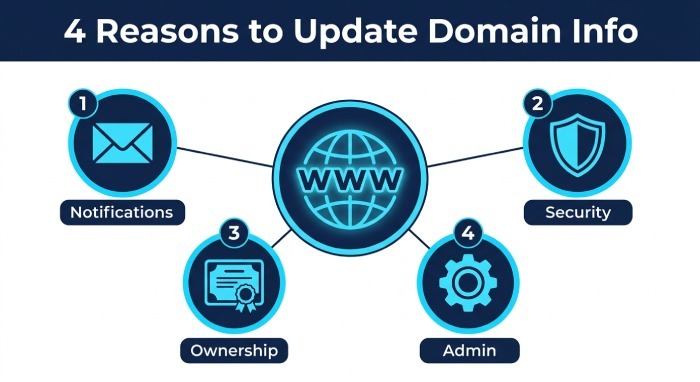
Protecting Domain Ownership
Domain names can be valuable digital assets. Keeping registration and account information current helps establish a reliable record associated with the domain.
This becomes especially important when ownership questions, account recovery issues, or unauthorized changes arise.
Reducing Security Risks
An inaccessible email account can make it harder to respond to suspicious activity or recover control of a registrar account.
Maintaining current contact information is therefore part of good domain security hygiene.
Resolving Administrative Problems
Accurate information can make it easier to communicate with your registrar when you encounter problems involving your domain.
WHOIS Privacy and Personal Information
One concern for many domain owners is the visibility of personal information.
Historically, WHOIS services could expose registration information publicly, including details that individuals might prefer not to publish. Privacy regulations and changes to registration-data policies have significantly affected how this information is displayed.
Many registrars now provide domain privacy or proxy services where available. These services can replace or conceal certain personal details in publicly accessible registration records while the registrar retains the underlying information required for the registration.
Privacy protection can be particularly useful for:
- Individual website owners
- Freelancers
- Bloggers
- Small businesses
- Entrepreneurs
- Independent professionals
However, privacy protection does not mean that you can provide false registration information. Your registrar may still require accurate information for the underlying domain record.
Before enabling a privacy service, review your registrar’s terms and understand which information is hidden and which information may remain accessible.
WHOIS Privacy Does Not Eliminate Your Responsibilities
It is important to distinguish between public visibility and registration accuracy.
A privacy service can reduce the amount of personal information displayed publicly. It does not give domain owners permission to enter fictional details.
You should still:
- Use valid registration information.
- Maintain an accessible email account.
- Respond to registrar requests.
- Update your information when it changes.
- Protect your registrar account.
Privacy and compliance can work together when the service is configured correctly.
Common Domain Registration Mistakes
New domain owners frequently make avoidable mistakes. Recognizing them early can prevent future problems.
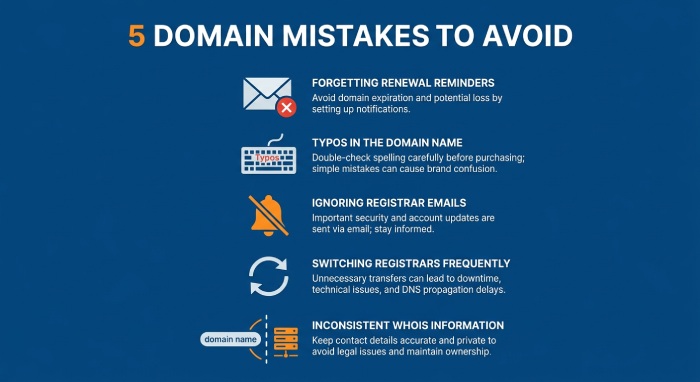
1. Using an Inaccessible Email Address
Never register a domain using an email account you rarely access or do not control.
Your registrar may send verification requests, renewal notices, security alerts, and other important communications to that address.
2. Entering Incorrect Contact Details
Typos can create major problems later. Carefully review your information before completing registration.
3. Ignoring Registrar Emails
Not every registrar email is promotional. Some messages require action.
Pay attention to emails involving verification, renewal, security, transfers, and account changes.
4. Forgetting to Update Information
Changing your email address or phone number without updating your domain account can leave you disconnected from important notifications.
5. Confusing Domain Registration With Web Hosting
A domain name and web hosting are separate components.
Registering a domain gives you control over the domain name. Hosting provides the infrastructure needed to serve website content.
You can own a domain without having a website hosted on it.
How Domain Transfers Relate to ICANN Rules
Domain owners may eventually want to move their domain from one registrar to another. ICANN policies include provisions designed to protect domain owners during transfers.
Newly registered domains are generally subject to a 60-day transfer restriction under applicable ICANN rules. Similar restrictions can apply in certain circumstances following a transfer or registrant information change.
The purpose of these restrictions is to reduce unauthorized domain transfers and help protect ownership.
After an applicable lock period has ended, transferring a domain typically involves steps such as:
- Confirming that the domain is eligible for transfer.
- Unlocking the domain at the current registrar.
- Obtaining the required authorization or transfer code.
- Initiating the transfer with the new registrar.
- Completing any required confirmation steps.
The exact procedure depends on the registrar and domain extension.
Protect Your Domain Beyond WHOIS Verification
Verification confirms important registration information, but domain security requires more than completing one email confirmation.
Consider implementing several protective measures.
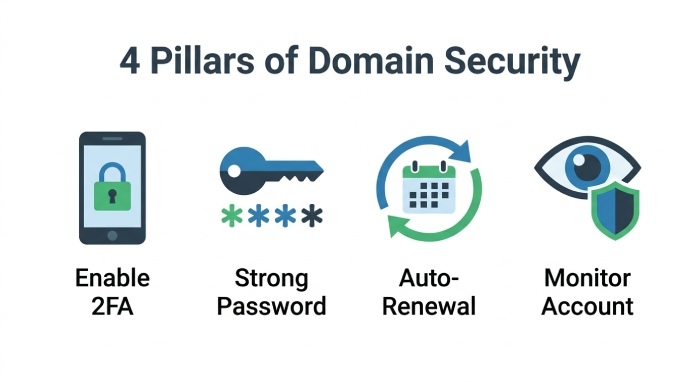
Enable Two-Factor Authentication
Two-factor authentication adds an additional security layer to your registrar account.
Even if an attacker obtains your password, they may still be unable to access the account without the additional authentication factor.
Use a Strong, Unique Password
Avoid using the same password for your registrar account and other online services.
A unique password reduces the potential impact of a credential compromise elsewhere.
Turn On Automatic Renewal
Domain expiration can result in website and email disruption.
Automatic renewal can reduce the chance of accidentally losing an active registration, although you should still monitor your payment information and renewal status.
Monitor Your Registrar Account
Review your account periodically for unexpected changes.
Look for unfamiliar:
- Login activity
- Contact changes
- DNS modifications
- Transfer requests
- Renewal changes
- Nameserver updates
Unexpected modifications should be investigated immediately.
Create a Simple Domain Management Routine
You do not need to spend hours managing your domain every month. A basic routine can provide substantial protection.
- Monthly: Check your registrar account for unusual activity and make sure your domain remains active.
- Every Few Months: Review the contact information associated with the registration and confirm that your email address and phone number remain accessible.
- Before Renewal: Check your payment details and verify that automatic renewal is configured according to your preference.
- Whenever Your Information Changes: Update your registration details as soon as possible after changing your email address, telephone number, business information, or other relevant contact details.
What to Do If You Miss a Verification Request
If you discover that your domain has been suspended because you did not complete a verification requirement, do not panic.
First, access your registrar account and determine what action is required.
Then:
- Check the email address associated with the domain.
- Search your inbox and spam folder for registrar messages.
- Look for an option to resend the verification email.
- Confirm that your contact information is accurate.
- Complete the requested verification.
- Contact registrar support if the domain remains suspended.
The sooner you respond, the sooner you can work toward restoring normal domain operation.
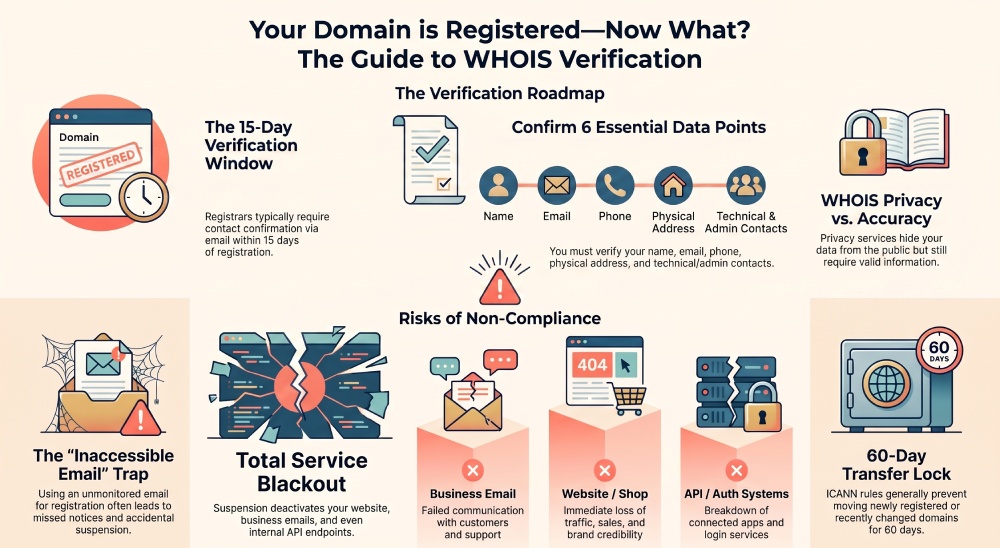
WHOIS Verification and Domain Security Go Hand in Hand
Domain registration information may seem like an administrative detail, but it can affect the availability and security of important online services.
A domain often serves as the foundation for a company’s website, email infrastructure, customer communications, and digital identity. Losing access to it can therefore create consequences far beyond a simple website outage.
Verification helps ensure that the registrar has a valid way to communicate with the domain owner. Keeping information current ensures those communications continue to reach the right person.
Security controls such as two-factor authentication, strong passwords, privacy protection, and account monitoring provide additional layers of protection.
Because business domains are often used for email, businesses should also configure DMARC, DKIM, and SPF to authenticate emails, prevent domain spoofing, strengthen phishing protection, and improve email deliverability.
Final Thoughts
Registering a domain is only the beginning of responsible domain ownership. Once your domain is purchased, you should verify any required contact information, monitor registrar communications, and keep your registration details accurate.
Understanding ICANN-related requirements can help you avoid preventable problems such as domain suspension, failed transfers, missed renewal notices, and communication issues.
WHOIS privacy can also provide an additional layer of personal protection where available, but it should be used alongside accurate registration information and strong account security.
Ultimately, effective domain management comes down to a few consistent habits: respond to verification requests, maintain accurate contact information, protect your registrar account, monitor your domain, and keep track of renewal and transfer requirements.
Taking these steps makes it easier to keep your domain active, secure, and under your control for the long term.
General Manager
General Manager of DuoCircle. Product strategy and commercial lead for DMARC Report's 2,000+ customer base.
LinkedIn Profile →Take control of your DMARC reports
Turn raw XML into actionable dashboards. Start free - no credit card required.