How To Secure A Web Mail Secure Server: 15 Essential Steps

Quick Answer
To secure a web mail server, implement SSL/TLS encryption, enable multi-factor authentication, apply regular security updates, configure firewalls, and use SPF, DKIM, and DMARC. These 15 essential steps help protect email data and reduce cyber risks.
A webmail platform is more than a convenient email login page; it is a public-facing gateway into business communications, identity systems, attachments, calendars, and sensitive records. Whether you operate Microsoft 365, Office 365, OWA, Outlook Web Access, GoDaddy Webmail, Emailsrvr at webmail.emailsrvr.com, or a custom Email Server behind a Secure Server portal, the security model must protect the server, the user account, the login flow, and the mailbox data. Achieving DMARC compliance is a core part of that model for any domain that sends business email.
15 Essential Steps for Securing Webmail, Login, and Email Infrastructure
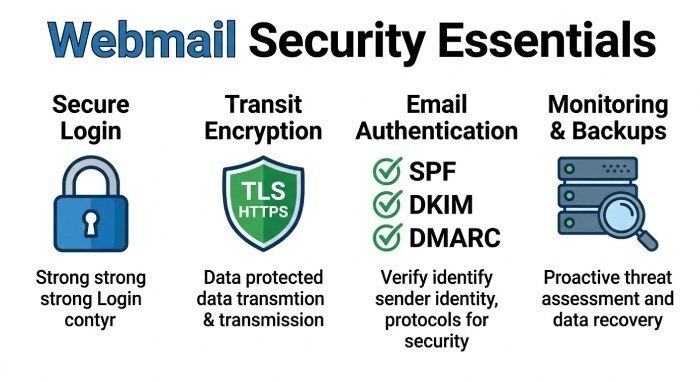
Modern webmail security depends on layered controls. A secure server should validate every sign in, encrypt every email path, limit each session, and give administrators enough visibility to detect abuse before it becomes a breach. The following 15 steps align with the core areas required to secure webmail, authentication, email traffic, anti-abuse controls, and maintenance.
Implementation Checklist by Control Area
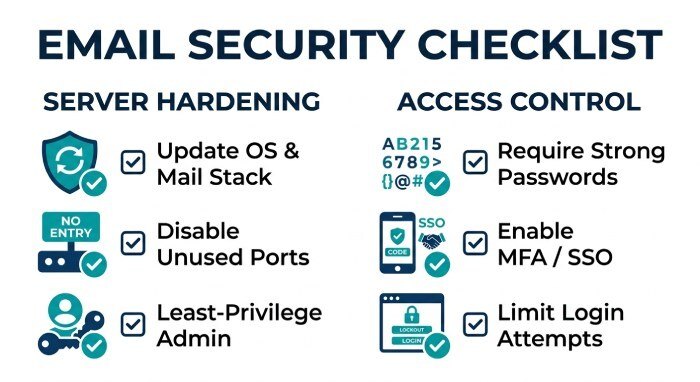
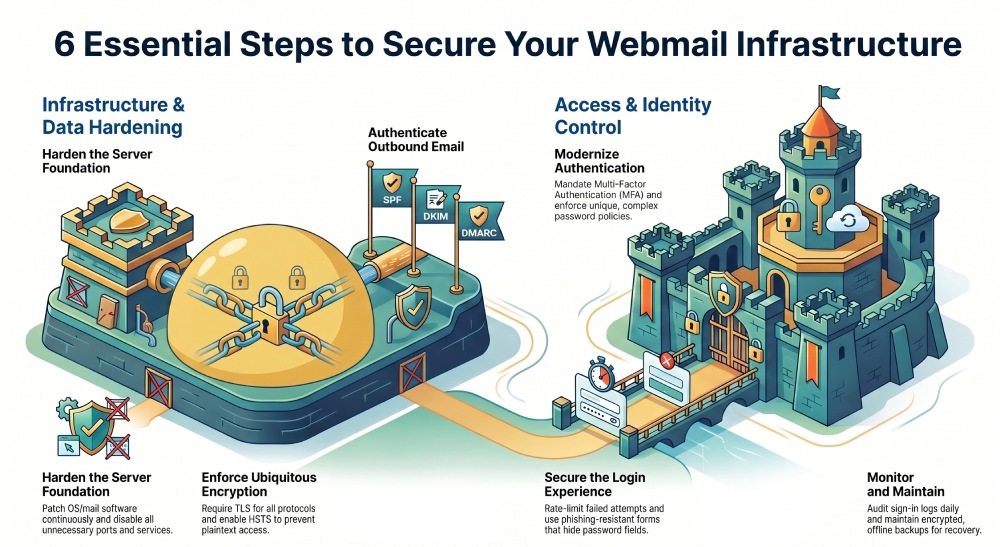
• Harden the Server Foundation: update the OS and mail software, disable unnecessary services, enforce least-privilege access, and secure SSH/admin panels
Patch the operating system and mail stack continuously.
Start by updating the OS, web server, webmail package, SMTP, IMAP, POP3, database, and supporting app components. This applies to self-hosted platforms as well as hybrid environments connected to M365, O365, or Microsoft 365. Track the status of updates, document the path to each service, and verify that security fixes are installed quickly. A secure server running outdated email software is still exposed.
Disable unnecessary services and reduce the attack surface.
Remove unused ports, legacy protocols, sample apps, default web directories, and administrative tools that are not required. If webmail is the only public-facing service, do not expose database consoles, test scripts, or old control panels. For hosted environments such as GoDaddy or Emailsrvr, review service settings in the Sign-in Portal and Trust Center to confirm that unused access methods are disabled.
Enforce least-privilege administration.
Administrators should not use broad root-level access for routine work. Create role-based admin accounts, separate a user account from an administrator account, and restrict SSH or admin-panel login to trusted IPs where possible. Use key-based SSH, disable direct root login, and audit every privileged sign in. Protecting the secure server foundation is essential before tuning webmail login rules.
• Protect Authentication and Access: require strong passwords, enable multi-factor authentication, limit login attempts, and use role-based permissions for web mail users and administrators
Require strong password policies.
Every username and email address should be protected by a unique, complex password. Enforce length, block breached credentials, and prevent reuse. If a user clicks “forgot password” or starts password recovery, require identity checks before allowing a reset password action. Password reset workflows should never reveal whether a username exists, and the password recovery page should be rate-limited.
Use multi-factor authentication and secure sign-in methods.
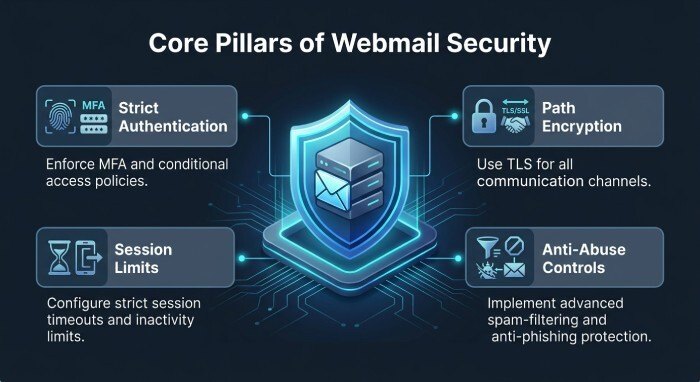
Enable multi-factor authentication through an Authentication App, hardware key, or trusted identity provider. For Microsoft, Office 365, M365, and O365, align policies with the Trust Center and Identity Management controls. If you use SSO Auth, sso-auth, SAML, or Single Sign-On through sso.secureserver.net, validate the realm, certificate, callback path, and user authentication claims. A secure login should require more than a password, especially for administrators.
Control login attempts, sessions, and remembered devices.
Rate-limit failed login attempts by username, IP address, and device fingerprint. Lock or challenge suspicious attempts without creating denial-of-service risk. The “keep me signed in” option should be controlled by policy, not convenience. Disable “keep me signed in” on shared devices, kiosks, and unmanaged browsers. If you allow keep signed in for trusted devices, shorten the user session lifetime, require re-authentication for sensitive actions, and revoke sessions after password reset or account recovery.
Sign-in portal fields and recovery guidance
The Login Form or authentication form should be simple, secure, and resistant to phishing. A good login form asks for username or email address, then password, and may offer a “show password” control to reduce mistyped credentials. However, “show password” should not expose the password after timeout, should not be enabled by default, and should never be captured in logs or screenshots. If users say, “I need to find your password,” guide them to official Password Recovery, not support chat or email. Use phrases such as “If you need to find your password, use the official reset password page,” and “Do not submit your password anywhere except the verified secure sign in page.” The phrase “need to find your password” should lead to a safe password reset process, not password disclosure.
Protect the webmail login experience from impersonation.
Users should know the correct webmail login URL, whether it is Outlook Web Access, OWA, webmail.emailsrvr.com, or a branded Secure Server page. Train users to verify HTTPS (HyperText Transfer Protocol Secure), the domain, and the secure server certificate before they sign in to continue. Avoid sending links that say only “continue” or “sign in” without context. The secure sign in page should display clear branding, and the form should submit credentials only over encrypted connections.
• Encrypt Email Traffic and Data: configure TLS/SSL for webmail, SMTP, IMAP, and POP3; use valid certificates; enable HSTS; and consider mailbox encryption at rest
Enforce TLS/SSL everywhere.
Webmail, SMTP submission, IMAP, POP3, admin panels, and APIs (Application Programming Interfaces) must require TLS. Redirect HTTP to HTTPS, disable weak ciphers, and prevent fallback to insecure protocols. A secure server must protect email content, username values, password fields, and session cookies in transit.
Use valid certificates and HSTS.
Deploy trusted certificates, automate renewal, and monitor expiration. Enable HSTS for the webmail domain so browsers refuse plaintext access. Check certificate chains for Microsoft 365 integrations, SSO, SAML identity providers, and third-party Email App connections. If the certificate fails, users should not continue to the login page.
Encrypt mailbox data at rest.
Encrypt mail storage, backups, indexes, and databases where feasible. For hosted platforms, verify encryption practices in the provider’s Trust Center. For a self-managed Email Server, protect disk keys separately from the server and restrict administrator access to stored email. Encryption at rest reduces exposure if disks, snapshots, or backup archives are compromised.
• Defend Against Spam, Phishing, and Spoofing: implement SPF, DKIM, and DMARC; deploy spam filtering, antivirus scanning, attachment controls, and phishing protection
Authenticate outbound email with SPF, DKIM, and DMARC.
Publish SPF records for authorized sending systems, sign email with DKIM, and enforce DMARC policies to reduce spoofing. An SPF record generator can help you build a valid record for every authorized sending system. This is critical for domains used with Microsoft 365, Office 365, GoDaddy, and third-party marketing tools. Monitor DMARCreports to identify unauthorized senders and misconfigured routes. A free DMARC report analyzer tool makes those aggregate reports readable so you can spot unauthorized senders quickly.
Filter spam, malware, and dangerous attachments.
Use layered filtering before messages reach webmail. Scan attachments, block high-risk file types, detonate suspicious files in a sandbox, and rewrite or inspect links. A secure server should protect the user before they open a malicious email inside the Webmail interface.
Train users against phishing and fake login pages.
Many attacks begin with a fake “sign in to continue” message, a counterfeit “webmail login” page, or a prompt to “submit” credentials after clicking a malicious link. Teach users to avoid unexpected password prompts, check the URL, and report messages that ask them to log in urgently. Remind them that “show password” is for local typing accuracy only, not for sharing a password with support.
• Monitor, Back Up, and Maintain Security: review logs, set intrusion alerts, perform vulnerability scans, back up mail data securely, test recovery, and create an ongoing patching and incident response plan
Monitor logs, alerts, and account behavior.
Review webmail login logs, failed sign in attempts, impossible travel events, mailbox forwarding changes, new devices, and suspicious app consent. Alert on repeated password failures, unusual username targeting, SSO errors, and abnormal session activity. Track the status of SAML assertions, sso-auth events, and administrative access. Monitoring should cover both the webmail app and the underlying server.
Back up securely, test recovery, and maintain an incident plan.
Back up mailboxes, configuration files, encryption keys, DNS records, and identity settings. Store backups offline or in protected access storage, encrypt them, and test restoration regularly. Include Password Reset, Account Recovery, and User Account restoration procedures in the plan. If a webmail breach occurs, you should be able to revoke sessions, force password reset, disable compromised accounts, review email forwarding rules, and restore clean data without delaying response.
General Manager
General Manager of DuoCircle. Product strategy and commercial lead for DMARC Report's 2,000+ customer base.
LinkedIn Profile →Take control of your DMARC reports
Turn raw XML into actionable dashboards. Start free - no credit card required.