Best Antispam Tools to Stop Unwanted Email Messages

Quick Answer
The best antispam tools stop unwanted emails by filtering spam, phishing attempts, malware, and suspicious senders before they reach your inbox. They improve email security, reduce clutter, and protect users from evolving cyber threats.
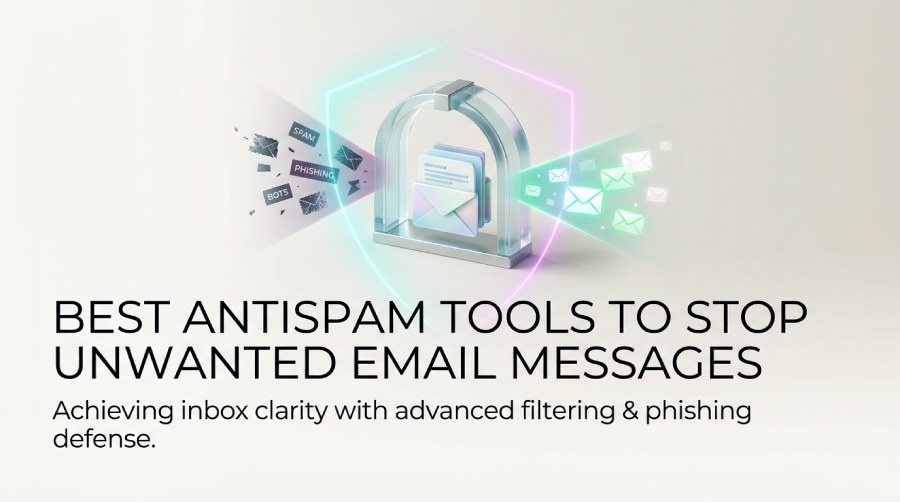
Spam emails, phishing attacks, and unwanted messages can reduce productivity and expose users to serious security risks. Whether you’re protecting a personal inbox, a business email system, a website, or an online community, choosing the right antispam tool is essential. Modern antispam solutions go beyond basic spam filtering by detecting phishing attempts, blocking malware, preventing spoofing, and reducing false positives. In this guide, we’ll explore the top better antispam tools, the key features to look for, and best practices for keeping your inboxes, websites, and online platforms secure from unwanted messages.
SPF, DKIM, and DMARC strengthen antispam protection by authenticating legitimate email senders and blocking domain spoofing. If you haven’t already, create a DMARC record to lock down your domain against impersonation. As a first step, create DMARC record coverage for your domain to stop spoofers from impersonating you.
What Makes a Better Antispam Tool: Key Features to Look For
Multi-layer spam filtering and phishing defense
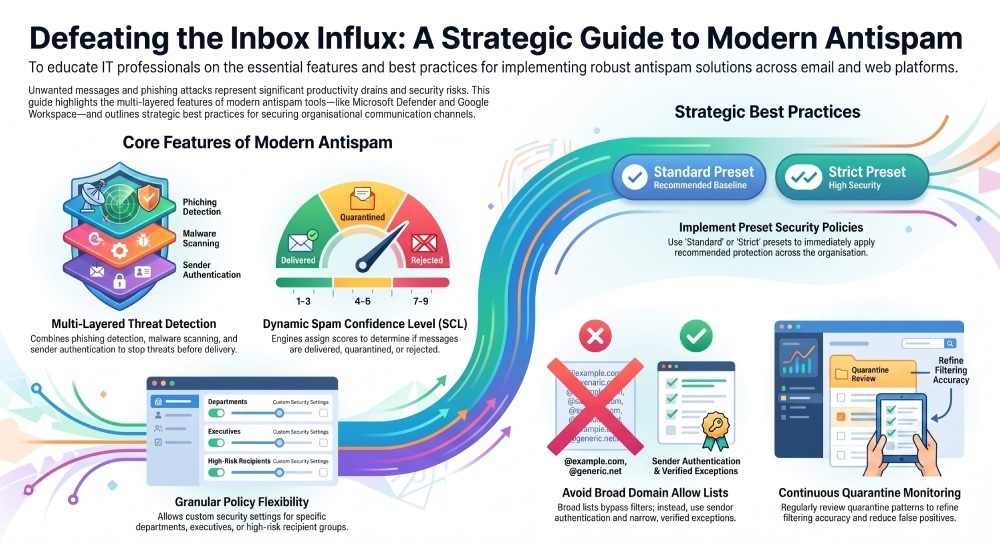
A better antispam tool should do more than block obvious spam. The strongest anti-spam platforms combine spam filtering, phishing detection, malware scanning, sender authentication, and content filtering to stop threats before they reach Users. In business environments such as Microsoft 365, Office 365, Exchange Online, and Microsoft Defender for Office 365, this means evaluating each message for reputation, message headers, URLs, attachments, spoofing signals, and sender behavior.
Good antispam systems also distinguish between junk email, malicious phishing, graymail, and legitimate bulk mail. That distinction matters because not every bulk mail campaign is harmful, but untrusted Bulk Senders can still overwhelm recipients and increase risk.
Accurate scoring and verdict controls
Modern anti-spam engines assign a spam score or spam confidence level to each message. In Microsoft environments, spam confidence level helps determine whether a message should be delivered, moved to junk email, routed to a quarantine message, or rejected. A clear spam filtering verdict allows Admins, SecOps, and an administrator to understand why a message was blocked or allowed.
Strong tools also let teams define actions for spam verdicts, such as move message to Junk Email, delete message, add headers, redirect, or create a quarantine message for later review.
Policy flexibility for different users and groups
The best antispam platforms provide granular policies for departments, Executives, domains, cloud mailboxes, shared mailboxes, and sensitive recipients. In Microsoft 365, Admins can use preset security policies such as Standard policy and Strict policy, or create custom anti-spam policies for specific groups, Dynamic Distribution Groups, Mail-enabled security groups, and Microsoft 365 Groups synchronized through Microsoft Entra ID.
Exceptions and conditions
Useful admin controls include exceptions and conditions for trusted senders, partner domains, regulated workflows, and internal applications. These settings help reduce a false positive while still blocking spam, phishing, junk email, and abusive bulk mail.
Quarantine and retention options
A mature quarantine policy should specify who can review a quarantine message, how long quarantine retention lasts, and whether users can release or report messages. Quarantine Policies in Microsoft Defender for Office 365 are especially useful for balancing user productivity with security settings.
Best Better Antispam Tools for Email Inboxes
Microsoft Defender for Office 365
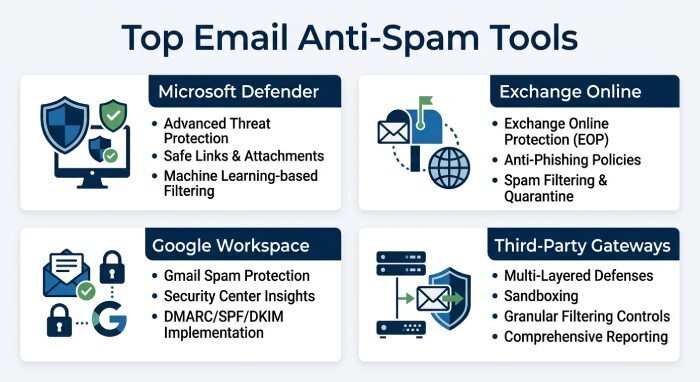
Microsoft Defender for Office 365 is one of the strongest anti-spam choices for organizations using Microsoft 365, Office 365, Outlook.com, Exchange Online, or hybrid Exchange. It provides spam filtering, phishing protection, spoof intelligence, Safe Links, Safe Attachments, quarantine message workflows, and detailed security reporting.
Admins can manage policies in the Microsoft 365 Defender portal or through PowerShell. For organizations with on-premises Exchange, hybrid routing and mail flow rules can help maintain consistent spam protection across cloud mailboxes and local servers.
Exchange Online Protection
Exchange Online Protection is included with many Microsoft 365 plans and provides baseline antispam, anti-spam, and anti-malware defenses. It evaluates sender reputation, content, domains, and message headers, then assigns a spam confidence level. Depending on the spam filtering verdict, the system may move messages to junk email, quarantine messages, or apply mail flow rules.
Exchange Online also supports Advanced Spam Filtering, often referred to as ASF. Advanced spam filter options can increase spam score when a message contains suspicious elements, such as URL redirection, image-only content, or malformed headers.
Google Workspace and Gmail protection
Google Workspace offers strong spam filtering for business email, including phishing detection, attachment scanning, authentication checks, and user reporting. For smaller teams, it is easy to manage and can automatically protect inboxes from common spam and junk email. However, organizations that rely heavily on Microsoft Teams, Exchange, or Microsoft 365 may prefer Microsoft-native anti-spam controls for unified server management.
Third-party secure email gateways
Third-party gateways from vendors such as Proofpoint, Mimecast, Barracuda, and Sophos add another layer of antispam protection. They often include sandboxing, impersonation protection, bulk mail controls, data loss prevention, and detailed moderation workflows. These tools are useful for regulated industries in the UK, finance, healthcare, and enterprises with complex mail flow rules.
Better Antispam Solutions for Websites, Forms, and Comments
Website form spam protection
Email is not the only place where spam appears. Contact forms, signup pages, checkout forms, and comment sections also need anti-spam protection. Tools such as reCAPTCHA, hCaptcha, Akismet, CleanTalk, and Cloudflare Turnstile help stop automated spam submissions without forcing every legitimate visitor through friction-heavy checks.
For websites, the best antispam solution combines bot detection, IP reputation, rate limiting, supported languages, and content filtering. This reduces junk email generated by web forms and lowers the number of phishing links submitted through public pages.
Comment and community moderation
For publishers, forums, and communities, moderation is critical. Antispam plugins can mark as spam suspicious comments, hold posts for review, or delete message submissions that match known abuse patterns. This is especially important when spam includes phishing links, malicious redirects, or bulk mail signup abuse.
Human review queues
A moderation queue works like an email quarantine message: suspicious content is held until an administrator or moderator approves it. This reduces false negative outcomes where spam slips through and false positive outcomes where legitimate comments are blocked.
Discord and community server tools
Communities on Discord face a different spam problem: raid bots, phishing links, repeated bulk messages, and abusive server members. Tools such as Better Antispam and MEE6 help with server moderation, automated warnings, link blocking, role-based controls, and permission changes.
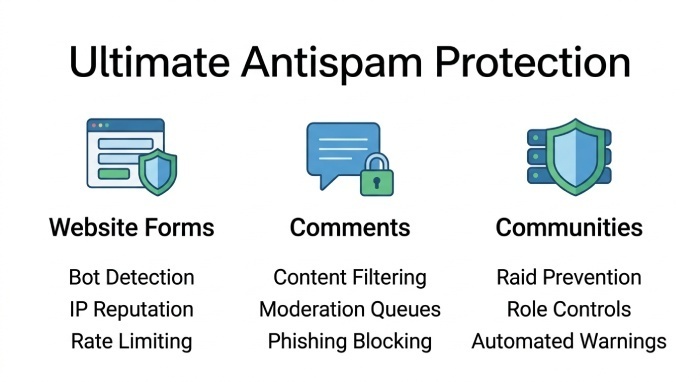
Better Antispam for Discord can detect repeated messages, mass mentions, invite spam, and suspicious links. Server management teams can configure roles, allow trusted server members to read messages, and restrict risky behavior without overblocking legitimate Users.
How to Compare Pricing, Accuracy, Privacy, and Ease of Use
Pricing and licensing
Compare antispam tools by total cost, not just license price. Microsoft Defender for Office 365 may be cost-effective for organizations already using Microsoft 365, while standalone gateways may charge per mailbox, domain, or feature bundle. For a sample company like Contoso, costs can vary depending on recipients, mailboxes, cloud mailboxes, and whether advanced phishing protection is required.
Accuracy and reporting
Accuracy depends on how well a tool catches spam, junk email, phishing, and malicious bulk mail while avoiding false positive decisions. Look for clear reports showing spam filtering verdict data, spam confidence level trends, bulk complaint level, blocked domains, and user submissions.
Test mode and tuning
A good tool should support test mode or audit-only settings before enforcement. Admins can review what would have been blocked, then tune custom anti-spam policies, mail flow rules, and exceptions and conditions before applying them broadly.
Privacy and compliance
Privacy matters because anti-spam systems inspect email content, metadata, message headers, sender domains, and attachments. Review each vendor’s Privacy Policy, data residency options, retention model, and Help Center documentation. Organizations in the UK or regulated sectors should confirm how quarantine message data, user reports, and logs are stored.
Ease of use for admins and useras
The right tool should make admin controls simple without hiding important security settings. Admins need dashboards, PowerShell support, policy templates, and role-based access. Users need simple options to report spam, release a quarantine message if allowed, and understand why a message went to junk email.
Best Practices to Strengthen Antispam Protection and Reduce False Positives
Start with strong default policies
In Microsoft Defender for Office 365, begin with preset security policies. The Standard policy suits many organizations, while the Strict policy is better for high-risk Executives, finance teams, and SecOps users. These policies automatically protect users with recommended anti-spam, phishing, and spam filtering settings.
Tune spam confidence level and bulk mail thresholds
Review how spam confidence level, bulk complaint level, and spam score affect delivery. If too much junk email reaches inboxes, increase spam score actions or send more bulk mail to quarantine. If legitimate newsletters are blocked, adjust bulk mail settings and allow trusted Bulk Senders.
Use mail flow rules carefully
Mail flow rules are powerful but should be documented and reviewed regularly. Poorly designed mail flow rules can bypass spam filtering, weaken phishing controls, or create a false negative. Use mail flow rules for specific routing, disclaimers, or exceptions—not as a blanket bypass for entire domains unless necessary.
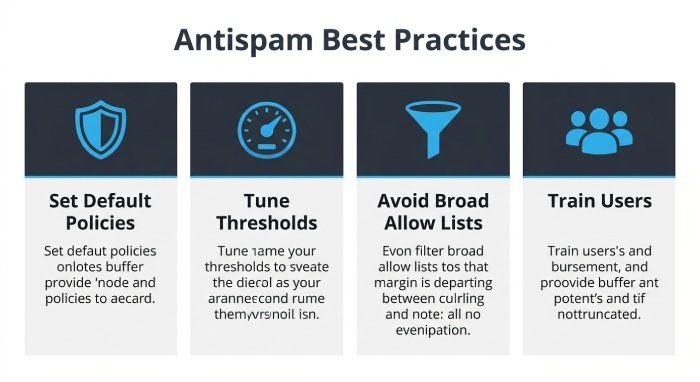
Avoid broad allow lists
Allowing whole domains can expose recipients to spoofing and compromised accounts. Prefer sender authentication, verified partner rules, and narrow exceptions. Understanding how a DMARC policy works helps you rely on authentication instead of broad allow lists.
Review quarantine regularly
Security teams should review each quarantine message pattern, not just individual messages. A quarantine message from a trusted vendor may indicate overly strict content filtering, while repeated phishing attempts from lookalike domains may justify stronger policies. Adjust quarantine retention and quarantine policy settings based on risk.
Train users and monitor feedback
Users should know how to report spam, phishing, junk email, and suspected false positive messages. Their feedback improves antispam accuracy and helps SecOps spot campaigns early. Combine user reporting with administrator review, message trace, and Advanced Spam Filtering data to refine anti-spam protection over time.
General Manager
General Manager of DuoCircle. Product strategy and commercial lead for DMARC Report's 2,000+ customer base.
LinkedIn Profile →Take control of your DMARC reports
Turn raw XML into actionable dashboards. Start free - no credit card required.