Fixing dangling DMARC record issues

Quick Answer
DMARC (RFC 7489) ties SPF and DKIM together by requiring alignment between the envelope sender and the visible `From` header. According to Google's February 2024 bulk sender requirements, a DMARC policy of at least `p=none` is now mandatory for any domain sending 5,000+ messages per day to Gmail users. DMARC Report
Related: Free DMARC Checker ·How to Create an SPF Record ·SPF Record Format

Try Our Free DMARC Checker
Validate your DMARC policy, check alignment settings, and verify reporting configuration.
Check DMARC Record →
DMARC is the only email authentication protocol that gives you both enforcement and visibility, says Brad Slavin, General Manager of DuoCircle. SPF and DKIM authenticate silently - DMARC tells you what happened and lets you control the outcome. That combination of reporting and policy is why DMARC adoption is accelerating.
DMARC (RFC 7489) ties SPF and DKIM together by requiring alignment between the envelope sender and the visible From header. According to Google’s February 2024 bulk sender requirements, a DMARC policy of at least p=none is now mandatory for any domain sending 5,000+ messages per day to Gmail users.
For DMARC to function optimally, it must be appropriately configured and foolproof. However, with numerous best practices to follow and frequent changes in enterprise-level email infrastructures, domain owners often make a common misstep: overlooking the presence of dangling DMARC records.
While dangling DMARC records may sound harmless, they can leave your domains exposed to risks, reduce email deliverability, and even undermine compliance efforts.
In this blog, we’ll break down what dangling DMARC records are, why they occur, and how to fix them effectively.

What are dangling DMARC records?
A ‘dangling’ DMARC record refers to an incomplete or incorrect DNS entry that exists in your domain but doesn’t point to a valid or active policy._ In other words, the record is published but doesn’t serve its intended purpose_.
As of 2025, DMARC is mandatory under multiple compliance frameworks. CISA BOD 18-01 requires p=reject for US federal domains. PCI DSS v4.0 mandates DMARC for organizations processing payment card data as of March 2025. Google and Yahoo require DMARC for bulk senders (5,000+ messages/day) since February 2024, and Microsoft began rejecting non-compliant email in May 2025. The UK NCSC, Australia’s ASD, and Canada’s CCCS all mandate DMARC for government domains. Cyber insurers increasingly require DMARC enforcement as an underwriting condition.
This often happens when:
-
The DMARC TXT record is added, but without a valid policy (e.g., p= tag missing or incomplete).
-
The record points to an invalid reporting URI (e.g., reports are being sent to a mailbox that no longer exists).
-
Old DMARC records remain in DNS after configuration changes.
While the domain technically has a DMARC record, it’s actually ‘dangling,’ which means there is little to no protection.

Why are dangling DMARC records a big problem?
Here is how dangling DMARC records create issues for a domain owner-
False sense of security
Publishing a DMARC record is only the first step; its effectiveness depends on having a valid policy. A dangling record, for example, one missing the p= tag, signals to receivers that DMARC is technically present but not enforcing authentication. This often lulls domain owners into assuming their domain is protected when, in reality, malicious actors can still send unauthenticated emails without consequence.
Exploitable gaps
Attackers closely monitor domains with weak or incomplete DMARC policies. If your record doesn’t define how unauthenticated mail should be treated, providers may accept spoofed messages as if they were legitimate. This allows bad actors to exploit your brand reputation, sending phishing emails that appear to come from your domain.

In scenarios where SPF or DKIM are misaligned, a dangling DMARC record creates a perfect loophole, allowing these spoofed messages to slip through without triggering a fail response.
Deliverability issues
Email providers like Google, Microsoft, and Yahoo now use DMARC policies to decide whether your emails are trustworthy. If your DMARC record is broken or incomplete, it confuses the receiving system; it sees that a record exists, but can’t apply the rules properly. This confusion can hurt your sending reputation, which means even genuine emails may land in the spam folder.
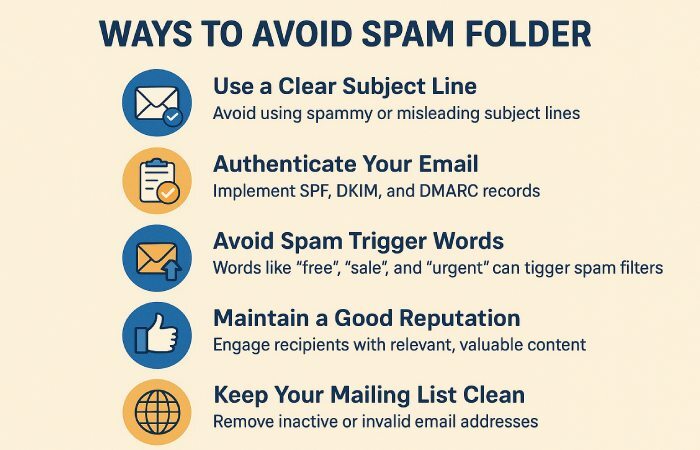
Over time, this not only disrupts important messages, such as invoices or password resets, but can also harm your marketing campaigns, erode customer trust, and put you at risk of failing new bulk sender rules.
Wasted visibility
One of the best things about DMARC is its reporting feature (rua and ruf tags). These reports show you who is sending emails using your domain; whether it’s you, a third-party service, or an attacker.
However, if the reporting addresses are incorrect, outdated, or not verified, the reports may never reach you. As a result, you miss signs of misuse or minor errors in SPF and DKIM that can grow into bigger issues. In short, your domain looks protected, but you have no real visibility into what’s happening behind the scenes.
How to detect a dangling DMARC record?
The first step is to audit your DNS. You can:
-
Use command-line tools like dig or nslookup to query your domain’s TXT records, or run a quick DMARC record lookup to see the published record instantly.
-
Check whether your DMARC record includes the essential tags (v=DMARC1, p=, rua=, ruf=).
-
Run your domain through DMARC analyzers or **online lookup tools to validate the record.
If the lookup shows errors like ‘policy missing,’ ‘invalid rua,’ or ‘syntax error,’ chances are you’re dealing with a dangling record.
Quick fixes to a dangling DMARC record
Verify the policy Tag (p=)
The most important element of a DMARC record is the policy tag (p=) . Ensure your record includes a valid policy, such as p=none, p=quarantine, or p=reject. Missing this tag is one of the most common reasons for dangling DMARC records, as it leaves the record incomplete and ineffective. If you’re starting fresh, follow our guide on how to create a DMARC record to get every tag right.
Clean up old or duplicate records
Each domain should have only one DMARC record. If there are outdated entries or duplicate records left behind from past configurations, they can cause confusion or conflicts. **Removing unnecessary records ensures that your active DMARC policy works as intended.

Check rua and ruf reporting addresses
DMARC’s value lies in its reporting, so it’s important to make sure the rua (aggregate reports) and ruf (forensic reports) mailboxes are active and monitored. If you’ve switched email security providers or changed mailboxes, update these addresses so reports don’t go to the wrong place or vanish entirely.
Valid syntax and formatting
A DMARC record is sensitive to errors; even a single typo can make it useless. Before publishing the record in DNS, always run it through a syntax checker or validator . This simple step prevents small mistakes from creating big security gaps.

Use subdomain policies if needed
If you’ve published a DMARC record for your main (root) domain, don’t forget about subdomains. By adding the sp= (subdomain policy) tag, you can extend **protection to subdomains and prevent attackers from exploiting them as a weak spot.
How Do You Monitor after fixing?
Once you’ve corrected and updated your DMARC record, continue to monitor it. **Review reports regularly to confirm that legitimate email flows are being authenticated correctly. A set of free DMARC tools makes this ongoing monitoring painless. Pay attention to any unexpected sources, as they may be signs of misconfiguration or malicious activity that needs immediate action.
Sources
Topics
CTO
CTO of DuoCircle. Leads engineering for DMARC Report and DuoCircle's email security product portfolio.
LinkedIn Profile →Take control of your DMARC reports
Turn raw XML into actionable dashboards. Start free - no credit card required.