Recipient Address Rejected: Access Denied (550 5.4.1) – Understanding the Error and How to Resolve It

Quick Answer
The 550 5.4.1 Recipient Address Rejected: Access Denied error occurs when the recipient's mail server denies email delivery due to invalid addresses, permission restrictions, or security policies. Learn its causes, troubleshooting steps, and effective solutions to restore successful email delivery.
Email remains one of the most dependable methods of business communication, but delivery problems can interrupt even the most important messages. One of the more common SMTP bounce messages users encounter is “Recipient Address Rejected: Access Denied (550 5.4.1).”
Although this message may appear complicated, it simply indicates that the receiving mail server refused to accept your email. The rejection can occur for a variety of reasons, ranging from an incorrect email address to authentication failures or server security restrictions.
Understanding why this error occurs is the first step toward resolving it. This guide explains what the error means, why it happens, how to troubleshoot it, and what you can do to prevent similar delivery failures in the future.
Understanding the “Recipient Address Rejected: Access Den Denied” Error
SMTP servers use numerical status codes to communicate the outcome of email delivery attempts.
When you receive the following message:
550 5.4.1 Recipient Address Rejected: Access Denied
it means the destination mail server permanently refused your email instead of accepting it for delivery.
Let’s break down the error:
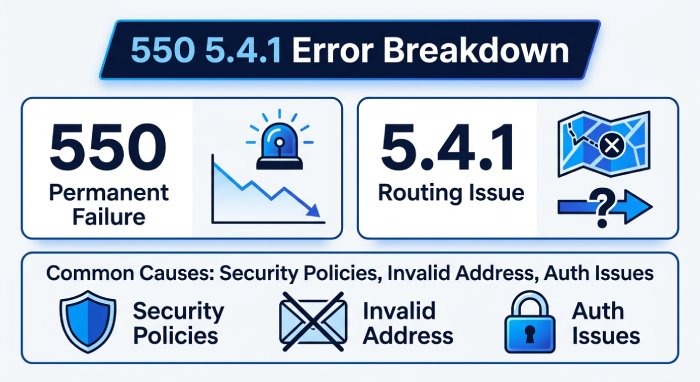
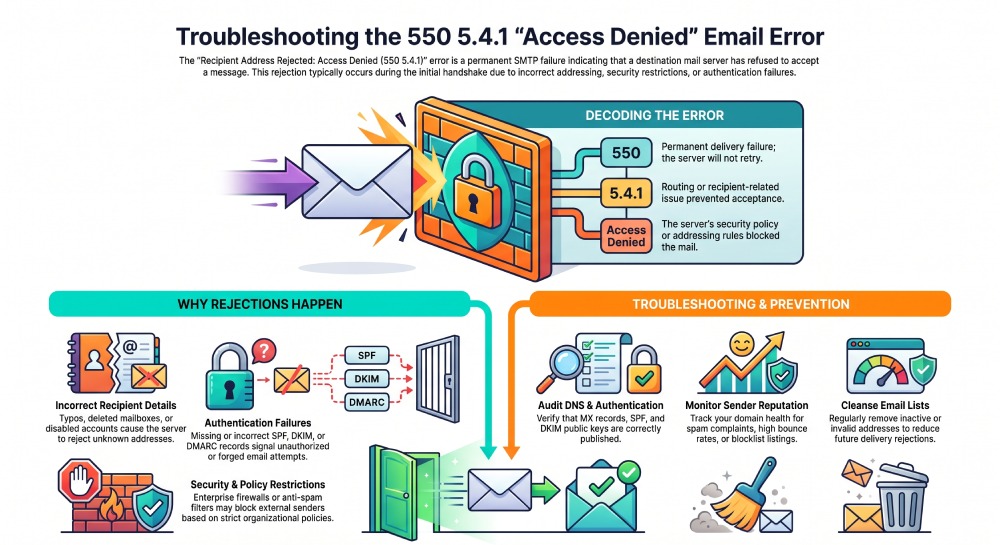
550 indicates a permanent delivery failure. The receiving server has rejected the message, and your mail server will not automatically retry. 5.4.1 generally refers to a routing or recipient-related delivery issue that prevented the email from being accepted.
The rejection occurs during the SMTP conversation, before the email reaches the recipient’s mailbox.
In many cases, the receiving server determines that the email should not be accepted because of security policies, invalid addressing, or authentication problems.
Why Does This Error Occur?
There isn’t a single reason behind this bounce message. Instead, multiple technical or administrative issues can trigger it.
1. Incorrect Recipient Address
One of the simplest explanations is that the destination email address is incorrect.
Possible reasons include:
- Typographical mistakes
- Deleted mailboxes
- Disabled user accounts
- Wrong email domain
Since the mailbox cannot be located, the receiving server immediately rejects the message.
2. Mail Server Security Restrictions
Modern email providers aggressively protect users from spam, phishing, and spoofing attacks.
If your email violates one of their security policies, the server may refuse delivery before the message reaches the inbox.
Examples include:
- Unknown recipients
- Restricted mailboxes
- Organization-wide mail policies
- External sender restrictions
Many enterprise mail systems intentionally reject messages instead of quarantining them.
3. Missing or Incorrect MX Records
MX (Mail Exchange) records tell other mail servers where your domain receives email.
If these DNS records are incorrect, outdated, or missing, routing problems can occur.
Improper mail routing may cause receiving systems to reject incoming messages because they cannot verify the destination.
4. SPF Authentication Failure
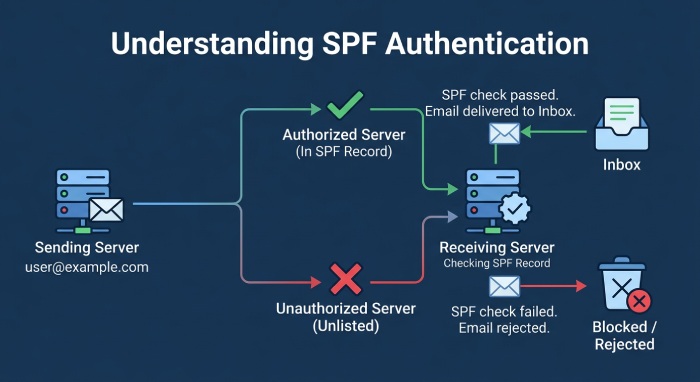
Sender Policy Framework (SPF) authorizes which mail servers can send email for your domain.
If the sending server isn’t listed in your SPF record, recipient servers may consider the message unauthorized.
An invalid SPF configuration commonly results in delivery failures.
5. DKIM Verification Problems
DKIM adds a digital signature to outgoing messages.
When the receiving server cannot validate this signature, it may assume the email has been altered or forged.
Incorrect DNS records, expired keys, or signing failures frequently lead to DKIM authentication problems.
6. DMARC Policy Enforcement
DMARC combines SPF and DKIM authentication to determine whether incoming messages should be trusted.
If both authentication methods fail or aren’t properly aligned, the receiving server follows your published DMARC policy. A strict p=reject policy tells that server to refuse the message outright.
Depending on the policy, the email may be:
- Accepted
- Sent to quarantine
- Rejected entirely
A rejected message often results in a 550 error.
7. Poor Sender Reputation
Mailbox providers monitor the reputation of both domains and IP addresses.
A history of spam complaints, excessive bounce rates, or suspicious activity can lower your reputation.
Once reputation declines, recipient servers become more likely to reject future messages.
8. Blocklisted Sending IP
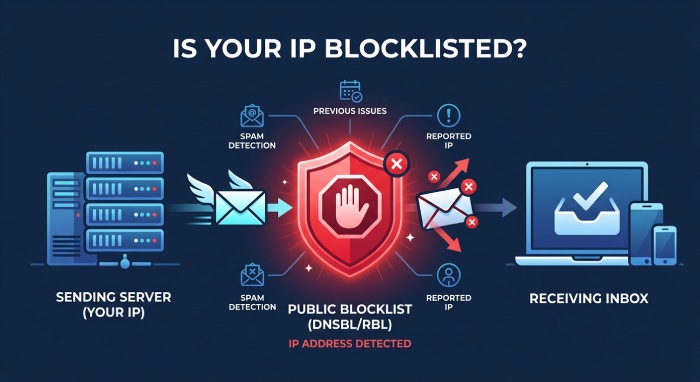
Public blocklists identify IP addresses associated with spam or malicious activity.
If your sending server appears on one or more blocklists, receiving mail systems may deny incoming connections or reject messages immediately.
Troubleshooting the Error
Finding the root cause usually requires checking several areas of your email environment.
Confirm the Recipient’s Address
Before investigating technical settings, verify the email address.
Ensure:
- The spelling is correct.
- The domain exists.
- The mailbox is active.
- The recipient hasn’t changed addresses.
This simple step resolves many delivery issues.
Review DNS Configuration
Your domain’s DNS records directly influence email delivery.
Verify that your:
- MX records
- SPF record
- DKIM public key
- DMARC policy
are correctly published and free of syntax errors.
Even minor mistakes can interfere with email authentication.
Test Email Authentication
Authentication failures remain one of the leading causes of rejected emails.
Check whether:
- SPF passes
- DKIM validates successfully
- DMARC aligns with your domain
Resolving authentication issues significantly improves inbox placement and reduces bounce rates. A DMARC report analyzer can reveal which sending sources are failing alignment.
Inspect Your Sending Reputation
Evaluate the reputation of both your domain and outbound IP address.
Look for:
- Spam complaints
- High bounce rates
- Blacklist listings
- Unusual sending activity
Maintaining a strong reputation increases recipient trust.
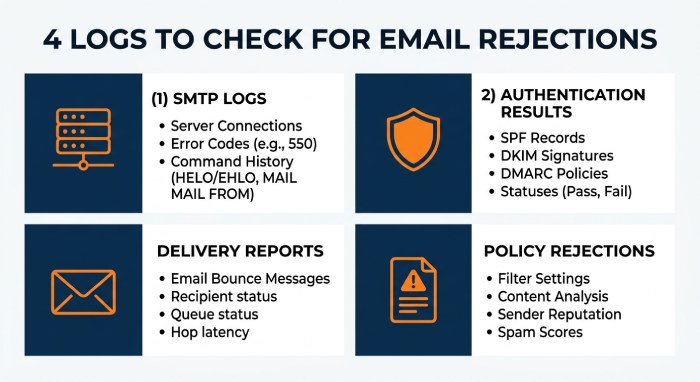
Examine Mail Server Logs
Mail server logs often contain detailed rejection information.
Administrators should review:
- SMTP conversation logs
- Authentication results
- Delivery reports
- Policy rejections
These details frequently reveal exactly why the message was denied.
Review Microsoft 365 or Exchange Policies
Organizations using Microsoft Exchange Online may encounter delivery restrictions caused by security settings.
Policies such as:
- Directory Based Edge Blocking
- Transport Rules
- Anti-spam filtering
- External sender controls
can prevent messages from reaching recipients.
Administrators should verify these configurations when troubleshooting.
Best Practices to Avoid Future Delivery Problems
Preventing email rejection is easier than resolving it after the fact.
Maintain Accurate DNS Records: Regularly audit your DNS configuration to ensure all email-related records remain current. Changes to hosting providers, email services, or infrastructure should always be reflected in DNS.
Strengthen Email Authentication
Implement SPF, DKIM, and DMARC together rather than relying on a single authentication method.
Knowing how a DMARC policy works helps you choose the right enforcement level as you roll it out.
These protocols help receiving servers verify that your emails are legitimate.
Monitor Sender Reputation
Track your domain’s health continuously.
Watch for:
- Spam complaints
- Authentication failures
- Delivery trends
- Reputation changes
Early detection helps prevent larger deliverability issues.
Clean Your Email Lists
Sending messages to invalid recipients increases bounce rates.
Regularly remove:
- Inactive addresses
- Typographical errors
- Duplicate contacts
- Expired accounts
A healthy mailing list improves overall deliverability.
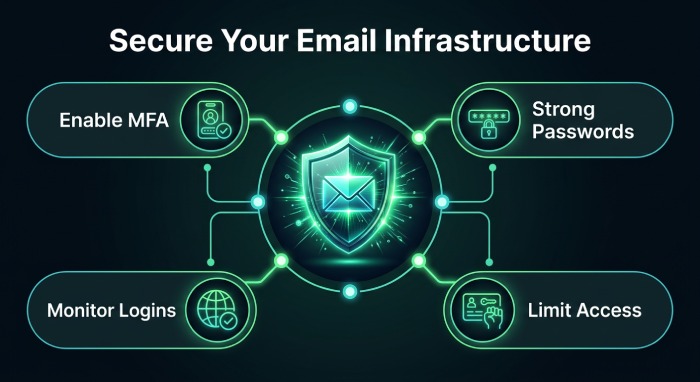
Keep Infrastructure Secure
Compromised accounts can quickly damage your sender reputation.
Protect your email environment by:
- Enabling multi-factor authentication
- Using strong passwords
- Monitoring suspicious login attempts
- Limiting unauthorized access
Security directly impacts deliverability.
How This Error Affects Deliverability
Repeated delivery failures can have lasting consequences.
Frequent rejections may reduce:
- Domain Reputation: Mailbox providers begin associating your domain with unsuccessful or suspicious mail activity.
- IP Reputation: Sending IP addresses with poor performance records often experience stricter filtering.
- Inbox Placement: Even legitimate emails may begin landing in spam folders rather than recipients’ inboxes.
- Email Campaign Performance: Higher bounce rates reduce engagement, lower sender trust, and negatively impact marketing performance.
Resolving authentication issues and maintaining a clean sending reputation helps preserve long-term deliverability.
When You Should Contact Your Email Provider
Some issues require administrative access beyond what individual users can troubleshoot.
Consider contacting your email provider if:
The error persists after verifying the recipient.
- SPF, DKIM, and DMARC appear correctly configured.
- Your sending IP has been blocklisted.
- Microsoft 365 or Exchange security policies require adjustment.
- Mail server logs indicate infrastructure-related problems.
Email administrators have access to diagnostic information that can identify server-side restrictions and configuration issues.
Final Thoughts
The 550 5.4.1 “Recipient Address Rejected: Access Denied” error indicates that the receiving mail server declined to accept your message. While the wording may seem intimidating, the underlying cause is often straightforward once you begin troubleshooting.
Start by confirming the recipient’s email address, then review your DNS configuration and email authentication records. Verify that SPF, DKIM, and DMARC are correctly implemented, monitor your sender reputation, and ensure your infrastructure complies with modern email security standards.
Taking a proactive approach to email authentication, DNS management, and reputation monitoring not only resolves delivery errors but also improves long-term email reliability. With a properly configured email environment, your messages are far more likely to reach recipients successfully while maintaining the trust of mailbox providers.
General Manager
General Manager of DuoCircle. Product strategy and commercial lead for DMARC Report's 2,000+ customer base.
LinkedIn Profile →Take control of your DMARC reports
Turn raw XML into actionable dashboards. Start free - no credit card required.