What Is An Invalid Domain Name? Causes And How To Fix It

Quick Answer
An invalid domain name is a web address that does not follow domain naming rules or cannot be properly resolved. Common causes include typos, unsupported characters, incorrect DNS settings, expired domains, and configuration errors. Fix it by checking the spelling, domain status, and DNS records.
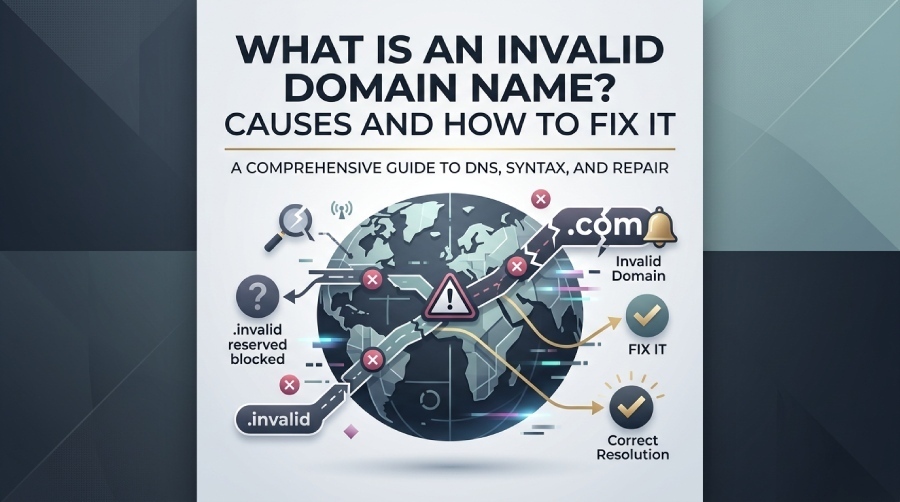
An invalid domain name can prevent websites, applications, and email systems from recognizing or using a domain correctly. It may result from incorrect formatting, a nonexistent domain, DNS issues, or an invalid domain extension. In email, these problems can also affect address validation and authentication. In this guide, we’ll explain what an invalid domain name means, the common causes behind it, and the practical steps you can take to identify and fix the issue.
What Does “Invalid Domain Name” Mean?
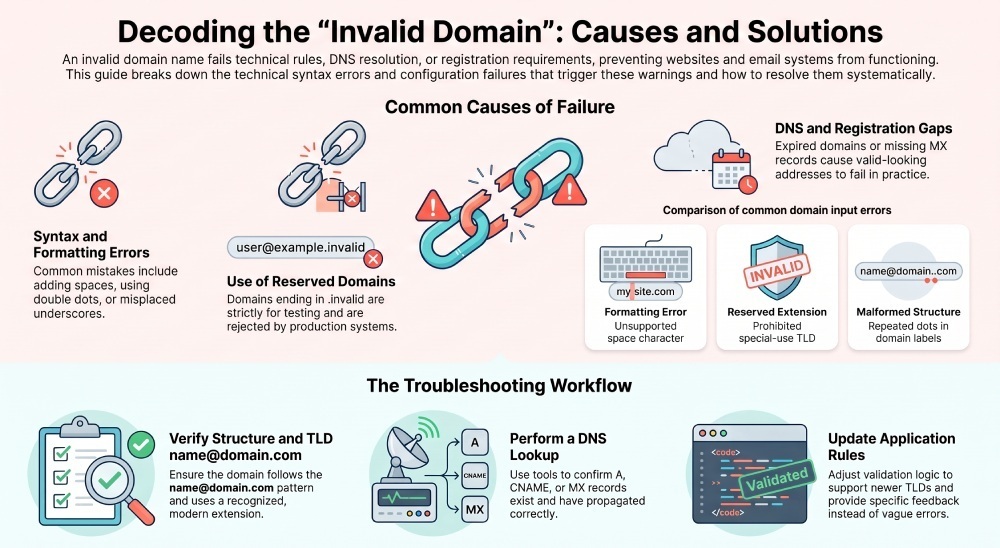
An invalid domain name is a domain that cannot be accepted, resolved, registered, or used because it fails a technical rule, points to a nonexistent domain, uses a reserved domain, or does not match expected domain syntax. In simple terms, a system sees the domain name and decides it is not a valid domain for the task being performed.
This can happen in browsers, web forms, hosting panels, payment pages, account systems, and email forms. For example, if a user enters name@domain.com as an email address, a form may check whether the domain portion after @ is properly formatted. If it is not, the form may show an error message such as “invalid domain,” “invalid address,” or “please enter a valid email.”
Invalid domain vs. invalid email address
An invalid domain and an invalid email address are related but not identical. An email address such as name@domain.com has two main parts: the local part, name, and the domain part, domain.com. A valid email requires a correct address format, but it also depends on whether the domain portion is a valid domain.
For example:
- name@domain.com is commonly used as a generic example of an email address, but whether it is a valid email in a real workflow depends on context.
- name@.com is an invalid email address because the domain portion is malformed.
- name@example.invalid uses .invalid, a reserved domain space, so it should not be treated as a real deliverable email address.
- name@nonexistent-domain-xyz123.com may pass basic format validation but still reference a nonexistent domain.
That distinction matters in email validation. Basic validation checks the structure of name@domain.com; deeper validation may check DNS records to determine whether the domain name can receive mail.
The role of reserved and test domains
Some domains are deliberately not available for ordinary use. The IANA maintains special-use names under internet standards, including .invalid, which is a synthetic TLD intended to signal an invalid or unusable domain. A test domain or placeholder domain may be used in documentation, but developers should understand the difference between a safe domain example and a production-ready valid domain.
A reserved domain such as one ending in .invalid should not be used for live signups, customer records, payment notifications, or an email reminder. If a form accepts name@domain.com as a placeholder, it should not treat name@example.invalid as a deliverable valid email.
Common Causes of an Invalid Domain Error
An invalid domain error can come from formatting problems, configuration mistakes, expired records, or policy restrictions. The exact error message depends on the application, registrar, mail server, browser, or API.
Syntax, spelling, and domain extension problems
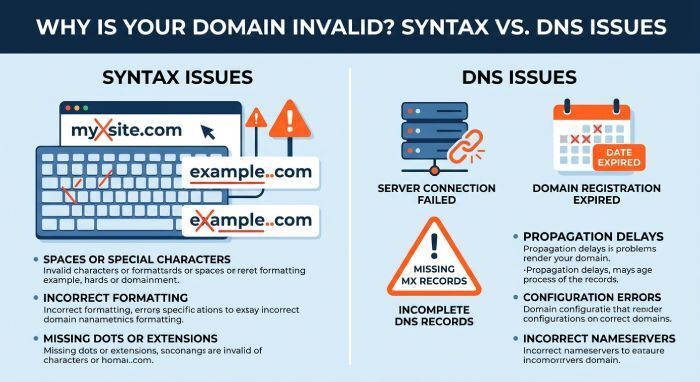
Many issues begin with incorrect domain syntax. A domain name may be rejected if it contains unsupported characters, spaces, double dots, underscores in the wrong place, or an invalid domain extension. The Top Level Domain, also called a TLD, must be recognized and valid for the use case.
Common examples include:
- my site.com — contains a space.
- example..com — contains repeated dots.
- example.invalid — uses .invalid, a reserved domain ending.
- name@domain — may fail as an email address if the system requires a full domain like name@domain.com.
- name@domain..com — an invalid email address due to malformed domain structure.
A typo can also create a nonexistent domain. For instance, entering name@wikimediia.org instead of a real domain name may pass simple input validation but fail DNS checks.
DNS, registration, and policy-related failures
A domain can look correctly formatted but still have DNS or registration problems. If it is not registered, has expired, lacks functioning DNS delegation, or does not resolve correctly, it may be treated as nonexistent. For email, missing or incorrect MX records can cause mail-delivery problems even when the domain itself is valid.
This is common during:
- New site launches with incomplete domain registration.
- Hosting migrations where DNS records have not propagated.
- Misconfigured redirects from one domain to another.
- API integrations that reject a reserved domain or internal-only test value.
- Signup forms that block disposable, fake, or .invalid domains.
For example, user@example.com may have a correctly formatted domain, while user@example..com contains a malformed domain structure. Similarly, user@example.invalid uses the reserved .invalid domain and should not be treated as a real deliverable email address. These examples show why both domain syntax and DNS-related checks matter when validating email addresses.
How to Check Whether a Domain Name Is Valid
Checking whether a domain name is valid requires more than looking at whether it “seems right.” A robust process combines structural checks, DNS checks, and contextual business rules.
Start with format validation
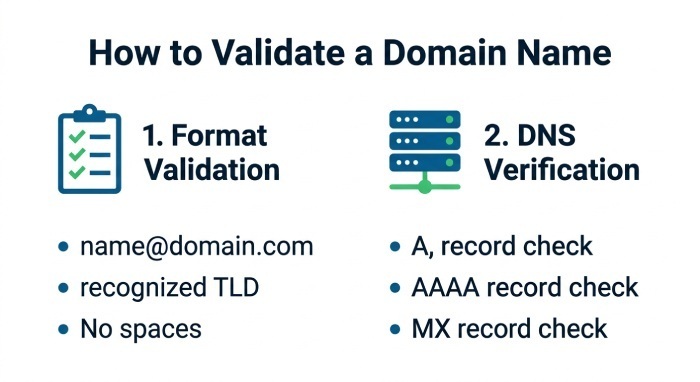
First, verify the basic structure. A valid domain generally consists of labels separated by dots, with each label following applicable length and character rules. For an email address, check the full name@domain.com structure and confirm that the domain portion is not empty, malformed, or using a prohibited reserved domain.
Email signup forms, contact forms, newsletter forms, and account settings commonly use these validation checks to identify malformed email addresses before accepting a submission. Basic format validation can catch obvious errors, while DNS checks can provide additional information about whether the domain exists and is configured for email.
A simple checklist:
- Does the value follow the expected name@domain.com pattern for an email address?
- Does the domain have a recognized TLD?
- Does it avoid .invalid unless intentionally used as a test value?
- Is the address format free from spaces, repeated dots, or missing labels?
- Is the domain a valid domain, not a nonexistent domain?
Verify DNS and real-world availability
After checking the domain’s structure, verify whether it resolves in DNS. Use DNS lookup tools to check whether the domain exists and whether it has relevant records such as A, AAAA, CNAME, or MX records. A domain that does not return a DNS response may be nonexistent, even if its syntax appears correct.
You can also consult authoritative sources. IANA information can help identify special-use domain names, including .invalid, while registrar tools can help determine whether a domain is registered, expired, or available.
Step-by-Step Fixes for Invalid Domain Issues
When you see an invalid domain warning, fix the simplest causes first, then move to DNS, registration, and application rules.
Practical troubleshooting workflow
- Recheck spelling and format Confirm that the domain name is typed correctly. If the issue involves an email address, verify the name@domain.com structure. A mistyped value can easily become an invalid email address or point to a nonexistent domain.
- Remove placeholder values Replace fake entries such as name@domain.com, user@example.invalid, or domains ending in .invalid when the field requires a real valid email. A placeholder domain is useful in examples, but it should not be submitted in production.
- Confirm the TLD and domain extension Make sure the Top Level Domain exists and is allowed. If the system rejects a newer or uncommon domain extension, update the validation rules.
- Check DNS records Use lookup tools to verify that the domain resolves. For email, confirm MX records. A valid domain for web hosting may still fail email delivery if no mail records exist.
- Review registration status Look for expiration, incomplete setup, or registrar-side registration errors. Renew the domain or correct name server settings if needed.
- Update application validation rules Old systems may reject valid newer TLDs or internationalized names. Improve email validation and input validation so users do not receive a false invalid domain or invalid address message.
- Contact support when needed If the problem happens on a specific platform, use its contact us, help, or user support channels. For example, official Wikipedia and Wikimedia help pages explain account, login, editing, and community processes from the Main page and related support areas.
Best Practices to Prevent Invalid Domain Problems
Preventing invalid domain problems is easier than correcting bad data after it enters your systems. Use clear validation, accurate examples, and well-maintained DNS and registration processes.
Build safer forms, documentation, and domain policies
Use examples carefully. In technical documentation, do not use real customer domains as examples, and do not imply that .invalid is deliverable. If you need a safe domain example, use documentation-safe names and explain that .invalid is a reserved domain for nonworking examples. Make it clear when name@domain.com is only a sample email address, not a guaranteed valid email.
For public forms:
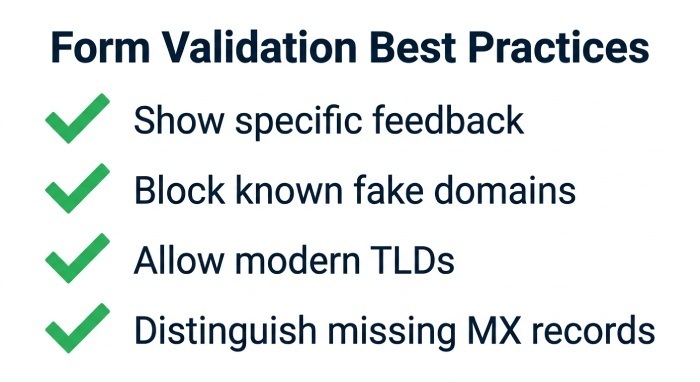
- Show specific feedback instead of a vague error message.
- Distinguish an invalid email address from a domain that merely lacks MX records.
- Block known fake values, including .invalid, where a real contact channel is required.
- Allow legitimate modern TLDs so a real valid domain is not rejected.
- Avoid collecting unnecessary personal data to support data privacy obligations.
Organizations should maintain accurate domain registration and DNS configurations to prevent validation and email-delivery problems. Keep domain records up to date, use valid DNS configurations, and regularly review SPF, DKIM, and DMARC records. Organizations can also use DMARCReport to monitor DMARC activity and identify potential email authentication issues. Forms and applications should also provide clear validation messages so users can distinguish between an invalid email format, a nonexistent domain, and a domain that is valid but incorrectly configured for email.
General Manager
General Manager of DuoCircle. Product strategy and commercial lead for DMARC Report's 2,000+ customer base.
LinkedIn Profile →Take control of your DMARC reports
Turn raw XML into actionable dashboards. Start free - no credit card required.