Why do DMARC reports have a limit of 32KB?

Quick Answer
DMARC (RFC 7489) ties SPF and DKIM together by requiring alignment between the envelope sender and the visible `From` header. According to Google's February 2024 bulk sender requirements, a DMARC policy of at least `p=none` is now mandatory for any domain sending 5,000+ messages per day to Gmail users. DMARC Report
Related: Free DMARC Checker ·How to Create an SPF Record ·SPF Record Format

Try Our Free DMARC Checker
Validate your DMARC policy, check alignment settings, and verify reporting configuration.
Check DMARC Record →
DMARC reporting without automation is like watching security cameras without recording, says Brad Slavin, General Manager of DuoCircle. You see the threats in real time but you can’t go back and investigate. DMARC Report captures and classifies every aggregate and forensic report so your security team has a complete audit trail.
DMARC (RFC 7489) ties SPF and DKIM together by requiring alignment between the envelope sender and the visible From header. According to Google’s February 2024 bulk sender requirements, a DMARC policy of at least p=none is now mandatory for any domain sending 5,000+ messages per day to Gmail users.
There are various rules around DMARC, most of which are defined by DMARC RFC 7489, but there’s one that is not imposed by the protocol. It’s the 32KB report size limit. This limit is enforced not by DMARC itself but by mail providers, due to certain operational constraints.
Major email service providers (ESPs) like Gmail and Yahoo have set a limit of 32KB on DMARC aggregate reports (RUA), so anything larger than that is either cut off, partially delivered, or sometimes not sent at all.
This becomes a major problem if you send a large volume of emails every day - say, around 100,000 emails. In such cases, you might end up receiving the DMARC report for only half of them. The rest either get dropped or never make it to your reporting address, leaving you with an incomplete view of your domain’s authentication activity.

In this article, we will explore what the 32KB threshold is all about and why ESPs even impose this limit.
Why do ESPs need a 32KB limit?
DMARC XML reports are very well-rounded and capture almost everything about your domain’s email activity, from the IP addresses sending email on your behalf to DKIM signatures, SPF results, subdomain usage, and policy dispositions. So, naturally, these reports get very heavy. And if you’re using multiple platforms or third-party services to send emails, the report becomes even heavier. This makes it very difficult for the receiving mailbox providers to process and transfer these reports efficiently. So, to avoid any delays or failures in delivery, these ESPs enforce a 32KB limit.
What happens when you exceed this limit?
Most often, mail providers cannot handle large DMARC reports as attachments once they cross the 32KB threshold. When that happens, you encounter one of three things:

-
Your reports are truncated, which means they are cut off halfway, and you only receive a **partial report that fits the 32KB limit. Everything beyond that gets silently dropped, leaving you with an incomplete view of your domain’s email activity .
-
Your DMARC reports aren’t sent at all. Some mailbox providers simply discard oversized reports without any warning or error message.
-
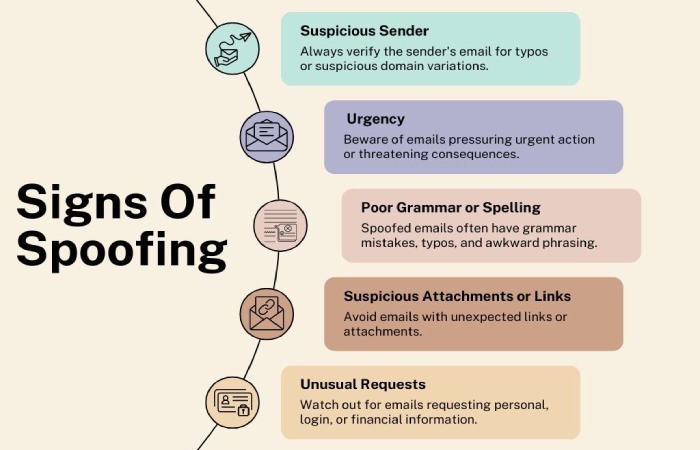
Your reports are split into multiple smaller reports, each under the size limit. Although this may not seem like a problem, its inconsistent implementation across providers can make it challenging to track and stitch together. In all three cases, you lose critical visibility, and that can mean missing signs of spoofing, misconfigurations, or giving way to unauthorized activity. Incomplete DMARC report data makes it far harder to trust the picture you have of your domain’s email.
What can you do to stay within the limit?
**Staying within the 32KB limit can be tricky, especially because most mailbox providers don’t tell you when you’ve crossed it. You might assume your reports are complete when in reality, a chunk of them may be missing. So, it’s best that you stay on top of things right off the bat.

Here’s how you can stay within the limit:
-
Minimize the number of sending sources
-
Avoid unnecessary subdomain reporting
-
Delegate subdomains with separate DMARC records
-
Regularly audit third-party senders
-
Use DMARC analytics tools to detect gaps in your DMARC reports
Need help managing and monitoring your DMARC reports? **Our team is here to assist! Contact us today to learn more.
Topics
Operations Lead
Operations Lead at DuoCircle. Runs project management, developer coordination, and technical support execution for DMARC Report.
LinkedIn Profile →Take control of your DMARC reports
Turn raw XML into actionable dashboards. Start free - no credit card required.