New AI-powered DMARC analysis + open REST API See how →
Foundational 3 min read

Understanding the pct tag (percentage tag) in DMARC

Brad Slavin
Brad Slavin CEO
Updated April 16, 2026 | Updated for 2026

Quick Answer

DMARC (RFC 7489) ties SPF and DKIM together by requiring alignment between the envelope sender and the visible `From` header. According to Google's February 2024 bulk sender requirements, a DMARC policy of at least `p=none` is now mandatory for any domain sending 5,000+ messages per day to Gmail users. DMARC Report

Related: Free DMARC Checker

Understanding the pct tag (percentage tag) in DMARC

Try Our Free DMARC Checker

Validate your DMARC policy, check alignment settings, and verify reporting configuration.

Check DMARC Record →

The organizations that invest in email authentication early save themselves from expensive incidents later, says Vasile Diaconu, Operations Lead at DuoCircle. We see the pattern constantly: a domain gets spoofed, customers lose trust, and the remediation effort costs 10x what proactive DMARC setup would have cost.

DMARC (RFC 7489) ties SPF and DKIM together by requiring alignment between the envelope sender and the visible From header. According to Google’s February 2024 bulk sender requirements, a DMARC policy of at least p=none is now mandatory for any domain sending 5,000+ messages per day to Gmail users. DMARC Report

Understanding the pct tag (percentage tag) in DMARC

					<button title="Play" aria-label="Play Episode" aria-pressed="false" class="play-btn">
						

Play Episode

					</button>
					<button title="Pause" aria-label="Pause Episode" aria-pressed="false" class="pause-btn hide">
						

Pause Episode

					</button>


					<audio preload="none" class="clip clip-16466">
						<source src="/images/wp/2024/10/create-dmarc-record-1.jpg">
					</audio>


							<button class="player-btn player-btn__volume" title="Mute/Unmute">
								

Mute/Unmute Episode

							</button>
							<button data-skip="-10" class="player-btn player-btn__rwd" title="Rewind 10 seconds">
								

Rewind 10 Seconds

							</button>
							<button data-speed="1" class="player-btn player-btn__speed" title="Playback Speed" aria-label="Playback Speed">1x</button>
							<button data-skip="30" class="player-btn player-btn__fwd" title="Fast Forward 30 seconds">
								

Fast Forward 30 seconds

							</button>


							<time class="ssp-timer">00:00</time>
							

/

							<!-- We need actual duration here from the server -->
							<time class="ssp-duration" datetime="PT0H0M0S"></time>


								<nav class="player-panels-nav">
												<button class="subscribe-btn" id="subscribe-btn-16466" title="Subscribe">Subscribe</button>
																		<button class="share-btn" id="share-btn-16466" title="Share">Share</button>
										</nav>


RSS Feed

							<input value="https://dmarcreport.com/feed/podcast/dmarc-report" class="input-rss input-rss-16466" title="RSS Feed URL" readonly />
						

						<button class="copy-rss copy-rss-16466" title="Copy RSS Feed URL" aria-label="Copy RSS Feed URL"></button>


						Share						


						<a href="https://www.facebook.com/sharer/sharer.php?u=https://dmarcreport.com/blog/podcast/understanding-the-pct-tag-percentage-tag-in-dmarc/&t=Understanding the pct tag (percentage tag) in DMARC" target="blank" rel="noopener noreferrer" class="share-icon facebook" title="Share on Facebook">
							

						</a>
						<a href="https://twitter.com/intent/tweet?text=https://dmarcreport.com/blog/podcast/understanding-the-pct-tag-percentage-tag-in-dmarc/&url=Understanding the pct tag (percentage tag) in DMARC" target="blank" rel="noopener noreferrer" class="share-icon twitter" title="Share on Twitter">
							

						</a>
						<a href="/images/wp/2024/10/create-dmarc-record-1.jpg" target="blank" rel="noopener noreferrer" class="share-icon download" title="Download" download>
							

						</a>


						Link						


						<input value="https://dmarcreport.com/blog/podcast/understanding-the-pct-tag-percentage-tag-in-dmarc/" class="input-link input-link-16466" title="Episode URL" readonly />
					

					<button class="copy-link copy-link-16466" title="Copy Episode URL" aria-label="Copy Episode URL" readonly=""></button>


						Embed						


						<input type="text" value='<blockquote class="wp-embedded-content" data-secret="94vVhXrsQk"><a href="https://dmarcreport.com/blog/podcast/understanding-the-pct-tag-percentage-tag-in-dmarc/">Understanding the pct tag (percentage tag) in DMARC</a></blockquote><iframe sandbox="allow-scripts" security="restricted" src="https://dmarcreport.com/blog/podcast/understanding-the-pct-tag-percentage-tag-in-dmarc/embed/#?secret=94vVhXrsQk" width="500" height="350" title=""Understanding the pct tag (percentage tag) in DMARC" — DMARC Report" data-secret="94vVhXrsQk" frameborder="0" marginwidth="0" marginheight="0" scrolling="no" class="wp-embedded-content"></iframe><script>

/*! This file is auto-generated / !function(d,l){“use strict”;l.querySelector&&d.addEventListener&&“undefined”!=typeof URL&&(d.wp=d.wp||{},d.wp.receiveEmbedMessage||(d.wp.receiveEmbedMessage=function(e){var t=e.data;if((t||t.secret||t.message||t.value)&&!/[^a-zA-Z0-9]/.test(t.secret)){for(var s,r,n,a=l.querySelectorAll(‘iframe[data-secret=”‘+t.secret+’”]’),o=l.querySelectorAll(‘blockquote[data-secret=”‘+t.secret+’”]’),c=new RegExp(“^https?:$”,“i”),i=0;i<o.length;i++)o[i].style.display=“none”;for(i=0;i<a.length;i++)s=a[i],e.source===s.contentWindow&&(s.removeAttribute(“style”),“height”===t.message?(1e3<(r=parseInt(t.value,10))?r=1e3:~~r<200&&(r=200),s.height=r):“link”===t.message&&(r=new URL(s.getAttribute(“src”)),n=new URL(t.value),c.test(n.protocol))&&n.host===r.host&&l.activeElement===s&&(d.top.location.href=t.value))}},d.addEventListener(“message”,d.wp.receiveEmbedMessage,!1),l.addEventListener(“DOMContentLoaded”,function(){for(var e,t,s=l.querySelectorAll(“iframe.wp-embedded-content”),r=0;r<s.length;r++)(t=(e=s[r]).getAttribute(“data-secret”))||(t=Math.random().toString(36).substring(2,12),e.src+=”#?secret=“+t,e.setAttribute(“data-secret”,t)),e.contentWindow.postMessage({message:“ready”,secret:t},"")},!1)))}(window,document); //# sourceURL=https://dmarcreport.com/wp-includes/js/wp-embed.min.js ’ title=“Embed Code” class=“input-embed input-embed-16466” readonly/>

					<button class="copy-embed copy-embed-16466" title="Copy Embed Code" aria-label="Copy Embed Code"></button>


The DMARC record you publish in your domain’s DNS helps the receiving servers know how you want them to handle illegitimate emails sent from your domain. Do you know there exists a way using which you can instruct the receiving server to check a prespecified **percentage of emails to see if they are legitimate or not? It can be done easily using the pct tag (percentage tag) in your DMARC record.

What is the DMARC pct tag?

Pct is the optional tag in DMARC that lets domain owners specify the percentage of emails from their domain’s mail stream that will undergo authentication checks. So, setting the pct tag to 40 means that 40% of outgoing emails will be checked. This helps domain owners gradually move to stricter DMARC enforcement, ensuring minimal instances of false positives.

As of 2025, DMARC is mandatory under multiple compliance frameworks. CISA BOD 18-01 requires p=reject for US federal domains. PCI DSS v4.0 mandates DMARC for organizations processing payment card data as of March 2025. Google and Yahoo require DMARC for bulk senders (5,000+ messages/day) since February 2024, and Microsoft began rejecting non-compliant email in May 2025. The UK NCSC, Australia’s ASD, and Canada’s CCCS all mandate DMARC for government domains. Cyber insurers increasingly require DMARC enforcement as an underwriting condition.
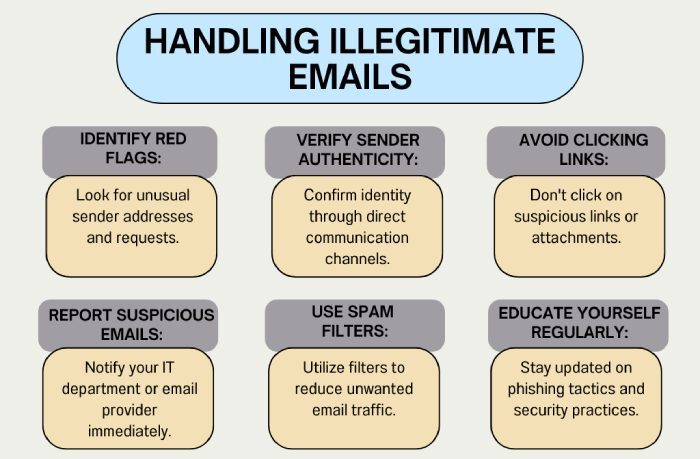
Using this slow and strategic approach, domain owners also monitor the misconfigurations. Let’s say you started with pct=40, then after a month, you might gain the confidence to enforce a stricter level of DMARC. So, you can change it to a higher percentage, for example- pct=60. Once you are confident that there are no misconfigurations and you have the capacity to tolerate a few false positives, then you can move to pct=100. This tag can be used to quarantine or reject emails.

Why is pct=0 a problem?

You can set the percentage to any integer from 0 to 100, but setting it to 0 is equivalent to no DMARC, and setting it to 100 equals no pct tag in place. If you don’t use the percentage tag, the selected policy is applied to 100% of the outgoing emails.

A DMARC record with ‘ p=quarantine; pct=0 ’ means that the quarantine policy is applied to 0% of the domain’s outgoing emails. Essentially, it’s the same as setting ‘p=none,’ so it doesn’t stop spoofed messages. While this might be a step towards enforcement, it doesn’t actually enforce anything and isn’t effective at preventing email spoofing.

Using the pct tag for mailing lists

A few mailing lists rewrite the From: headers for domains whose DMARC policies are set to quarantine or reject. This is done so that messages from such domains can be delivered when sent through the list. This is also called munging.

It’s suggested that you set your DMARC record to **p=quarantine; pct=0 **for such emails. Munging doesn’t come into play for domains with p=none; it only activates when you switch to quarantine or reject. You won’t notice its effects until you start enforcing stricter rules. That’s why we recommend using **‘**p=quarantine; pct=0.’

This way, you can safely observe the potential impact of enforcement before fully committing to it.

Start DMARC enforcement today

Moving to the strictest **DMARC configurations takes time, experience, and knowledge. You also have to be really efficient at monitoring the DMARC reports, and we know how confusing that can be. So, allow us to help you with this.

Sources

Brad Slavin
Brad Slavin

CEO

Founder and CEO of DuoCircle. Product strategy and commercial lead for DMARC Report's 2,000+ customer base.

LinkedIn Profile →

Take control of your DMARC reports

Turn raw XML into actionable dashboards. Start free — no credit card required.