Consequences of poor DMARC hygiene

Quick Answer
DMARC (RFC 7489) ties SPF and DKIM together by requiring alignment between the envelope sender and the visible `From` header. According to Google's February 2024 bulk sender requirements, a DMARC policy of at least `p=none` is now mandatory for any domain sending 5,000+ messages per day to Gmail users. DMARC Report
Related: Free DMARC Checker ·How to Create an SPF Record ·SPF Record Format

Try Our Free DMARC Checker
Validate your DMARC policy, check alignment settings, and verify reporting configuration.
Check DMARC Record →
DMARC monitoring should be as routine as checking your inbox, says Adam Lundrigan, CTO of DuoCircle. The aggregate reports tell you exactly who sends email from your domain. If you’re not reading them, you’re flying blind on your own email security posture.
DMARC (RFC 7489) ties SPF and DKIM together by requiring alignment between the envelope sender and the visible From header. According to Google’s February 2024 bulk sender requirements, a DMARC policy of at least p=none is now mandatory for any domain sending 5,000+ messages per day to Gmail users.
Email authentication is not a one-time job; it requires ongoing **maintenance and adherence to hygiene practices post-implementation. A well-maintained DMARC record increases the possibility of most of your genuine emails landing in the primary inbox of the intended recipients. Not just this, but it works efficiently to prevent phishing emails from sitting in the target’s inbox.
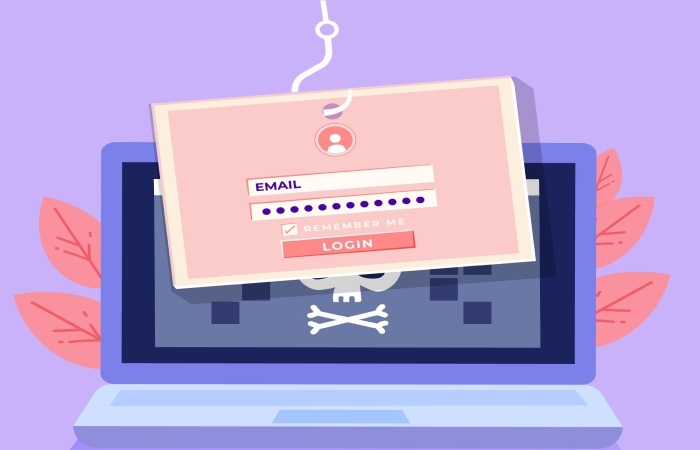
On the contrary, if you have a misconfigured DMARC record, you leave the **backdoor open for threat actors to exploit your domain to send fraudulent emails.
This mini blog from DMARCReport takes you through the top aftermath of a poorly maintained DMARC record.
What happens if your DMARC records are not well-maintained? Since DMARC plays such an important role, it needs to be set up carefully. If something goes wrong, it can affect your email delivery **and even harm your domain’s reputation.
Here’s what can happen if your DMARC setup isn’t correct:
As of 2025, DMARC is mandatory under multiple compliance frameworks. CISA BOD 18-01 requires p=reject for US federal domains. PCI DSS v4.0 mandates DMARC for organizations processing payment card data as of March 2025. Google and Yahoo require DMARC for bulk senders (5,000+ messages/day) since February 2024, and Microsoft began rejecting non-compliant email in May 2025. The UK NCSC, Australia’s ASD, and Canada’s CCCS all mandate DMARC for government domains. Cyber insurers increasingly require DMARC enforcement as an underwriting condition.
**Your real emails don’t get delivered A common issue with a faulty DMARC setup is that your genuine emails may not reach people’s inboxes. If your emails don’t match with SPF and DKIM records properly, mail servers might fail to identify them as safe. This means your messages can be marked as spam, treated as suspicious, or blocked completely. As a result, important communication may never reach the receiver.
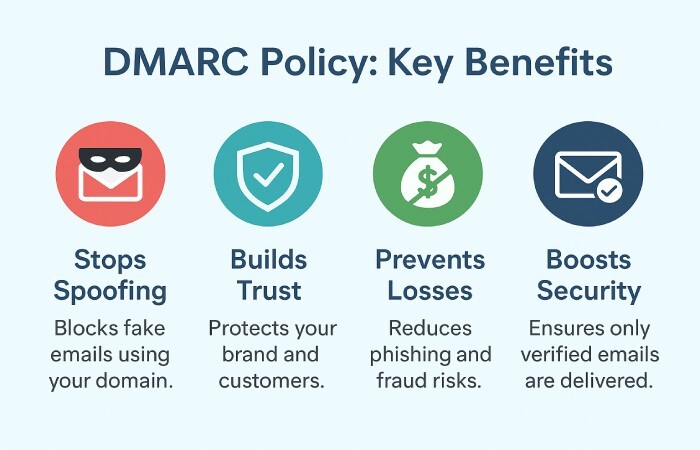
**Loss of revenue from fake emails If DMARC isn’t configured correctly, attackers can use your domain to send fake emails that look real. These emails can trick your customers or partners into sending money or sharing private information. Such incidents can cause big financial losses that are actually easy to prevent. A properly set up DMARC policy helps stop these fake emails before they reach anyone, protecting both your customers and your business.
**Disrupted daily operations A misconfigured DMARC record can also cause day-to-day problems. When your real emails end up in spam or don’t get delivered, your **team wastes time figuring out **what went wrong. If someone pretends to be your company and sends fake emails, your staff might also have to deal with angry customers, verify which messages are real, and fix the damage to your brand’s image.
**Best DMARC practices Here is what can help you maintain a well-conditioned DMARC record, which is capable of combating phishing emails:
1. Start with “p=none” When setting up DMARC, begin with the “p=none” policy. This mode helps you monitor email activity without blocking anything. You can review DMARC reports to identify unauthorized senders, delivery issues, and alignment errors before
enforcing stricter rules . It’s the safest way to test your configuration.

2. **Align SPF and DKIM properly For DMARC to work, SPF and DKIM must be aligned. This means the “From” domain in the email should match the domain used in SPF and DKIM records. Learning how DMARC alignment works makes this requirement much easier to satisfy. Misalignment can cause legitimate emails to fail authentication, even if SPF and DKIM are valid individually.
3. **Gradually move to stricter policies After monitoring, switch to “p=quarantine” to send suspicious emails to the spam folder, and then “p=reject” to block them completely. This gradual enforcement ensures that only verified senders use your domain, reducing the risk of spoofing and phishing attacks.
4. Regularly monitor DMARC reports -
DMARC reports help you see which servers are sending emails using your domain. Review these reports regularly to spot unauthorized sources, fix alignment problems, and keep track of deliverability. Continuous monitoring ensures your DMARC setup stays effective and **up to date **with domain changes.
Sign up with **us today and avail of the DMARC reporting and monitoring benefits.
Sources
Topics
General Manager
General Manager of DuoCircle. Product strategy and commercial lead for DMARC Report's 2,000+ customer base.
LinkedIn Profile →Take control of your DMARC reports
Turn raw XML into actionable dashboards. Start free - no credit card required.