Message Not Accepted For Policy Reasons Yahoo Google Calendar: Causes And Fixes

Quick Answer
“Message Not Accepted for Policy Reasons” in Yahoo or Google Calendar usually means the email was blocked by security or sending policies. Common causes include SPF/DKIM/DMARC failures, suspicious content, sender reputation issues, or incorrect DNS settings.
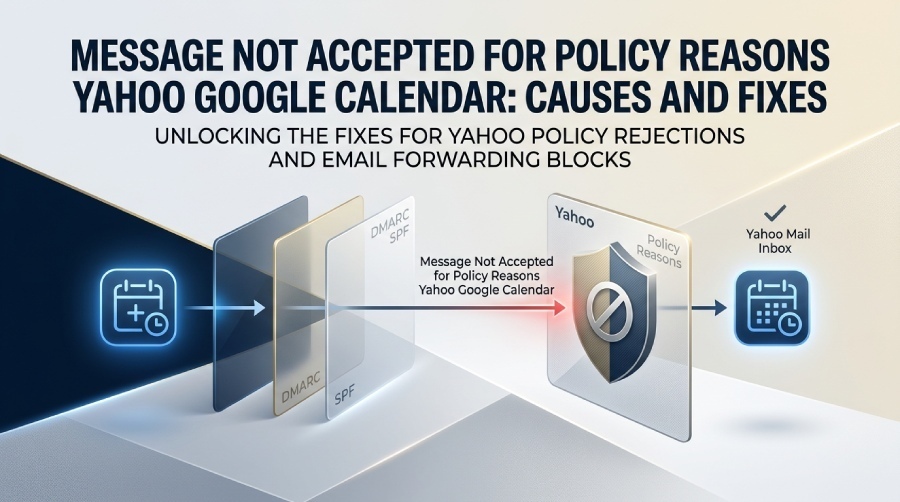
Getting a “Message Not Accepted for Policy Reasons” error when sending a Google Calendar invitation to a Yahoo Mail address can be frustrating, especially when the invitation reaches other recipients successfully. The error indicates that Yahoo has rejected the message because it triggered a policy or filtering rule. Possible factors include email authentication failures, forwarding-related issues, sender reputation, or other message-delivery policies. In this guide, we’ll explain why Yahoo may reject Google Calendar invitations with this error and show you how to diagnose and resolve the problem.
What the “Message Not Accepted for Policy Reasons” Error Means
The “554 5.7.9 message not accepted for policy reasons” response is a delivery error returned by Yahoo when its mail server refuses a message because it violates a filtering, authentication, or anti-abuse rule. In the context of a Google Calendar invitation, the problem often appears when a calendar invite is sent from Google Calendar to a Yahoo email address, but Yahoo decides to reject it before it reaches the inbox.
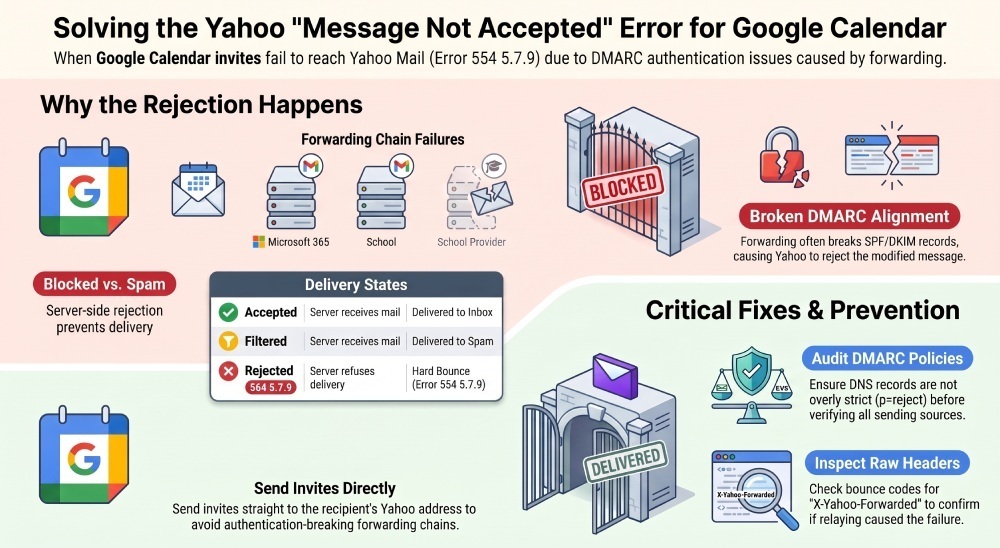
This is not the same as a message landing in the spam box. A spam-filtered message is accepted by the recipient’s email provider and then placed in spam. A blocked email, by contrast, is refused during SMTP delivery, which creates an error notification or bounce. The returned error code may read something like “554 5.7.9 message not accepted for policy reasons”, indicating an email rejection based on Yahoo policy.
A DMARC authentication failure can be one factor behind a Yahoo rejection. DMARC helps protect domain spoofing by checking whether the visible From address aligns with an authenticated SPF or DKIM result. If a sender domain publishes a strict DMARC policy such as p=reject, a receiving provider such as Yahoo may reject a message that fails DMARC authentication. This can become particularly relevant when an email invitation is forwarded, relayed, or modified by another mail system.
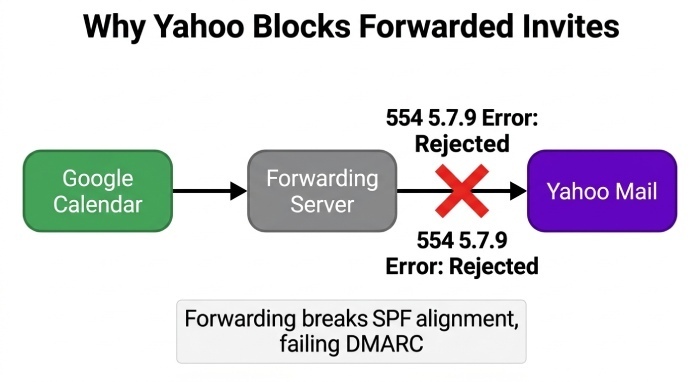
For example, if a Google Calendar invite is sent to one address and then forwarded to Yahoo Mail, Yahoo may see the message as coming through an unauthorized server. The original sender may be legitimate, but the forwarding path can break SPF alignment, causing an authentication failure. If the domain’s DMARC policy is set to p=reject, a receiving provider may reject a message that fails DMARC authentication.
Common Causes When Yahoo Blocks Google Calendar Invitations
The most frequent cause is broken authentication during email forwarding. Calendar messages often include structured invite data, sender metadata, and message headers that can be altered as they pass through systems. If a forwarded message is changed by the forwarding service, Yahoo may determine that the message no longer passes DMARC authentication.
This becomes more severe when the original email domain has published a DMARC policy of p=reject in DNS. Under the DMARC protocol, p=reject tells receiving servers such as Yahoo to refuse mail that fails alignment. Therefore, a Google Calendar invitation that looks valid to the recipient may still generate a delivery error if the actual delivery path violates the sender’s authentication policy.
Another common cause is automatic forwarding from a workplace or school account to a Yahoo address. For instance, someone may receive calendar mail at a Microsoft 365, Office 365, or Outlook 365 account and then forward it to Yahoo. If the invite was originally sent by Google Calendar, the forwarding system can make the message appear as though it came from a mail server that is not authorized by the original sender domain. Yahoo may then reject the message with “554 5.7.9 message not accepted for policy reasons.”
Other causes include:
- A poor sender reputation caused by previous spam complaints or suspicious email sending patterns.
- Incorrect SPF, DKIM, or DMARC records in DNS.
- A misconfigured mail server or third-party sending platform.
- Calendar invites formatting that triggers Yahoo’s filtering systems.
- A strict Yahoo policy update affecting forwarded invitations.
- A recipient-side rule that routes messages through another provider before delivery.
- An organization’s email security gateway modifies the invite.
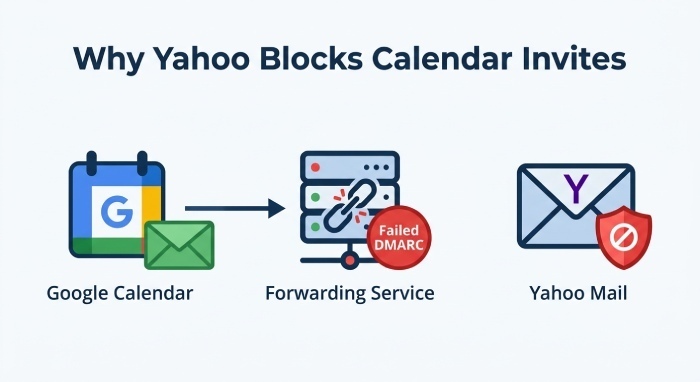
Email forwarding can also affect delivery when a calendar invitation passes through another mail system before reaching Yahoo. For example, if an invitation is automatically forwarded from a work or school mailbox to a Yahoo address, the forwarding process can affect SPF authentication and may modify the message in ways that invalidate its DKIM signature. If DMARC authentication then fails, Yahoo may reject the message depending on its filtering and policy decisions.
How to Diagnose Whether the Issue Is Yahoo, Google Calendar, or Sender Reputation
Start by confirming the exact bounce text. If the sender receives “554 5.7.9 message not accepted for policy reasons”, this strongly suggests Yahoo refused the message at SMTP time. Save the full delivery error, not just a screenshot, because the bounce can reveal whether the failure involved a DMARC policy, reputation, or forwarding.
Next, inspect the email header or raw message of a similar message that did arrive. Look for authentication results, SPF, DKIM, and DMARC status. If you see headers such as X-Yahoo-Forwarded, that may indicate email forwarding was part of the route. Also check the address to which it was forwarded, because the final Yahoo account may not be the address originally invited.
If the problem happens only when a recipient forwards mail to Yahoo, the likely cause is email forwarding combined with strict DMARC authentication. If every Yahoo recipient is affected, the issue may be sender reputation, a broken email configuration, or an overly strict DMARC policy. If only one Yahoo email recipient is affected, review that recipient’s forwarding, filters, blocked senders, and account rules.
For Google-side troubleshooting, resend the invite directly from Google Calendar to the Yahoo address. Do not send it through a group, alias, or forwarding chain. If the direct Google Calendar invitation succeeds, Google is probably not the root problem. If it fails again with “554 5.7.9 message not accepted for policy reasons”, contact Google Support and provide the full bounce.
For Yahoo-side investigation, check Yahoo Mail settings, filters, blocked addresses, and account security. If the message never reaches the account and produces a rejected email notice, the recipient may need to contact support through Yahoo Customer Support. For domain-level issues, Yahoo’s postmaster resources, including postmaster.yahooinc.com, may help identify policy-based blocks.
For Microsoft-related paths, compare behavior from Outlook 365, Office 365, and Microsoft 365. If a calendar invite from Microsoft succeeds but the same recipient’s Google invite fails, focus on Google Calendar, DMARC alignment, and Yahoo handling. If both fail, ask Microsoft Support or the sender’s administrator to review reputation and mail flow.
Step-by-Step Fixes for Senders and Recipients
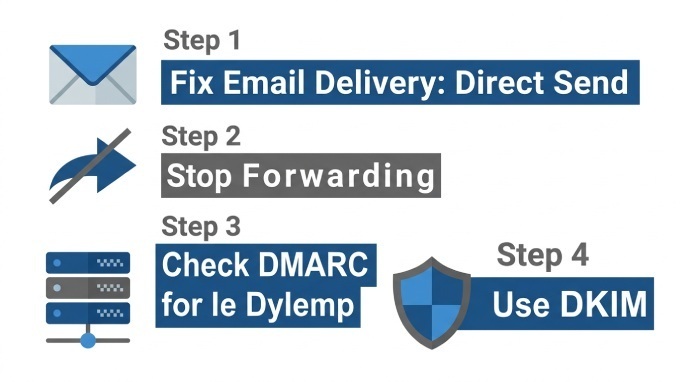
- Send the invite directly to the Yahoo address. Avoid aliases and forwarding chains. A direct email invitation from Google Calendar to Yahoo reduces the chance that email forwarding breaks SPF or DKIM alignment.
- Disable automatic forwarding temporarily. If the recipient forwards mail from Microsoft 365, Office 365, Outlook 365, AOL, sky, or another account into Yahoo, turn off automatic forwarding and test again. Many cases of delivery error happen because the message becomes a forwarded message that fails DMARC authentication.
- Check the sender domain’s DMARC record. Administrators should inspect DNS records for SPF, DKIM, and DMARC. If the DMARC policy is p=reject, make sure all legitimate mail sources are authenticated. The DMARC protocol is valuable, but p=reject can cause unintended email rejection when legitimate systems are not aligned.
- Use DKIM signing wherever possible. DKIM can provide an authentication signal that is more resilient to some forwarding scenarios than SPF. If the original message retains a valid, aligned DKIM signature, it can help the message pass DMARC authentication even when SPF fails after forwarding.
- Review the full bounce and raw headers. The raw message and email header can identify whether Yahoo rejected the message due to an authentication failure, reputation, or policy reasons. Look for failed SPF, failed DKIM, failed DMARC, and signs of an unauthorized server.
- Contact the right support channel. Recipients should contact Yahoo Customer Support if Yahoo blocks a legitimate invite. Senders using Google Workspace should contact Google Support. Organizations using Microsoft routing should involve Microsoft Support or their internal postmaster.
- Retest the invitation after making changes.
Send a new Google Calendar invitation directly to the Yahoo address after correcting authentication or forwarding issues. Check whether the message is accepted and review any new bounce message if the rejection continues.
Prevention Tips to Keep Calendar Invites Deliverable
To prevent a future delivery error, send each Google Calendar invitation directly to the attendee’s active email address rather than relying on forwarding. Keep forwarding rules simple and avoid routing calendar mail through multiple providers.
Domain administrators should maintain accurate DNS records and monitor DMARCreports. DMARC.org offers guidance on the DMARC protocol, and postmaster tools can help identify reputation or authentication problems. Before enforcing p=reject, test with quarantine or reporting modes to ensure all legitimate calendar and notification systems pass DMARC authentication.
For organizations, align all legitimate email-sending services with the same sender-domain authentication strategy. If a system sends an email invitation on behalf of your domain, make sure it is properly authorised and configured for SPF and DKIM alignment. This helps reduce authentication failures that could contribute to Yahoo rejecting a Google Calendar invitation.
Finally, educate users that a rejected email is different from spam filtering. If Yahoo returns “554 5.7.9 message not accepted for policy reasons”, the invite was not delivered to the inbox or spam box. The fix is usually not “check spam,” but rather review authentication, forwarding, Yahoo policy, and the sending domain’s DMARC policy.
General Manager
General Manager of DuoCircle. Product strategy and commercial lead for DMARC Report's 2,000+ customer base.
LinkedIn Profile →Take control of your DMARC reports
Turn raw XML into actionable dashboards. Start free - no credit card required.