Queued Emails: Causes, Troubleshooting, And Delivery Best Practices

Quick Answer
Queued emails are messages temporarily held by the sending mail server when immediate delivery isn't possible. Common causes include DNS issues, server outages, authentication failures, and rate limits. Monitoring SMTP logs, SPF, DKIM, and DMARC helps restore reliable email delivery.

Email remains one of the most reliable communication channels for businesses, but successful delivery depends on more than simply clicking “Send.” Occasionally, messages don’t leave the mail server immediately. Instead, they enter an email queue where they wait until delivery can be attempted again. While occasional email queuing is normal, persistent queues can indicate underlying issues that affect communication, customer engagement, and business operations.
Understanding why emails become queued, how email queues work, and what steps administrators can take to resolve them is essential for maintaining a healthy email infrastructure. This guide explains the most common causes of queued emails, practical troubleshooting methods, and best practices for minimizing delivery delays.
What Are Queued Emails?
A queued email is an outgoing message that has not yet been delivered to the recipient’s mail server. Instead of being discarded immediately when delivery fails, the sending mail server temporarily stores the message and schedules additional delivery attempts.
Mail servers queue emails for several reasons, including temporary network interruptions, recipient server issues, DNS problems, authentication failures, or sending rate restrictions.
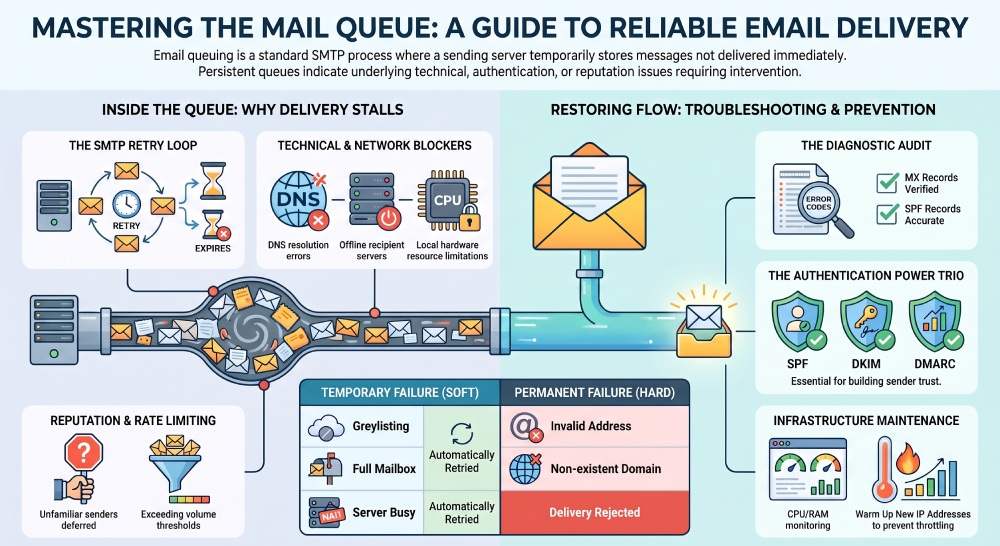
Most modern mail transfer agents (MTAs) automatically retry delivery at predetermined intervals. If the issue is resolved during the retry period, the email is successfully delivered. If not, the message eventually expires and may generate a bounce notification.
How Email Queuing Works
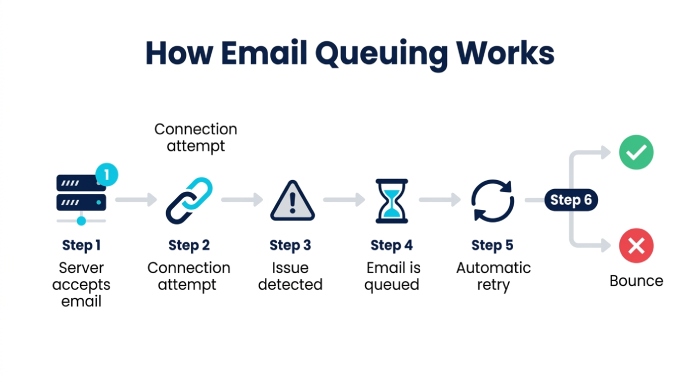
Email queuing is part of the SMTP delivery process. When an email cannot be delivered immediately, the sending server follows a series of steps:
- Accepts the outgoing email.
- Attempts to connect with the recipient’s mail server.
- Detects a temporary delivery issue.
- Places the message into the outgoing mail queue.
- Retries delivery automatically according to server settings.
- Delivers the message once the problem is resolved or returns it if retries fail.
This retry mechanism helps prevent unnecessary message loss caused by short-term service disruptions.
Common Reasons Emails Get Queued
Several factors can prevent immediate delivery.
1. Recipient Mail Server Is Temporarily Unavailable
The receiving server may be offline due to:
- Maintenance
- Hardware failures
- Unexpected outages
- High system load
The sending server waits and retries later instead of treating the email as permanently undeliverable.
2. DNS Resolution Problems
SMTP servers rely on DNS records to locate the recipient’s mail server.
Delivery delays may occur if:
- MX records cannot be resolved
- DNS servers time out
- Incorrect DNS configurations exist
- Domain records have expired
Without accurate DNS information, the sending server cannot determine where to deliver the email.
3. Network Connectivity Issues
Temporary internet or routing problems can interrupt SMTP communication.
Examples include:
- Packet loss
- Firewall restrictions
- ISP connectivity problems
- Routing failures between mail servers
These issues often resolve automatically, allowing queued messages to be delivered during later attempts.
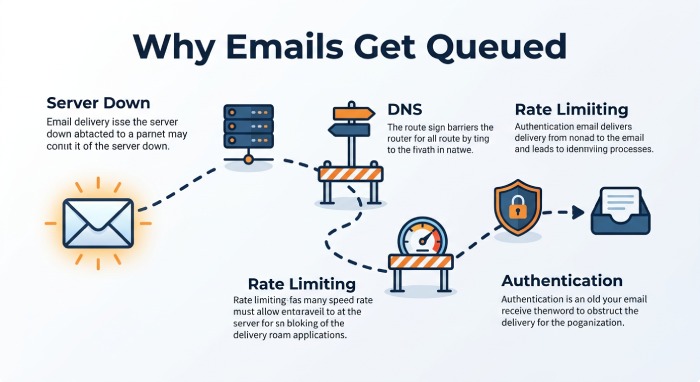
4. Rate Limiting
Many email providers limit how many messages they accept within a certain time period.
Rate limiting commonly affects:
- Marketing campaigns
- Bulk email senders
- New sending domains
- IP addresses with limited reputation
When limits are exceeded, the recipient server may temporarily defer delivery rather than rejecting messages outright.
5. Authentication Problems
Modern email providers carefully verify sender identity.
Missing or incorrect authentication records may cause delivery delays.
Common authentication issues include:
- SPF failures
- DKIM signature errors
- DMARC policy alignment failures
- Invalid sending domains
Authentication problems can lower sender trust and increase the likelihood of emails being queued or rejected.
6. Greylisting
Greylisting is an anti-spam technique that intentionally delays emails from unfamiliar senders.
When greylisting is enabled:
- The first delivery attempt is temporarily rejected.
- Legitimate mail servers retry automatically.
- Spam systems often fail to retry.
- The email is accepted during a later attempt.
Although this introduces a short delay, it helps reduce unwanted email.
7. Server Resource Limitations
Mail servers experiencing high resource usage may queue outgoing messages until resources become available.
Potential bottlenecks include:
- High CPU utilization
- Low available memory
- Disk space shortages
- Large outgoing mail volumes
Proper server capacity planning helps minimize these issues.
8. Spam Reputation Issues
Recipient servers evaluate the reputation of sending IP addresses and domains.
Poor reputation may result from:
- High complaint rates
- Spam trap hits
- Malware infections
- Sending unsolicited email
- Sudden spikes in email volume
Servers may temporarily defer emails while evaluating the sender’s reputation.
How Queued Emails Affect Businesses
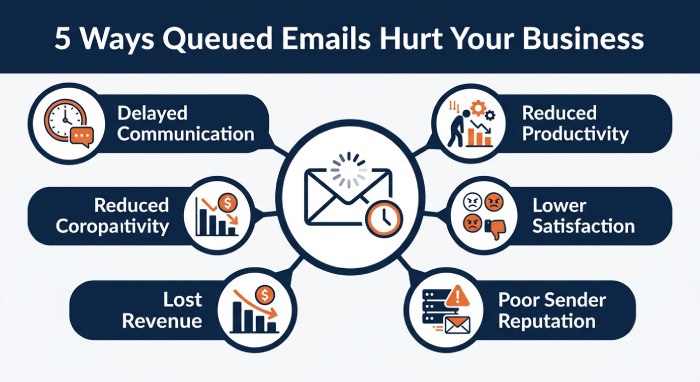 Although temporary queues are expected, persistent delays can create significant operational problems.
Common impacts include:
- Delayed Customer Communication: Customers may receive invoices, password resets, appointment reminders, or support responses much later than expected.
- Reduced Productivity: Employees may wait for important business communications that remain stuck in outgoing queues.
- Lower Customer Satisfaction: Time-sensitive emails arriving hours late can negatively affect customer experience.
- Lost Revenue Opportunities: Delayed order confirmations or promotional campaigns may reduce conversions and sales.
- Reduced Sender Reputation: Consistently queued emails may indicate broader delivery issues that eventually impact inbox placement.
How to Troubleshoot Queued Emails
Identifying the underlying cause is the first step toward restoring normal delivery.
Review SMTP Logs
Mail server logs often reveal why emails remain queued.
Look for:
- Timeout errors
- Connection failures
- Authentication errors
- DNS lookup failures
- Rate limiting messages
These logs provide valuable diagnostic information.
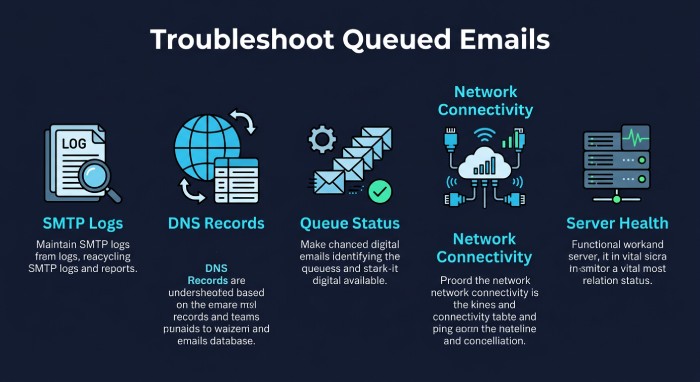
Verify DNS Records
Ensure your domain has accurate:
- MX records
- SPF records
- DKIM records
- DMARC policy
Incorrect DNS settings frequently contribute to delivery problems. A quick DMARC record lookup confirms your policy is published and readable by receiving servers.
Check Mail Queue Status
Most mail servers provide queue management tools.
Review:
- Queue size
- Oldest queued messages
- Retry attempts
- Delivery error codes
Large queues may indicate widespread delivery issues.
Test Network Connectivity
Verify that SMTP traffic can reach recipient servers.
Check:
- Internet connectivity
- Firewall rules
- SMTP ports
- Routing paths
Resolving connectivity problems often clears queued emails quickly.
Confirm Server Health
Monitor system performance for:
- CPU usage
- Memory utilization
- Available disk space
- Mail service availability
Resource shortages can significantly delay outgoing email.
Review Authentication Configuration
Confirm that:
- SPF authorizes all sending servers.
- DKIM signatures validate correctly.
- DMARC policies align with SPF or DKIM.
- DNS records are properly published.
Proper authentication improves both security and deliverability. If in doubt, perform a DMARC lookup to confirm every record resolves as expected.
Monitor Sending Volume
Avoid sudden spikes in email traffic.
Instead:
- Send campaigns gradually.
- Warm up new domains.
- Warm up new IP addresses.
- Spread large email batches over time.
Controlled sending reduces the likelihood of temporary throttling.
Understanding Temporary vs Permanent Failures
Not every delivery issue has the same meaning.
Temporary Failures (Soft Bounces)
These usually include:
- Mail server unavailable
- Mailbox temporarily full
- Greylisting
- Temporary DNS issues
- Rate limiting
Delivery is typically retried automatically.
Permanent Failures (Hard Bounces)
Examples include:
- Invalid recipient address
- Domain does not exist
- Mailbox permanently unavailable
- Policy-based rejection
These errors generally require corrective action before resending.
Best Practices to Prevent Email Queues
Preventive maintenance helps reduce delivery interruptions and keeps email systems running efficiently.
- Implement Strong Email Authentication: Configure SPF, DKIM, and DMARC correctly to verify your sender identity, improve email trust, and reduce the risk of authentication-related delivery delays.
- Maintain a Positive Sender Reputation: Keep your mailing lists clean by removing invalid or inactive email addresses, minimizing spam complaints, and following responsible email sending practices to improve deliverability.
- Monitor Email Infrastructure: Regularly monitor delivery performance, queue activity, bounce rates, SMTP errors, and authentication status so potential issues can be identified and resolved before they affect large volumes of email.
- Use Reliable SMTP Infrastructure: Choose a trusted email service provider or maintain a reliable SMTP server that can consistently handle your expected email traffic without becoming overloaded.
- Optimize Server Performance: Keep your mail server software updated and ensure sufficient processing power, memory, and storage are available to support peak email sending periods.
- Monitor Email Blocklists: Routinely check whether your sending IP addresses or domains have been added to major email blocklists so problems can be addressed before they significantly impact email delivery.
- Perform Regular DNS Audits: Periodically review your DNS records, including SPF, DKIM, DMARC, and MX records, to ensure they remain accurate and properly configured after any infrastructure or domain changes.
The Role of DMARC in Email Deliverability
While DMARC does not directly prevent email queuing, it plays an important role in improving overall email reliability.
A properly implemented DMARC policy helps:
- Authenticate legitimate email sources
- Reduce domain spoofing
- Improve sender credibility
- Support better inbox placement
- Provide visibility into authentication failures through DMARC reports
Organizations that regularly analyze DMARC reports can identify configuration issues that may indirectly affect email delivery and overall sending performance. A DMARC report analyzer makes these raw XML reports easy to read and act on.
Frequently Asked Questions
Are queued emails permanently lost?
No. Most queued emails are retried automatically until delivery succeeds or the retry period expires.
How long do emails remain queued?
The duration depends on the sending mail server’s configuration. Some servers retry for several hours, while others continue for several days before giving up.
Can DMARC cause emails to be queued?
DMARC itself does not queue emails. However, authentication failures related to SPF or DKIM can contribute to delivery delays or message rejection, depending on the recipient’s policies.
Is occasional email queuing normal?
Yes. Temporary queues are a standard part of SMTP and often occur during short-lived network or server issues.
How can I reduce queued emails?
Maintain accurate DNS records, implement SPF, DKIM, and DMARC correctly, monitor server performance, maintain a strong sender reputation, and regularly review SMTP logs for delivery issues.
Conclusion
Queued emails are a normal part of the SMTP delivery process, but recurring or long-lasting queues often signal configuration issues, infrastructure limitations, or authentication problems that require attention. Understanding how mail queues work allows administrators to diagnose delivery delays more efficiently and maintain consistent email performance.
By implementing strong email authentication, monitoring server health, maintaining a positive sender reputation, and proactively reviewing SMTP logs and DNS configurations, organizations can significantly reduce email delays and improve deliverability. Combined with ongoing DMARC reporting and regular infrastructure monitoring, these practices help ensure that important business communications reach recipients quickly, securely, and reliably.
General Manager
General Manager of DuoCircle. Product strategy and commercial lead for DMARC Report's 2,000+ customer base.
LinkedIn Profile →Take control of your DMARC reports
Turn raw XML into actionable dashboards. Start free - no credit card required.