Email deliverability rules that every organization should know about

Quick Answer
That’s the problem that most organizations face. Not because their emails are not open-worthy enough, but they don’t meet the requirements needed for them to reach the recipient’s inbox. Given the current threat landscape, mailbox providers have become much stricter. They simply don’t let in any email just because it is sent.
Related: Free DMARC Checker ·How to Create an SPF Record ·SPF Record Format
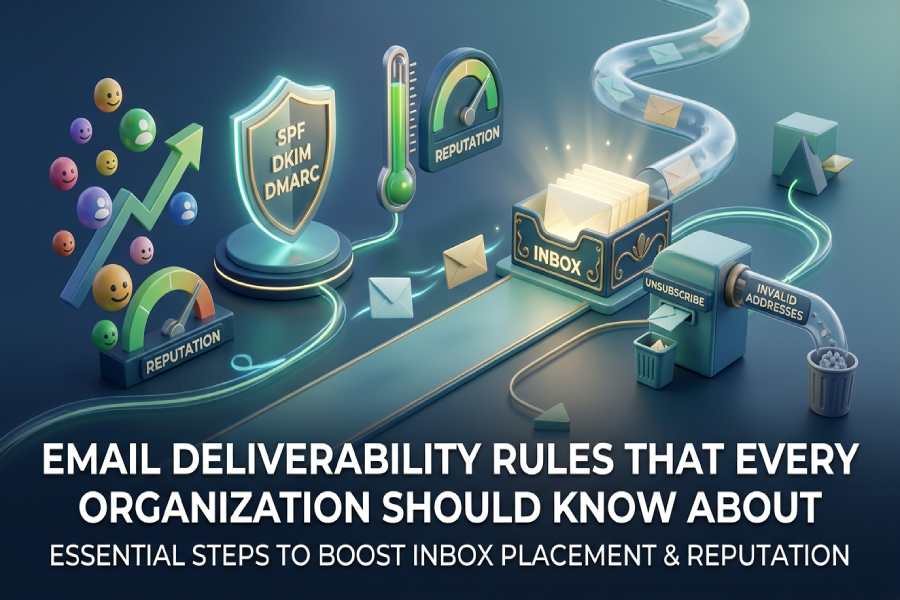

You might have crafted the most engaging and creative email campaigns to send to your clients, but what if they never reach them?
That’s the problem that most organizations face. Not because their emails are not open-worthy enough, but they don’t meet the requirements needed for them to reach the recipient’s inbox.
Given the current threat landscape, mailbox providers have become much stricter. They simply don’t let in any email just because it is sent. Instead, they check whether the sender can be trusted, whether the email is properly authenticated, and whether the sending behavior looks consistent and legitimate.
This means email deliverability is no longer a default outcome of an email being sent. It depends on how well you meet the requirements set by the email service providers and the trust you establish with them.
In this article, we will understand the rules and requirements you must comply with to ensure that your emails reach their destination securely and seamlessly.
Implement email authentication protocols
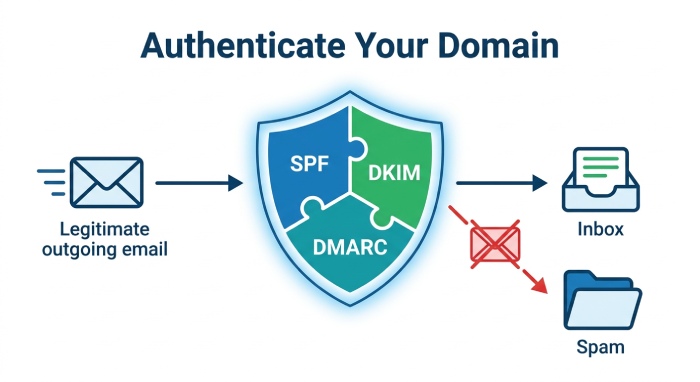
Email authentication is the first layer between your domain and the receiving email servers. It helps them verify that the emails sent in your name are legitimate and not spoofed by attackers.
Protocols like SPF, DKIM, and DMARC work together to validate your identity and ensure the integrity of your emails. When these are properly configured, mailbox providers are more likely to accept your emails and place them in the inbox. Publishing a correct DMARC TXT record is a key part of that configuration. Running a free DMARC checker confirms these records are published and valid.
If you fail to authenticate your domain or leave any gaps in configuration, your emails might end up in the recipient’s spam folder, get blocked, or worse, allow malicious actors to misuse your domain without your knowledge. In such cases, it does not matter how well-crafted your email is; mailbox providers will still treat it as risky because they cannot verify its source.
Build and protect your sender reputation
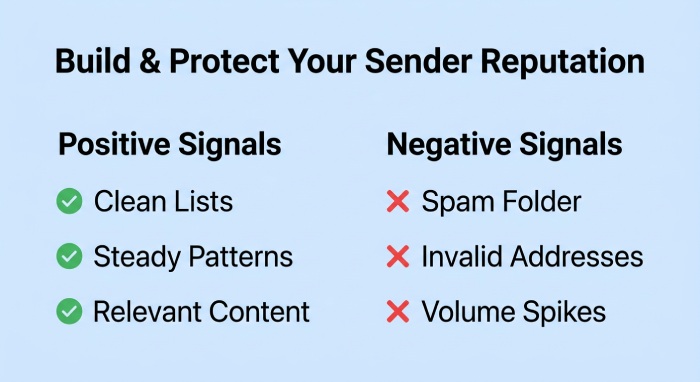
Your sender reputation is how email providers judge whether your email should be trusted or not. It’s not something you can build overnight. It develops over time based on how you send your emails and how the recipients respond to them.
If your messages often land in the spam folder instead of the recipient’s inbox, are sent to broken or invalid addresses, or there is a sudden spike in the email volume, these signals do not sit well with email providers and negatively affect your sender reputation.
Once this happens, it becomes harder for your emails to reach the inbox consistently. That’s why it’s important to maintain clean mailing lists, follow steady sending patterns, and ensure that your emails are relevant to your audience.
Make unsubscribing easy for your users
As much as you’d want your readers to stick around, not everyone will want to continue to receive your emails. And that’s okay!
It should be easy for them to unsubscribe from your emails, or else they are more likely to mark your emails as spam. This directly affects your reputation and reduces your chances of reaching the inbox in the future.
That’s why it is important to include a clear, easy-to-use unsubscribe option in every email. It helps you maintain a clean mailing list and ensures that your emails are going to users who actually want to read them.
Maintain a Clean Email List
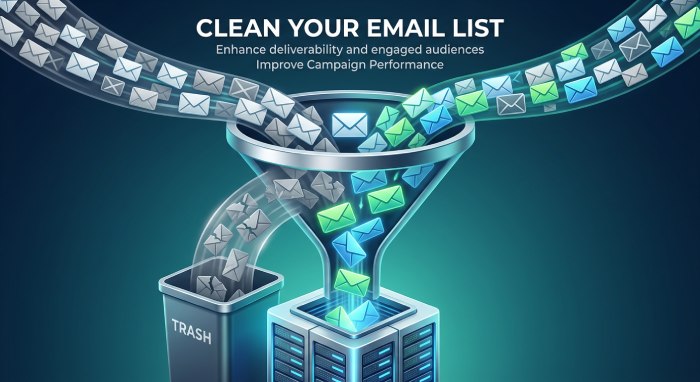
Making it easy for users to unsubscribe is one way to keep your list healthy. But beyond that, you also need to actively maintain a clean email list. If your mailing list has too many invalid, inactive, or unengaged users, your deliverability will start to decline.
When you send emails to such addresses, they are more likely to bounce or be ignored, which signals poor list quality to email providers. Over time, this can impact your sender reputation, and the ESPs may start treating your emails as suspicious.
To avoid this, regularly clean your list by removing invalid addresses and suppressing users who haven’t engaged in a long time. This ensures your emails reach an audience more likely to respond.
Optimize content
Yes, earlier we said that your message content does not guarantee email deliverability, but that doesn’t mean it doesn’t matter at all. Email providers check your email’s content and structure, including the subject line, links, images, and HTML quality. Broken code, too many links, or mismatched content can raise red flags.
So, it is important that you keep your emails clear and well structured and clear. Avoid any unnecessary HTML, limit the use of links, and ensure that your subject line accurately reflects the content of the email.
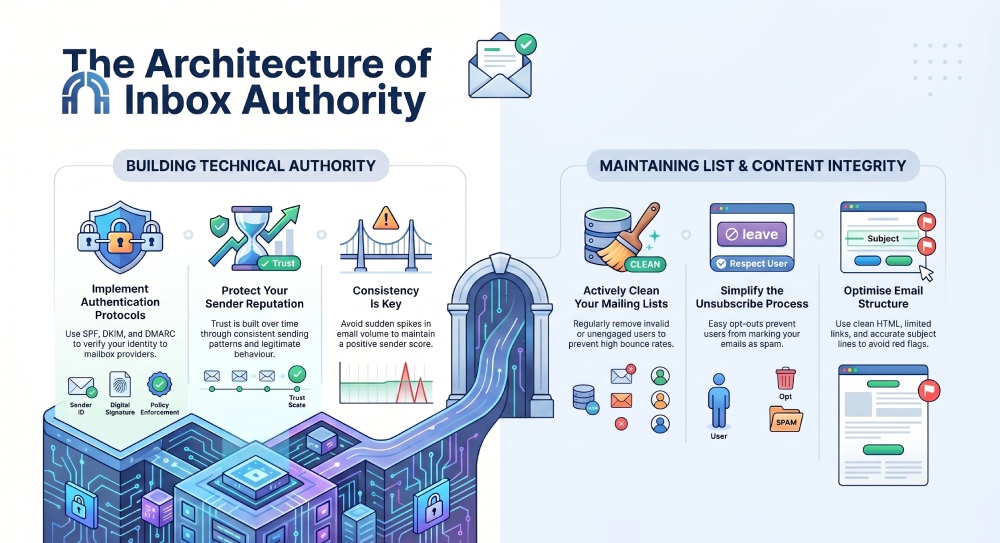
In the end, email deliverability is not about following a template, but getting the basics right. From proper authentication to maintaining a clean mailing list, each step plays a crucial role in ensuring that your emails sit right with the mail providers. Reaching full DMARC compliance is what ties these signals together in the eyes of mailbox providers.
If you want to get started with your email authentication journey, reach out to us!
General Manager
General Manager of DuoCircle. Product strategy and commercial lead for DMARC Report's 2,000+ customer base.
LinkedIn Profile →Take control of your DMARC reports
Turn raw XML into actionable dashboards. Start free - no credit card required.