How to protect parked and Non-sending Domains with DMARC, SPF, and Null MX

Quick Answer
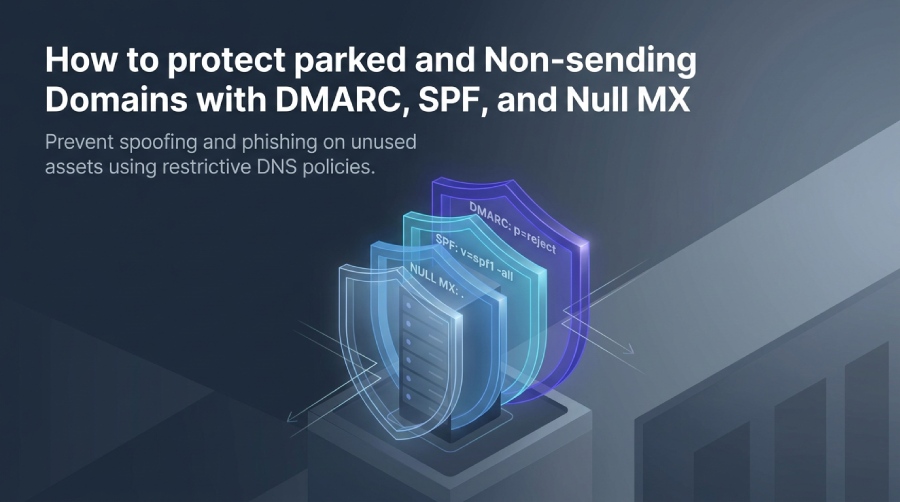
To protect parked and non-sending domains, publish a restrictive SPF TXT record of v=spf1 -all so no host is authorized to send, add a Null MX record (MX 0 .) per RFC 7505 to signal the domain accepts no mail, and enforce a DMARC record with p=reject, sp=reject, and strict alignment (adkim=s, aspf=s) plus a rua address for reports.
Related: Free DMARC Checker ·How to Create an SPF Record ·SPF Record Format
Try Our Free DMARC Checker
Validate your DMARC policy, check alignment settings, and verify reporting configuration.
Check DMARC Record →Why parked and non-sending domains are attractive targets for spoofing and phishing
Parked, legacy, and unused domains can create security risks if their email settings are incomplete. Attackers may exploit these domains to launch phishing attacks, business email compromise, and domain spoofing while impersonating a trusted organization.
To protect non-sending domains, organizations should configure a restrictive SPF record, a DMARC policy, and a Null MX record. These DNS settings indicate that the domain does not send or receive email, helping prevent unauthorized email activity, reduce spoofing risks, and protect brand reputation.
Inventory domains before publishing policies
Before changing DNS records, create an inventory of all parked, legacy, acquired, and subdomain assets across Cloudflare, cPanel, registrar DNS panels, and internal DNS platforms. Check existing A, MX, TXT, SPF, and DKIM records, along with old vendor verification entries, for signs of previous email use.
Some domains may still have authorized senders from old marketing systems, helpdesks, ISP relays, or SaaS platforms. Verify these dependencies before applying restrictive policies to avoid blocking legitimate emails. For domains that truly do not send email, strict email security policies provide stronger protection.
Setting a restrictive SPF record for domains that never send email
For domains that do not send email, publish this SPF record:
v=spf1 -allThis v=spf1 -all value tells SPF checking servers that no host is authorized to send mail for the domain. It is a restrictive Sender Policy Framework declaration and one of the most important controls to protect non-sending domains from domain spoofing.
Because SPF is published as a DNS TXT record, the root domain might look like this:
example.com. TXT "v=spf1 -all"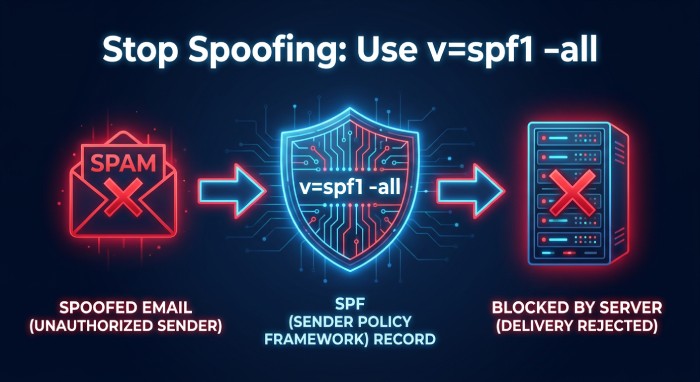 A restrictive SPF record is especially useful when the envelope sender uses the protected domain. If a spammer sends unauthorized emails with
MAIL FROM:example.com>, SPF checking servers can evaluate the SPF record and fail the message because v=spf1 -all authorizes no mail servers.
Use one clear DNS TXT record per sending identity
Do not publish multiple SPF records at the same host. A domain should have one SPF record only. Multiple SPF TXT values can create a permanent error and weaken email authentication. For parked domains, the correct DNS TXT record is usually just:
v=spf1 -allIf you need to protect non-sending domains and subdomain names, consider whether each subdomain also needs its own SPF record. SPF does not automatically cover every subdomain unless the exact envelope sender domain is checked.
How receivers interpret v=spf1 -all
The -all mechanism is a hard fail. It says: no authorized senders exist. In practical terms, v=spf1 -all allows receivers to reject email that claims to originate from the domain in the SPF identity. This is stronger than ~all, which is only a soft fail and less appropriate for domains that do not send email.
Strict SPF is necessary but not sufficient
SPF alone does not fully stop domain spoofing because SPF alignment depends on the relationship between the envelope sender and the From header. A message can pass SPF for one domain while spoofing another domain in the visible From header. That is why SPF must be combined with a strong DMARC policy.
Placement tip
In Cloudflare, cPanel, or another DNS provider, choose type TXT, enter the host such as @ or the specific subdomain, and set the value to v=spf1 -all. This DNS TXT record should be visible to tools like an SPF Checker before you rely on it.
Publishing a Null MX record to signal that the domain does not accept mail
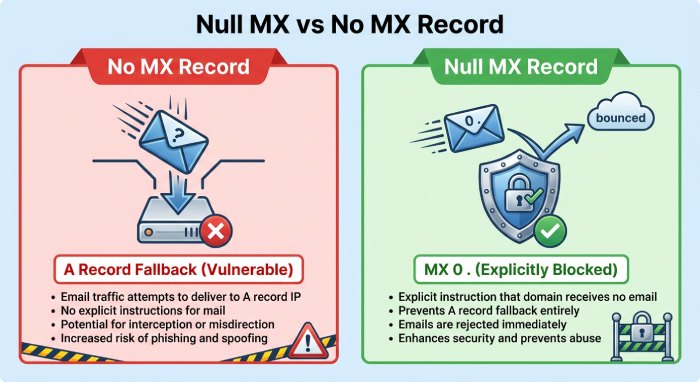
A Null MX record tells the internet that the domain does not accept inbound email. Under RFC 7505, the Mail Exchanger value is a single dot:
example.com. MX 0 .Unlike having no MX record, a Null MX explicitly tells mail servers that the domain does not accept email, preventing delivery attempts to its IP address.
A Null MX record explicitly indicates that a domain does not accept incoming email. When combined with an SPF -all record and an enforced DMARC policy, it provides additional protection for domains that are not used for sending or receiving email.
Null MX vs. no MX record
Null MX prevents fallback email delivery to an A record, reducing spam, attack risks, and exposure to misconfigured mail servers.
Null MX syntax
Publish only one MX record with priority 0 and target ., avoiding conflicting records that suggest the domain accepts email.
Using DMARC with a reject policy to block unauthorized email from non-sending domains
DMARC—Domain-based Message Authentication, Reporting and Conformance—connects SPF and DKIM results to the visible From header. For domains that do not send email, publish a DMARC record with a reject policy:
_dmarc.example.com. TXT "v=DMARC1; p=reject; sp=reject; adkim=s; aspf=s; rua=mailto:dmarc-report@example.com"A p=reject DMARC policy blocks unauthorized emails, helping prevent phishing, spam, and domain spoofing on non-sending domains.
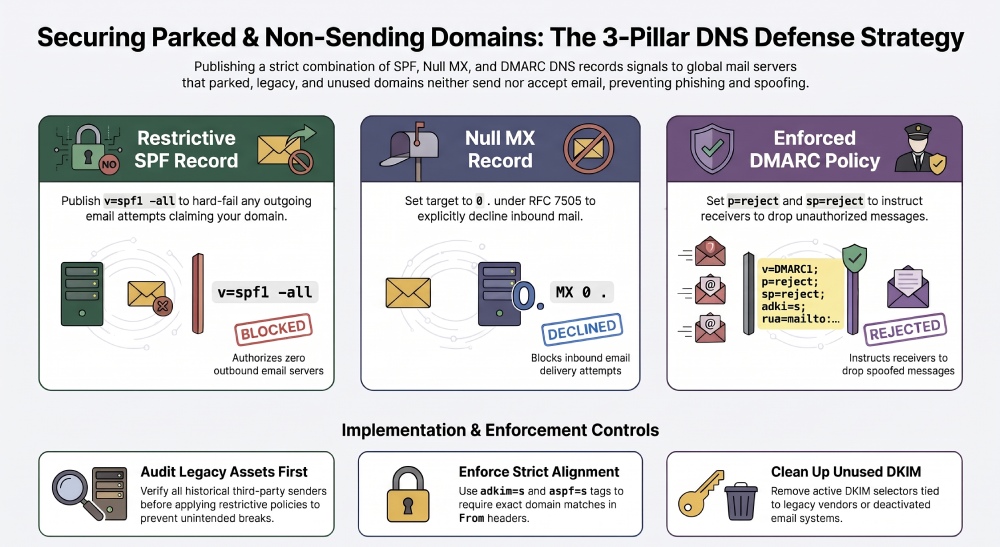
Recommended DMARC record for parked domains
A strong DMARC record for parked domains usually includes:
v=DMARC1; p=reject; sp=reject; adkim=s; aspf=s; rua=mailto:dmarc-report@example.comThe p=reject tag applies to the organizational domain. The sp=reject tag applies to subdomain traffic. The rua tag enables email reporting so you can see whether unauthorized emails are being attempted. Platforms such as DMARC Report can help parse aggregate reports.
Why strict alignment matters
Use adkim=s and aspf=s to enforce strict alignment mode. Strict DKIM alignment means the DKIM signing domain must exactly match the From header domain. Strict SPF alignment means the envelope sender domain must exactly match the From header domain.
Strict SPF and DKIM alignment require the authenticated domains to match the domain in the visible From address exactly. This makes it harder for attackers to pass DMARC authentication using unrelated or merely organizationally aligned domains. However, strict alignment cannot prevent attackers from registering lookalike domains.
DKIM considerations for domains that do not send mail
DKIM—DomainKeys Identified Mail—uses a private key to create a digital signature and a public key published in DNS to verify that signature. A DKIM record is normally published as a DNS TXT record under a selector such as:
selector1._domainkey.example.comNon-sending domains do not need active DKIM records, but outdated selectors linked to unused email services should be removed.
If a domain does not send email, remove unnecessary DKIM records and configure v=spf1 -all, a Null MX record, and a DMARC policy of p=reject. These settings help prevent unauthorized email activity, domain spoofing, and phishing attempts.
Topics
General Manager
General Manager of DuoCircle. Product strategy and commercial lead for DMARC Report's 2,000+ customer base.
LinkedIn Profile →Take control of your DMARC reports
Turn raw XML into actionable dashboards. Start free - no credit card required.