DMARC Deployment & Monitoring: A Practical Guide by DMARCReport
In today’s digital ecosystem, email remains one of the most vital communication channels for organizations worldwide. Yet, without strong safeguards in place, email domains can be abused by attackers to send phishing, spoofing, and other fraudulent messages that harm your brand, customers, and internal users.
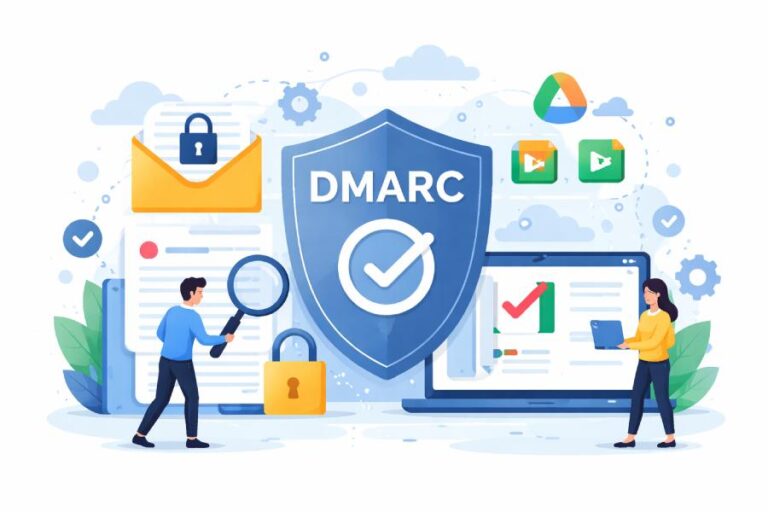
To protect your domain and ensure only authorized email senders are trusted, implementing DMARC (Domain-based Message Authentication, Reporting, and Conformance) is essential. DMARC doesn’t exist in isolation—it works in tandem with SPF (Sender Policy Framework) and DKIM (DomainKeys Identified Mail) to authenticate messages and provide visibility into email flows across the internet.
This guide from DMARCReport will walk you through why DMARC matters, step-by-step deployment, how to monitor results, and best practices for long-term email protection.
What is DMARC and Why Should You Deploy It?
At its core, DMARC is an authentication protocol that builds on SPF and DKIM to defend email senders and recipients from unauthorized use of a domain. When correctly implemented, DMARC tells the world:
- Which mail servers are authorized to send email for your domain (via SPF),
- Which messages are cryptographically signed and untampered (via DKIM), and
- What actions receiving mail servers should take when messages fail authentication checks.
DMARC not only protects your domain’s reputation but also provides indispensable reporting about who is sending mail on your behalf—legitimately or otherwise.
Without DMARC, attackers can spoof your brand in phishing campaigns that deceive your customers and partners. This damages trust, increases risk, and can result in compliance issues, account compromise, and deliverability problems.

DMARC and the Authentication Trio: SPF and DKIM
To understand DMARC deployment, it helps to see how it fits with SPF and DKIM:
- SPF lets domain owners list the IP addresses permitted to send mail on behalf of the domain.
- DKIM attaches a digital signature to each outgoing message. The receiver uses a public key published in DNS to verify that the message has not been altered and truly originates from your infrastructure.
- DMARC checks that either SPF or DKIM (or both) passes and that the sending domain matches the “From” address seen by recipients. It also tells receivers how to act (monitor, quarantine, or reject).
This layered approach dramatically increases your defenses against domain misuse.
Step-By-Step Deployment of DMARC
Deploying DMARC is not just a technical checkbox—it’s a process driven by clear steps and continuous improvement. Here’s how DMARCReport recommends you deploy DMARC with confidence.
1. Register Your Domain with a DMARC Monitoring Platform
Before generating a DMARC record, it helps to have visibility into your domain’s current email activity and authentication health.
Begin by adding your domain to your chosen DMARC platform. This enables:
- Easy reporting and visualization of incoming data
- Identification of all outgoing mail sources (legitimate or not)
- Tools to help you craft an appropriate DMARC policy
This is the first essential step before making DNS changes. Once a domain is registered and connected, you’ll be poised to receive reports once DMARC is live.
2. Generate Your DMARC Record
After domain registration:
- Use a DMARC record generator (often provided within DMARC platforms) to build a record.
- Include important tags such as:
- v=DMARC1 – identifies the record as DMARC
- p=none/quarantine/reject – your policy directive
- rua= – where aggregate reports should be sent
- Optional: ruf= – where forensic (failure) reports should go
The DMARC policy tag determines how email receivers treat unauthenticated messages:
- none – monitor only (no enforcement),
- quarantine – send suspicious messages to spam folders,
- reject – block unauthenticated messages outright.
DMARCReport strongly recommends starting with monitoring mode (p=none)—giving you a safe environment to observe email patterns before applying stricter policies.
3. Publish the Record in Your DNS
Once generated:
- Log into your DNS provider dashboard.
- Go to Manage DNS or your domain’s DNS zone settings.
- Add a TXT record with:
- Name/Host: _dmarc (the underscore is mandatory!)
- Type: TXT
- Value: the generated DMARC policy (starting with v=DMARC1)
Save the record and allow DNS changes to propagate. Most DNS providers propagate changes globally within minutes, but it can take up to 48 hours in some cases.
After this step, your domain is officially “publishing DMARC,” and receiving mail servers around the world will begin applying your policy.
Monitoring DMARC Reports: From Data to Action
Once DMARC is in place, receiving DMARC aggregate reports (RUA reports) begins. These XML-based reports are sent daily by receivers like Google, Microsoft, Yahoo, and others. They tell you:
- What mail was seen coming from your domain,
- Which authentication mechanisms passed or failed,
- How many messages were observed per source
- Where mail failures occurred.
These reports can be complex to read raw, which is why DMARCReport and most modern monitoring services automatically parse and visualize them. With these insights, you can:
- Identify legitimate mail sources you may not have documented,
- Spot unauthorized senders attempting to use your domain,
- Diagnose SPF and DKIM alignment issues,
- Optimize your email infrastructure for DMARC compliance.
Platforms typically begin showing parsed data within 1–3 days of publishing your record.

Why Monitoring Matters
Deploying DMARC is one thing—monitoring it is where the real security value happens.
Without monitoring:
- You won’t know if legitimate mail is failing authentication.
- Spoofing attempts remain invisible.
- You can’t move confidently toward enforcement policies like p=quarantine or p=reject.
With proper monitoring:
- You get actionable data on all mail flows.
- You can fix misconfigured third-party senders (e.g., marketing platforms, CRMs).
- You build evidence that your domain’s mail streams can safely be protected with stricter policies.
This visibility is the backbone of a successful DMARC deployment.
Moving Toward Enforcement
Once you’ve monitored your DMARC reports and verified that all legitimate senders align properly, it’s time to enforce stronger policies:
- Quarantine – filter unauthenticated mail into spam/junk folders.
- Reject – block unauthorized mail entirely.
This progression dramatically lowers the risk of impersonation and phishing attacks. Remember: most organizations will spend weeks or months in monitoring mode before advancing to full enforcement. Slow and steady ensures minimal disruption tolegitimate communication flows.
Common Challenges & Troubleshooting
Missing Reports
If you don’t receive DMARC reports:
- Check that you correctly published rua= tags.
- Ensure your monitoring platform is ready.
- Remember that some smaller receivers may report less frequently or data may be delayed.
SPF or DKIM Alignment Failures
Authentication failures often stem from:
- Incomplete SPF records (missing sending services),
- DKIM keys not aligning with your mail provider,
- Forwarded mail breaking authentication.
Resolve these first before tightening your policy.
Third-Party Email Senders
Marketing platforms, CRMs, and transactional mail services may send on your behalf but use different infrastructure. To ensure these mail streams pass DMARC:
- Add authorized services to your SPF records,
- Ensure DKIM signing is configured for each service,
- Use monitoring data to confirm successful authentication for each source.

Continuous DMARC Success
DMARC deployment is not a one-time project but an ongoing process of monitoring, refinement, and enforcement. Over time, as your organization adds or changes email services, your authentication configuration will need adjustment.
By continuously reviewing reports and refining SPF/DKIM settings, you keep your domain protected and your email deliverability optimized.
Final Thought from DMARCReport
Implementing DMARC is one of the most impactful steps any organization can take to secure its email ecosystem. With clear deployment steps, diligent monitoring, and thoughtful policy evolution, you transform your domain into a trusted sender—guarding it against misuse and building trust with your recipients.If you’re new to DMARC or unsure where to begin, remember: start with monitoring, learn from the data, and use it to guide smarter security choices for your email infrastructure.