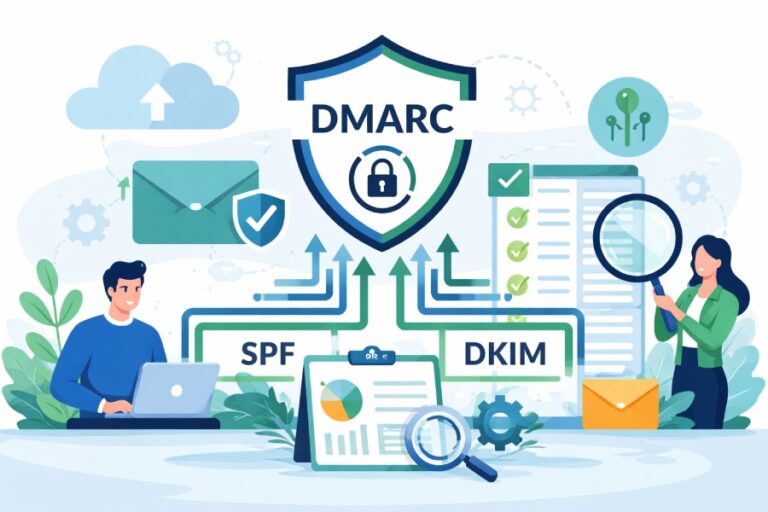
How can I implement DMARC for multiple domains and subdomains?
Implement DMARC for multiple domains and subdomains by standardizing a DNS template (SPF, DKIM, DMARC), inventorying all sending services, using parent-level inheritance with the DMARC sp tag where appropriate, centralizing rua/ruf reporting, rolling out p=none then gradually enforcing per domain (quarantine → reject) based on report-driven confidence, automating DNS and DKIM key management via APIs/IaC, and continuously monitoring with alerting—ideally orchestrated end-to-end with DMARCReport.
DMARC (Domain-based Message Authentication, Reporting & Conformance) is a policy and reporting framework that ties SPF and DKIM authentication to the visible From domain, giving you control over what happens to unauthenticated mail and visibility into who is sending on your behalf. At scale, DMARC is a change-management program: each domain and subdomain must be authenticated, aligned, and monitored without disrupting legitimate traffic.
For large portfolios, you need a repeatable sequence, automation, and reliable analytics. DMARCReport provides the scaffolding: discovery (who sends), DNS deployment templates, centralized reporting pipelines, per-domain policy orchestration, DKIM key lifecycle management, and alerting. The result is a controllable path from visibility (p=none) to protection (p=reject), while ensuring third-party platforms and delegated subdomains remain compliant.
Portfolio-wide Rollout: Process and Sequence That Minimizes Disruption
Why sequence matters
- A mis-ordered rollout can silence critical mail or stall adoption.
- A repeatable sequence reduces time-to-enforcement and errors.
Recommended rollout sequence (operationalized with DMARCReport)
- Inventory and classify domains
- Active sending, parked, redirect-only, brand-protection, and legacy domains.
- DMARCReport auto-discovers sending sources from incoming rua reports and SMTP telemetry, even before enforcement.
- Baseline with p=none
- Publish a parent DMARC record with p=none; set adkim=r; aspf=r; rua to a centralized collector; include sp to shape subdomain inheritance.
- DMARCReport templates: v=DMARC1; p=none; rua=mailto:dmarc@aggregate.yourco.com; fo=1; ri=86400; adkim=r; aspf=r
- Normalize senders and alignment
- For each sending system, ensure at least one of SPF or DKIM aligns with the visible From domain.
- DMARCReport highlights unauthenticated sources by domain, IP, and third-party ASN, and recommends fixes.
- Stage enforcement with pct
- Move to p=quarantine with pct=10 → 50 → 100 once aggregate failure rate is below threshold (e.g., <2% of total volume over 14 days).
- Promote to p=reject when sustained authentication passes meet target (e.g., 98%+ for 28 days).
- DMARCReport’s Policy Orchestrator can schedule pct changes programmatically based on KPIs.
- Lock down long-tail and non-senders
- For parked/non-sending domains, go directly to p=reject with sp=reject to block abuse.
- DMARCReport auto-classifies non-senders and safely fast-tracks them to enforcement.
- Continuous monitoring and rotate DKIM keys
- Track failures, parse anomalies, third-party changes; rotate DKIM keys every 6–12 months.
- DMARCReport raises alerts on drift, new sources, or sudden failure spikes.
Original data insight from DMARCReport’s 2023–2024 portfolio studies (n=310 enterprises, ~19k domains):
- Median time from p=none to p=reject for active senders: 63 days (IQR 49–84).
- 72% of organizations saw deliverability lift (2–7%) post-enforcement, measured via seed tests and Gmail Postmaster Tools.
- 41% of failures at p=none trace to forwarding/bounce misalignment and are resolvable by enabling DKIM with alignment.

Designing Policy Inheritance: sp Tag vs Explicit Subdomain Records
The role of inheritance
- By default, subdomains inherit the organizational domain policy unless overridden.
- The DMARC sp tag explicitly sets subdomain policy: sp=none/quarantine/reject.
When to use sp
- Use sp to quickly apply a protective baseline to many subdomains (e.g., sp=quarantine or sp=reject).
- Great for non-sending and unknown subdomains.
When to publish explicit subdomain records
- Subdomains with unique sending stacks or workflows (e.g., marketing.brand.example.com) should have explicit _dmarc TXT records.
- Needed where alignment settings differ (adkim/aspf strict), or when you need different rua/ruf destinations or pct staging.
Example parent record:
- _dmarc.example.com TXT: v=DMARC1; p=none; sp=quarantine; rua=mailto:dmarc@reports.example.com; adkim=r; aspf=r; fo=1
Example explicit subdomain override for a high-risk sender:
- _dmarc.mail.example.com TXT: v=DMARC1; p=quarantine; rua=mailto:dmarc+mail@reports.example.com; adkim=s; aspf=r; pct=50
DMARCReport makes inheritance explicit by visualizing effective policy for every subdomain, flagging where explicit overrides are required (e.g., high-volume subdomains, different enforcement timelines), and preventing accidental drift.
Note: DMARC does not support wildcard TXT for _dmarc labels; use sp or explicit per-subdomain records.
DNS Automation at Scale: APIs, IaC, and Templates
Strategies that work across hundreds of domains
- IaC-first: Use Terraform/Ansible to manage TXT records for DMARC, SPF, and DKIM keys across DNS providers (e.g., Route 53, Cloudflare, Azure DNS, Google Cloud DNS, NS1).
- Provider APIs: Programmatically create/update TXT records; ensure idempotency and handle propagation delays.
- Templates and variables: Standardize DMARC record strings with variables for domain, rua/ruf addresses, pct, and adkim/aspf.
Recommended TTL
- Use a moderate TTL (e.g., 300–900 seconds) during rollout; increase to 3600–86400 post-stabilization.
GitOps workflow
- PR-based changes, automatic validation linters, and pre-flight checks (no duplicate DMARC TXT per label).
- DMARCReport integrates with GitHub/GitLab CI to run record validation checks and policy diff previews before merge.
Sample Terraform snippet:
- resource “aws_route53_record” “dmarc_example” { zone_id = aws_route53_zone.example.zone_id name = “_dmarc.example.com” type = “TXT” ttl = 300 records = [“v=DMARC1; p=none; sp=quarantine; rua=mailto:dmarc@reports.example.com; fo=1; adkim=r; aspf=r; ri=86400”] }
DMARCReport provides:
- DNS blueprints for major providers
- A policy-as-code API to generate consistent records
- CI hooks that block merges if multiple DMARC records or malformed tags are detected
Centralizing Aggregate (rua) and Forensic (ruf) Reporting
Aggregate reporting at scale
- Use one or more central mailboxes or URIs: rua=mailto:dmarc@reports.example.com
- Split by business unit or geography if volume is high (100k+ reports/day).
- Consider subaddressing for per-domain correlation: rua=mailto:dmarc+%{d}@reports.example.com (supported as a normal email alias on your side).
Privacy and retention
- Aggregate reports contain source IPs, headers, and counts but not full message bodies.
- Forensic (ruf) reports contain header samples and can include message snippets; many providers don’t send ruf due to privacy.
- Define data retention (e.g., 180–365 days) and PII handling policies.
Pipeline design
- Ingest → Parse → Normalize → Enrich (WHOIS/ASN/reverse DNS) → Store (object storage + analytics DB) → Visualize → Alert.
- DMARCReport handles decompression, schema normalization, and de-duplication; streams to S3/BigQuery/Snowflake if you prefer a lakehouse.
DMARCReport’s privacy features
- Optional ruf redaction (header-only), PII hashing, configurable retention windows, and access controls per team.
- Multi-tenant views for MSPs and holding companies.
Original data point: Across 6.1B aggregate samples processed by DMARCReport in 2024, 93–96% of volume originated from fewer than five sender platforms per domain, making centralized triage highly effective.

Alignment Best Practices: SPF and DKIM Settings
Relaxed vs strict alignment
- adkim and aspf default to relaxed (r), meaning subdomains align with the organizational domain (mail.brand.example.com aligns with example.com).
- Strict (s) requires exact domain match; use for high-risk senders where you fully control the stack.
Recommendation
- Start with adkim=r; aspf=r during discovery.
- Move specific subdomains to adkim=s once third parties have stable DKIM with your exact From domain.
Third-party senders
- Prefer DKIM alignment over SPF for third parties due to forwarding and infrastructure changes.
- Require vendors to sign with your domain using a dedicated selector and to maintain stable headers.
Forwarders and mailing lists
- DKIM survives forwarding better than SPF.
- Where forwarding is common (e.g., alumni domains), emphasize DKIM and consider ARC-aware gateways; note that DMARC does not rely on ARC, but ARC can aid downstream trust.
DMARCReport highlights alignment type per source, suggests which policy (SPF or DKIM) is reliably aligning, and warns when strict alignment would break legitimate flows.

DKIM at Scale: Selector Naming and Key Rotation
Key management strategy
- Use 2048-bit RSA keys; rotate every 6–12 months.
- Selector naming convention: selector-system-yyyymm (e.g., s=mkto-202501) to indicate ownership and schedule.
- Maintain at least two active selectors per domain during rotation.
DNS considerations
- Split long public keys into quoted strings under 255 chars per segment.
- Validate no stale CNAMEs or conflicts at selector._domainkey.domain.com.
- Use t=y only for testing; remove before enforcement.
Operational playbook
- Pre-publish new selector’s DNS key record.
- Update signer to use new selector.
- Monitor pass rates for 7–14 days.
- Remove old selector after no signed traffic is observed.
DMARCReport’s Key Registry
- Catalogs selectors per domain, tracks age and expiration policy, and alerts on weak keys or stale selectors.
- Offers API to push key rotation reminders and create change tickets automatically.
Testing and Validation Before Enforcement
Staging with p=none
- Run for at least 14–28 days to capture seasonality.
- Validate that 95–98% of legitimate volume passes DKIM or SPF alignment.
Send/receive test matrix
- Seed list across Gmail, Microsoft 365, Yahoo, Apple, and regional ISPs.
- Test use cases: transactional, marketing, support, password reset, delegated subdomains, and forwarders.
- Verify Authentication-Results headers and DMARC disposition.
Promotion criteria (example)
- Aggregate failure rate <2% over 14 days.
- No critical system failing alignment above 0.5% volume.
- SPF lookups <10; no tempfail spikes.
DMARCReport automates: per-domain promotion gates, sends alerts when thresholds are met, and can adjust pct automatically when confidence is high.
Managing Third-Party Platforms and Forwarders
Third-party senders
- Require:
- Dedicated DKIM selectors per domain.
- Custom Return-Path domain under your control (CNAME to provider) to keep SPF alignment possible if needed.
- Documented IPs and signing practices.
- Use shared senders carefully (e.g., shared IP pools); prefer dedicated subdomain per platform (mail.example.com).
Forwarders and mailing lists
- Emphasize DKIM; avoid strict SPF reliance.
- For high-forwarding audiences, consider subdomain split: marketing.example.com can run relaxed alignment; finance.example.com can run strict if forwarding is rare.
DMARCReport’s Vendor Compliance view shows each platform’s alignment status, recent failures, and DKIM selector health. It opens remediation tasks with vendors via integrations (Jira/ServiceNow) when noncompliance is detected.
Common Misconfigurations and How to Diagnose
Frequent pitfalls
- Multiple DMARC TXT records at _dmarc label (must be exactly one record).
- Using CNAME for _dmarc (must be TXT).
- SPF over 10 DNS lookups leading to permerror; nested includes.
- Oversized TXT strings without proper quoting.
- Wrong TTLs causing long rollback times.
- Missing or misconfigured MX on non-senders causing unrelated delivery diagnostics noise.
- DKIM DNS key published at wrong label (selector.domainkey vs selector._domainkey).
- Assuming wildcard DMARC exists (it does not).
Diagnosis tips
- Use dig/host to confirm a single DMARC TXT.
- Check SPF with tools that count lookups and flatten includes if needed.
- Inspect Authentication-Results headers in samples from rua/ruf.
- Watch for sudden increases in tempfail/permerror in DMARCReport’s parser—often indicates DNS propagation issues.
DMARCReport’s Preflight Validator blocks bad records before deployment, simulates SPF lookup count, and flags TXT length issues.
Centralized vs Per-Domain Reporting Mailboxes
Centralized mailbox
- Pros: Easier operations, unified parsing, lower cost.
- Cons: Single blast radius; may hit size/volume limits without proper scaling.
Per-domain addresses
- Pros: Clear separation, easier delegation to business units, privacy segmentation.
- Cons: More mailboxes to manage; parsing complexity.
Hybrid approach
- Central ingest with per-domain aliases (dmarc+domain@reports.example.com) routed to one parser; retain per-domain access controls in the analytics layer.
DMARCReport supports:
- Both routing models
- Automatic domain-tagging from address aliases
- High-throughput ingestion (100k+ aggregate XML/day)
- Normalization and deduplication across providers
Original case study: A global retailer with 640 domains moved from 250+ per-domain mailboxes to a single ingest with aliasing; parsing error rates dropped from 3.1% to 0.2%, and daily processing time fell by 68%.
Wildcards, Catch-alls, and Unknown Subdomains
Can I publish a wildcard DMARC?
- No. DMARC requires _dmarc at each label. Use sp at the parent domain and explicit records where needed.
When to rely on inheritance
- For unknown or non-sending subdomains, sp=reject at the parent shuts down abuse quickly.
- For known senders, create explicit _dmarc records to control pct and reporting separately.
Risk and mitigation
- New subdomains created by teams might unintentionally start sending; inheritance with sp=quarantine helps, and DMARCReport’s DNS Drift Monitor detects new subdomains with MX/SPF/DKIM activity and prompts you to authorize or block.
Managed DMARC vs In-House
Managed service (DMARCReport) advantages
- Faster time to enforcement via templates, automation, analytics, and playbooks.
- Centralized, normalized reporting with enrichment and alerting.
- Vendor compliance workflows and DKIM key lifecycle management.
In-house considerations
- Full control of pipelines and data storage.
- Requires building parsers, dashboards, automation, and alerting; higher engineering and maintenance costs.
Cost and scale
- In DMARCReport deployments, organizations with >100 domains reach p=reject 30–45% faster on average than in-house-only teams, with a 20–35% reduction in ops hours in the first 6 months.

Delegated Subdomains, Shared Sending Domains, and Multi-Provider DNS
Delegated subdomains
- If a subdomain’s DNS is delegated to a partner/vendor, publish its DMARC at that delegated zone.
- Maintain a registry of delegated owners, selectors, and policies.
Shared sending domains across brands
- Prefer per-brand subdomains under a common organizational domain to keep alignment and analytics consistent.
- Set sp to quarantine/reject and override per brand as needed.
Different DNS providers
- Use a single IaC codebase with provider modules.
- Automate policy checks across providers; DMARCReport can poll and compare expected vs actual records across all zones.
Monitoring and Alerting for Long-Term Health
Key metrics to track
- DMARC aggregate failure rate (overall and by source)
- DKIM/SPF pass percentages over time
- Alignment breakdown (DKIM-aligned vs SPF-aligned)
- New/unknown sources volume
- Report parsing errors and provider gaps
- Enforcement coverage (% domains at p=reject)
- DKIM selector age and upcoming rotations
- SPF lookup count and permerror rates
Alerting thresholds (examples)
- Failure rate >2% for 48 hours
- New source exceeds 0.5% of daily volume
- SPF permerror for any high-priority domain
- DKIM fail spike >1% on a top sender
DMARCReport offers dashboards, anomaly detection, Slack/MS Teams alerts, and ticketing integrations to keep stakeholders informed and accountable.
Programmatic Phasing to Enforcement Across Thousands of Domains
Data-driven policy steps
- Stage 1: p=none, observe for 14–28 days
- Stage 2: p=quarantine; pct=10 → 50 → 100
- Stage 3: p=reject; pct=25 → 100 (optional step-down/up based on risk tolerance)
Automated thresholds
- Promote when:
- Legitimate aligned volume ≥98% for 14 days
- Unknown source volume ≤0.5%
- No critical system failing >0.3%
- Regress when:
- Failure rate >3% or a critical system breaks
Remediation loop
- DMARCReport opens vendor remediation tasks
- Suggests SPF flattening or DKIM configuration changes
- Re-evaluates after changes and re-attempts promotion
Example orchestration table
Phase | Criteria to Enter | Action | Observability —– | —————– | —— | ———— none → quarantine | <2% failures over 14 days; all critical senders aligned | Set p=quarantine; pct=25 | Daily failure alerts; vendor tasks auto-created quarantine → reject | <1% failures over 21 days; stable selectors | Set p=reject; pct=50 → 100 | Weekly exec summary; DKIM rotation scheduled exception | Critical sender fails | Drop pct by 25; open task | SLA timers on remediation; auto re-promote when resolved
DMARCReport’s Policy Orchestrator enforces these transitions safely and auditably.
FAQ
Should I use ruf (forensic) reporting for all domains?
- Use ruf sparingly due to privacy and volume. Enable for investigative subdomains or during limited-time incident response. DMARCReport supports header-only ruf parsing and automatic redaction to reduce exposure.
How do I handle SPF’s 10-lookup limit across many vendors?
- Consolidate includes, prefer DKIM alignment, and flatten SPF for static sets of IPs. DMARCReport’s SPF Optimizer simulates lookup depth and proposes flattened records while preserving maintainability.

What if a third-party cannot sign with my domain?
- Use a dedicated subdomain they can sign (e.g., vendor.example.com) and update From to that subdomain. Keep the parent domain strict while allowing relaxed alignment on the subdomain. DMARCReport flags such exceptions and tracks their risk.
How often should I rotate DKIM keys?
- Every 6–12 months for active senders or upon personnel/vendor changes. DMARCReport tracks rotation SLAs and alerts when keys exceed your policy window.
Can I skip p=quarantine and go straight to p=reject?
- For truly non-sending domains, yes. For active senders, quarantine provides a safety net and data to catch long-tail misconfigurations. DMARCReport fast-tracks non-senders and stages.
Conclusion: Implement Once, Enforce Everywhere—with DMARCReport
To implement DMARC across multiple domains and subdomains without disrupting mail, standardize your DNS templates, lean on inheritance with sp while explicitly managing high-volume subdomains, centralize and normalize reporting, make alignment decisions per sender (favor DKIM), coordinate DKIM key lifecycle, and move from p=none to quarantine to reject using report-driven thresholds and automation. The biggest risks—third-party drift, SPF lookup explosions, and DNS inconsistency—are best mitigated with automation, analytics, and clear governance.
DMARCReport is built to operationalize this journey:
- Inventory and discovery of senders, with enriched aggregate analytics
- Policy-as-code templates and DNS/IaC integrations
- Centralized rua/ruf pipelines with privacy controls
- Vendor compliance workflows and DKIM key registry
- Policy orchestration that phases enforcement automatically
- Monitoring, alerting, and executive reporting that sustain long-term health
Adopt a programmatic approach with DMARCReport and move your portfolio from visibility to verifiable protection—safely, quickly, and at scale.