No SPF Record Found — What It Means, Why It Matters & How to Fix It
In today’s digital world, email remains one of the most widely used communication channels for businesses and individuals alike. From important system alerts to marketing newsletters, email drives essential communication. But this critical channel also attracts malicious actors — and without proper protections in place, your domain can become an easy target for phishing, spoofing, and other types of fraudulent email activity.
One of the foundational defenses in email security is an SPF record. Yet many domains still don’t have one — and that leads to a common alert we see across email authentication tools: “No SPF Record Found.” In this article, we’ll break down what this message means, why you’re seeing it, what risks it creates, and exactly how to fix it for good.

What Is an SPF Record?
SPF stands for Sender Policy Framework, an email authentication standard that tells mail servers which IP addresses and servers are authorized to send email on behalf of your domain. It’s published in your domain’s DNS as a TXT record and helps receiving mail servers determine whether an incoming message claiming to be from your domain actually originated from a legitimate source.
When configured correctly, SPF makes it much harder for cybercriminals to impersonate your domain — a key tactic used in phishing and spam campaigns.
Why You Keep Seeing “No SPF Record Found”
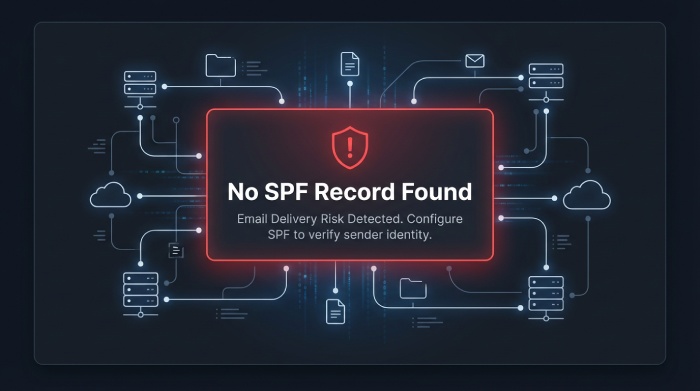
When you run a domain through an SPF lookup or email test and see the message “No SPF Record Found,” it means one of three things:
- There is no SPF TXT record in your DNS.
- The record exists but isn’t published correctly (DNS misconfiguration).
- You’re checking the wrong domain or subdomain.
Most email authentication tools check only TXT records for SPF — including modern standards like DMARC. If your SPF was created using an older SPF record type instead of TXT, it may not be recognized.
Simply put: if receiving mail servers can’t find a valid SPF record for your domain, they won’t know whether the message came from a trusted source — and that’s a problem.
Why SPF Records Are Important
An SPF record does more than just “exist in DNS.” It plays several critical roles in email deliverability and security:
Prevents Domain Spoofing
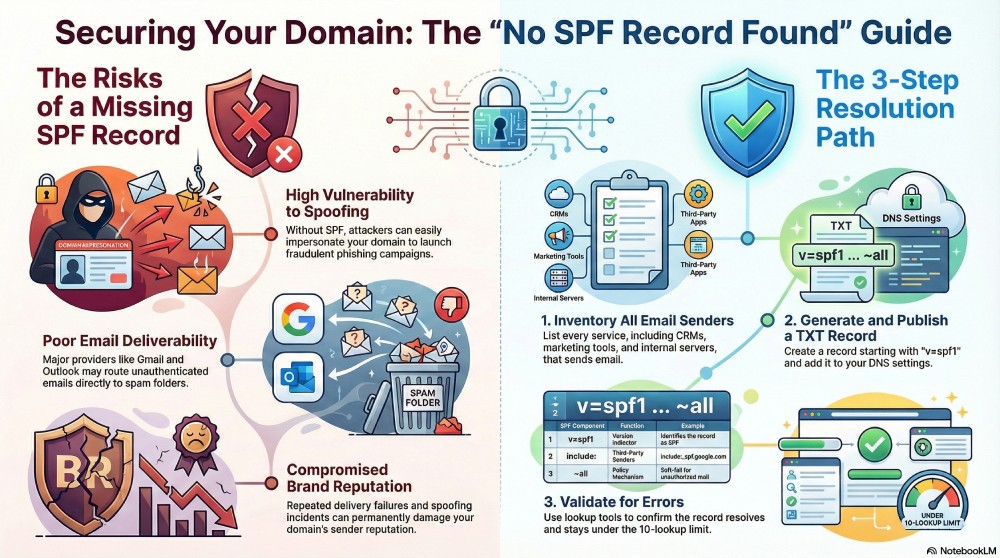
Without SPF, anyone on the internet can send an email that appears to come from your domain. Spammers use this tactic to launch phishing attacks and trick recipients into taking harmful actions.
Helps Mail Servers Validate Your Emails
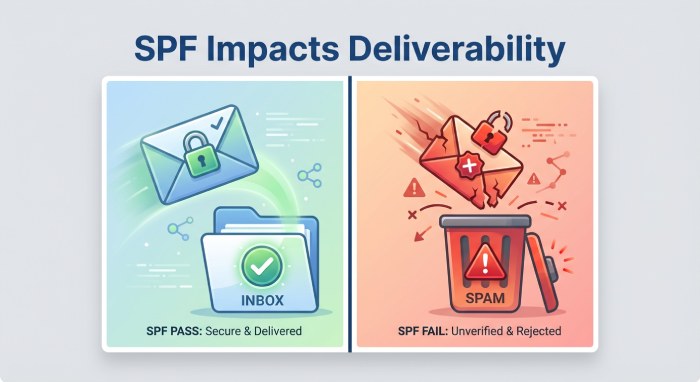
Mail providers (Gmail, Outlook, Yahoo, etc.) check SPF as part of their authentication process. If no SPF is found, the message may be marked as unauthenticated — which can lead to delivery issues.
Improves Email Deliverability
Authenticated messages have a much higher chance of reaching the inbox instead of spam folders. No SPF — or an invalid one — means mail providers have no proof your mail is legitimate.
Protects Your Brand and Domain Reputation
Repeated unauthenticated messages can harm your domain’s reputation, making it harder to deliver emails even after you fix the SPF.
What Happens If Your Domain Has No SPF Record?
Seeing “No SPF Record Found” isn’t just a minor warning — it can have serious consequences if left unresolved:
More Emails Land in Spam
Without SPF, many mail servers will treat incoming messages from your domain as suspicious. This often results in:
- Messages being routed to spam folders
- Email delivery delays
- Increased bounce rates
Increased Risk of Email Fraud
Domains without SPF are far easier to spoof. Attackers can send emails that appear to originate from you, leading to phishing, credential theft, and business email compromise (BEC).
Reputation Damage
Once your domain is used in spoofing attacks, your email reputation score may drop. A poor reputation makes even legitimate emails more likely to be filtered or rejected.
DMARC Cannot Fully Protect You
Even if you have DMARC enabled, SPF must still be correctly published and aligned. DMARC uses SPF results when interpreting email legitimacy. Without SPF, DMARC has fewer signals to determine trustworthiness — making your overall email defenses weaker.
Many administrators fix SPF last — but it is actually one of the first lines of defense every domain should implement.
Anatomy of an SPF Record
An SPF record in DNS looks like this:
v=spf1 include:_spf.examplemail.com ip4:192.0.2.0/24 ~all
Let’s break that down:
- v=spf1 — Indicates the SPF version (always starts with this).
- include: — References another domain’s SPF settings (e.g., for third-party mail services).
- ip4: — Lists specific IP addresses authorized to send mail.
- ~all — A soft-fail mechanism indicating mail outside this list should be treated with caution.
There are multiple mechanisms you can use — but a well-structured SPF record is vital for proper protection.
Common Reasons SPF Records Are Missing or Invalid
Here are the most frequent causes of the No SPF Record Found message:
1. You Actually Don’t Have One
This is the most obvious — and the most common. Many domains are registered and used for email without ever publishing an SPF record.
2. DNS Formatting Errors
Even a small typo or incorrect DNS entry prevents SPF from being recognized. Make sure you publish it in the correct format and that your DNS provider accepts it.
3. Multiple SPF Records
Only one SPF TXT record is allowed. If your domain has more than one, mail servers cannot parse them and may ignore them all.
4. Wrong Validation Type
Your SPF must be a TXT record —legacy SPF types may no longer be recognized by modern tools or mail servers.
5. Checking the Wrong Host
If your SPF is only published at mail.domain.com but not at the root domain, a lookup may not find it. Ensure the correct DNS host (usually @ for root) is used.
How to Fix the “No SPF Record Found” Issue
Fixing this message is straightforward when you know what to do — and it can be completed within minutes.
Step 1: Identify All Email Senders
Make a list of every source that sends mail for your domain:
- Your mail servers
- Third-party mail providers (marketing, CRM tools, helpdesk, etc.)
- Website systems that send emails automatically
Skipping any of these can lead to delivery problems later.
Step 2: Generate a Valid SPF Record
You can manually draft an SPF record, but we recommend using a tool to ensure accuracy and compliance with syntax:
v=spf1 include:spf.provider1.com include:spf.provider2.com ip4:198.51.100.123 ~all
Tools like SPF generators and lookup checkers (such as those available from DMARCReport and other email security platforms) simplify this process.
Step 3: Publish It in DNS
Once you have your SPF record, publish it in your DNS as a TXT record. Most DNS providers provide a simple UI for adding TXT entries — just paste in the generated SPF value.
Step 4: Validate the Record
After publishing:
- Wait for DNS propagation (usually minutes, sometimes up to 24 hours)
- Use SPF lookup tools to confirm it resolves correctly
- Make sure it doesn’t exceed the 10 DNS lookup limit (a common SPF pitfall)
This validation ensures that your record passes checks from mail servers worldwide.

What SPF Can’t Do — Why You Still Need DKIM & DMARC
SPF alone isn’t enough to fully protect your domain:
- SPF does not encrypt your email
- SPF does not prevent all types of spoofing
- SPF alone won’t block malicious emails
For complete protection, SPF should be combined with:
- DKIM (DomainKeys Identified Mail) — Cryptographically signs outgoing mail
- DMARC (Domain-based Message Authentication, Reporting & Conformance) — Tells receiving servers how to handle messages that fail authentication
Together, these three standards form a strong email authentication framework that helps deliver legitimate email and block threats.
Final Thoughts — Don’t Leave SPF Blank
Seeing “No SPF Record Found” is more than just a checkbox warning — it’s an indication that your domain’s email authentication foundation is incomplete. Without SPF:
- Your domain is easier to spoof
- Emails are more likely to hit spam
- Your sender reputation is at risk
Fixing this issue is one of the most impactful actions you can take to secure your domain and improve email reliability. If you’re unsure where to begin, start with a free SPF lookup and generator — it’s fast and often free. Once SPF is in place, you can move on to configuring DKIM and DMARC for maximum email protection.