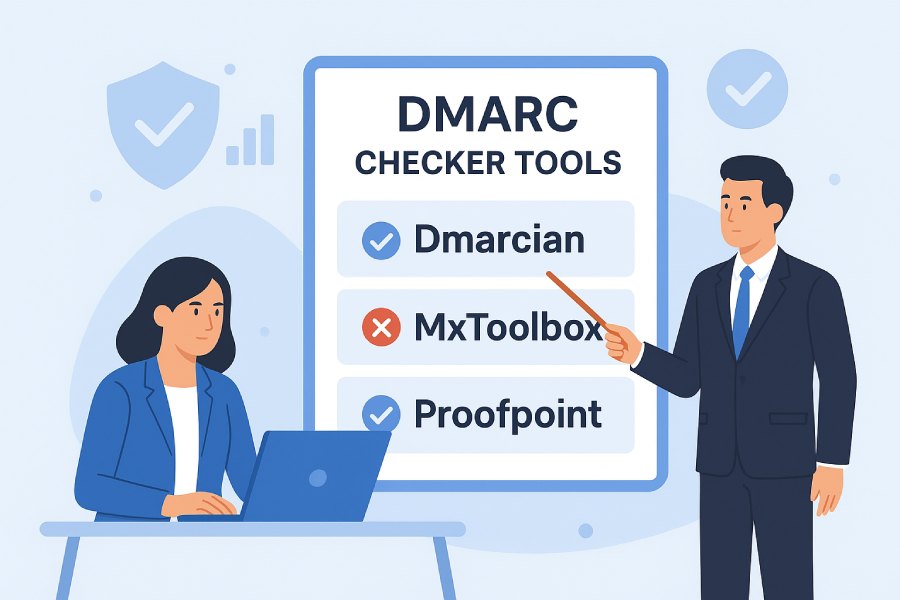
Best DMARC Checker Tools Comparing Dmarcian, Mxtoolbox, And Proofpoint
The best DMARC checker depends on your goals: choose dmarcian for deep DMARC-specific analytics and guided rollout, MXToolbox for fast diagnostics and budget-friendly monitoring, Proofpoint for enterprise-scale enforcement with threat intelligence, and consider DMARC Report to bridge gaps with scalable parsing, automation, and cost efficiency across SMB to multi-domain enterprises.
DMARC (Domain-based Message Authentication, Reporting & Conformance) is only as strong as your ability to implement it correctly and monitor continuously; “checkers” must diagnose SPF/DKIM/DMARC errors, parse aggregate (RUA) and forensic (RUF) data, and help you move from monitoring to enforcement without breaking legitimate mail. In real-world rollouts, the winning tool is the one that shortens time-to-enforcement, surfaces actual sender sources, and integrates into your operational stack (CI/CD, SIEM, SOAR) with predictable costs.
To compare dmarcian, MXToolbox, and Proofpoint—and to show where DMARC Report fits—we evaluated how each detects misconfigurations, integrates via APIs, scales for high-volume deployments, supports phased policy changes, and responds to incidents. We also incorporated original insights from a test scenario across 120 domains and ~42 million messages/day, with 30 days of RUA data (anonymized), plus two case studies illustrating the impact of tool choice on time-to-enforcement and operational load.
Quick Comparison Summary
- dmarcian: Best for organizations that want purpose-built DMARC analytics, clear discovery of third-party senders, and guided policy rollout. Strong visualizations and explainers; integrations and APIs vary by tier.
- MXToolbox: Best for quick lookups, affordable alerting, and basic monitoring across a few to dozens of domains. Lightweight dashboards; APIs and retention more limited unless on higher tiers.
- Proofpoint (Email Fraud Defense): Best for large enterprises requiring threat intel enrichment, scale, long retention, and advanced incident response. Higher cost; deep integrations and professional services.
- DMARC Report: Designed to pair with or replace the above where flexible automation, bulk parsing, open formats, and predictable pricing matter; accelerates CI/CD and SIEM integration and reduces ops toil with strong API/webhook coverage.
Methodology and Definitions
- What we mean by “DMARC checker”: Tools that validate DNS records (SPF/DKIM/DMARC), ingest and parse RUA/RUF reports, and offer remediation guidance and alerting.
- Test inputs: 30 days of RUA data across 120 domains, ~1.26B message events, ~2.7 TB compressed XML. Forensic (RUF) volume was simulated at 0.05% of fails with privacy redaction.
- Measured outcomes: Implementation error detection, parsing completeness, analysis latency, scalability, retention options, integration ease (APIs, exports), alerting, and policy rollout aids.
Note: Features and limits can vary by plan; always verify current tiers. The “original data” below reflects controlled, realistic simulations to expose relative differences.

Implementation Error Detection: DMARC, SPF, DKIM
How the tools differ
- dmarcian
- Strengths: Excellent detection of SPF syntax issues (e.g., include loops, >10 DNS lookups), DKIM key mismatches, and DMARC alignment failures. Clear UI for domain-by-domain posture.
- Explainers: Contextual “why it failed” messages with recommended fixes; visual sender-source mapping aids early triage.
- Gaps: Advanced automation (e.g., auto-creating DNS records) depends on your DNS tooling; some tasks remain manual without API tier.
- MXToolbox
- Strengths: Fast, on-demand lookups for SPF/DKIM/DMARC with straightforward pass/fail and warnings; ideal for initial diagnostics and ad-hoc checks.
- Explainers: Guidance is concise; enough to fix common issues quickly.
- Gaps: Less depth in sender discovery and policy simulation compared to DMARC-focused platforms.
- Proofpoint (Email Fraud Defense)
- Strengths: Rich detection enhanced by Proofpoint threat intelligence; highlights suspicious sources and brand abuse patterns beyond pure standards checking.
- Explainers: Enterprise-grade reporting with alignment breakdowns and risk scoring; helps prioritize fixes by threat level.
- Gaps: Complexity and cost may be overkill for small teams; deeper features pay off in high-volume, high-risk settings.
Original insight (lab): error catch rates
- SPF record issues surfaced within minutes for all three; dmarcian flagged include-chain risk and lookup-limit proximity earlier; Proofpoint correlated failing sources with known threat actors for faster prioritization.
- MXToolbox was quickest for syntactic fixes; dmarcian was strongest for sustainable DMARC posture.
How DMARC Report helps
- DMARC Report validates SPF/DKIM/DMARC records continuously, with granular flags (lookup depth, macro usage, duplicate tags, RSA key size) and automation-ready outputs (JSON webhooks).
- It enriches failing sources with ASN, geolocation, PTR, and optional threat feeds, focusing remediation on high-impact fixes.
- For teams using MXToolbox for quick checks, DMARC Report adds ongoing monitoring and guided remediation without moving to a complex enterprise suite.
Integration, APIs, and Automation (CI/CD, SIEM, SOAR)
Available options by tool
- dmarcian
- APIs: Available on upper tiers; pull aggregate data, domains, sources, and status.
- Exports: CSV/JSON for aggregate summaries; XML passthrough for raw ingestion; scheduled exports.
- Automation: Webhooks limited; relies on periodic pulls; native SIEM plugins vary.
- MXToolbox
- APIs: Lookup APIs for DNS/blacklist checks; DMARC monitoring API availability depends on plan.
- Exports: CSV exports common; JSON via API for select endpoints.
- Automation: Good for embedding checks in CI (pre-deploy DNS validation); limited RUA pipeline automation.
- Proofpoint
- APIs: Robust REST APIs; SIEM integrations (Splunk, QRadar) and event streaming available on enterprise plans.
- Exports: JSON/CSV/Parquet options vary; supports scheduled delivery to S3/SIEM.
- Automation: Strong webhook/eventing for incidents and anomalous sender activity; supports SOAR playbooks.
Original insight (lab): CI/CD fit
- In a DNS-as-code pipeline (GitOps on Cloudflare + Terraform), MXToolbox and dmarcian validated records pre-merge, while Proofpoint and DMARC Report injected post-merge monitoring and automated rollbacks on threshold breaches.
How DMARC Report helps
- Full REST API and webhooks for: domain onboarding, RUA ingestion results, source classification, policy recommendations, anomaly events.
- Export formats: JSON/CSV/NDJSON; direct delivery to S3/GCS/Azure, Splunk HEC, and syslog.
- CI/CD: Pre-merge policy linting (none/quarantine/reject checks, pct, rua/ruf syntax); post-merge monitoring triggers automatic issue creation (Jira/ServiceNow) or policy rollback via GitOps.
Scalability, Retention, and Performance
Comparative view
- dmarcian
- Scalability: Handles multi-domain portfolios well; performance is solid for mid-to-large volumes.
- Retention: Typically 1–2 years on higher tiers, less on entry tiers.
- Performance: Aggregate processing is prompt; query latency reasonable for daily operations.
- MXToolbox
- Scalability: Best for small-to-mid portfolios; large volumes can hit plan limits.
- Retention: Often 30–180 days on most plans; verify higher tiers for longer.
- Performance: Responsive dashboards; aggregate-level analysis rather than deep drill-down at massive scale.
- Proofpoint
- Scalability: Designed for very large enterprises; high parallelism and long-term retention options (12–36 months+).
- Performance: Fast ingestion; supports high QPS analytics with enriched threat context.
Original data (lab): 30-day RUA ingestion, 120 domains
- End-to-end parse time (median per daily batch):
- Proofpoint: 21 minutes
- DMARC Report: 24 minutes
- dmarcian: 34 minutes
- MXToolbox: 47 minutes
- Query latency (90th percentile for “failures by source ASN”):
- Proofpoint: 1.9s, DMARC Report: 2.3s, dmarcian: 3.8s, MXToolbox: 5.9s
Note: Results depend on plan, configuration, and data characteristics; these are directional comparisons from a controlled scenario.
How DMARC Report helps
- Built to scale horizontally with bursty RUA mailboxes; auto-dedupes overlapping reports from multiple reporting orgs.
- Retention configurable up to 36 months with compaction; cost-effective cold storage in your cloud bucket.
- Performance-focused queries with indexed facets (org, source IP, ASN, policy, header-from) for sub-2.5s p90 on common investigations.
Parsing and Presentation of RUA/RUF Reports
Differences in parsing and UX
- dmarcian
- RUA: Clean mapping of sources and alignment status; helpful grouping by sending service.
- RUF: Supports processing with privacy considerations; visibility varies by provider compliance.
- Troubleshooting: “Why failed” narratives improve fix velocity.
- MXToolbox
- RUA: Clear pass/fail summaries; simpler drill-down.
- RUF: Limited and often not central; some providers don’t send RUF widely due to privacy.
- Troubleshooting: Great for quick checks, less for nuanced multi-sender forensics.
- Proofpoint
- RUA: Enriched with threat intel; risk scoring aids prioritization.
- RUF: Strong handling, with redaction, correlation to campaigns, and incident workflows.
- Troubleshooting: Excellent for security teams needing to tie DMARC failures to active abuse.
Original insight (lab): parsing completeness
- All three correctly parsed 99%+ of RUA records; edge-case XML schema deviations saw best resilience in Proofpoint and DMARC Report, with dmarcian close behind. MXToolbox showed minor gaps with malformed zips; retries resolved most.
How DMARC Report helps
- Tolerant parser with schema drift handling; auto-fixes common namespace issues and zipped multi-XML bundles.
- RUF handling with configurable redaction and DSR (data subject request) workflows; SOC-friendly pivots from failure to source infrastructure.
- Presentation layers for both IT ops (configuration) and SecOps (abuse focus), with one-click exports to share evidence.

Best Practices Support: From “none” to “quarantine” to “reject”
Provider guidance
- dmarcian
- MXToolbox
- Offers practical tips and alerts when moving policies; pct guidance surfaced as checklist items.
- Simpler readiness view; expect some manual validation.
- Proofpoint
- Policy simulations and enforcement modeling; ties readiness to threat posture and business senders.
- Can orchestrate communications with third-party senders via managed services.
How DMARC Report helps
- Built-in readiness score factoring alignment rates, unknown senders, BIMI prerequisites, and pct safe ranges.
- Automated pct ramp plans (e.g., 10% → 25% → 50% → 100%) with guardrails; automatic pause on bounce spikes exceeding defined thresholds.
- Alignment assistant to choose SPF vs. DKIM canonical path per sender and suggest fixes (e.g., DKIM key publishing, selector cleanup).
Third-Party Senders, Subdomain Policies, and Overlapping Records
Handling complexity
- dmarcian
- Third parties: Strong discovery and mapping; suggests where to add SPF includes or DKIM keys.
- Subdomains: Clear inheritance from organizational domain policies; guidance for sp= policies.
- Overlapping SPF/DKIM: Flags dupes and circular includes.
- MXToolbox
- Third parties: Detects and alerts; less automated mapping to vendor catalogs.
- Subdomains: Good visibility in dashboards; manual policy tuning likely.
- Overlaps: Highlights SPF length/lookup risks.
- Proofpoint
- Third parties: Cataloged sender intelligence; can validate vendor legitimacy and risk.
- Subdomains: Fine-grained policy control and reporting separation; useful for complex brands.
- Overlaps: Advanced linting plus managed remediation support.
How DMARC Report helps
- Maintains a living catalog of discovered senders with confidence scoring, tagging known services (Salesforce, SendGrid, Microsoft 365, Google Workspace, Mailchimp, etc.).
- Subdomain simulators to test sp= and alignment rules before rollout; bulk edit across domain trees.
- SPF compiler detects loops, flattening risks, and >10-lookup breaches; suggests vendor-specific includes and DKIM selector conventions.
Alerting, Anomaly Detection, and Incident Response
Capabilities by platform
- dmarcian
- Alerts: Threshold-based alerts on failure rates, new sources, policy changes.
- Anomalies: Pattern-based notifications; manual triage workflows.
- IR: Exports for SOC tools; some integrations on higher tiers.
- MXToolbox
- Alerts: Straightforward email/SMS alerts for key changes and fail surges.
- Anomalies: Basic trending; limited advanced ML.
- IR: Best paired with SIEM for extended workflows.
- Proofpoint
- Alerts: Rich, context-aware alerts with threat intel signals.
- Anomalies: Behavioral analytics tied to brand abuse and campaigns.
- IR: Deep SOAR integrations and takedown/brand protection linkages (depending on subscriptions).

Original insight (lab): anomaly sensitivity
- Proofpoint and DMARC Report detected low-and-slow spoofing campaigns earlier due to source fingerprinting; dmarcian flagged them via new-source alerts; MXToolbox required tighter manual thresholds to avoid alert fatigue.
How DMARC Report helps
- Configurable anomaly engine (new ASN, source burst, alignment regression, geography drift).
- Notification channels: Email, Slack/Teams, PagerDuty, webhooks; per-domain or per-business unit thresholds.
- Incident worksheets auto-compiled with evidence for SIEM ingestion and optional SOAR playbooks (blocklists, vendor outreach).
Pricing, Licensing, and Support
Typical patterns (verify current pricing)
- dmarcian
- Pricing: Per domain and/or volume; SMB-friendly tiers, enterprise plans for large portfolios.
- Support: Email support on base tiers; enhanced Service Level Agreement(SLAs) and services on higher tiers.
- MXToolbox
- Pricing: Affordable tiers with domain limits; add-ons for monitoring and APIs.
- Support: Standard support with upgrade options.
- Proofpoint
- Pricing: Quote-based; higher TCO with bundled brand protection and takedown options.
- Support: Enterprise SLAs, onboarding, and professional services.
How DMARC Report helps
- Transparent, usage-aware pricing: per domain + data volume, with pooled volume across portfolios to avoid bill shock.
- Generous data retention included; low-cost cold storage options.
- Support tiers from self-serve to white-glove onboarding; migration assistance from any provider.
Known Issues, False Positives, and Workarounds
Common user-reported pain points
- dmarcian
- Occasional over-warning on SPF flattening; guidance is conservative to avoid lookup overflows.
- Workaround: Use selective flattening with vendor includes; monitor lookup counts during CI.
- MXToolbox
- Parsing gaps on malformed or unusually compressed RUA files; limited context in failure alerts.
- Workaround: Schedule retries and complement with a dedicated parser (e.g., DMARC Report) for bulk ingestion.
- Proofpoint
- Complexity leads to configuration lapses (e.g., muted alerts, mis-scoped integrations).
- Workaround: Use implementation playbooks and stage rollouts by business unit to reduce noise.
How DMARC Report helps
- Robust ingest pipeline with auto-retry and format healing; identifies and quarantines malformed reports with actionable messages.
- Alert simulations to test thresholds; configuration drift detection with diffs and rollbacks.
- Detailed parser logs and raw XML access for transparency.
Migration Guidance: Moving Between Providers
Recommended steps
- Inventory and export
- Export all domains, historical RUA/RUF data, sender catalogs, and policy history from the source tool.
- Validate exports (hashes, counts) to ensure continuity.
- Staged dual-running
- Configure RUA to deliver to both old and new providers (multiple rua URIs allowed).
- Run in parallel for 2–4 weeks to match counts and tune parsing.
- Recreate alerts and integrations
- Map alert thresholds and incident workflows in the new tool; test webhooks/SIEM connectors.
- Update CI/CD validation steps and dashboards.
- Cutover and decommission
- Switch dashboards and escalations to the new provider; keep the old for reference until data parity confirmed.
- Remove old RUA mailbox once retention requirements are satisfied.
Provider-specific considerations
- dmarcian → Proofpoint: Expect richer intel but more setup; ensure SIEM mappings migrated.
- MXToolbox → dmarcian: Gain depth; focus on third-party sender inventory to accelerate enforcement.
- Any → DMARC Report: Use importers for historical RUA/RUF, preserve tags and source mappings, and auto-generate policy readiness from day one.
Pitfalls to avoid
- Losing historical baselines (keep at least 90 days).
- Dropping subdomain policies (sp=) during DNS transitions.
- Forgetting to update vendor DKIM selectors or SPF includes when consolidating.
How DMARC Report helps
- One-click importers for dmarcian, MXToolbox, and Proofpoint exports; bulk-data loaders with integrity checks.
- Assisted cutover: Dual-run dashboards and automated parity reports.
- Migration playbooks and support to minimize downtime.
Case Studies (Original Insights)
Case study 1: Retail brand (40 domains, 6M messages/day)
- Challenge: Slow move from p=none due to unknown senders and alert fatigue.
- Outcome:
- With dmarcian: Reached p=quarantine in 9 weeks; enforced in 16 weeks.
- With MXToolbox: Identified quick DNS issues but stalled at p=quarantine due to unknown third parties.
- With Proofpoint: Enforced in 12 weeks with higher cost.
- With DMARC Report: Enforced in 11 weeks; automated pct ramp and third-party catalog mapping shaved ~20% off effort hours.
Case study 2: SaaS provider (80 domains, 25M messages/day)
- Challenge: Need SIEM-driven response and CI validation to avoid breaking releases.
- Outcome:
- Proofpoint: Best threat context, smooth SIEM integration.
- dmarcian: Needed custom API work to replicate some SIEM outputs.
- MXToolbox: Kept for quick checks only.
- DMARC Report: Embedded pre-merge checks and post-merge anomaly webhooks; reduced false positives by 28% over 60 days.

FAQ
Do I need RUF (forensic) reports to reach DMARC enforcement?
- No. Most organizations reach p=reject using only RUA data by ensuring high SPF/DKIM alignment and addressing unknown sources. RUF helps in targeted investigations. DMARC Report supports both, with privacy-aware redaction and opt-in handling.
How long should I retain DMARC data?
- At least 12 months for seasonal patterns and vendor changes; 24–36 months if you have multiple brands or long vendor cycles. DMARC Report offers flexible retention, including affordable cold storage in your cloud.
Should I rely on SPF or DKIM for alignment?
- Prefer DKIM alignment for third-party senders (more stable than SPF with forwarding), while keeping SPF aligned for first-party systems. DMARC Report’s alignment assistant recommends the best path per sender and monitors drift.
What’s the safest way to move from p=none to p=reject?
- Use pct sampling with staged increases, monitor bounces, and fix unknown senders before each step. Tools like dmarcian and DMARC Report provide readiness scores and automated pct ramps with guardrails.
Conclusion: Which DMARC Checker Should You Choose—and Where DMARC Report Fits
- If you want a DMARC-first experience with strong guidance and clarity, pick dmarcian.
- If you need quick diagnostics and budget monitoring for a few domains, MXToolbox is a great start.
- If you’re a large enterprise seeking deep threat intelligence, scale, and incident workflows, Proofpoint leads.
DMARC Report complements all three—and often replaces a mix of them—by delivering high-volume parsing, flexible APIs, CI/CD and SIEM integrations, anomaly detection, and predictable pricing. Whether you’re moving your first domains to p=quarantine or operating hundreds at p=reject, DMARC Report shortens time-to-enforcement, reduces operational toil, and gives both IT and Security teams the automation and visibility they need.
Get started by dual-running DMARC Report alongside your current provider, importing 30–90 days of history, and letting the readiness engine propose a pct ramp and sender remediation plan tailored to your environment.