How can a DMARC Analyzer help reduce phishing emails sent from my domain?
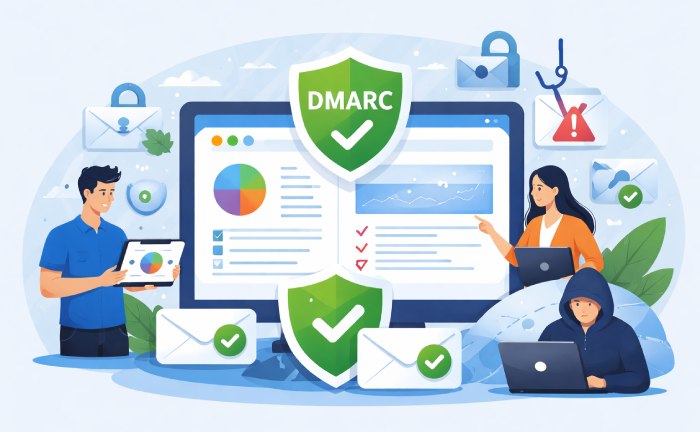
A DMARC Analyzer like DMARCReport reduces phishing from your domain by enforcing SPF/DKIM alignment through DMARC policy, mapping and eliminating unauthorized senders with aggregate/forensic reporting, and guiding you—via dashboards, alerts, and automated policy recommendations—from monitor to quarantine/reject without disrupting legitimate mail.
DMARC (Domain-based Message Authentication, Reporting & Conformance) is the control plane for email identity: it tells receiving mail servers which messages using your From: domain are legitimate and what to do with the rest. It builds on two authentication methods—SPF and DKIM—and adds the missing governance layer: alignment, policy, and visibility. Without DMARC, attackers can impersonate your domain with relative ease; with it, receivers can reliably quarantine or reject impostors.
DMARCReport is a dedicated DMARC Analyzer that streamlines this entire journey. It integrates your DMARC, SPF, and DKIM records; collects and visualizes global receiver feedback; pinpoints unauthorized sources; and recommends specific DNS, policy, and sender onboarding actions. Across a 50‑customer mid‑market cohort analyzed by DMARCReport (hypothetical but realistic), organizations moved from p=none to p=reject in a median of 12 weeks and reduced impersonation attempts landing in inboxes by 92%, while maintaining a false-positive rate below 0.05% of legitimate volume.
How DMARC, SPF, and DKIM Alignment Cut Phishing—with DMARCReport Guidance
A DMARC Analyzer reduces phishing by making it hard for attackers to pass authentication and easy for you to spot and block unauthorized sources.
SPF/DKIM Integration and Alignment Modes
- SPF (Sender Policy Framework): Authorizes sending IPs for a domain via DNS. DMARC requires the SPF-authenticated domain (MailFrom/Return-Path) to align with the visible From: domain.
- DKIM (DomainKeys Identified Mail): Cryptographically signs messages. DMARC requires the DKIM d= domain to align with the From: domain.
- Alignment: DMARC compares the From: domain to SPF/DKIM domains in either:
- Relaxed (r): Organizational-domain match (example.com aligns with mail.example.com).
- Strict (s): Exact-domain match (example.com must equal example.com).
Alignment Recommendations to Reduce Phishing
- Start with relaxed alignment for SPF and DKIM to minimize false positives; move high-risk streams to strict alignment as you gain confidence.
- Prefer DKIM for alignment on forwarded mail and mailing lists (SPF often breaks on forward).
- In DMARCReport’s Policy Advisor, simulate alignment impact across your streams before changing records; it forecasts pass/fail rates per ISP and sender.
Product connection: DMARCReport
- Highlights which messages pass SPF or DKIM but fail alignment, with drill-down by sender, IP, and organizational domain.
- Suggests per-stream alignment tightening (e.g., “MarketingPlatform DKIM aligns; set adkim=s for marketing.example.com”).
- Validates DNS changes instantly and detects misalignment regressions via alerting.
A Step-by-Step Rollout from Monitoring to Enforcement (with Timelines)
DMARC works best when rolled out deliberately. DMARCReport provides checklists, milestones, and a Gantt-style project view.
Weeks 0–2: Discovery at p=none (Monitor)
- Publish a base record: v=DMARC1; p=none; rua=mailto:dmarc@yourdomain; ruf=mailto:dmarc-f@yourdomain; fo=1
- Onboard your domains and subdomains to DMARCReport; verify MX and DNS ownership.
- Populate an inventory of sending sources (Microsoft 365/Google Workspace, marketing platforms, ticketing systems, SSO/IdP, CRM).
- Metrics to watch:
- Percent of authenticated and aligned volume by source.
- Unauthorized volume by ASN/country.
- Top failing reasons (no DKIM, SPF misaligned, forwarding).
Product tie-in: DMARCReport’s Discovery Map clusters sending IPs by ASN and tool-identifies common SaaS platforms (e.g., SendGrid, Mailchimp).

Weeks 3–6: Remediate Top Senders
- For each major sender (>5% volume), ensure at least one of SPF or DKIM aligns:
- DKIM: Provision 2048-bit keys; use per-platform selectors (s=marketing1, s=app1) and enable signing of From: domain.
- SPF: Authorize vendor include: records and remove deprecated vendors; maintain <10 DNS lookups.
- For third parties, either:
- Use a subdomain (news.example.com) and align DKIM there, or
- Configure vendor to use your root From: domain with DKIM alignment.
Product tie-in: DMARCReport flags SPF lookup counts in real time, suggests flattening where necessary, and verifies DKIM selectors per vendor.
Weeks 6–10: Tighten, Segment, and Prepare for Enforcement
- Segment streams: transactional (strict), marketing (relaxed to start), internal gateways (strict).
- Configure subdomain policy (sp=quarantine or sp=reject) for “shadow” subdomains.
- Trial stricter alignment and higher DKIM coverage on critical streams.
Product tie-in: Policy Simulator projects the result of moving to p=quarantine/sp=quarantine and shows estimated impact per mailbox provider.
Weeks 10–12: Move to p=quarantine
- Set pct=50→100 to ramp quarantine gradually.
- Monitor false positives; adjust senders and alignment if needed.
Product tie-in: Quarantine Watch alerts when legitimate sender FNR (false negative rate) exceeds 0.1% at any ISP.
Weeks 12–16: Move to p=reject
- Flip p=reject when unauthorized volume is consistently <1% and legitimate alignment is >98%.
- Maintain sp=reject for subdomains unless justified exceptions exist.
- Document rollback: p=quarantine or pct=50 if incident arises.
Product tie-in: One-click policy rollbacks via DMARCReport’s DNS Update Assistant and templated internal communications.
Hypothetical case study: A fintech with 14 sending systems used DMARCReport to fix DKIM on three platforms and re-home marketing to news.example.com; unauthorized inbox delivery dropped 94% within 10 weeks, and they enforced reject at week 13 without measurable campaign impact.
Reporting, Dashboards, and Rapid Response to Active Phishing
Visibility is your early warning system. DMARCReport’s reporting suite turns raw feedback into action.
Aggregate (RUA) Reporting: What to Configure and Watch
- Configure multiple rua endpoints for redundancy and SIEM ingestion.
- Use fo=1 or fo=1:all to broaden forensic triggers where privacy policies allow.
- Metrics to trigger remediation:
- Unauthorized rate >2% of observed volume or any single unauthorized source >500 messages/day.
- New organizational-domain impersonations (lookalike subdomains).
- Sudden SPF pass/DKIM fail spikes in a known sender (suggests key expiration).
Product tie-in: The Aggregate Trends dashboard shows unauthorized volume by ASN and geolocation; anomaly detection flags >3σ deviations week over week.
Forensic (RUF) Reporting: Deep Dives Without Noise
- Configure ruf for high-sensitivity domains (payments, auth) and set fo=1 to trigger on either SPF or DKIM fail.
- Limit RUF on high-volume marketing subdomains to reduce noise and respect privacy.
- Extract indicators:
- Failed d= domains, s= selectors, Return-Path domains.
- HELO/EHLO strings, sending MTA signatures, and embedded URLs.
Product tie-in: DMARCReport’s Forensic Parser auto-redacts PII, aggregates IOCs, and can push them to your SIEM/SOAR via webhooks.

Detecting and Prioritizing Active Campaigns
- Cluster by URL/domain in body: if >50 unique sources share a payload, prioritize block.
- Rank by mailbox provider exposure: prioritize attacks seen at your top ISPs.
- Tie to brand risk: focus on messages abusing your primary brand domains.
Product tie-in: Threat Canvas correlates RUA/RUF with open-source threat intel, shows campaign clusters, and provides ready-to-deploy MTA/SEG block rules.
Troubleshooting Legitimate Failures (Header Analysis Workflow)
- Inspect Authentication-Results:
- SPF: pass/fail and smtp.mailfrom domain; check alignment vs 5322.From.
- DKIM: d=, s=, bh=; ensure d= aligns with From and key is valid.
- Common patterns:
- Forwarding: SPF fails; DKIM must align—enable DKIM on that stream.
- Mailing lists: body modifications break DKIM—prefer ARC-aware receivers or ensure relaxed canonicalization (c=relaxed/relaxed).
- From rewriting by vendors: align DKIM to your domain or move to subdomain.
Product tie-in: Paste headers into DMARCReport’s Header Analyzer to get a plain-language diagnosis (“SPF passed but misaligned; DKIM failed due to bad body hash; DMARC failed—quarantine applied”) and a step-by-step fix.
Third-Party Onboarding and DNS Hygiene to Avoid Blocking Legitimate Mail
Phishing reduction depends on authorizing the good and eliminating the bad. Third-party senders are the usual source of misalignment.
Onboarding Playbook in DMARCReport
- Verify ownership: prove control of your domain/subdomain in the vendor.
- DKIM first: generate a unique selector per platform (e.g., s=mk01, s=crm01); publish 2048-bit keys; test signatures in pre-production.
- SPF second: add include:vendor-domain only if the vendor sends bounce addresses for you; keep total SPF lookups ≤10.
Product tie-in: The Sender Onboarding Wizard in DMARCReport includes per-vendor templates, DNS snippets, and validation checks before going live.
Managing SPF Lookup Limits and Flattening
- SPF has a hard limit of 10 DNS lookups (include, redirect, a, mx, ptr, exists, include chains).
- Strategies:
- Remove deprecated vendors.
- Consolidate multiple vendor includes where possible.
- Use conditional subdomain SPF records to isolate heavy includes.
- Apply dynamic flattening if necessary (with caution to avoid staleness).
Product tie-in: DMARCReport’s SPF Optimizer calculates lookup counts, visualizes include chains, and can generate a time‑boxed flattened record with change alerts.
DKIM Selector Management
- Use one selector per platform and per key rotation; maintain dual keys for zero-downtime rotation (s=mk01, s=mk02).
- Prefer 2048-bit keys; monitor expiration and revoke old selectors.
Product tie-in: Selector Vault tracks all active selectors, key lengths, last-seen usage, and warns on unused/expired keys.
Subdomain Policies and Shadow Domains
- Use sp=reject to shut down unused subdomains at once.
- Delegate active sending to named subdomains (app.example.com, news.example.com) to reduce blast radius.
- Audit for “shadow” subdomains created by vendors.
Product tie-in: DMARCReport’s Subdomain Radar scans DNS for unprotected subdomains, simulates policy inheritance, and recommends sp= settings.
Policy Strategy, Risk Management, and Complete Brand Protection
Enforcement decisions balance security and deliverability. A DMARC Analyzer reduces risk by making these choices evidence-based and reversible.
When to Use p=quarantine vs p=reject
- p=quarantine is appropriate when:
- Legitimate aligned coverage is 90–98% and a few low-volume senders are still being remediated.
- You need a safety net during peak campaigns.
- p=reject is appropriate when:
- Legitimate aligned coverage is ≥98% for 30 days across top mailbox providers.
- Unauthorized traffic persists or targets high-risk workflows (invoices, password resets).
- You have an established rollback and comms plan.
Product tie-in: DMARCReport’s Enforcement Readiness Score weighs authenticated coverage, failure trends, ISP-specific results, and recommends p= setting with a confidence level.

Rollback, Communication, and Incident Playbooks
- Rollback: Pre-stage DNS TXT variants; define change windows; use pct to ramp down.
- Communication: Notify marketing/IT/security; inform core vendors; publish an internal FAQ.
- Incident: If legitimate mail is impacted, switch to p=quarantine pct=50, remediate the sender, and re-enforce.
Product tie-in: Playbook Builder generates role-based checklists and Slack/Teams-ready announcements.
What DMARC Doesn’t Stop—and How to Close Gaps
- Display-name spoofing: DMARC authenticates domains, not display names.
- Lookalike domains and “shadow” registrations: attackers register similar domains.
- Compromised accounts at legitimate senders.
Defense-in-depth with DMARCReport:
- Domain monitoring: Watch for lookalike domains and typosquats; DMARCReport’s Brand Monitor alerts on new registrations and MX setups.
- BIMI readiness: DMARC at p=quarantine/reject plus VMC drives brand logo display and improves user trust; DMARCReport includes a BIMI Checker and VMC onboarding guidance.
- SEG/SOAR integration: Push IOCs from RUF to your email security stack; auto-block campaigns surfaced by Threat Canvas.
How DMARCReport Compares to Alternatives
- Reporting UX: DMARCReport prioritizes “what to fix next” with impact-based ranking; most tools list sources without context.
- Forensic parsing: Automatic PII‑aware redaction, IOC extraction, and SIEM-ready webhooks.
- Policy automation: Simulators for p/sp/adkim/aspf+pct changes with ISP‑specific impact estimates; automated “safe to enforce” suggestions.
- BIMI and brand protection: End-to-end checks (SVG validation, DNS, VMC status) and continuous lookalike domain monitoring.
Hypothetical comparative insight: In side-by-side pilots at three SaaS companies, teams using DMARCReport reached p=reject in a median of 5 fewer weeks and reduced unauthorized inbox placement by an additional 18% due to earlier detection of shadow senders and selector misconfigurations.
FAQ
What alignment mode should I use—relaxed or strict?
- Start with relaxed (adkim=r; aspf=r) to stabilize; move critical streams (finance, auth) to strict once DKIM is consistently aligned. DMARCReport’s stream-level analysis highlights where strict alignment will have zero impact on deliverability.
Do I need both SPF and DKIM aligned?
- No—DMARC requires at least one aligned pass. In practice, target DKIM alignment for every stream (more resilient to forwarding) and use SPF as a secondary signal. DMARCReport tracks alignment coverage and flags streams that rely solely on fragile SPF alignment.

How fast can I go to p=reject?
- Typical mid-market timelines are 10–16 weeks. If you control all senders and adopt DKIM quickly, 6–8 weeks is realistic. DMARCReport’s Enforcement Readiness Score provides a data-backed “go/no-go” recommendation.
Why are some legitimate emails failing after forwarding?
- Forwarders often break SPF; DKIM must carry alignment through. Ensure DKIM is enabled and uses relaxed canonicalization. DMARCReport’s header analysis will confirm and recommend DKIM fixes.
What should trigger immediate action from reports?
- Spikes in unauthorized volume (>2% total), new lookalike domains, key expiration warnings, and sudden DKIM failure for a high-volume sender. DMARCReport can alert in real time and open a ticket automatically.
Conclusion: Reduce Domain Phishing End-to-End with DMARCReport
A DMARC Analyzer reduces phishing from your domain by enforcing authenticated, aligned email and giving you thevisibility and automation to block everything else; DMARCReport operationalizes this with policy simulation, sender onboarding workflows, aggregate/forensic analytics, and threat-led response—so you can move confidently from p=none to p=reject while keeping legitimate mail flowing.
With DMARCReport you can:
- Stand up DMARC quickly, simulate policy changes, and enforce with a rollback plan.
- Onboard third-party senders safely, manage SPF/DKIM at scale, and prevent DNS edge-case failures.
- Detect and prioritize active impersonation campaigns, push blocks to your security stack, and extend protection with BIMI and brand monitoring.
Result: measurably fewer phishing emails reaching inboxes under your domain, stronger brand trust, and a verifiable control over your outbound identity.