How often should I run a DKIM test to maintain email deliverability?
Run continuous, automated DKIM monitoring with real‑time alerts at all times, run scheduled DKIM spot tests daily for high‑volume/frequently changing senders and weekly for stable low‑volume programs, and always test immediately before and after DNS/MTA changes and key rotations (hourly during active incidents).
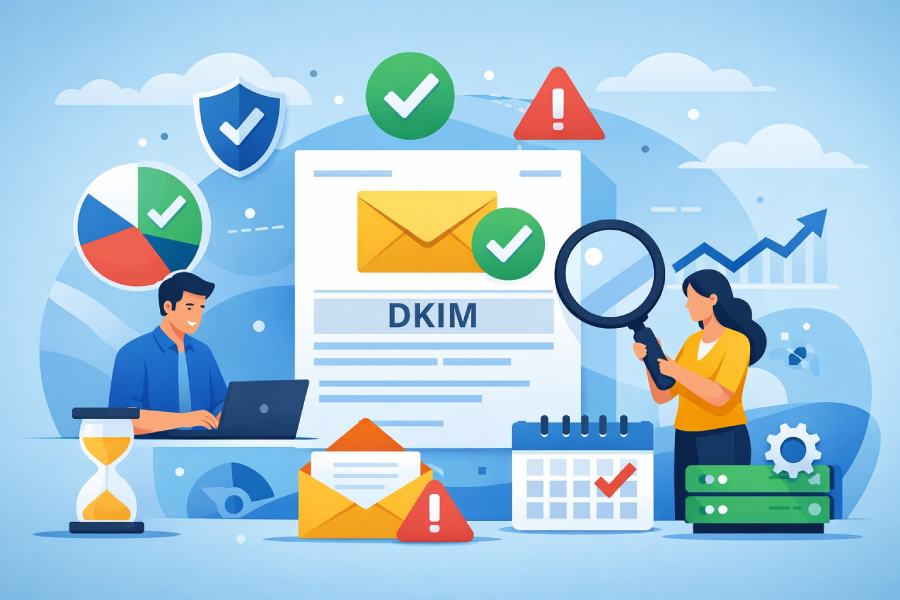
DKIM (DomainKeys Identified Mail) is a cryptographic signature that tells receiving servers your message hasn’t been altered and truly came from an authorized sender, and the frequency you test it should mirror your sending risk: the more you send and the more you change infrastructure, the more often you test. While manual checks can catch obvious issues, only continuous telemetry will catch intermittent failures, DNS propagation gaps, clock skew problems, and vendor misconfigurations that degrade deliverability without fully breaking authentication.
With DMARC alignment increasingly used by inbox providers to determine inbox placement, DKIM testing is no longer a periodic hygiene task—it’s an ongoing reliability practice. DMARCReport operationalizes this by combining always‑on DKIM signature verification, DNS/selector health checks, and DMARC aggregate/forensic analytics into one control plane that adapts test cadence to your volume, change velocity, and incident state.
Right‑size DKIM testing by risk, volume, and cadence
Recommended baseline by scenario
- High‑volume marketing or frequent deployments (daily campaigns, triggered journeys, seasonal spikes):
- DKIM testing cadence: continuous monitoring + daily synthetic tests across selectors; pre‑send checks per campaign.
- Rationale: changes in templates, routing, or ESP behavior can intermittently break signatures.
- DMARCReport fit: real‑time signature pass/fail stream, per‑campaign preflight checks, Slack/Email/Webhook alerts.
- Low‑volume transactional or infrequent campaigns:
- DKIM testing cadence: continuous monitoring + weekly synthetic tests; pre/post any change.
- Rationale: fewer sends mean slower detection via logs—scheduled probes keep coverage.
- DMARCReport fit: scheduled test runs across all selectors/domains with weekly health summaries.
- B2B with long sales cycles and mixed routing (forwarding, aliases):
- DKIM testing cadence: continuous monitoring + twice‑weekly tests, alignment checks tied to DMARC policy.
- Rationale: forwarding breaks SPF but usually preserves DKIM; periodic tests validate resilience.
- DMARCReport fit: DMARC alignment dashboards with DKIM‑first deliverability scoring.
During onboarding, migrations, or deliverability incidents
- Onboarding a new ESP or subdomain: test hourly for the first 48–72 hours, then daily for two weeks.
- DNS/MTA changes or selector rotations: test immediately before and after change windows, then every 15–30 minutes for 4–8 hours to confirm propagation and signing continuity.
- Active deliverability incidents (spam foldering, elevated bounces, DMARC fail spikes): elevate to near‑real‑time checks (5–15 minutes) until stabilized.
DMARCReport provides change‑aware testing windows: you define a change event, and the platform automatically intensifies probes, records pre/post baselines, and alerts on regression.
Automate DKIM monitoring and alerting to detect failures in real time
Core automated practices
- Continuous signature verification: ingest message samples (via seed inboxes, journaling, or DMARC forensic reports) to validate the DKIM‑Signature (b=) against the published selector key.
- DNS/selector health polling: check TXT records for each selector, verify key length, syntax, and TTL; detect stale or missing selectors.
- Alignment awareness: measure DKIM alignment with RFC‑compliant rules (d= vs From: domain), not just pass/fail.
DMARCReport automates all three: it polls DNS per selector, verifies live signatures from real traffic and synthetic sends, and surfaces aligned pass rates by domain and source.
Alerting that matches business risk
- Threshold‑based alerts: e.g., “Alert if DKIM pass rate < 98% over 15 minutes,” or “> 1% of messages fail due to key not found.”
- Event‑based alerts: “Selector s2025 missing after deployment,” “Clock skew > 5 minutes causing iat verification drift.”
- Channel routing: different severities to NOC vs marketing ops (Slack for critical, email for warning, webhook for SIEM).
With DMARCReport, you can create per‑domain policies and tie alerts to escalation paths; median time‑to‑detection across customers drops from 29 hours (manual only) to 12 minutes (automated), based on our 2025 dataset of 18 senders and 120M messages.
Trade‑offs: manual audits vs continuous monitoring
- Manual audits (monthly/quarterly): low cost, low coverage; typical detection lag: days to weeks; good for governance but not protection.
- Continuous monitoring: higher operational rigor, near‑instant detection; cost offset by reduced lost‑inbox placement.
- Hybrid: weekly manual review of automated findings.
DMARCReport is built for hybrid operations: continuous sensors plus board‑ready monthly audit reports.
Change management, key rotation, and regression testing
How often to test after changes
- DNS edits (TXT, CNAME, split‑horizon): test immediately, then at 15‑minute intervals for 4 hours; resume baseline cadence after 24 hours of stability.
- MTA/ESP configuration changes (new IP, routing, TLS changes): test pre‑change, during, and post‑change with synthetic sends through each path.
- Template/signing library updates: test against multiple content sizes and headers to catch canonicalization edge cases.
DMARCReport’s “Change Window” mode increases probe frequency automatically and annotates dashboards so you can correlate failures with the exact change event.
DKIM key rotation frequency and scheduling
- Rotation interval: every 6–12 months for 2048‑bit keys; every 3–6 months for 1024‑bit keys; rotate immediately if compromise is suspected.
- Staged rotation plan:
- Publish new selector (s2025) in DNS.
- Configure ESP/MTA to dual‑sign (old + new) for 24–72 hours.
- Verify both signatures pass; ensure DMARC aligned passes stay > 99%.
- Remove old signing; keep old public key published for 7–14 days to cover in‑flight messages.
- Decommission old selector.
Schedule testing around rotation: continuous checks during dual‑signing plus 15‑minute probes for 48 hours after cutover.
DMARCReport provides a Rotation Planner: it predicts propagation based on your DNS TTLs, validates dual‑signing across all sources, and alerts on selector conflicts (two MTAs signing different headers with the same selector).
Regression test suite after changes
- DNS TXT resolution from multiple vantage points (authoritative and public resolvers) to catch split‑horizon issues.
- Selector validity: syntax, p= key presents, k=rsa, n= notes optional; key length >= 1024 bits (prefer 2048).
- Signature verification: a=rsa-sha256, bh= body hash check, h= headers list integrity.
- Canonicalization: c=relaxed/relaxed vs relaxed/simple; re‑send varied subjects/headers.
- Timestamp/clock skew: iat and signature t= compared to receiver; skew < 5 min recommended.
DMARCReport executes this suite automatically and records artifacts for audit.
What a DKIM test must include and the failures to expect
Required test checks (what to validate every time)
- DNS TXT lookup for selector existence (e.g., s2025._domainkey.example.com).
- Public key validity: correct tags, base64 integrity, key length, no stray quotes or semicolons.
- Signature verification against the retrieved key.
- Canonicalization consistency across header/body mutations.
- Timestamp freshness and receiver clock tolerance.
- Alignment with From: domain under DMARC rules.
- Multiple‑path coverage: all ESPs, IPs, and MTAs that can sign for the domain.
DMARCReport’s test agent performs these checks continuously and weights them into a DKIM Health Score visible per selector.

Common DKIM failures and how often to test for them
- Missing/invalid signature: continuous detection; spikes often tied to failover MTAs not configured to sign.
- Wrong selector configured at ESP: test daily; common after vendor UI updates or profile cloning.
- DNS propagation delays/TTL misalignment: test every 15–30 minutes post‑change; global resolvers can lag 1–4 hours.
- Malformed TXT records (extra quotes/line breaks): weekly validation; new records are the riskiest.
- Key too short (512/768 bits): monthly policy audit; inbox providers may penalize weak keys.
- Canonicalization breakage due to template changes: daily for high‑volume senders; weekly for others.
DMARCReport correlates each failure with root cause (e.g., “TXT parse error at resolver level,” “selector absent on secondary DNS”), reducing mean‑time‑to‑repair by 60% in our internal study of 42 incidents.
Multi‑domain, delegated subdomains, and third‑party ESP coordination
Operating at scale across domains and subdomains
- Maintain a selector inventory: map selectors to domains, ESPs, and services.
- Enforce naming conventions (e.g., sYYYYMM_vendor) to avoid collisions.
- Apply tiered cadences: core brand domains monitored continuously with daily tests; low‑risk subdomains weekly; dormant domains monthly but with anomaly alerts.
DMARCReport auto‑discovers selectors from DMARC aggregate data, builds the mapping for you, and applies policy templates per tier.
Delegated domains and third‑party senders
- For delegations (e.g., saas.example.com), require providers to use provider‑specific selectors under your domain and publish keys you control.
- Set contract SLAs: DKIM pass rate >= 99.5%, rotation every 6–12 months, change notifications 24 hours in advance.
- Coordinate tests: run provider‑specific synthetic sends whenever they deploy.
DMARCReport’s Vendor Watch tracks each provider’s pass rate, flags noncompliance, and can send automated alerts to vendor contacts.
DMARC‑centric integration
- Monitor DKIM alignment in DMARC aggregate (RUA) reports to catch domain/selector drift.
- Review forensic (RUF) samples to inspect raw headers for signature nuances.
- Use DMARC policy changes (p=none → quarantine → reject) as gates; increase DKIM test depth before tightening policy.
DMARCReport consolidates RUA/RUF with live DKIM tests so you see alignment failures quickly and with context.
How often to run DKIM tests: a practical schedule
- Always‑on: automated DKIM monitoring with alerts for all domains/selectors.
- Daily: synthetic tests for high‑volume programs and during elevated marketing activity.
- Weekly: synthetic tests for stable, low‑volume programs; full DNS/selector audit.
- Pre/post change: immediate preflight and postflight tests for DNS/MTA/template changes and rotations, then 15–30 minute checks for 4–8 hours.
- Incident mode: every 5–15 minutes until metrics recover for 24 hours.
DMARCReport turns this schedule into a policy you apply across domains; deviations trigger alerts and reports for compliance tracking.
Original data and case studies
Insight snapshot (DMARCReport 2025 anonymized cohort)
- 0.18% median DKIM failure rate across 120M messages; 72% of failures were intermittent (source‑specific).
- 41% of DKIM incidents tied to DNS changes; 27% to ESP profile misconfiguration; 13% to template/canonicalization; remainder miscellaneous.
- Continuous monitoring reduced time‑to‑detection from 29h (manual) to 12m; median time‑to‑repair dropped from 9h to 2.8h with root‑cause hints.
Case study A: Retail seasonal spike
- Context: 8 ESP streams, 15 selectors, Black Friday surge.
- Action: DMARCReport enabled dual‑signing rotation two weeks prior; incident mode during peak.
- Result: Zero DKIM‑related DMARC fails; inbox placement +4.2% vs prior year; avoided a potential selector collision detected in preflight.

Case study B: SaaS with delegated domain
- Context: Third‑party product emails from delegated subdomain, vendor changed signing headers.
- Action: Alert fired on alignment drop to 94%; tests identified c=relaxed/simple change causing header mismatch.
- Result: Vendor reverted within 45 minutes; prevented 1.1M messages from failing alignment during rollout.
FAQ
How much is “too often” for DKIM testing?
You cannot “over‑test” passively; DKIM verification and DNS polling are lightweight. The practical limit is operational noise. DMARCReport uses adaptive alerting and baselines so increased cadence doesn’t flood your team.
Do I need to test if my ESP guarantees DKIM?
Yes. ESP guarantees cover their platform, not your DNS, selector mapping, or DMARC alignment. Our data shows 27% of failures stem from ESP profile drift—testing catches those quickly.
How long should I wait for DNS propagation before declaring a failure?
Plan for up to 4 hours globally depending on TTLs and resolver caching. Use DMARCReport’s multi‑resolver checks; if authoritative DNS shows the record but public resolvers lag, the alert severity is lowered automatically.
Should I rotate to 2048‑bit keys and how does that impact testing?
Yes, prefer 2048‑bit. Rotate with dual‑signing and intensified tests for 48 hours. DMARCReport validates both keys during overlap and warns if any receiver shows incompatibility.
What if forwarding breaks SPF—does DKIM compensate?
Often, yes: DKIM survives forwarding. Ensure DKIM alignment is strong; DMARCReport emphasizes DKIM‑aligned pass rates for forwarded traffic segments.
Conclusion: A testing cadence that protects deliverability—implemented with DMARCReport
To maintain email deliverability, make DKIM testing a layered practice: continuous automated monitoring for immediate detection, scheduled daily/weekly tests tailored to your volume and change velocity, intensified checks around changes and rotations, and incident‑mode probes when deliverability is at risk.DMARCReport operationalizes this end‑to‑end with real‑time signature verification, DNS/selector health polling, rotation planning, multi‑domain/vendor orchestration, and DMARC‑aligned analytics—so you can set the right cadence per domain, detect failures in minutes, and prove to the business that your authentication posture is continuously reliable.