Types of Phishing Domains Every Security Team Should Blacklist
Phishing isn’t a distant risk anymore — it’s a daily reality for enterprises, governments, small businesses, and individual users alike. Scammers have become shockingly good at blending into legitimate digital communication, with phishing URLs and look-alike domains that trick even cautious users. That’s why an effective email security strategy must include blacklisting malicious domains and protecting your brand’s digital identity at every turn.
While protocols like DMARC, SPF, and DKIM go a long way toward authenticating legitimate email traffic, they don’t automatically block every type of phishing attack. In fact, attackers often create domains that look trustworthy and technically satisfy authentication checks unless you explicitly secure or block them.
In this guide, we’ll break down the top categories of phishing domains you should be monitoring, blocking, and — when possible — proactively claiming outright. Blacklisting these threats helps reduce risk exposure and protect both your brand reputation and user community.
Why Blacklist Phishing Domains At All?
Before we dive into specific domain types, let’s clarify why blacklisting matters in the first place.
Email authentication protocols such as DMARC are incredibly powerful for preventing spoofed email (where attackers directly forge messages as if they came from your domain). But they’re not a silver bullet against every malicious domain:
- Attackers can register look-alike domains that are not your domain and that have their own valid authentication records. DMARC doesn’t block these by default.
- Many phishing URLs now use HTTPS and SSL, making them appear secure in browsers and fool users.
- Some malicious domains are hosted on dynamic, fast-changing infrastructure that evades detection.
That’s where blacklists, threat-intelligence feeds, and governance policies come in. Listing known phishing domains in your email gateways, firewalls, and DNS filters can stop malicious traffic before it ever reaches a user’s inbox or browser.
1️⃣ Namespace Collision and Active Directory Risk Domains
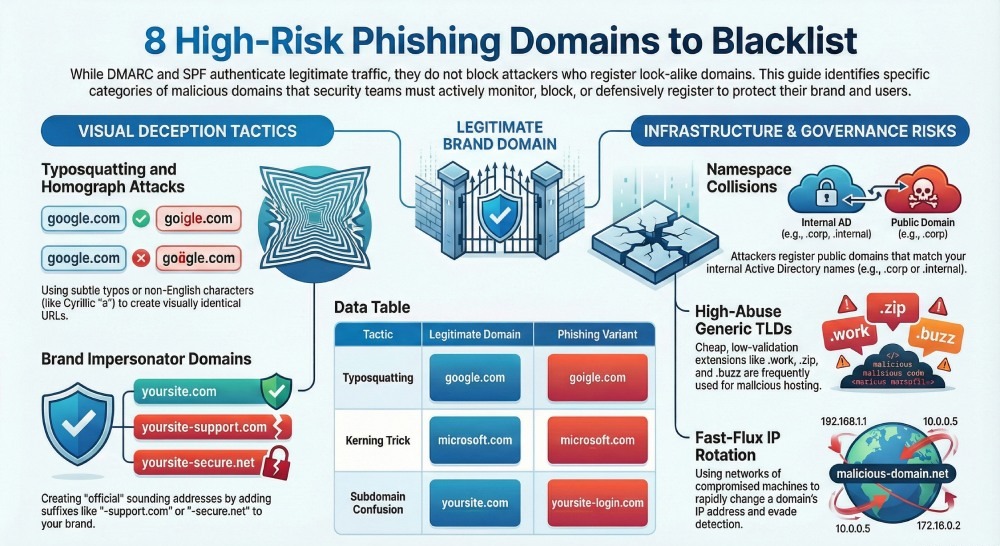
One of the trickiest scenarios involves namespace collisions — where internal domain names conflict with publicly registered internet domains.
Organizations often use short, internal domain names in Active Directory (like corp, mail, or internal). If those names aren’t registered on the public internet, attackers can register them and launch phishing campaigns that look highly credible.
Why this matters
- Phishing domains that mimic your internal namespace look legitimate to employees because they resemble familiar internal systems.
- If your systems are reachable over VPN or external access, phishing on such domains can directly harvest credentials or install malware.
Actionable steps:
- Audit your internal namespace and register the corresponding public domains.
- Blacklist or explicitly block any public domain that matches unsafe internal namespaces.
This kind of proactive domain governance drastically reduces a blind spot that phishing actors love exploiting.
2️⃣ Typosquatting Domains (and Homograph Attacks)
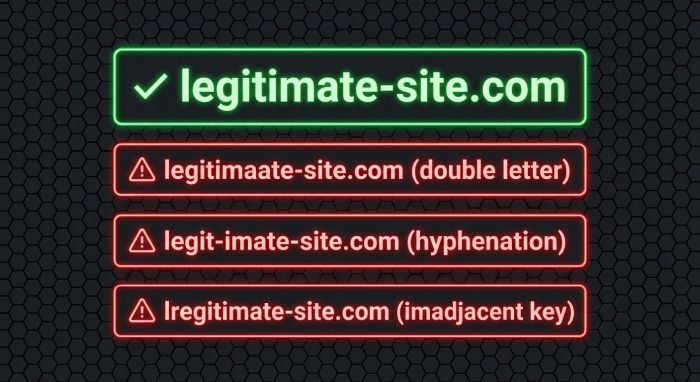
Typosquatting is one of the oldest — but still highly effective — ways attackers lure victims. This technique involves creating domain names that are almost identical to a legitimate domain, banking on human error during typing or reading.
How typosquatting works
Here are classic examples:
- Simple typos: goigle.com instead of google.com
- Letter variations: Additional or missing letters — microosft.com
- Hyphenation tricks: face-book.com instead of facebook.com
- Kerning tricks: Using characters like “rn” that look like “m” at small sizes
- Subdomain confusion: login.yoursite.com vs. yoursite-login.com
Attackers often register hundreds of variations of a popular brand to capture clicks from even the smallest user mistake.
Mitigation: blacklist or own them
- Automate a scan of all logical typos for your major domains.
- If you find a registered typo domain, add it to your blacklist.
- Even better: purchase and park these domains and enforce strict DMARC policies on them.
Scanning and owning typo variations is a simple but powerful defensive layer.
3️⃣ Registrar Hijack and Domain Clone Attacks
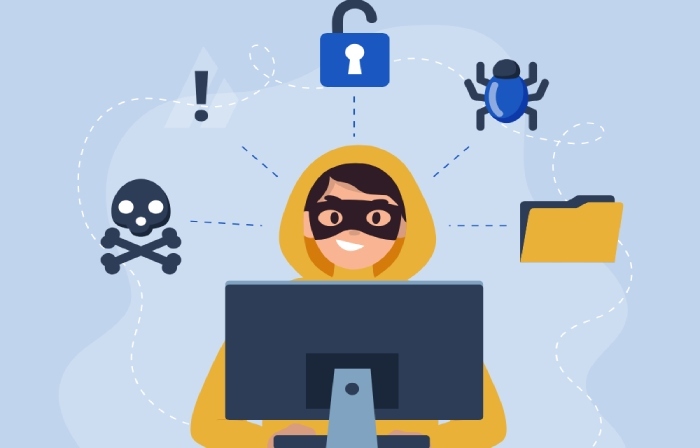
In some phishing campaigns, attackers don’t just register new domains — they steal or manipulate existing ones.
This happens when a domain registrar is compromised or authentication credentials are phished from an admin. The attacker then:
- Redirects the domain to malicious hosting
- Clones the site look & feel to harvest credentials
- Sends spear-phishing emails from the legitimate domain
These attacks can be harder to blacklist because the attacker controls what looks like a legitimate domain.
Key insights from real world attacks:
- In past incidents, attackers hijacked registrar accounts and then sent phishing emails that appeared entirely genuine.
- Domains like this may not look suspicious at all to casual detection tools.
What you can do:
- Monitor domain transfer and registrar security logs.
- Set up domain locking or registry-level protections.
- Blacklist suspicious cloned variants (e.g., visually similar subdomains or paths).
4️⃣ Suspicious Generic Top-Level Domains (gTLDs)
As the pool of available .com and .net names shrinks, attackers have more and more options with new or less common gTLDs.
Examples include:
- .work, .fit, .buzz, .rest, .cn, .ml, .cf
- Newer extensions like .zip, .mov — which can appear like file names in URLs (a known risk).
These domains are often cheap and require minimal validation, making them ideal for phishing campaigns.
Why blacklist by gTLD?
- Some gTLDs are disproportionately abused in phishing and scam campaigns.
- Phishing domains using your brand name under these gTLDs can still look convincing (e.g., yourbrand.work).
Best practice:
- Maintain a dynamic list of high-risk gTLDs.
- Block or scrutinize emails and links originating from domains that use them.
- Use threat intel feeds to keep these lists up to date.
5️⃣ Fast-Flux and Rotating Phishing Domains
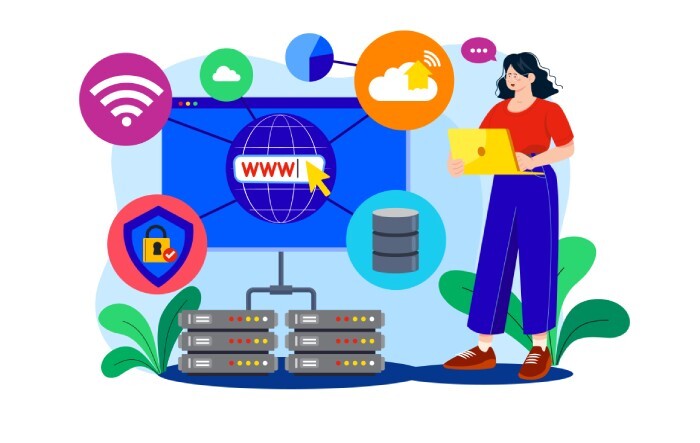
Some phishing setups use a DNS technique called fast flux — where the domain’s IP address rapidly changes via a network of compromised machines.
Attackers use this to:
- Evade detection and takedown
- Spread hosting across global proxies
- Maintain uptime as individual nodes are blocked
Fast-flux networks are a hallmark of persistent phishing and malware infrastructure rather than single-domain tricks.
Security tip:
Rather than blacklisting individual domains, monitor for patterns of rapidly changing DNS records and anomalous lookup behavior — and then block at the network or DNS layer.
6️⃣ Brand Impersonators and Lookalike Domains
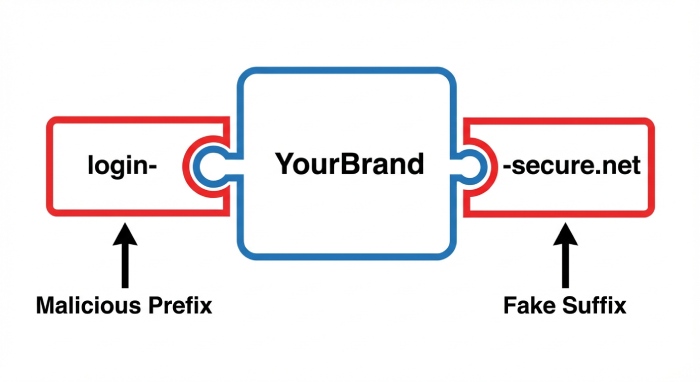
These are domains that don’t necessarily contain typos or malicious content but are engineered to look like they belong to a real company.
Examples include:
- yourbrand-support.com
- yourbrand-secure.net
- login-yourbrand.org
Attackers often pair them with believable login pages or credential capture forms.
Even if they’re not technically sending emails from your domain, they damage trust and steal credentials.
What to do
- Use monitoring tools to detect newly registered lookalike domains.
- Add confirmed malicious domains to your blacklist.
- Consider proactive registration of defensive domains and enforce DMARC on them.
7️⃣ Internationalized Domain Name (IDN) Homograph Attacks
A more subtle phishing trick involves international characters that look like real ones — for example, using the Cyrillic “а” instead of the English “a”.
The result? A domain that looks identical to the eye but routes to a phishing site.
These homograph attacks are especially effective against mobile users or those viewing domains in tiny UI elements.
Defense approach:
- Block or flag any domain with mixed character sets from suspicious sources.
- Use advanced parsing tools that normalize domain names before display.
- Educate users to hover and verify domains before interacting.
8️⃣ Automated Phishing Blocklists and Intelligence Feeds
Finally, blacklisting isn’t something you do manually once and forget. Phishing domains change by the minute.
There are curated blocklists and community-driven resources (like PhishDestroy’s blacklist) that automatically track newly malicious domains.
Integrating these feeds into your secure email gateways, firewalls, and DNS filters ensures that you’re not only blocking domains you know about — but also domains that the wider security community has already flagged.
Conclusion: Blacklisting Is Essential — But Not Enough Alone
Blacklisting phishing domains is a critical layer of your defense strategy — but it should be combined with:
✔ Strict DMARC enforcement
✔ Domain monitoring & brand protection
✔ Employee phishing awareness training
✔ Threat intelligence integration
As phishing attackers evolve tactics — including lookalikes, registrar hijacks, and fast-flux networks — a proactive posture that includes both blacklisting and authentication safeguards like DMARC is the modern standard.