550 From Address Violates UsernameCaseMapped Policy: What It Really Means (And How to Fix It Fast)


You send an email expecting it to reach the recipient without any problems. Your domain authentication is set up correctly. The content looks normal. There are no clear mistakes, and everything seems fine from your side. But instead of being delivered, the email returns a hard bounce message: 550 From address violates UsernameCaseMapped policy.
This error can be confusing at first. The email address looks correct. SPF, DKIM, and DMARC are not failing. So why was the message rejected?
In many situations, the problem is something very small, such as the capitalization of the sender’s email address. Today, email providers follow strict identity rules. Even a small formatting difference can cause the receiving server to block the message.
To understand this better, we need to see how mail servers verify sender identity.
What does “550 From Address Violates UsernameCaseMapped Policy” mean?
The “550” status code means that the receiving mail server has permanently rejected your email. Since it’s not a temporary delay, the message will not be delivered unless you fix the problem and resend it.
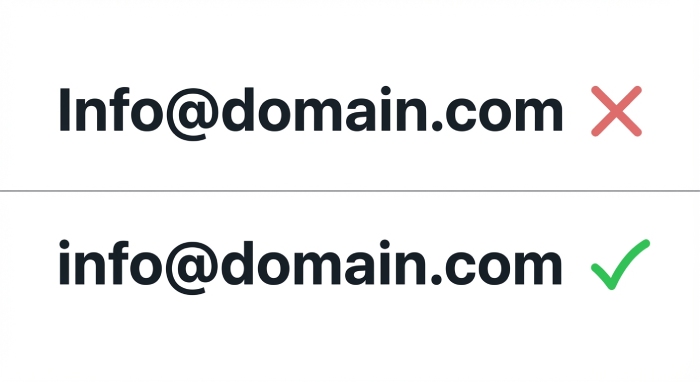
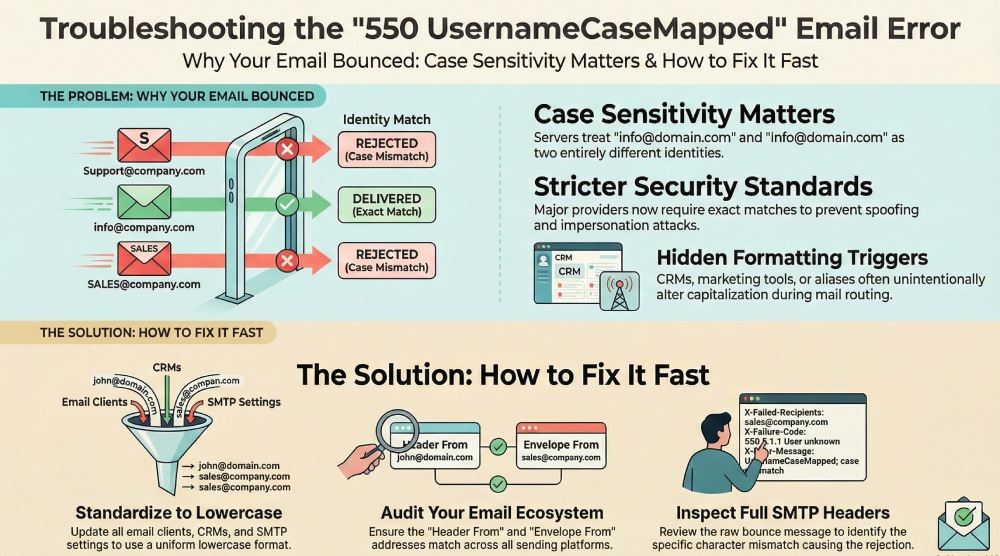
The rest of the error message explains what went wrong. It says the sender’s address does not conform to the server’s username case-mapping policy. This rule applies to the username part of the email address, which is the portion before the @ symbol. For example, info@domain.com and Info@domain.com.
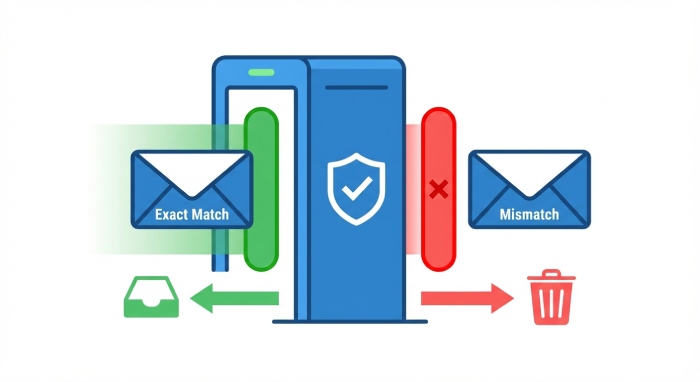
To most people, these two addresses look the same. However, some mail servers treat them as different because of the capital letter. If the address you send does not exactly match the format the receiving server has on record, the server may reject the email instead of trying to correct it automatically.
Why are mail servers becoming more strict?
The “username case-mapped” error has become more common in recent years because email security standards have tightened significantly. In the past, small inconsistencies in an email address, such as a capital letter in the username, were often ignored. Many receiving servers would either correct minor formatting differences automatically or allow the message to pass through without strict checks.
That approach has changed.
Large mailbox providers such as Google and Yahoo now apply stricter identity validation rules. Their systems are designed to verify the sender’s exact identity before accepting a message. This includes checking whether the sender’s email address matches the expected format precisely.
The main reason behind this shift is the rise in phishing, spoofing, and impersonation attacks. Cybercriminals often exploit small differences in formatting to make malicious emails appear legitimate. Even subtle variations in capitalization can be used to trick recipients or bypass automated filters.
As a result, receiving servers no longer rely on assumptions. They require exact matches to prevent any ambiguity in sender identity. In platforms such as Google Workspace, these checks are even more detailed, as identity consistency is critical to maintaining account integrity.
Today, even something as minor as a capital letter in the wrong place can cause an email to be rejected.
What triggers the “550 From Address Violates UsernameCaseMapped Policy” error?
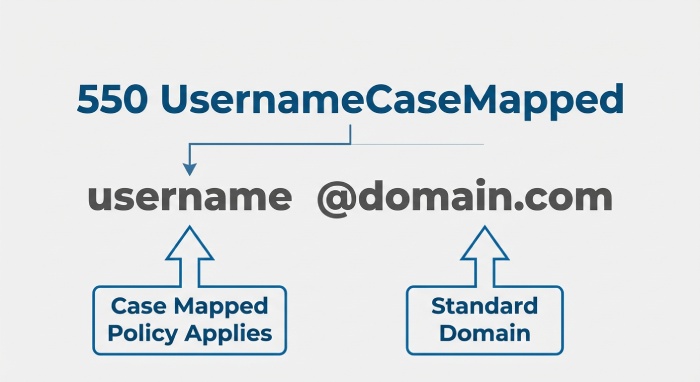
The “550 From address violates UsernameCaseMapped policy” error is not caused by a failure in SPF, DKIM, or DMARC. Your authentication records may be correctly configured, and your domain may be fully compliant. This issue is primarily related to formatting and identity consistency.
In simple terms, the receiving server is unable to match the sender’s email address exactly as it expects. That mismatch can occur either on the sender’s side or due to strict enforcement rules on the receiver’s side.
Sender-side causes
In most situations, the issue begins with the sender. Even small formatting differences can trigger a rejection. Common causes include the use of capital letters in the From address, especially if the mailbox is stored in lowercase format. Some CRM platforms or marketing tools may automatically adjust the way the sender name or email address appears.
Aliases such as marketing@, support@, or sales@ can also introduce inconsistencies if they forward to another mailbox and alter the address formatting during routing. In some cases, there may be minor typos, extra characters, or a mismatch between the login email address and the visible From header.
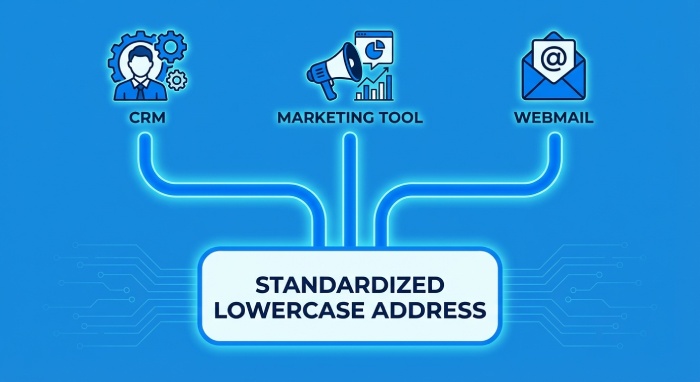
Although these differences appear minor, strict mail servers treat them as identity mismatches.
Receiver-side enforcement
On the receiving end, some mail servers store all usernames in lowercase and expect incoming messages to match that format exactly. If their system recognizes info@domain.com but receives Info@domain.com instead, the identity check may fail.
Rather than attempting to correct or interpret the variation, the server rejects the message to avoid ambiguity about the sender’s identity.
How to fix the “550 UsernameCaseMapped” error
Resolving the “550 From address violates UsernameCaseMapped policy” error requires careful review of how your sender address is configured across your email infrastructure. Since this issue is related to formatting and identity consistency, even small differences must be corrected. Below is a practical and structured approach to fixing the problem.
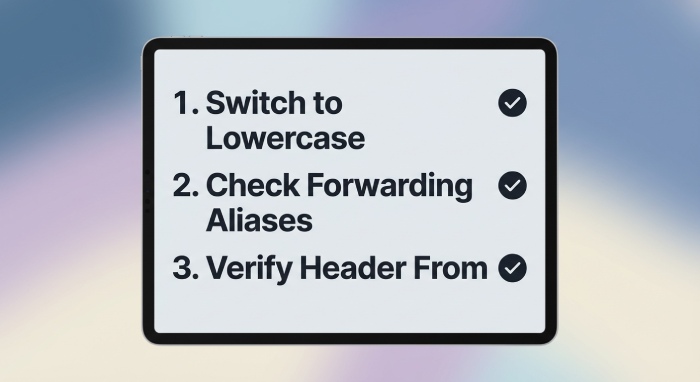
1. Standardize your “From” address
The first and most important step is to standardize your sender email address. In most environments, the safest practice is to use lowercase formatting for the entire email address. While email standards technically allow case sensitivity in certain parts, many receiving servers expect a normalized lowercase format.
Make sure the sender address is consistent everywhere it is configured. This includes your email client, marketing platforms, CRM systems, helpdesk tools, and any SMTP configurations. The login email address and the visible From header should match exactly. If even one system sends the address with a capital letter while another uses lowercase, it can trigger a rejection.
2. Review aliases and forwarding rules
If your organization uses aliases such as marketing@, support@, or sales@, review how these addresses are configured. Confirm that the visible From address matches the primary mailbox exactly.
Check that no automation rules or system settings are modifying capitalization during forwarding. In some setups, forwarding can unintentionally rewrite header details, including the sender’s address format.
A practical way to test this is to send an email to a controlled mailbox and review the full email headers. This allows you to see exactly how the sender address appears after processing.
3. Strengthen authentication

Although this error is not directly caused by SPF, DKIM, or DMARC failures, strong authentication improves overall trust. Receiving servers are generally less tolerant when authentication is weak.
Ensure that your SPF record includes all legitimate sending sources. Confirm that DKIM is properly signing outgoing messages. Verify that your DMARC policy is correctly aligned and enforced. A fully authenticated domain reduces the likelihood of additional delivery complications.
4. Examine the complete bounce message
Avoid relying only on simplified bounce notifications. Review the full SMTP rejection message to identify the precise mismatch. Pay attention to the sending IP address, the Envelope From address, and the Header From address. Comparing these details often reveals the exact formatting difference that caused the rejection.
Careful technical review typically makes the root cause clear and allows you to correct it confidently.
Is this going to become more common?
Yes, this type of error is likely to become more common in the coming years. Email infrastructure is steadily moving toward stricter identity verification and tighter enforcement policies. Mailbox providers are under constant pressure to reduce phishing, spoofing, and impersonation attacks. As a result, they are designing systems that rely on exact identity matching rather than assumptions.
In the past, small formatting differences in email addresses were often ignored. Today, those same differences can be treated as potential security risks. Normalization practices, including strict lowercase matching, are becoming standard across many receiving servers.
If your organization uses multiple tools to send emails, such as CRMs, marketing automation platforms, support systems, and transactional email services, the risk increases. Each system may format the sender address slightly differently. Without proactive standardization, these inconsistencies can lead to unexpected delivery failures.
Final thoughts
The “550 From address violates UsernameCaseMapped policy” error may appear minor at first glance, but it highlights a broader shift in how email security is enforced. Modern mail servers prioritize identity accuracy and consistency. Even small discrepancies, such as differences in capitalization, can lead to permanent rejection.
To prevent these issues, it is important to standardize your sender addresses across all platforms. Conduct regular audits of your email-sending tools and verify that every system uses the exact same formatting. Review aliases, forwarding rules, and header configurations carefully.
Email deliverability is no longer only about authentication records. It also depends on strict identity alignment. Paying attention to these details today will help you avoid unnecessary disruptions and protect your sender reputation in the long term.