How to Check a Link for Phishing — by DMARCReport
Phishing attacks are one of the most pervasive and effective online threats today — whether you’re an individual, a small business, or a global enterprise. Attackers craft convincing emails, messages, and links that disguise malicious intent under a veneer of legitimacy. Their objective is simple: get you to click a link, open a file, or submit sensitive information — and once they succeed, the fallout can be devastating.
At DMARCReport, we’re committed to helping you stay one step ahead of cybercriminals. In this guide, we’ll walk you through everything you need to know about inspecting, validating, and safely checking links for phishing — without ever clicking on them. By following the methods below, you’ll dramatically reduce the risk of falling victim to scams, identity theft, or malware infections.
Understanding the Danger: What Is Phishing?
Phishing is a type of social engineering attack where an attacker tricks a victim into clicking a link that leads to a malicious website or action. These sites might:
- Steal account credentials (e.g., email login, banking details)
- Infect devices with malware or ransomware
- Harvest personal information for financial fraud
Phishing usually begins with a deceptive message — often via email — that appears legitimate, urgent, or enticing. Attackers borrow real brands, mimic official communications, and use psychological triggers like fear or curiosity to get clicks.
Why You Should NeverClick a Suspicious Link First
Clicking a link when you’re unsure of its safety is like stepping into a dark alley with no idea what’s waiting at the other end. In some cases:
- Links can trigger downloads of malware
- You may unintentionally share login credentials
- Your device or network could become infected before you see anything happen
Instead of guessing, we always recommend checking a link’s safety before interacting with it. The steps below outline how to do this reliably and securely.
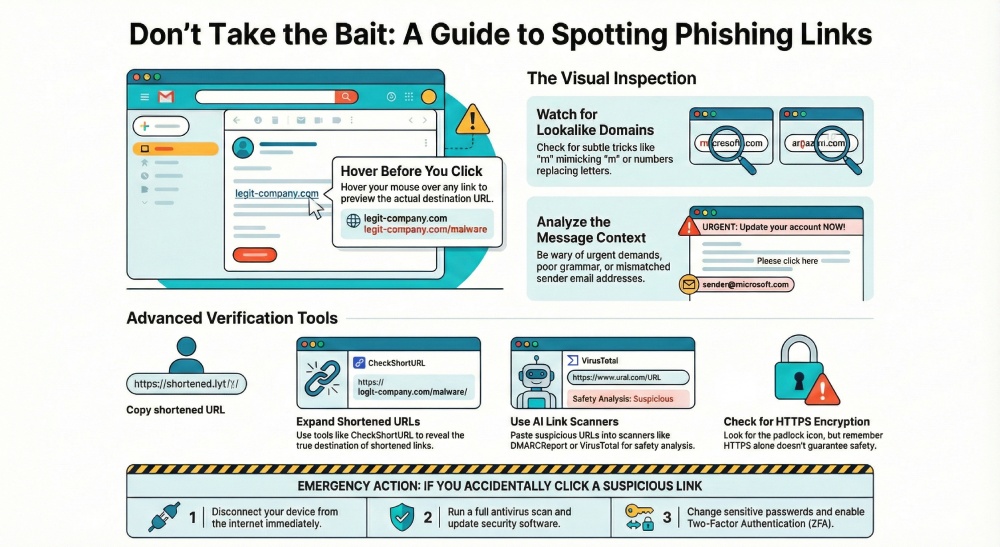
1. Hover Over the Link to Preview the Destination
The first and simplest step is to hover your mouse over the link (or long-press on mobile) to preview its destination. Most email clients and browsers show the real link URL at the bottom of the window when you do this.
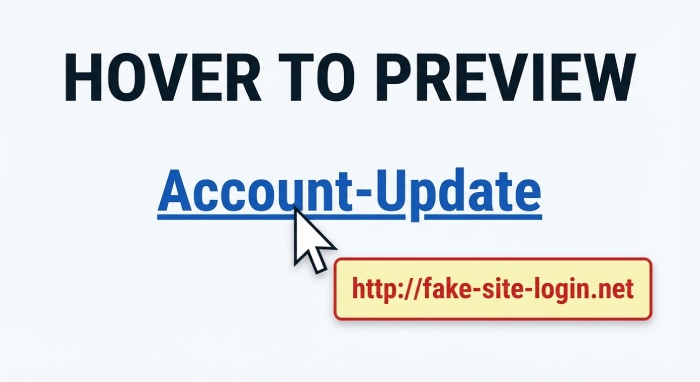
Ask yourself:
- Does the URL match the brand or domain it claims to be from?
- Is it spelled correctly — or are there subtle misspellings?
- Does it look unusual or overly long?
If anything looks “off”, don’t click it.
2. Be Suspicious of Shortened URLs
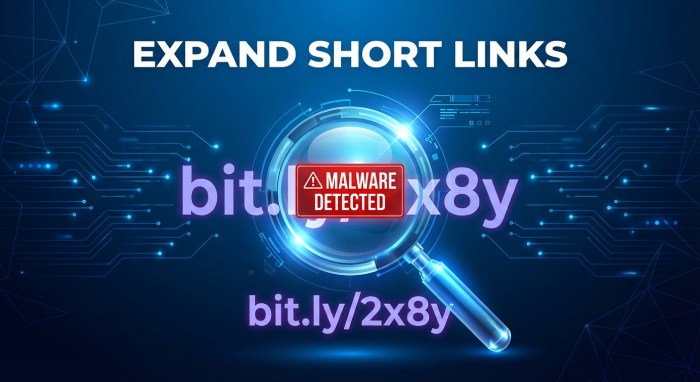
URL shorteners like bit.ly or tinyurl.com are often used to save space. Unfortunately, attackers exploit this feature to hide the real destination of a link. When you see something like bit.ly/abc123, you have no idea where it really goes without expanding it first.
To expose hidden URLs:
- Use an online URL expander such as CheckShortURL or other preview tools
- Install a browser extension that expands shortened links before clicking
These services reveal the destination so you can examine the URL before any action is taken.
3. Inspect for Glyphs and Foreign Characters
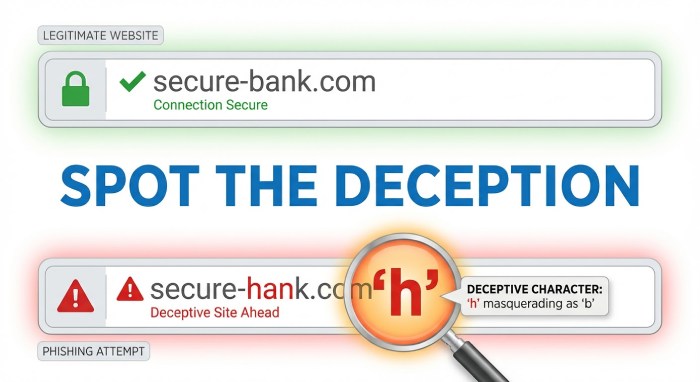
Cybercriminals often register lookalike domains that visually resemble real ones. For example:
- “rn” can appear like “m”
- Cyrillic letters can masquerade as Latin letters
- Numbers can substitute for letters (e.g., 0 instead of O)
These visual tricks fool the human eye but reveal malicious intent once you look closer. Tools that decode or normalize URLs can help uncover these tricks before you click.
4. Check the Sender and the Context
Phishing usually starts with a message that contains a malicious link, so the message source matters a lot:
- Does the message come from a known email address?
- Is the sender name different from the email domain?
- Does the message ask you to take urgent action without explanation?
For example, you might see something like:
“Your bank account will be closed unless you update your details now.”
If anything feels premature or unexpected — pause. If it’s claiming to be from a legitimate organization, go directly to their official website (by typing the URL yourself) and log in normally. Don’t use the link in the message.
5. Use a Link Scanner Before Clicking
A link scanner is one of the safest and most reliable ways to check a URL without visiting it.
✅ DMARCReport Phishing URL Checker
We provide an AI-powered link scanning tool that can analyze URLs for signs of phishing or malware. Here’s how it works:
- Paste the URL (or text containing multiple links) into the tool
- Submit it
- The tool checks the links against a database of known bad websites and analyzes suspicious patterns
It then reports whether each link is “Safe” or “Suspicious.” This method prevents you from ever visiting the web address itself — a critical safety measure.
🛡️ Our tool supports scanning multiple URLs at once and helps you identify malicious links quickly and reliably.
6. Verify the Link with Multiple Tools
For even greater assurance, use more than one tool:
- VirusTotal
URLVoid - Other reputable link inspection services
These tools scan URLs against various threat databases, improving your confidence in safety assessments.
7. Check for HTTPS and SSL Security
Secure websites use HTTPS, which encrypts the data between you and the site. While HTTPS alone does not guarantee safety (attackers can also buy SSL certificates), the absence of HTTPS is a strong red flag.
Look for:
- The padlock icon in your browser
- URLs starting with https://
If a site doesn’t use HTTPS, proceed with extreme caution or avoid it entirely.
8. Watch Out for Grammar Errors and Odd Formatting
Phishing emails often contain:
- Typos or bad grammar
- Incorrect spacing
- Awkward sentence structure
Professional organizations usually send polished, error-free communications. If you’re seeing mistakes, that’s another reason to treat the link as suspicious.
9. Use Antivirus Software with Link Protection
Many modern antivirus and security suites include real-time link scanning features. These tools scan URLs in your emails and browsers before you click them and can block dangerous content automatically.
Make sure:
- Your antivirus is up to date
- Real-time protection is enabled
Keeping your security tools current helps you catch threats that might not yet be in publicly known databases.
10. What To Do If You Click a Phishing Link
No one is perfect — sometimes even trained users slip. If that happens:
- Disconnect from the internet immediately
- Run a full antivirus and malware scan
- Change your passwords (especially for any sensitive accounts)
- Enable two-factor authentication (2FA) wherever possible
- Monitor your accounts for suspicious activity
If financial or personal info was submitted, contact the relevant institutions right away.
Final Thoughts: Vigilance Is Your Best Defense
Phishing attacks are evolving and more convincing than ever. Attackers use social engineering, impersonation, and psychological pressure to trick even savvy users. But with a systematic approach to checking links — including visual inspection, link scanners, and security tools — you can stay safe.
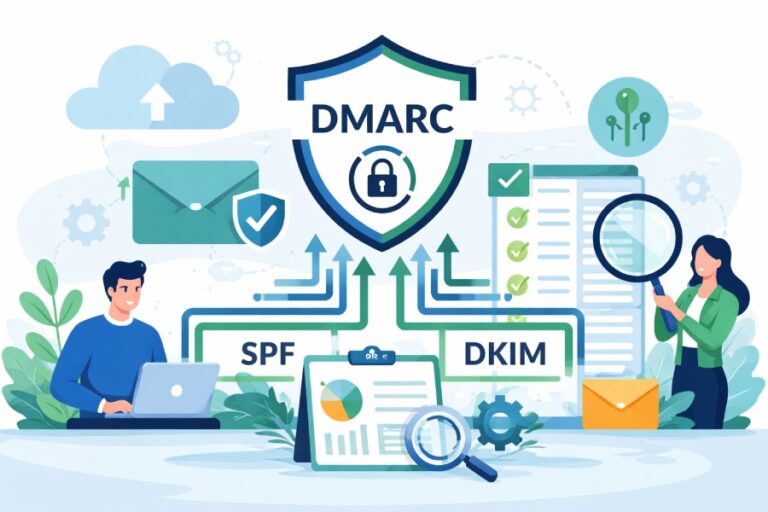
At DMARCReport, our mission is to help you understand and protect yourself from online threats using SPF, DKIM, and DMARC. Always remember:
- Never click a link blind.
- Always inspect before you interact.
- Use trusted tools to evaluate URLs securely.
Taking a few extra seconds to check a link might just save you from hours of stress and financial loss. Stay informed. Stay cautious. Stay safe.