Is Gmail HIPAA-compliant?


Handling patient data comes with serious responsibility. Under HIPAA, any information that can identify a patient must be protected at all times. This includes details like names, medical history, prescriptions, and insurance records. For businesses in healthcare and related industries, keeping this data secure is not optional. It is a basic requirement.
Email, however, is one of the most common weak points. It was never designed for sharing sensitive information. Messages can be misdirected, accessed by the wrong person, or exposed through phishing and stolen login details. These risks are not just theoretical. Healthcare data breaches continue to grow each year, often caused by simple mistakes or poor security practices.
That is why companies that rely on email for communication need to be extra cautious. Whether you are a healthcare provider, SaaS platform, or insurance company, you must understand how your email system handles sensitive data. In this blog, we will take a closer look at Gmail and its role in HIPAA compliance. You will learn what makes email secure, where Gmail stands, and the steps needed to use it safely to handle patient information.
Email security standards expected by HIPAA
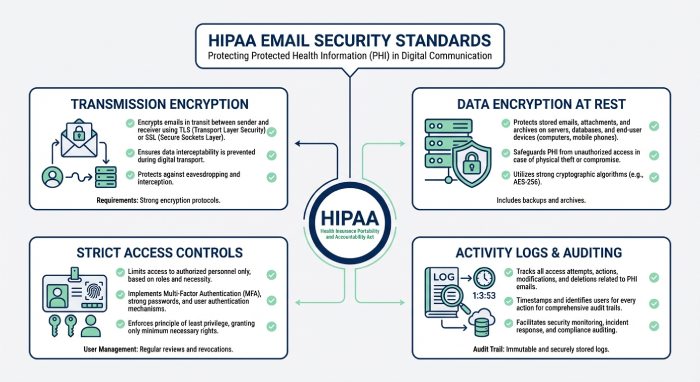
When your organization uses email to handle patient data, HIPAA requires you to follow certain security practices. These rules are designed to reduce the risk of data exposure and ensure that sensitive information stays protected at all times.
Protect emails during transmission
Any email containing patient information should be encrypted while in transit. Most email systems use TLS to secure the connection between servers. This helps prevent interception during delivery. However, TLS only works if both sending and receiving servers support it. If the recipient’s server does not support TLS, the email may be delivered without encryption. This is why relying only on basic email security is not enough.
Protect emails at rest
Once an email is delivered, the data must remain secure while it is stored. This includes inboxes, archived emails, backups, and cloud storage. Encryption at rest ensures that even if someone gains unauthorized access to the system, they cannot easily read the data.
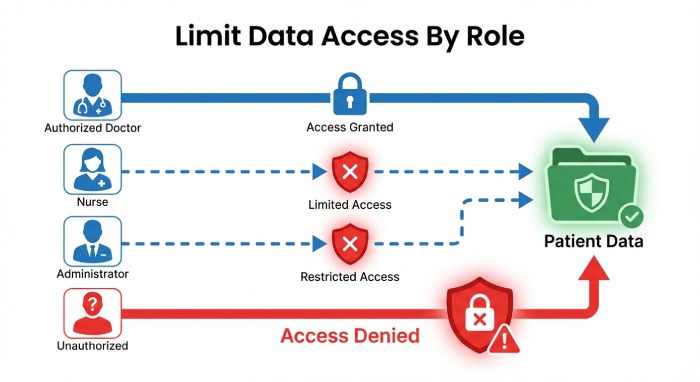
Limit access to authorized users
Access to patient data should be based on job roles. Only employees who need the information to perform their tasks should have access. Permissions should be reviewed regularly, especially when roles change. Poor access control, such as shared accounts, increases the risk of accidental exposure.
Maintain activity logs
Your system should record who accessed emails, when they accessed them, and what actions were taken. These logs are essential for audits and help investigate any suspicious activity.
Protect data integrity
Patient information must remain accurate and unchanged unless properly authorized. Systems should prevent unauthorized edits, deletions, or overwriting of data.
Sign agreements with vendors
If you use a third-party email provider, you must sign a Business Associate Agreement. This makes the provider responsible for protecting the data they handle.
Report breaches on time
If a data breach occurs, you must notify affected individuals and authorities within the required time. Having a clear response plan helps you act quickly and stay compliant.
Conditions under which emails are considered HIPAA-compliant
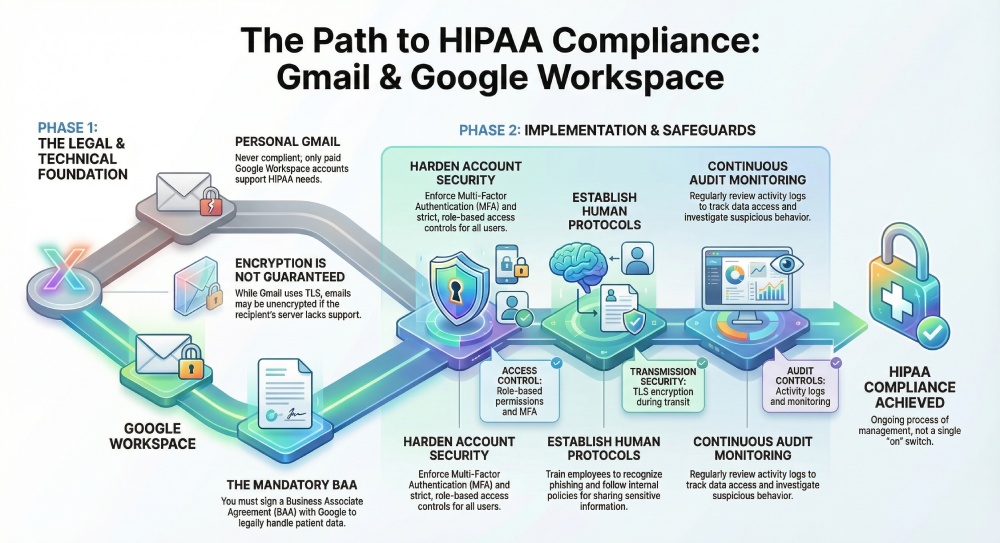
Gmail can support HIPAA requirements, but only in a controlled and properly managed environment. It is not something you enable with one setting. It depends on the version of Gmail you use, the legal agreements in place, and how well your system is configured and managed over time.
A Business Associate Agreement is in place
A Business Associate Agreement (BAA) is required when a third party handles patient data. By signing this agreement, Google confirms that it will protect the data according to HIPAA standards. This is not just a formality; Without a signed BAA, your organization carries full responsibility for any data exposure. Even if your system is technically secure, the absence of this agreement means you are not in compliance with HIPAA requirements. It also increases your legal risk if something goes wrong.
You are using Google Workspace, not a personal Gmail account
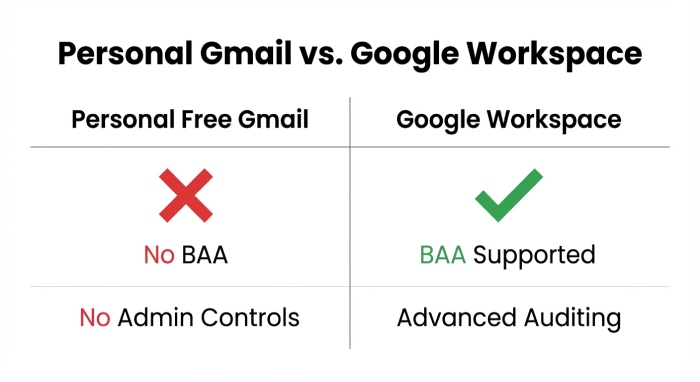
The starting point is the type of account. Personal Gmail accounts are designed for everyday communication. They do not offer the controls, visibility, or legal support needed for handling patient data. Most importantly, Google does not sign a Business Associate Agreement for free Gmail users. This means any use of PHI on a personal account is automatically non-compliant.
Google Workspace is built for business use. It gives administrators more control over user access, data handling, and security settings. It also includes features like audit logs and policy management, which are important for compliance. Even within Workspace, not every plan is suitable. Businesses that handle sensitive healthcare data often need higher-tier plans that support advanced security and compliance features.
Security settings are carefully configured
Using the right platform and signing a BAA is only part of the process. Gmail must also be configured correctly. Google provides the tools, but your team needs to apply them properly. This includes enabling multi-factor authentication for all users, setting strict access controls, and limiting who can view or share sensitive data. Admins should also monitor account activity and set alerts for suspicious behavior. Data sharing settings need to be controlled to prevent accidental leaks, especially when emails are forwarded or downloaded.
Employees follow secure practices
Technology alone cannot ensure compliance. People play a major role. Employees must understand how to handle patient data safely. This includes recognizing phishing emails, avoiding weak passwords, and following internal policies when sending or storing sensitive information.
Regular training and clear guidelines help reduce human error, which is one of the most common causes of data breaches.
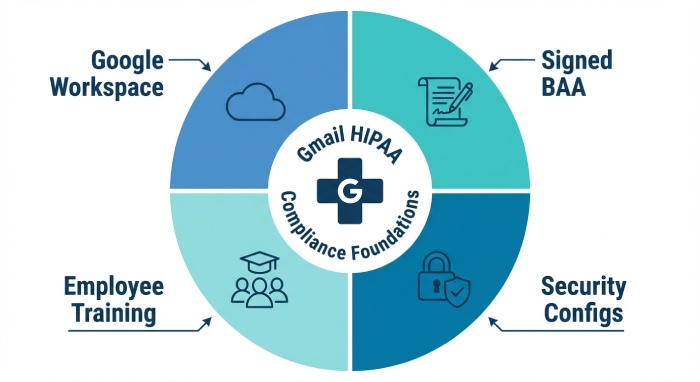
In simple terms, Gmail can support HIPAA requirements only when all these elements work together. The right platform, a signed agreement, proper configuration, and responsible usage are all equally important. Missing even one of these can put your data at risk.
Gmail security features and how they support HIPAA needs
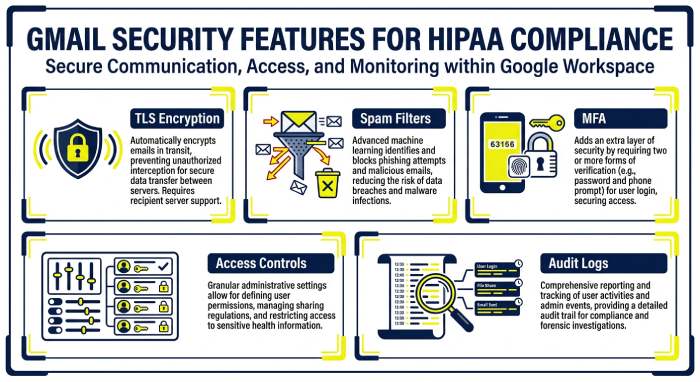
Gmail, especially when used through Google Workspace, offers several security features that can help businesses protect sensitive data. These features are useful, but they are not enough on their own. You still need the right setup, regular monitoring, and clear internal practices to meet HIPAA requirements.
Email encryption during sending
Gmail uses Transport Layer Security to protect emails while they move between servers. This reduces the chances of someone intercepting messages during delivery. However, this protection depends on the recipient’s email system. If their server does not support TLS, the email may be sent without encryption. This means there is still some risk, and businesses should not rely on this alone for sensitive communication.
Built-in spam and phishing filters
Gmail automatically scans incoming emails to detect spam, phishing attempts, and harmful attachments. This helps block many threats before they reach employees. Since phishing is one of the most common causes of data breaches, this feature plays an important role. That said, no filter can catch everything. Some advanced attacks can still slip through, so user awareness is equally important.
Multi-factor authentication for account security
Gmail supports multi-factor authentication, which adds an extra step to the login process. Users may need to enter a code or approve a login on their device. This makes it much harder for attackers to access accounts, even if they manage to steal a password.
Access controls for better data handling
With Google Workspace, administrators can control who has access to data and what actions they can take. Access can be limited based on job roles, and sharing settings can be restricted. This helps reduce unnecessary exposure of sensitive information and keeps access limited to the right people.
Activity tracking and monitoring
Gmail also provides logs that record user activity, login attempts, and data access. These logs are useful during audits and help teams investigate any unusual behavior. Regular monitoring allows businesses to spot potential issues early and take action before they turn into serious problems.
Gmail enhances email security with features like DMARC, DKIM, and SPF, helping organizations align with HIPAA requirements by improving message authentication, integrity, and protection against unauthorized access.
Steps to prepare Gmail for HIPAA compliance
If you plan to use Gmail for handling patient data, the setup needs to be done carefully. This is not something you can finish in a day. Most organizations take a few weeks to review, configure, and test everything before they are ready.
Step 1: Understand how Gmail is currently used
Begin by reviewing how your team uses Gmail today. Identify which accounts deal with patient information and which ones do not. Look for risky practices such as shared inboxes, automatic email forwarding, or third-party tools connected to Gmail. These can expose sensitive data without clear visibility. At the same time, review the security measures already in place. This gives you a clear picture of gaps that need to be fixed.
Step 2: Move to Google Workspace
A free Gmail account is not suitable for handling sensitive healthcare data. You need a paid Google Workspace plan that supports advanced security features. During this step, confirm which services are covered under compliance and ensure you request a Business Associate Agreement. Do not store or send patient data until this is confirmed.
Step 3: Sign a Business Associate Agreement
The Business Associate Agreement is a required legal contract between your organization and Google. It confirms that Google will protect the data it processes in line with HIPAA rules. Review this document carefully with your legal team and keep it properly documented for audits.
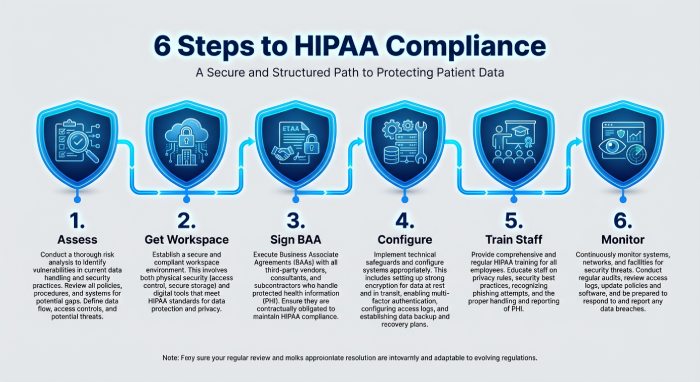
Step 4: Configure security settings properly
Once the account is ready, focus on security. Enable multi-factor authentication for all users, enforce strong password policies, and enable activity logging. Restrict email forwarding, control file sharing, and set alerts for unusual activity. Test each setting to ensure it works as expected.
Step 5: Set clear internal rules
Your team plays a big role in compliance. Create simple guidelines on how to handle patient data over email. Provide training so employees understand what is allowed and what is not. Access should be limited based on roles.
Step 6: Keep monitoring and improving
HIPAA compliance is not a one-time task. Regularly review logs, update settings, and run security checks. As your systems and team evolve, your controls should evolve too.
Final words
Gmail can support HIPAA requirements, but only when it is set up and managed correctly. It is not automatically compliant, and relying on default settings can leave serious gaps. Businesses need to take a structured approach that includes the right platform, a signed agreement, strong security controls, and well-trained employees.
The key is consistency. Security settings must be reviewed regularly, access should stay controlled, and teams must follow clear processes when handling patient data. Even small mistakes can lead to major risks. If done right, Gmail can be part of a secure email environment. But compliance depends on how carefully you manage it over time.