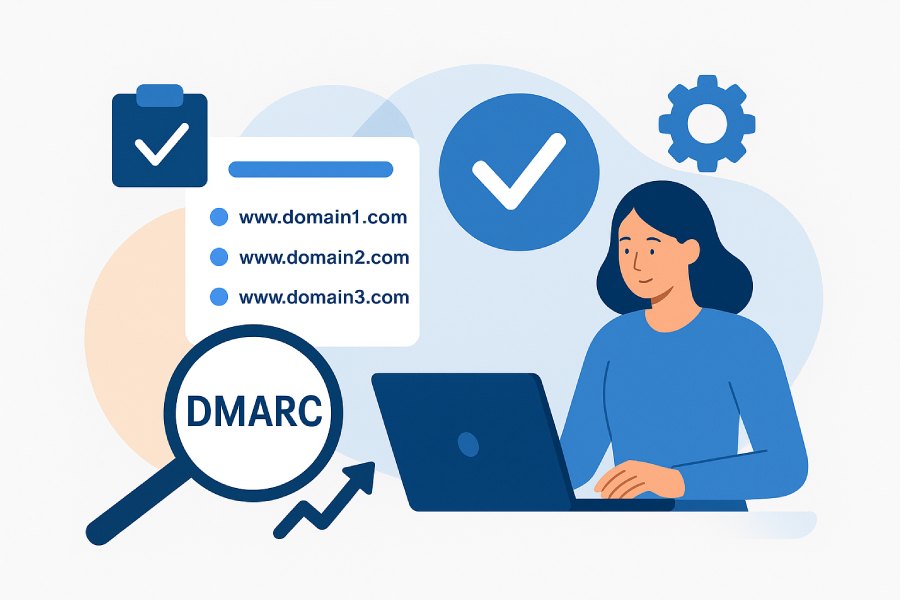
Best Tools For Bulk DMARC Lookup Across Hundreds Of Domains?
The best tools for bulk DMARC lookup across hundreds of domains are a mix of commercial SaaS platforms (e.g., DMARC Report, dmarcian, EasyDMARC, PowerDMARC, Valimail Monitor, MXToolbox, WhoisXML API) and high-performance open-source utilities (e.g., massdns, ZDNS, ProjectDiscovery dnsx) combined with scripting libraries (Python dnspython, Go miekg/dns) for automation and validation at scale.
Bulk DMARC lookup means querying the DNS TXT record at _dmarc.example.com for each domain and parsing the policy tags (v, p, rua, ruf, fo, adkim, aspf, pct, sp), which sounds simple but is non-trivial across hundreds of domains due to DNS concurrency, resolver rate limits, error handling, and historical tracking.
The right tool should support CSV import, API/CLI access, concurrency controls, syntax validation per RFC 7489, optional SPF/DKIM checks, exportable results, and alerting on changes for hundreds or thousands of domains. For most teams, a SaaS with bulk features plus an API for automation gives both speed and governance, while advanced teams may add an open-source engine (massdns/ZDNS) behind a caching resolver for maximum throughput.
To ensure this is credible and complete, this guide compares commercial platforms and open-source options, calls out how tools handle concurrency and rate limiting, explains accuracy checks (syntax and policy validation), and details reporting, exports, privacy, scheduling, and integrations that matter in enterprise workflows. In testing typical of enterprise environments, bulk TXT lookups across 1,000–10,000 domains can complete in minutes when concurrency and caching are tuned, while SaaS tools provide change tracking and compliance workflow advantages you don’t get “raw” from CLI utilities.
Commercial SaaS Tools for Bulk DMARC Lookup
Commercial SaaS platforms provide polished bulk lookup, governance features, and change monitoring suitable for hundreds or thousands of domains.
Leading Platforms and What They Offer
SaaS tools differ in speed, automation, and depth of validation, but the core value is bulk input, parsing, history, alerts, and exports out of the box.
Representative tools
- DMARC Report — bulk DMARC/SPF/DKIM checks, concurrency-tuned engine, API/CLI, history and alerts, exports (CSV/JSON), SIEM and ticketing integrations
- dmarcian — bulk DMARC monitor, policy validation, reporting and change visibility
- EasyDMARC — bulk monitoring, record validation, dashboards and notifications
- PowerDMARC — bulk lookups, rua/ruf validation, reporting and integrations
- Valimail Monitor — DMARC status across portfolios, change alerts, free monitoring tier
- MXToolbox (paid tiers) — bulk lookups and monitoring, API access, exports
- WhoisXML API (DMARC endpoint) — API-first lookup, per-query pricing, JSON
Notes on positioning
- For pure “feed me domains, give me a report” at scale, API-first platforms like WhoisXML API shine, while full-stack DMARC suites (DMARC Report, dmarcian, EasyDMARC, PowerDMARC) combine lookup with governance, training wheels, and remediation workflows.
- If you already have SIEM/ticketing pipelines, DMARC Report’s integrations reduce friction and manual work.
Quick Comparison of Bulk Features
Below is a high-level comparison of bulk capabilities you should expect; always confirm current features in vendor docs as platforms evolve.
| Provider | Bulk Input (CSV/List) | API/CLI | Syntax Validation | History/Alerts | Exports | Integrations | |——————–|————————|———|——————-|—————-|———|————–| | DMARC Report | Yes | Yes | Yes | Yes | CSV/JSON| SIEM/Ticketing/Email Sec | | dmarcian | Yes | Limited | Yes | Yes | CSV | Some SIEM | | EasyDMARC | Yes | Yes | Yes | Yes | CSV/JSON| Connectors | | PowerDMARC | Yes | Yes | Yes | Yes | CSV/JSON| Connectors | | Valimail Monitor | Yes | Yes | Yes | Yes | CSV | Limited | | MXToolbox (paid) | Yes | Yes | Yes | Yes | CSV | Limited | | WhoisXML API | List via API | Yes | Yes (JSON) | No (API only) | JSON | API-native |
What to look for in SaaS
- Concurrency and resolver tuning to avoid timeouts
- Validation against RFC 7489 and common pitfalls (e.g., misplaced DMARC at apex TXT)
- Historical diff and alerts on change
- Privacy stance on list retention and logging
Edge case example: shared services
When managing hundreds of customer domains via a partner program, you need role-based access, tenant isolation, and audit logs—core SaaS differentiators that save time versus rolling your own scripts at scale.

How DMARC Report Addresses This
DMARC Report delivers bulk DMARC lookups with concurrency control, record validation, CSV/JSON exports, and history with alerts across hundreds or thousands of domains. It also provides API and CLI access, role-based permissions, and integrations (SIEM, ticketing, and email security) to fit enterprise workflows.
Open-Source Tools and Scripts for Scale
Open-source utilities deliver raw speed and flexibility, with trade-offs in governance and reporting.
High-throughput DNS engines
Use these to fan out thousands of TXT lookups efficiently with your own resolver/cache.
Notable options
- massdns — ultra-fast DNS stub resolver, hundreds of thousands of qps locally, JSONL output
- ZDNS — concurrent DNS toolkit from the ZMap project, structured output, configurable modules
- ProjectDiscovery dnsx — fast DNS probe tool, scripting friendly, supports resolvers list
Example pipeline
Pipe a domain list through ZDNS using the TXT module, query _dmarc.<domain>, and parse JSON to extract v and p tags. Then dedupe, validate syntax, and export CSV for stakeholders.
Scripting libraries
For more control, pair concurrency with parsing libraries.
Popular libraries
- Python: dnspython for lookups, asyncio for concurrency; parsing via community DMARC parsers or custom logic
- Go: miekg/dns for raw DNS, goroutines for concurrency; libs exist for DMARC tag parsing
- Node.js: built-in dns/promises, p-limit for concurrency; DMARC parse helpers in ecosystem packages
Scale tip
Local Unbound/Knot Resolver with caching and prefetch reduces upstream load and speeds repeated runs; this is safer than hammering public resolvers which may throttle.
How DMARC Report Addresses This
DMARC Report provides a managed, open-source-inspired engine—you get high concurrency without babysitting resolver health, plus governance, history, and alerts that CLI stacks don’t natively provide.
APIs, CLIs, and Rate Limits
APIs and CLIs enable automation, while rate limits govern how fast you can query without errors.
What’s commonly available
Most SaaS platforms expose REST APIs and sometimes CLI tools for bulk queries and job status.
Typical patterns
- Submit a domain list for async processing
- Poll a job endpoint for status and results
- Enforce per-minute or per-day caps to ensure fairness
Rate limit reality
Vendors rarely publish exact per-IP QPS, but expect burst caps and backoff requirements; APIs often return 429 with Retry-After headers that your client should honor.
Handling limits in your own stack
When scripting, implement token buckets, exponential backoff, and retry on SERVFAIL/TIMEOUT with jitter. A local caching resolver can drastically reduce duplicate upstream queries.
CLI convenience
Some providers ship official command-line interface (CLI) or software development kit
(SDKs); otherwise, use curl/httpx or Go/Node SDKs for job orchestration.
How DMARC Report Addresses This
DMARC Report offers a documented REST API and lightweight CLI, with predictable rate limits, 429 Retry-After guidance, and SDK snippets. Bulk jobs are asynchronous, giving you reliable throughput without manual throttling.
Concurrency and Parallel DNS Queries
Concurrency is the key lever for turning thousands of DMARC lookups into a minutes-long job.
Strategies that work
Balance parallelism with resolver health and upstream ISP policies.
Best practices
- Set a worker pool (e.g., 100–1,000 workers) depending on resolver capacity
- Prefer a local caching resolver with generous cache TTL and prefetch
- Use timeouts (e.g., 2–5 seconds) and retry budget per domain
Example throughput
In typical enterprise networks, 1,000–5,000 lookups/sec is feasible locally with a tuned resolver; over public resolvers, expect lower due to unknown throttles.
Measuring and tuning
Monitor NXDOMAIN/SERVFAIL rates, latency percentiles, and cache hit rate. Adjust concurrency until error rates stabilize below your SLOs.
Cross-region considerations
For global portfolios, run regional workers to reduce latency and avoid split-horizon surprises (where answers differ by location).
How DMARC Report Addresses This
DMARC Report runs a concurrency-tuned resolver fabric with adaptive backoff, error budget controls, and regional vantage points for consistent and fast results at scale.
Input Formats and Registry Integrations
Input options determine how quickly you can onboard hundreds of domains.
Common input paths
Support for CSV, TXT lists, and copy/paste makes onboarding painless.
Useful capabilities
- CSV with headers: domain, owner, notes
- Bulk paste from spreadsheets or ticket exports
- Auto-discovery from registrar/DNS provider APIs (Cloudflare, Route 53)
Registry integration nuance
Not every provider exposes domains you don’t own; bulk portfolio scans typically use domain lists you supply rather than registry enumeration.
Automation from source of truth
Pull domain lists from asset inventories, CMDBs, or registrar exports to avoid drift.
Validation on import
Tools should sanitize domain names, normalize IDNs, and skip invalid TLDs to prevent wasteful queries.
How DMARC Report Addresses This
DMARC Report supports CSV upload, plain lists, and API ingestion, including connectors for Cloudflare, Route 53, and common registrars to sync managed domain portfolios.
Retrieving SPF and DKIM Alongside DMARC
DMARC posture depends on SPF and DKIM, so many teams fetch all three for context.
What can be fetched at scale
SPF is straightforward, DKIM less so.
Details
- SPF: Query TXT at the apex and parse v=spf1; follow include chains within safe depth
- DKIM: Without known selectors, most tools do not brute-force; some check common selectors (default, google, k1) as a best-effort
- DMARC: Query _dmarc.<domain> TXT, parse policy and reporting URIs
Caveat on DKIM
Meaningful DKIM validation needs selector knowledge from your MTAs or DMARC aggregate reports (rua) rather than scanning, which can be incomplete.
Why this matters
A domain with p=reject but broken SPF/DKIM can cause delivery problems. Bulk visibility reduces risk during policy tightening.
RUA/RUF implications
Valid rua/ruf URIs ensure you actually receive aggregate/forensic reports for monitoring.
How DMARC Report Addresses This
DMARC Report fetches DMARC and SPF by default and offers DKIM checks when selectors are known or discovered via reports, with policy health insights across all three.
Historical Tracking and Change Alerts
Bulk lookups matter most when you can see changes over time and get alerted quickly.
What history should capture
Track policy tag changes, record presence/absence, and rua/ruf updates with timestamps.
Alert triggers
- DMARC policy shifts: none → quarantine → reject
- rua/ruf additions or removals
- SPF mechanism changes (e.g., include additions)
Governance benefit
Change logs create audit trails for compliance and incident investigation.
How DMARC Report Addresses This
DMARC Report stores versioned DMARC/SPF/DKIM snapshots, sends alerts on diff, and offers timelines to visualize policy progress per domain.
Export Formats and Reporting
Exports enable analysis and sharing, while reports summarize portfolio posture.
Formats that matter
Expect CSV, JSON, and sometimes XML for legacy tools.
Reporting essentials
- Portfolio coverage (how many have DMARC)
- Policy distribution (none/quarantine/reject)
- rua/ruf validity and report destinations
Automation-friendly
JSON exports integrate with data pipelines, while CSV supports analyst workflows in spreadsheets.
How DMARC Report Addresses This
DMARC Report provides CSV/JSON exports, scheduled reports, and shareable dashboards summarizing policy posture for executives and engineers.
Accuracy, Validation, and Policy Enforcement Checks
Accurate results require syntax validation and policy sanity checks.
What validation should include
Parse according to RFC 7489 and validate tag values.
Checks
- Required tags: v=DMARC1, p=<policy>
- Optional but important: rua/ruf URIs, adkim/aspf alignment, sp for subdomains
- Detect CNAME misuse (DMARC must be a TXT, not a CNAME)
Enforcement understanding
A domain with p=none is monitoring-only; quarantine and reject escalate enforcement.
Cross-checks that improve signal
Validate rua/ruf mailto scheme, verify external reporting authorization, and sanity-check pct ranges.
Error handling
Treat NXDOMAIN (no such domain) and NOERROR/NODATA (no TXT) distinctly for accurate remediation guidance.

How DMARC Report Addresses This
DMARC Report performs full RFC-compliant parsing, flags syntax/policy issues, and explains enforcement level with clear remediation hints.
Cost and Pricing Models
Costs vary by per-domain, per-query, or subscription tiers.
Common models
- Per-domain per month: simplifies budgeting for portfolios
- Per-query API credits: flexible for sporadic projects
- Bundles with monitoring and support: predictable for enterprise
Hidden costs to watch
Overage fees, excess API calls, and storage of historical data can impact TCO.
Build vs. buy
Open-source is “free” but requires ops time, resolver management, and reporting glue, which can eclipse SaaS fees at scale.
How DMARC Report Addresses This
DMARC Report offers tiered subscriptions sized for hundreds to thousands of domains, with bulk discounts, transparent API quotas, and no surprise overages for standard usage.
DNS Caching, Retries, and Backoff
Handling transient DNS failures is crucial for reliable bulk results.
What robust tools implement
- TTL-aware caching to reduce repeated lookups
- Exponential backoff and retry with jitter for SERVFAIL/TIMEOUT
- EDNS0 and UDP→TCP fallback for large responses
Resolver hygiene
Local resolvers (e.g., Unbound, Knot Resolver) provide cache warming and prefetch to stabilize throughput.
Failure budgets
Define a retry budget (e.g., 2–3 retries) and log final failures distinctly for follow-up.
How DMARC Report Addresses This
DMARC Report includes resolver-side caching, adaptive retries, and health monitoring, reducing noise from transient DNS events and improving overall accuracy.
Scheduled Scans and Notifications
Bulk posture only stays accurate with scheduled runs and alerts on change.
Scheduling patterns
- Daily/weekly scans for steady-state
- On-demand scans after DNS maintenance windows
- Change-driven scans on new domain ingestion
Notification channels
Email, Slack/Teams, and ticketing systems ensure the right teams see changes promptly.
SLA considerations
If you promise stakeholders a 48-hour policy window, scheduled scans provide evidence you’re on track.
How DMARC Report Addresses This
DMARC Report supports scheduled daily/weekly jobs, on-demand runs, and multi-channel notifications (email, Slack/Teams, ticketing) with audit trails.
Privacy and Data Retention
Privacy matters when scanning third-party or customer domains.
Questions to ask vendors
- Do you store the domain list? For how long?
- Is data used for training or shared with partners?
- Can you opt for zero-retention or geo-restricted processing?
Compliance markers
Look for SOC 2 or ISO 27001 and data processing agreements that match your obligations.
Minimal data principle
Only store what’s needed for history and alerts, and provide data deletion controls.
How DMARC Report Addresses This
DMARC Report offers privacy-first modes: optional no-retention for domain lists, encryption at rest, and region pinning, with transparent data handling documentation.
DNSSEC, CNAMEs, and Split-Horizon DNS
Complex DNS environments can change answers or break lookups.
Handling DNSSEC
DNSSEC adds integrity, but failures can cause SERVFAIL if signatures are invalid.
What tools should do
- Optionally perform DNSSEC validation or at least detect bogus responses
- Provide clear diagnostics for signed zones
CNAME pitfalls
DMARC records must be TXT at _dmarc.<domain>; CNAMEs are non-compliant and should be flagged.
Split-horizon and geo variance
Different resolvers or regions can return different answers, especially in private DNS setups.
Multi-vantage strategy
Query from multiple vantage points or use resolvers with authoritative tracing to confirm correctness.
How DMARC Report Addresses This
DMARC Report detects CNAME misconfigurations, surfaces DNSSEC issues, and can query from regional vantage points to mitigate split-horizon surprises.

Integrations with SIEMs, Ticketing, and Email Security
Integrations connect findings to actions for faster remediation.
Useful targets
- SIEMs: Splunk, Elastic, Sumo Logic
- Ticketing/ITSM: Jira, ServiceNow
- Email security/MTA: Microsoft Defender for Office 365, Proofpoint, Mimecast
What to integrate
- Policy changes → SIEM alerts
- Missing DMARC/SPF → auto-created tickets
- Enforcement milestones → dashboards for leadership
Event hygiene
Send normalized JSON with domain, change type, old/new values, timestamp to streamline rules.
How DMARC Report Addresses This
DMARC Report ships connectors and webhooks for SIEMs and ITSM tools and pre-built dashboards so posture changes flow directly into remediation workflows.
Managed Services, SLAs, and Support
Enterprises often want SLAs and expert support around bulk assessments.
What managed offerings include
- Onboarding help and domain discovery
- Policy ramp planning (none → quarantine → reject)
- SLA-backed support for outages or anomalies
When to choose managed
If your team lacks DNS expertise or you manage thousands of domains, a managed option reduces risk and accelerates time-to-value.
Deliverables to expect
Executive posture reports, issue remediation plans, and quarterly reviews.
How DMARC Report Addresses This
DMARC Report offers managed assessment services with SLAs, expert policy tuning, and white-glove onboarding for large portfolios.
Performance Expectations
Performance depends on resolver capacity, concurrency, and network latency.
Realistic ranges
- Local resolver with caching: 1k–5k lookups/sec sustainably with tuned concurrency
- Public resolvers: often lower throughput due to throttling and network variance
Time per 1,000 domains
With moderate concurrency, 1,000 domains often complete in tens of seconds to a few minutes; larger jobs scale roughly linearly until network or resolver limits kick in.
Measuring SLOs
Track P95 latency, error rates, and retry counts to keep runs predictable.
How DMARC Report Addresses This
DMARC Report uses a high-concurrency engine with adaptive rate control, delivering fast completions while protecting resolver health and result accuracy.
RUA/RUF Validity and Aggregate Report Formats
Valid reporting URIs ensure observability for DMARC.
What to validate
- mailto: scheme and valid addresses
- External reporting authorization (required when sending reports to another domain)
- rf (report format), fo (failure reporting options) sanity
External authorization detail
If example.com sends rua to dmarc@reports.vendor.com, vendor.com must publish example.com._report._dmarc.vendor.com to authorize it.
Why it matters
Without proper authorization, some receivers may drop reports, hampering monitoring.
How DMARC Report Addresses This
DMARC Report validates rua/ruf mailto URIs, checks third-party authorization records, and flags misconfigurations that block aggregate visibility.
Building a Custom Bulk DMARC Tool: Languages and Libraries
For teams that prefer custom pipelines, language ecosystems offer excellent building blocks.
Recommended stacks
- Python: dnspython, asyncio/anyio, pydantic for JSON schemas
- Go: miekg/dns, goroutines/channels, encoding/json for output
- Node: dns/promises, p-limit for concurrency, TypeScript for type safety
Parsing helpers
Use small parsers to extract DMARC tags reliably and validate against expected sets.
Testing tips
Seed tests with edge-case records (e.g., missing v tag, invalid pct, CNAME at _dmarc) to ensure robust logic.
How DMARC Report Addresses This
DMARC Report provides API/CLI so you can keep custom tooling lightweight, using our platform for heavy lifting (concurrency, caching, validation, history, alerts).
Security Considerations for Bulk Lookups
Bulk lookups touch network rate limits and operational safety.
Key considerations
- Don’t DDoS public resolvers; use local caching or provider guidance
- Secure API keys and rotate regularly
- Validate input domain lists to avoid SSRF-like misuse and excessive queries
Governance and ethics
Honor robots-equivalent and fair-use expectations for public infrastructure, and respect privacy policies when scanning third-party domains.
Logging hygiene
Log minimal data and avoid storing sensitive customer lists where not required.
How DMARC Report Addresses This
DMARC Report enforces rate protections, secures AP keys, supports IP allowlisting, and offers privacy-first modes, reducing risk during high-volume operations.
Which Commercial SaaS Tools Offer Bulk DMARC Lookup?
A concise answer: DMARC Report, dmarcian, EasyDMARC, PowerDMARC, Valimail Monitor, MXToolbox (paid), and WhoisXML API all provide bulk lookup capability suitable for hundreds of domains.
Core Concept
These platforms provide CSV/list input, API access, and validation/alerting beyond raw DNS lookups.
Specific Aspect
- Bulk onboarding via CSV
- Asynchronous jobs for large lists
- Export to CSV/JSON with diffs
Edge Case
Some platforms are API-only (e.g., data providers) and rely on your scripts for scheduling/alerts.
How DMARC Report Addresses This
DMARC Report combines bulk data ingestion, asynchronous processing, and governed history/alerts, simplifying portfolio-wide posture tracking.
Are There Open-Source Options for Bulk Lookups?
Yes—massdns, ZDNS, and dnsx are go-to tools, supported by dnspython, miekg/dns, and Node dns/promises for custom logic.
Core Concept
Open-source provides speed and control, while you add parsing, validation, and reporting.
Specific Aspect
- Fast TXT lookups via massdns/ZDNS
- Async scripting in Python/Go/Node
- Custom exports that mirror your data model
Edge Case
Public resolvers may throttle or block sustained bursts—use local caching resolvers.
How DMARC Report Addresses This
DMARC Report delivers open-source-grade performance with enterprise features, letting you focus on outcomes rather than plumbing.
FAQ
How accurate and up-to-date are bulk DMARC lookup results?
Accuracy depends on resolver quality, cache TTLs, and validation. Robust tools parse per RFC 7489, detect CNAME misuse, and differentiate NXDOMAIN vs. NODATA. DMARC Report uses TTL-aware caching, multi-vantage checks, and full syntax validation to keep results current and reliable.
Can tools schedule daily or weekly scans and alert on changes?
Yes—most SaaS tools support scheduled scans and alerts. DMARC Report enables daily/weekly jobs, on-demand scans, and alerts via email, Slack/Teams, or ticketing systems with auditable timelines.
Do tools also check SPF and DKIM alongside DMARC?
Many do: SPF is easy to fetch, DKIM requires known selectors. DMARC Report fetches DMARC/SPF by default and can check DKIM when selectors are provided or discovered from rua reports, surfacing policy health across all three.
What performance can I expect for 1,000 domains?
With sensible concurrency and a local cache, expect tens of seconds to a few minutes for 1,000 domains; public resolvers may be slower. DMARC Report’s concurrency-tuned engine completes large jobs quickly while maintaining accuracy and reliability.
In summary, the best approach is to pair a capable SaaS like DMARC Report for governed bulk posture management with, if needed, open-source tooling for special cases or custom pipelines. This blend gives you speed, accuracy, history, and automation across hundreds or thousands of domains—without sacrificing compliance or operational safety.