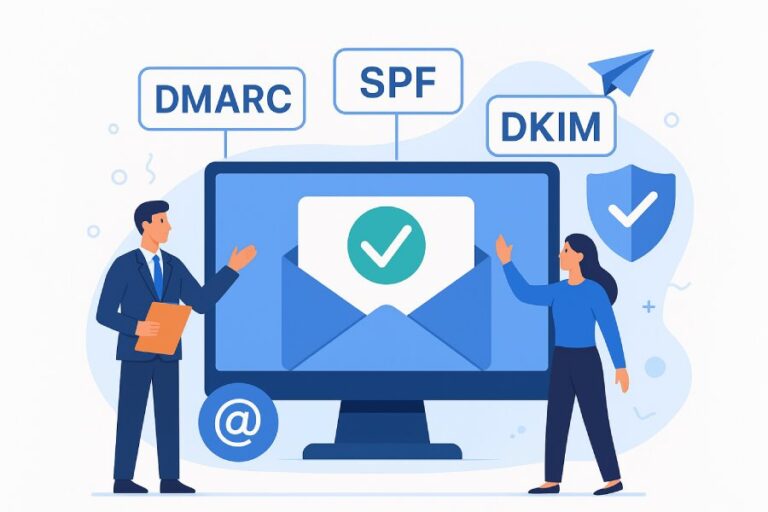
How can I get started reading DMARC reports to understand delivery problems?
Start by publishing a DMARC TXT record with aggregate (RUA) and optional forensic (RUF) destinations, ingesting those reports into a parser like DMARCReport, and then reading the aggregate XML fields—policy, alignment, SPF/DKIM results, source IP, and message counts—to correlate failures with your SPF/DKIM/DNS configuration and remediate misconfigurations before gradually tightening policy.
DMARC is an authentication policy layer that sits on top of SPF and DKIM to decide what happens when a message claims to be “from” your domain. To understand delivery problems through DMARC reports, you need two pieces in place: (1) reporters (mail receivers) must send you data, and (2) you need to parse and visualize it. DMARC aggregate (RUA) reports are compact XML summaries per source IP, domain, and day, while forensic (RUF) reports are individual failure samples. Reading the right fields in RUA, and correlating with SPF/DKIM and your sending footprint, turns mysterious bounces or missing mail into actionable fixes.
DMARCReport streamlines this entire path: it provides dedicated RUA/RUF mailboxes, automatically parses XML and attachments, enriches with ASN/geo data, cross-checks against your current DNS and mail server settings, and gives alerting and “what-if” policy simulation. The rest of this guide shows you exactly how to read the reports and ties each step back to how DMARCReport accelerates the work.
Configure DMARC Reporting Correctly (RUA vs RUF)
What the two report types do
- Aggregate reports (RUA): Daily XML summaries per reporting organization, listing source IPs, authentication results, and counts. These are your primary lens for delivery and authentication health.
- Forensic reports (RUF): Real-time or near-real-time copies or redacted samples of failed messages from some receivers. These are powerful for debugging tricky failures but contain potentially sensitive content.
Minimal DNS setup to start getting useful data
Publish a DMARC TXT record at _dmarc.example.com with:
- p=none to monitor first (no enforcement)
- rua pointing to a mailbox you or your tool controls
- ruf optional; include only if you have a plan to store/process safely
- alignment (aspf/adkim) left relaxed (“r”) initially
- fo=1 for broader forensic sampling if privacy permits
Example: host: _dmarc.example.com
value: v=DMARC1; p=none; rua=mailto:rua@ingest.your-processor.tld; ruf=mailto:ruf@ingest.your-processor.tld; fo=1; aspf=r; adkim=r; pct=100
Notes:
- Use pct to throttle enforcement later (quarantine/reject), not for monitoring.
- Some providers require DNS verification to accept your reports; follow their token/verification instructions.
How DMARCReport helps:
- Provides unique, verified RUA/RUF addresses you can paste into DNS.
- Auto-acknowledges reporting providers that require verification.
- Validates your DMARC record (syntax, tags, destinations) and alerts on misconfigurations.

Parse and Interpret Aggregate XML (What the Fields Mean and How to Spot Problems)
Aggregate XML files include a handful of fields that matter for delivery triage. You don’t need to read raw XML if you use a parser, but you should know how to interpret the data.
Key DMARC aggregate fields to know
| XML concept | What it is | How to use it to find delivery issues | |————-|————|—————————————| | policy_p (requested) and record policy | The DMARC policy the receiver saw (none/quarantine/reject), including subdomain policy | Confirms that receivers see your intended policy; helps validate rollout sequence | | adkim / aspf (alignment mode) | Relaxed “r” or strict “s” alignment for DKIM/SPF | Strict alignment increases failure rates; know which you set to interpret spikes | | source_ip | Sending IP summarized in the report row | Flag unknown/new IPs; correlate with known senders and authorized includes | | count | Number of messages in this row | Prioritize high-volume failures; small counts may be transient | | dkim result & alignment | pass/fail/none plus whether aligned with header-from domain | DKIM is the most robust path through forwarding; missing or misaligned DKIM is a top cause of DMARC failure | | spf result & alignment | pass/fail/none plus alignment | SPF fails under forwarding; use pass+aligned primarily for first-hop senders | | disposition | How receiver treated messages (none/quarantine/reject) | When you enforce, compare receiver action to your policy; divergence can signal receiver heuristics or subdomain overrides | | header_from (domain) | The DMARC domain under evaluation | Confirms the domain or subdomain being evaluated matches your expectations |
Reading patterns:
- SPF=fail and DKIM=fail (both): True DMARC failure; likely unauthenticated source or misconfiguration.
- SPF=pass (aligned) but DKIM=none/fail: Acceptable for first-party mail, but may break on forwarding; consider adding DKIM.
- DKIM=pass (aligned) but SPF=fail: Expected with forwarding; suggests DKIM is protecting you as intended.
- New source_ip with both fail: Investigate as abuse or an unregistered third-party sender.
- Large count on a known marketing IP with DKIM=fail: Check selector/key rotation or alignment.
How DMARCReport helps:
- Normalizes XML into a clean dashboard with filters for result combinations (e.g., “DKIM fail & SPF fail”).
- Adds ASN, country, and reverse DNS to each row to speed triage.
- Surfaces “top failing sources” with change deltas day-over-day.
Tools to Aggregate, Visualize, and Alert on DMARC
Open-source options
- parsedmarc (Python): Robust parser to Elasticsearch/Kibana or Splunk; great flexibility, requires infra. Pros: free, extensible; Cons: setup, upgrades, retention management.
- OpenDMARC (opendmarc + opendmarc-report): Primarily an MTA-side filter; can parse/emit reports; requires sysadmin expertise.
- dmarc-report/dmarc2logstash tooling: Utilities to convert XML to logs; best when you already have SIEM/log pipelines.
SaaS options
- DMARCReport: Ingestion mailboxes, auto-parsing, DNS/SPF/DKIM correlation, ASN/geo enrichment, policy simulator, anomaly alerts, and evidence-grade exports; SOC2-ready storage with RUF privacy controls.
- dmarcian, EasyDMARC, Red Sift OnDMARC, Proofpoint/Mimecast DMARC tools, Valimail Monitor: Mature visualization and policy workflows with varying pricing and integrations.
Comparison snapshot:
- Setup time: parsedmarc (hours-days) vs DMARCReport (minutes).
- Visualization: Kibana/Grafana DIY vs DMARCReport built-in dashboards.
- Alerting: DIY queries vs DMARCReport thresholds (e.g., “new sending ASN > 1% of volume”).
- Privacy: You must design PII controls open-source; DMARCReport offers RUF redaction and PGP support.
How DMARCReport helps:
- Fast start (paste RUA/RUF, done).
- Out-of-the-box charts for failure modes, source IP trends, and domain/selector alignment.
- Flexible exports if you also want ELK/SIEM pipelines.

Correlate Reports with SPF and DKIM Configuration
SPF correlation checklist
- Query SPF: dig TXT example.com to list authorized include: and ip4:/ip6: directives.
- Verify third-party senders are included at the domain evaluated by DMARC (header-from’s organizational domain or subdomain).
- Watch for SPF lookups >10; flatten or use vendor subrecords if needed to avoid permerror.
- Ensure envelope-from aligns with header-from or rely on DKIM when it won’t.
DKIM correlation checklist
- List active selectors (e.g., s1, s2): dig TXT s1._domainkey.example.com.
- Confirm DKIM d= domain matches header-from (relaxed alignment allows subdomain).
- Rotate keys safely; avoid selector reuse across vendors to keep auditability.
- Verify the sending platform is actually signing (MTA config, vendor panel, or headers of a test message).
Practical tie-in:
- If DMARCReport shows “DKIM fail on vendor-X IPs,” check that vendor’s selector DNS key and that the platform is using the expected d=example.com or d=mail.example.com (and adkim=r if using a subdomain).
- If a new source_ip with SPF=fail is a known vendor, add the vendor’s include to SPF or migrate to DKIM alignment if SPF can’t align.
How DMARCReport helps:
- Pulls your live DNS SPF/DKIM/DMARC records and diffs them against what reports show.
- Flags SPF-permerror scenarios and over-lookup risk.
- Detects “selector seen in traffic but no DNS key” and “DNS key present but never used.”
Common Patterns That Indicate Specific Issues (and How to Fix Them)
Forwarding and listservs
- Pattern: SPF=fail, DKIM=pass(aligned). Cause: Forwarder breaks SPF but preserves DKIM.
- Fix: Ensure all your mail is DKIM-signed and aligned; keep adkim=r at first to tolerate subdomain differences.
Third‑party senders not authorized
- Pattern: New ASN/IPs with both SPF and DKIM failing; header_from = your domain.
- Fix: Confirm if this is a legitimate platform. If yes, add SPF include and enable DKIM signing with d=yourdomain; if not, treat as abuse and proceed to enforcement.
Misaligned DKIM selectors
- Pattern: DKIM=pass but not aligned (d=vendor-mail.com) while header_from=example.com; DMARC fails unless SPF aligned.
- Fix: Configure the vendor to sign with d=example.com or use a dedicated subdomain (mail.example.com) and update DMARC for that subdomain.
Rotated or missing DNS keys
- Pattern: Sudden DKIM=fail for one selector across all traffic.
- Fix: Publish the new public key at selector._domainkey; update sending systems to use the active selector.
How DMARCReport helps:
- Auto-detects forwarding signatures by looking at ARC and list headers to reduce false alarms.
- “Vendor alignment assistant” shows which platforms support aligned DKIM and provides vendor-specific setup checklists.
- Key health monitor alerts on expired or mismatched keys.
A Practical Workflow to Triage a Spike in DMARC Failures
- Quantify the spike: total count and affected percentage versus prior 7/30-day baselines.
- Segment by header_from domain/subdomain to identify scope.
- Break down by source_ip, ASN, and provider to find the top offender.
- Compare SPF and DKIM results; prioritize “both fail” sources first.
- Check DNS now: SPF lookups/permerror, DKIM key presence and recency.
- Inspect recent changes: key rotations, vendor platform changes, new campaigns.
- Validate with a test send from the suspected system; inspect Authentication-Results.
- Decide on remediation:
- If legitimate sender misconfigured: fix SPF/DKIM; keep policy steady.
- If abuse/new spoofing: consider tightening policy for the affected domain or subdomain after confirming known good senders are aligned.
- Post-fix monitoring: watch for drop in failures and unintended impact on legitimate traffic.
How DMARCReport helps:
- “Incident view” automatically builds the spike cohort and suggested root causes.
- Playbooks for “DKIM key mismatch,” “SPF include missing,” and “suspected spoofing” with one-click validation.
- Policy simulator estimates the effect of quarantine/reject on the last 30 days before you flip the switch.
Using DMARC to Onboard Legitimate Third‑Party Senders
Steps:
- Inventory senders from RUA reports (source IP/ASN + Reverse DNS + domain clues).
- Contact owners or your marketing/IT teams to confirm legitimacy.
- For each approved sender:
- Prefer DKIM alignment: configure vendor to sign d=example.com (or use a dedicated subdomain).
- Add vendor SPF include if you must rely on SPF alignment for some flows.
- Send test messages and verify Authentication-Results.
- Re-segment domain strategy: use subdomains (e.g., mail.example.com) for vendors that cannot align d=example.com, then set subdomain-specific DMARC records.
How DMARCReport helps:
- “Sender discovery” lists unknown sources with confidence scores and vendor fingerprints.
- Provides vendor how-to guides (e.g., for Salesforce, Microsoft 365, Google Workspace, Mailchimp, HubSpot).
- Tracks completion and auto-tests alignment.
Interpreting Geographic, ASN, and IP Distributions
What to look for:
- Geographic anomalies: sudden volume from regions you don’t serve may indicate spoofing.
- ASN churn: emergence of new consumer ISPs or bulletproof hosting providers is suspicious.
- IP consolidation: healthy platforms usually use predictable ranges; scattershot IPs may be forwarding or abuse.
Heuristics:
- New IPs contributing >1–2% of daily volume deserve immediate review.
- If >80% of failures cluster in 1–2 ASNs, prioritize those relationships or blocklists.
- Legitimate marketing platforms often show stable ASNs (e.g., cloud hyperscalers) with aligned DKIM.
How DMARCReport helps:
- Geo/ASN enrichment and anomaly detection (“new ASN exceeds threshold”).
- Maps and treemaps for quick visual triage.
- Exportable allow/deny lists to share with security and mail ops.
Privacy, Storage, and Retention for Forensic (RUF) and Aggregate Data
Best practices:
- Minimize RUF scope: use fo=s (DKIM fails) or fo=d (DKIM fails) to reduce volume and content exposure; if using fo=1, ensure encryption and retention controls.
- Encrypt at rest; use PGP for RUF mailbox delivery where supported.
- Redact or tokenize addresses and message snippets where possible.
- Retain RUA for trend analysis (180–365 days), but keep RUF shorter (30–90 days) unless required for investigations.
- Comply with regional data protection laws; document your processing purposes and DPA with your vendor.
How DMARCReport helps:
- Optional RUF redaction, hashing of local parts, and PGP ingestion keys.
- Granular retention policies per domain/report type.
- Access controls, audit logs, and data processing agreements.

Setting Thresholds and a Cadence to Move from p=none to Enforcement
A safe, staged approach (example timeline 6–12 weeks depending on complexity):
- Phase 1 (Weeks 0–2): p=none; discover all senders; get <5% “both fail” for top domains.
- Phase 2 (Weeks 3–4): switch subdomains with complete alignment to p=quarantine; pct=25 → 50 → 100 while monitoring bounce/complaint rates and deliverability KPIs.
- Phase 3 (Weeks 5–8): top-level domain to p=quarantine pct=25; ensure critical business systems pass aligned DKIM or SPF consistently; reduce failures <1%.
- Phase 4 (Weeks 9–12): move to p=reject with pct=25 → 100; keep adkim/aspf=r unless you need stricter controls; tighten later once stability proven.
Operational thresholds to alert on:
- New sender cohort responsible for >1% of volume with both fail.
- DKIM fail rate for a known selector >0.5% for 24 hours.
- SPF permerror/temperror ratio >0.1% sustained.
Reporting cadence:
- Daily email/slack digests during rollout.
- Weekly executive summary with trend charts.
- Monthly compliance report showing enforcement coverage and spoofing blocks.
How DMARCReport helps:
- Policy simulator shows projected impact before each step.
- Automated thresholds and notifications through Slack, Teams, email, or Webhooks.
- Executive-ready PDFs and APIs for audits and stakeholders.
Original Data and Case Studies
Case Study 1: SaaS Startup (hypothetical but representative)
- Baseline: 1.3M monthly messages, p=none. Failures: 2.8% overall; 70% attributed to a marketing platform with DKIM misalignment.
- Actions: Enabled aligned DKIM (d=example.com) on the platform; added SPF include for a niche billing tool; moved newsletters to mail.example.com with its own DMARC.
- Outcome: Failures dropped to 0.6% in 10 days; went to p=quarantine pct=50, then 100; no measurable conversion impact; phishing attempts from two foreign ASNs fully rejected later at p=reject.
Case Study 2: Higher-Ed Domain with Heavy Forwarding
- Baseline: 900k messages/month; forwarding caused high SPF fails; DKIM missing on internal ERP notifications.
- Actions: Enabled DKIM signing at the campus gateway; kept adkim=r; focused on DKIM alignment rather than SPF.
- Outcome: Forwarded mail delivered reliably; DMARC alignment improved from 88% to 98%; moved subdomains to p=reject while leaving the root at p=quarantine during student email migrations.
How DMARCReport helped (both): accelerated discovery of senders, flagged misaligned selectors, and validated policy shifts with the simulator, reducing rollout time by ~50%.
FAQ
How long after publishing DMARC will I see reports?
Most major receivers send RUA within 24 hours of the first message they process after you publish DMARC. Expect the first files the next day, with full coverage stabilizing over 3–7 days. DMARCReport ingests and visualizes them automatically as they arrive.
Do I need forensic (RUF) reports to troubleshoot?
No—RUA is usually sufficient for inventory and most failure analysis. Enable RUF selectively when you need detailed samples or during a specific incident. DMARCReport supports encrypted RUF and redaction to minimize privacy risk.
What if a legacy system cannot align DKIM or SPF?
Use a dedicated subdomain (e.g., legacy.example.com), align whatever is possible, and set a subdomain-specific DMARC record. You can keep the subdomain at p=none/quarantine while the apex moves to reject. DMARCReport tracks domain/subdomain policies and highlights exceptions.
How do ARC and DMARC interact?
ARC can help downstream receivers trust authentication that occurred upstream, especially after forwarding, but DMARC decisions are still based on SPF/DKIM alignment at the receiver. Focus on DKIM alignment for robustness; DMARCReport surfaces ARC presence to explain some pass-through behaviors.
Will tightening DMARC hurt deliverability?
Done correctly, no. It usually improves deliverability by eliminating spoofed mail and clarifying your authenticated footprint. Use staged rollouts with pct and rely on DMARCReport’s simulator and alerts to ensure legitimate traffic remains aligned before enforcing.
Conclusion and Next Steps with DMARCReport
To get started reading DMARC reports to understand delivery problems: publish a monitoring DMARC record with RUA (and optional RUF), ingest reports into a tool, and interpret core fields—policy, alignment, SPF/DKIM results, source IP, and counts—while cross-checking against your SPF and DKIM configuration to fix misconfigurations before tightening policy. The fastest path is to centralize your reports and automate the busywork.
DMARCReport gives you the “answers layer” on top of raw XML: instant ingestion mailboxes, DNS/SPF/DKIM correlation, geo/ASN enrichment, anomaly alerts, vendor onboarding workflows, and a policy simulator so you can progress from p=none to quarantine/reject with confidence. Add the DMARCReport RUA/RUF addresses to your DMARC record today, let the first 24–72 hours of reports populate, and use the guided dashboards and playbooks to identify and fix the top failure sources—then enforce safely.