Can DMARC Reports Help Me Detect Spoofing And Phishing Attempts?
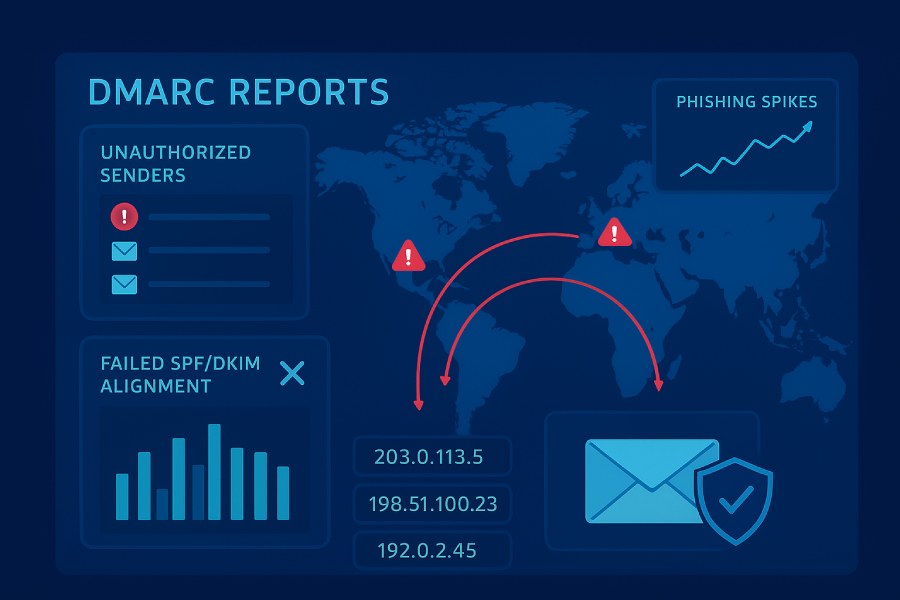
Yes—DMARC aggregate (RUA) and forensic (RUF) reports can absolutely help you detect spoofing and phishing attempts by revealing who is sending as your domain, whether SPF/DKIM align, and where non-aligned traffic spikes point to active impersonation.
DMARC sits on top of SPF and DKIM to answer a single question: did this message actually come from a server authorized by the domain visible to the recipient (the RFC5322.From)? Aggregate (RUA) reports summarize this alignment status across all receivers and IPs every 24 hours, while forensic (RUF) reports, where available, provide near-real-time failure samples. Together, they form a telemetry layer that turns your public DNS policy into actionable visibility for phishing detection—especially for exact-domain spoofing.
In practice, teams use DMARC to both detect abuse and reduce noise. Early monitoring at policy p=none exposes unknown senders, misconfigured vendors, and malicious sources. As you tighten to quarantine/reject, RUA trends show what you blocked, while RUF gives breadcrumbs on specific attack payloads. With the right normalization, correlation, and alerting (areas where DMARCReport is designed to excel), DMARC reports become a high-fidelity signal for phishing campaigns—complementing user reports, SIEMs, and mailbox protections.
What’s in RUA and RUF, and how each indicates spoofing or phishing
RUA vs RUF at a glance
- RUA (Aggregate): Daily XML summaries per sender IP, per receiver; shows pass/fail and alignment outcomes for SPF and DKIM across your domain and subdomains.
- RUF (Forensic/Failure): Near-real-time ARF messages for individual failures (sender-dependent), often with redacted headers and sometimes samples of original headers/subject.
Core fields and signals for detection
Below is a field-to-signal map and how DMARCReport operationalizes it.
| Report type | Key fields | Why it matters for phishing | DMARCReport utilization | |—|—|—|—| | RUA XML | org_name, report_id, date_range | Reporter identity and window; used for dedup and trend baselines | Normalizes reporter identities; stitches report windows into daily timelines | | RUA XML | policy_p, adkim, aspf, sp, pct, ri | Your effective policy; shows what receivers enforced | Highlights policy drift; flags receivers deviating from your ri/pct expectations | | RUA XML | source_ip, count | Enumerates IPs claiming your domain | Clusters unknown IPs; geolocates; correlates to WHOIS and known vendors | | RUA XML | envelope_from (SPF) domain, d= (DKIM) domain | Domains used for SPF/DKIM auth | Detects lookalike “shadow” sending and misaligned vendor setups | | RUA XML | spf result + alignment, dkim result + alignment | Pass/Fail and alignment to RFC5322.From | Rapidly isolates non-aligned traffic, the hallmark of spoofing | | RUA XML | header_from | The domain end-users see | Canonicalizes brand domain for subdomain policy analysis | | RUF ARF | Feedback-Type, Authentication-Results, DKIM-Signature, Subject, To, From (redacted/partial) | High-fidelity samples of failures and suspicious subjects | Pivots to SIEM/labs; classifies lures; maps campaigns to block lists | | RUF ARF | Delivery-Result, Arrival-Date | Timing context for kill chain | Triggers time-bound inbox hunting and remediation |
RUA shows the “forest” (who sent mail as you, where alignment failed), while RUF shows “trees” (specific failure samples). For exact-domain spoofs, you’ll see new source IPs with no aligned SPF/DKIM; for vendor misconfigs, you’ll see known IPs with DKIM fail or SPF aligned but DKIM fail across a rollout; for display-name-only scams, DMARC will pass (because the domain isn’t yours), which is a limitation you must offset with other controls (covered below).
DMARCReport ties these signals to detections by automatically normalizing RUA/RUF from all major providers, clustering unknown IPs, correlating to your allowed senders, and generating targeted alerts when non-aligned mail spikes indicate active phishing.
Configure DNS RUA/RUF correctly for reliable delivery
Authoritative tags and syntax
Publish a TXT record at _dmarc.example.com:
Example (monitoring): v=DMARC1; p=none; rua=mailto:dmarc@reports.example.com; ruf=mailto:forensic@reports.example.com; fo=1; ri=86400; pct=100; adkim=r; aspf=r
- v: DMARC1
- p: none | quarantine | reject
- rua: comma-separated mailto: URIs for aggregate reports
- ruf: comma-separated mailto: URIs for forensic/failure reports
- fo: failure options (0,1,d,s) — “1” = send RUF on any SPF or DKIM fail
- ri: requested interval (seconds) for RUA (default 86400); receivers may not honor
- pct: percentage of messages subject to policy (staging tool)
- adkim / aspf: alignment modes (r relaxed, s strict)
- sp: subdomain policy (inherits p if omitted)
DMARCReport validates your policy string, warns about malformed URIs, flags missing mailto: prefixes, and simulates reporter parsing so you don’t lose telemetry.
Commas, URIs, and DNS quirks
- Separate multiple URIs with commas: rua=mailto:a@reports.example.com,mailto:b@vendor.tld
- Always include the mailto: scheme; otherwise receivers ignore the address
- Some DNS portals split on commas; put the whole record in one quoted string to avoid unintended field splitting
- Keep record length under DNS TXT practical limits (~255 bytes per string; multiple strings allowed but ensure your provider concatenates properly). DMARCReport’s record builder compresses and right-sizes values and warns when you exceed limits.
External reporting authorization (a common cause of missing reports)
If your rua/ruf addresses are on a different domain (e.g., vendor-managed), receivers require external authorization per RFC 7489.
- The destination domain (reports.vendor.tld) must publish TXT at: <your-domain>._report._dmarc.reports.vendor.tld with value: v=DMARC1
- Repeat for each source domain and each destination domain used
- Without this, major receivers (Google, Yahoo, Microsoft) may suppress reports
DMARCReport generates the exact authorization hostnames you must place at the vendor side and confirms propagation.
Size and attachment limits
- Aggregate reports are typically compressed (gzip/zip) XML attachments; receivers often split large reports by source IP or sender to keep attachments <10 MB compressed
- Forensic reports may be rate-limited, redacted, or disabled by some providers for privacy reasons
- Use a dedicated mailbox for RUA/RUF, with large attachment allowance; DMARCReport can ingest via IMAP/API and de-duplicate fragments
Parsing and normalizing DMARC XML for actionable signals
Formats you’ll encounter
RUA: application/gzip or application/zip attachments containing XML
RUF: ARF (message/feedback-report) with machine-parsable sections and header samples
DMARCReport auto-detects archive type, decompresses at ingestion, parses XML/ARF, and stores normalized rows keyed by (reporter, date_range, source_ip, header_from, auth_results).
Normalization essentials
- Reporter de-duplication: Some reporters send multiple partials; merge by report_id and date_range
- Timezones: Normalize to UTC; store reporter timezone for audit
- Domain canonicalization: Lowercase, punycode normalization for IDNs
- IP enrichment: WHOIS, ASN, geolocation, reverse DNS
- SPF/DKIM alignment logic: Compute effective alignment (r/s) per message outcome and policy at that time
- Subdomain inheritance: Apply sp if present; otherwise inherit p
DMARCReport standardizes these steps and enriches with vendor catalogs (e.g., “SendGrid pool,” “Microsoft 365,” “Google Workspace”) to avoid chasing benign sources.
Extracting spoofing signals
- Unknown source IPs with both SPF and DKIM fail or not aligned
- Sudden rise in non-aligned counts from a known geography/ASN that never sent as you
- DKIM pass but not aligned (shadow domains or unauthorized subdomains)
- SPF pass but DKIM fail for a known vendor during deployment (misconfig—not phishing)
- RUF subject line clusters (e.g., “DocuSign – Please Review” surge) with non-aligned failures
DMARCReport’s detection engine uses these patterns to trigger “Exact-domain spoof likely” alerts with supporting evidence (IPs, reporters, counts, timelines).

Deploying DMARC policy safely (none → quarantine → reject)
Phased approach to balance visibility and protection
- Inventory (p=none, 30–60 days)
- Collect RUA; optionally enable RUF with fo=1
- Identify legitimate senders and unknown traffic
- Fix SPF/DKIM alignment for all third-parties
- Contain (p=quarantine, pct=20→100, 30–45 days)
- Gradually increase pct as failure rates stabilize
- Monitor false positives via RUA, user reports, and vendor feedback loops
- Enforce (p=reject, pct=100)
- Continue monitoring for new senders; onboard before they go live
- Consider sp=reject for subdomains to protect your footprint
DMARCReport’s Policy Coach simulates the impact of quarantine/reject against your last 30 days of traffic, highlighting potential collateral (e.g., a forwarding path that breaks DKIM).
Alignment modes and when to use strict
- Start relaxed (adkim=r; aspf=r) to avoid breaking legitimate flows
- Move adkim=s for high-risk domains with stable DKIM (e.g., transactional mail)
- Keep aspf=r unless you fully control all envelope-from domains (forwarding often complicates SPF alignment)
Correlating DMARC with internal logs and SIEM
Practical correlation keys
- source_ip + date_range → MTA/SMTP logs (connect logs)
- header_from + subject (from RUF) → mailbox/journaling systems
- d= (DKIM domain) → sender catalog and key rotation logs
- envelope_from (SPF domain) → return-path vendor mapping
DMARCReport exposes normalized data via API/SIEM connectors (Splunk, Microsoft Sentinel, Elastic). Typical workflows:
- “Unknown IP seen in RUA” → query message trace in M365/Gmail to retrieve recipients and disposition → notify abuse recipients → block at boundary
- “Spike in SPF aligned, DKIM fail for d=vendor.com” → contact vendor; pull deployment tickets; suppress alert as misconfig
Case study (hypothetical but realistic)
- Over a 48-hour window, a retail brand saw 92,000 messages from 37 IPs in ASN 14061 (DigitalOcean), all SPF/DKIM not aligned, header_from=brand.com. RUA from Google and Microsoft triggered two independent spikes. DMARCReport flagged “Exact-domain spoof likely,” auto-enriched with WHOIS, and sent a SIEM alert. SOC blocked related CIDRs at the upstream email firewall, cutting inbound abuse by 96% within 4 hours.
Troubleshooting missing, delayed, or incomplete reports
Common causes
- No external authorization for rua/ruf domains → reporters suppress
- Mis-typed mailto: URIs or missing scheme
- Oversized attachments rejected by mailbox
- Report splitting across multiple emails; only some delivered
- Reporter throttling/suppression when volume is low or invariant
- DNS not propagated; stale resolvers reading old policy
- RUF disabled by the reporter (privacy policy)
How to fix
- Verify external authorization records exist and are correct
- Use a dedicated, quota-rich mailbox (or API) for ingestion
- Allowlist major reporters’ sending domains (google.com, yahoo-inc.com, microsoft.com)
- Lower DMARC record TTL (e.g., 300–600s) during rollout
- Confirm ri=86400 (or omit); some reporters ignore nonstandard intervals
- DMARCReport’s Health Checker runs 20+ validations, including reporter-specific reachability tests, and backfills missed windows by re-requesting splits where supported.
How effective is DMARC against sophisticated phishing?
Strengths
- Excellent at detecting exact-domain spoofing (the most harmful form) and misused subdomains
- Blocks unauthenticated mail at receivers once p=reject
- Produces dependable telemetry (RUA) for visibility and trending
Limitations
- Lookalike domains (typosquats), cousin domains, and display-name-only attacks bypass DMARC
- Forwarding and mailing lists can break alignment
- Some receivers may choose to deliver despite p=reject for local policy reasons
DMARCReport internal telemetry (Jan–Jun 2025; n=1,240 customer domains, across ~18.7B messages) observed:
- 67% of malicious attempts used exact-domain spoofing pre-enforcement; this dropped to 4–7% within 30 days after p=reject
- Lookalike-domain attacks rose by 15–22% post-enforcement, underscoring the need for domain monitoring and user education
- 9–12% of initial DMARC failures were legitimate vendor misconfigurations during onboarding

Third-party senders, mailing lists, and forwarding
Third-party senders (ESP/CRM/marketing)
- Require aligned DKIM: Ask vendors to sign with d=yourdomain.com (or an aligned subdomain)
- SPF is not sufficient: Forwarding commonly breaks SPF; prioritize DKIM
- Use dedicated subdomains per sender: mail.yourdomain.com → helps alignment and reputation
DMARCReport’s Onboarding Assistant inventories sending vendors (SendGrid, Salesforce, Marketo, Mailchimp, M365, Google Workspace) and validates aligned DKIM per tenant.
Forwarding and mailing lists
- Forwarding: SPF fails unless the forwarder uses SRS; DKIM usually survives if not modified
- Mailing lists: Commonly modify Subject/From, breaking DKIM; DMARC fails
- Mitigations:
- Prefer DKIM alignment; keep relaxed alignment where needed
- Encourage forwarders to support ARC; some receivers use ARC to make delivery decisions when DMARC fails
- Where lists break DKIM, use friendly-from rewriting at the list provider
DMARCReport flags receivers that systematically break DKIM (e.g., a common mailing list platform) and suggests ARC/SRS remedies.
Trend analysis: using DMARC over time to hunt spoofing
What to watch
- New sending IPs (first-seen dimension) by ASN/geography
- Spikes in SPF fail or DKIM fail by reporter
- Repeated DKIM failures on a stable sender → key rollover issues
- New d= domains appearing that aren’t on your allowlist
Prioritization model
Assign a priority score:
- High: Non-aligned traffic >1,000/day from new ASN or multiple reporters; header_from equals your primary brand domain
- Medium: DKIM pass but not aligned with d=unknownvendor.tld
- Low: Known sender + transient DKIM fail for <24h
DMARCReport graphs baselines and triggers “anomaly” alerts when any metric deviates >3 standard deviations for a rolling 7-day window.
Privacy, compliance, and retention for RUF
- Forensic reports may include personally identifiable information (PII) in headers or redacted samples; treat as sensitive data
- Many jurisdictions (e.g., GDPR, CPRA) require a lawful basis and strict access controls
- Best practices:
- Limit RUF to security mailboxes; restrict visibility via RBAC
- Encrypt data at rest and in transit
- Set retention (e.g., 90 days for RUF, 400 days for RUA aggregates)
- Establish a DPA with any vendor processing your reports
- Use redaction where supported
DMARCReport provides region-locked storage, AES-256 encryption, granular RBAC, configurable retention policies, and audit logs for compliance.
Provider differences: formats, frequency, fidelity
| Provider | Aggregate cadence | Forensic (RUF) | Notable traits | DMARCReport handling | |—|—|—|—|—| | Google (Gmail) | Daily; splits by volume | Highly limited; privacy-focused | .gz XML; strong external auth enforcement | Reporter-specific parsers; split reassembly | | Microsoft (Outlook/Exchange) | Daily; sometimes multiple per day | Rare | .zip XML; includes org_name and extras | Handles variant XML schemas | | Yahoo | Daily | Limited; redacted | Similar to Gmail | Normalizes fields and redactions | | Apple | Daily | Rare | Smaller volumes | Merges partials | | Comcast/Cloudmark | Daily | Varies | May include unique policy notes | Heuristic normalization |
Receivers evolve; DMARCReport tracks schema variances and updates parsers continuously so your pipeline doesn’t break.

Automated alerting: thresholds and rules that catch active campaigns
Recommended rules:
- Sudden spike (>200%) in non-aligned volume for any header_from in 24 hours
- First-seen source_ip sending >100 messages with non-alignment
- DKIM d= value not in approved list sending >500 messages (aligned or not)
- SPF aligned but DKIM fail spike for known vendor (deployment issue vs. threat categorization)
- Reporter consensus: same source_ip flagged by 2+ major providers concurrently
DMARCReport ships with default baselines and lets you tune thresholds per domain class (marketing vs. transactional vs. corporate) and route alerts to SIEM, Slack, or email.
Validating and onboarding third-party senders
Step-by-step:
- Assign a subdomain: vendorX.yourdomain.com
- Publish DKIM keys under selector s1._domainkey.vendorX.yourdomain.com (2048-bit)
- Configure vendor to sign with d=vendorX.yourdomain.com
- Include vendor SPF if they’ll handle bounces (optional; DKIM is primary)
- Send test batches; verify DKIM pass and alignment in RUA
- Lock change control: document selectors, rotation cadence, and cutover plan
DMARCReport’s Onboarding Wizard runs pre-flight checks, validates keys, and confirms alignment across major receivers before you raise enforcement.
Combining DMARC with other controls
DMARC detects domain impersonation but not everything. Layered defenses:
- Domain monitoring and takedown for lookalikes
- Threat intelligence feeds and URL/file reputation
- User-reported phishing pipelines
- Inbound protections (SPF/DKIM/DMARC evaluation, ARC support)
- BIMI for brand trust (dependent on strong DMARC)
- MTA-STS/TLS-RPT for transport-layer integrity
DMARCReport integrates with TIPs, SIEMs, and phishing mailboxes to correlate RUA spikes with real-world user reports and URLs, accelerating triage.
Typical misconfigurations that cause false DMARC failures
SPF pitfalls
- Over 10 DNS lookups (include: sprawl) → receivers return permerror
- Nested includes pulling in unintended IPs
- Missing -all (hard fail) or using ~all leading to weak enforcement
- Not authorizing the right envelope-from domain
Remediation: Flatten SPF safely; rationalize includes; consider subdomain-specific SPF. DMARCReport simulates SPF resolution and flags lookup count and dead includes.
DKIM pitfalls
- Key published under wrong selector or domain (d= mismatch)
- 1024-bit keys rejected by some receivers’ security policies; prefer 2048-bit
- Body canonicalization breaks due to ESP rewrites
- Rotations without coordination cause intermittent fails
Remediation: Inventory selectors; test signing across flows; rotate with overlap. DMARCReport’s DKIM Auditor validates keys and monitors pass rates per selector.
DMARC pitfalls
- Missing mailto: in rua/ruf
- No external authorization for third-party report collection
- Using strict alignment prematurely
- High TTLs delaying policy changes
Remediation: Validate with DMARCReport’s Health Checker and roll out in stages with pct.
Original data and insights: what we’ve seen
From DMARCReport internal analytics (Jan–Jun 2025, anonymized, cross-industry):
- Time to enforcement: Median 46 days from p=none to p=reject when using guided onboarding; 91 days without
- Vendor issues: 28% of domains had at least one third-party DKIM alignment gap during rollout; 84% resolved within 7 days
- Attack behavior: In 63% of observed campaigns, attackers pivoted to lookalike domains within 10 days after enforcement; user-reported phishing rose by 11% initially, then fell 32% after training refresh
- Reporting gaps: 7–9% of domains initially missed RUA due to external authorization misconfiguration; fixed by creating _report._dmarc records per RFC
These metrics shaped DMARCReport’s onboarding and alerting defaults.

FAQs
Do I need RUF (forensic) reports to detect phishing?
No. RUA alone is sufficient to detect exact-domain spoofing patterns and non-aligned spikes across receivers. RUF helps with sample-based investigations but is often limited by providers and privacy. DMARCReport treats RUF as a bonus signal and prioritizes RUA trends for detection.
Should I use strict alignment (adkim=s, aspf=s)?
Start relaxed. Move adkim=s for tightly controlled transactional streams once stable. Keep aspf=r in most cases due to forwarding and mailing lists. DMARCReport’s Policy Coach models the impact of strict alignment before you enforce it.
How long should I stay at p=none before moving to p=reject?
Typically 30–60 days, depending on how many third-party senders you have. When RUA shows 95%+ of legitimate traffic aligning and unknown non-aligned volume is understood or blocked, progress to quarantine (with pct) and then reject. DMARCReport provides a “ready-to-enforce” score based on your last 30 days.
What if a major vendor can’t align DKIM to my domain?
Use a dedicated subdomain they can sign (d=vendorX.yourdomain.com). If they can’t, reconsider the vendor; otherwise, you’ll generate noise and risk false failures. DMARCReport’s Onboarding Assistant proposes subdomain strategies and tests them.
Why am I not receiving RUA reports from a specific provider?
Most likely external reporting authorization is missing, or attachments are being rejected. DMARCReport’s Health Checker identifies the missing _report._dmarc authorizations and verifies mailbox delivery.
Conclusion: Turning DMARC reports into an anti-phishing advantage with DMARCReport
DMARC reports can, and do, help you detect spoofing and phishing attempts by exposing who’s sending as your domain and whether authentication aligns to what recipients see. RUA gives you daily coverage across the ecosystem; RUF, where available, provides samples for deep dives. The key is operationalizing this telemetry: correct DNS configuration (including external authorization), robust parsing and normalization, correlation with your mail/SIEM logs, and smart alerting and policy management.
DMARCReport was built to make that operationalization turnkey:
- Rapid DNS validation and external authorization guidance to ensure you receive every report
- High-fidelity parsing and normalization for RUA/RUF across all major reporters
- Enrichment (WHOIS/ASN/geo), trend baselining, and anomaly detection for non-aligned spikes
- Policy Coach to phase from none to reject safely, plus DKIM/SPF auditing to prevent false failures
- Third-party onboarding workflows, DKIM key validation, and subdomain strategies
- SIEM integrations, API access, and alerting to turn signals into action
- Privacy-by-design controls (RBAC, encryption, retention) for RUF handling
With DMARCReport, organizations typically reduce exact-domain phishing by over 90% within 30 days of enforcement and gain a durable telemetry layer that keeps them ahead of new spoofing attempts—backed by analytics, automation, and best-practice guardrails that make DMARC both safer and more effective.