How to Tell if a Website Is Secure: The Ultimate Guide by DMARCReport
In today’s digital world, we rely on websites for everything — from banking and shopping to communicating with friends and accessing critical business resources. While the internet brings immense convenience, it also presents significant risks. Cybercriminals are constantly devising new ways totrick unsuspecting users into revealing sensitive information or compromising their devices.For this reason, it’s vital for every internet user — whether a casual browser or a business professional — to know how to check if a website is truly secure before trusting it with personal or financial data.
At DMARCReport, we’re passionate about helping individuals and organizations stay secure online. Below, we break down practical steps and expert‑backed checks you can use to determine whether a website is safe to visit or interact with. These methods don’t require any deep technical knowledge — just careful observation and the right tools.
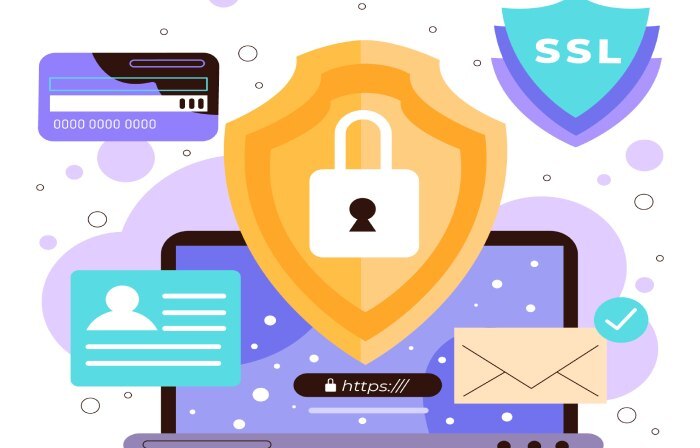
1. Check for HTTPS and SSL/TLS Encryption
The first and easiest indicator of a secure website is the URL in your browser’s address bar. Look for “https://” at the beginning of the web address and a padlock icon next to it.
🔐 Why this matters:
- The “S” in HTTPS stands for “secure,” which means the site uses SSL/TLS encryption to protect data exchanged between your browser and the website.
- This encryption prevents attackers from intercepting or tampering with your information — like passwords or credit card details — as it travels across the network.
However, keep in mind that HTTPS alone does not guarantee absolute safety. A malicious site can also obtain a valid SSL certificate, so encryption is necessary but not sufficient.
👉 Action Step: Always verify that the URL begins with https:// and displays a padlock. Clicking the padlock will show you details about the certificate and issuer.
2. Read the Privacy Policy and Contact Info
A legitimate website that collects or processes data should provide a privacy policy that explains:
- What data it collects
- How data is used or stored
- Whether data is shared with third parties
This document is usually found in the website footer. If a website that asks for personal information lacks a privacy policy, that’s a red flag.
Also, check whether the website provides valid contact information — such as an email address, phone number, or physical address. While contact info isn’t definitive proof of legitimacy, it shows transparency and accountability.
👉 Action Step: Before entering personal details, read the privacy policy and make sure it makes sense for the website’s purpose.
3. Look for Trust Seals and Verify Them
Many eCommerce and business sites display trust seals (like “Verified Secure” badges) that appear to show validation by a security provider. These are meant to reassure users that the site has undergone some form of verification.
⚠️ Important: Cybercriminals can also create fake trust seals to lure users. Before assuming a seal is valid:
- Click on the seal to ensure it redirects to an official verification page.
- Research the issuing company to confirm it’s reputable.
👉 Action Step: Verify trust seals by clicking them and checking if the badge links to an authoritative source.
4. Use Browser and Website Security Tools
Modern browsers like Chrome, Firefox, and Edge have built‑in security features that block harmful downloads, phishing domains, and unsafe scripts. These features analyze the safety of a website before and while you visit it.
Additionally, external tools and services can give you a fuller picture of a site’s safety. These include:
- Google Safe Browsing – alerts you to known malicious URLs.
- Web security scanners like Sucuri, Norton Safe Web, and others.
- Dedicated malware scanning and vulnerability assessment tools.
👉 Action Step: Enable browser security protections and use reputable site‑checking tools before visiting unfamiliar sites.
5. Notice Obvious Red Flags and Suspicious Behavior
Even if a site has HTTPS and looks professional, there are still ways to identify potentially malicious behavior:
a. Phishing Attempts
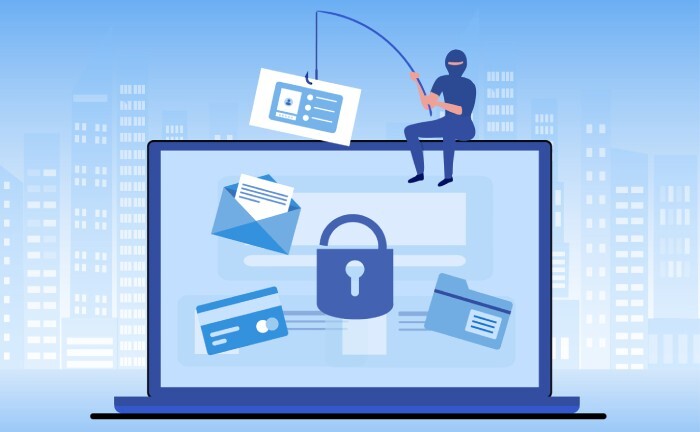
Phishing involves fraudsters imitating legitimate services to steal your data. These sites may look convincing, but subtle URL misspellings or odd domain names can be giveaways.
b. Unexpected Redirects
If clicking a link sends you somewhere completely different or suspicious, this could signal malicious intent.
c. Malicious Advertising (Malvertising)
Sometimes attackers embed harmful scripts into ads that trigger unwanted downloads or installations. Watch for odd pop‑ups or messages pressuring you to install software.
d. Strange Content or Poor Quality
Websites with lots of broken links, poor grammar, or irrelevant content are suspicious — especially if they request personal data.
👉 Action Step: Be alert for signs that are inconsistent with the site’s supposed purpose or quality.
6. Use Advanced Techniques When Needed
For business owners or more technically inclined users, additional tools and approaches can help assess a website’s real security posture:
- Security header analysis: Checks whether a website uses security headers like Content‑Security‑Policy and Strict‑Transport‑Security — essential defenses against certain types of attacks.
- Vulnerability scanners: Tools like Nessus, OpenVAS, and Burp Suite can audit a website’s infrastructure.
- Automated site scanning services: Services that check for malware, misconfigurations, and known exploits.
👉 Action Step: Use these tools regularly if website security is critical for your organization.
7. When in Doubt, Don’t Enter Sensitive Information
This is one of the most important principles of online safety: never enter personal or financial details unless you are confident the site is genuine and secure. Even a site with HTTPS and a privacy policy could still be unsafe in other ways.
👉 Action Step: If anything feels suspicious — no matter how small — trust your instincts and back out.
8. Train Yourself and Your Team on Web Safety
Online security doesn’t just depend on tools — it depends on habits:
- Recognizing phishing attempts
- Checking URLs carefully
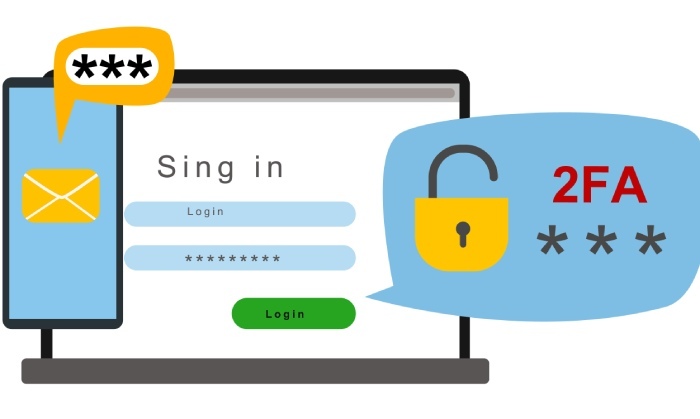
- Using password managers and two‑factor authentication
- Regularly updating software
Education and awareness are among the best defenses against cyberattack.
Conclusion: Stay Secure by Being Informed
The internet may be full of opportunities, but it’s also filled with risks. At DMARCReport, we believe that security is built on awareness and practical habits. By checking a website’s encryption, privacy practices, trust indicators, browser security tools, and your own instincts, you can greatly reduce the chances of falling victim to online fraud or malware. At the email level, verifying authentication standards such as SPF and DKIM adds another critical layer of protection, helping ensure messages are legitimate and not altered or spoofed in transit.
Remember:
- HTTPS and SSL protect your data in transit, but don’t guarantee legitimacy.
- Privacy policies and contact information show transparency.
- Security tools and browser protections help you stay ahead of threats.
- Being observant and cautious is your first line of defense.