Why DNS Matters in Email Security?

Quick Answer
The three core email authentication standards - SPF (RFC 7208), DKIM (RFC 6376), and DMARC (RFC 7489) - work together to verify that an email genuinely originates from the domain it claims to represent. Since February 2024, Google and Yahoo require all three for bulk senders. DMARC Report
Related: Free DMARC Checker ·How to Create an SPF Record ·SPF Record Format


The engineering challenge with DMARC at scale is report volume, not complexity, says Brad Slavin, General Manager of DuoCircle. A domain that sends 100,000 emails per day generates dozens of aggregate report files daily from different receivers. Parsing, classifying, and trending that data is why DMARC Report exists.
The three core email authentication standards - SPF (RFC 7208), DKIM (RFC 6376), and DMARC (RFC 7489) - work together to verify that an email genuinely originates from the domain it claims to represent. Since February 2024, Google and Yahoo require all three for bulk senders.
DNS is a foundational component of email security, providing essential mechanisms for authenticating senders, emails routing, and filtering malicious content. The integration of **DNS-based protocols enhances the overall trustworthiness and security of email communication.
Since email has become a primary mode of communication, with the number of **global e-mail users set to grow to 4.73 billion users in 2026, keeping an organization’s email infrastructure intact is becoming a top priority for businesses.
Let’s dive deeper into the various aspects of how DNS contributes to its security.
What Role Does DNS Play in Email Security?
Phishing is a growing concern, and most scams are centered around email. With the number of reported phishing attacks in 2022 surpassing 500 million, marking a twofold increase compared to the reported attacks in 2021 , it is crucial to leave no stone unturned when it comes to cybersecurity.
DNS is integral to email security as it serves as the repository for SPF, DKIM, and DMARC records. Collectively, these protocols help to authenticate the sender, ensure the integrity of email content, and provide a framework for enforcing security policies. By leveraging DNS for these purposes, organizations can reduce the likelihood of phishing, spoofing, and other email-based attacks.
The Significance of DNS in Addressing SMTP Vulnerabilities
SMTP is the standard protocol used for sending and receiving emails, and DNS helps in the proper functioning of email systems by resolving domain names to the corresponding mail server IP addresses. It is useful in mitigating **SMTP vulnerabilities by:
-
Facilitating the correct routing of emails
-
Implementing anti-spam measures
-
Enabling authentication mechanisms
-
Providing redundancy, and
-
Mitigating DNS-related security risks
The mechanisms and components involved in the processes are explained below in detail.
DNS Components for Secure Email Delivery
The DNS components that collectively contribute to the secure and reliable delivery of emails include:
MX (Mail Exchange) Records
MX records specify the mail servers responsible for receiving emails on behalf of a domain. DNS queries for MX records help **route emails to the correct mail servers.
DNSBLs (DNS-based Blackhole Lists)
DNSBLs maintain lists of IP addresses known for sending spam or malicious content. Email servers can query these lists through DNS to check the **reputation of a sending server before accepting an email.
PTR (Pointer) Records
PTR records, also known as reverse DNS records, associate an IP address with a domain. Some email systems use PTR records to verify that the **sending server’s IP address matches its claimed domain.
DNS Security (DNSSEC)
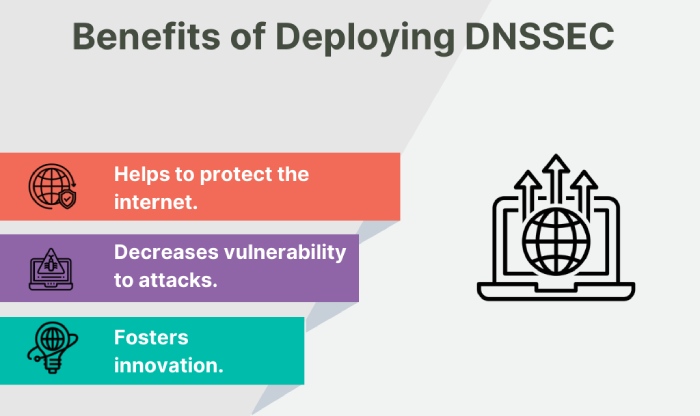
DNSSEC is a suite of extensions to DNS that puts an **additional layer of security by digitally signing DNS data. While not specific to email, DNSSEC helps prevent various attacks on the DNS infrastructure, ensuring the integrity of DNS responses.
Redundancy through Multiple MX Records
Configuring multiple MX records for a domain provides redundancy. If one mail server becomes unavailable, DNS directs email traffic to alternative servers, ensuring continuous email delivery.
DNS-Based Email Authentication Mechanisms: SPF, DKIM and DMARC
DNS-based email authentication mechanisms, including SPF, DKIM, and DMARC, collectively contribute to building trust in email communications, reducing the risk of phishing , and enhancing the overall security posture of the email ecosystem.
SPF (Sender Policy Framework)
SPF addresses spoofing by allowing domain owners to specify which IP addresses are authorized to send emails on behalf of their domain. The domain owner publishes an SPF record in DNS, listing the approved sending servers. When an email is received, the recipient’s mail server queries DNS to check whether the sending server’s IP address is included in the SPF record. If not, the email may be flagged as suspicious or rejected, reducing the likelihood of phishing attempts.
DKIM (DomainKeys Identified Mail)
DKIM enhances email authentication by adding a cryptographic signature to the email headers. It helps ensure that the email has not been tampered with during transit and verifies the legitimacy of the sender. By allowing domain owners to sign their outgoing emails, DKIM provides an additional layer of security against email fraud and helps build trust in the email communication channel.
DMARC (Domain-based Message Authentication, Reporting, and Conformance)
DMARC builds on SPF and DKIM to provide a comprehensive framework for email authentication. It allows domain owners to publish a DMARC policy in DNS, indicating how receivers should handle emails that fail SPF or DKIM checks. DMARC also enables reporting mechanisms, providing feedback to domain owners about email authentication failures.
This feedback loop helps organizations monitor and fine-tune their email authentication practices. Additionally, DMARC introduces alignment checks, ensuring that the domain in the visible “From” address aligns with the domains authenticated through SPF and DKIM. This helps prevent domain-based impersonation, a common tactic used in phishing attacks.
As organizations increasingly adopt these protocols, they reinforce the integrity of email messages and protect both senders and recipients from malicious activities in the digital communication space.

Wrapping Up
In conclusion, DNS plays an essential role in email security, **addressing vulnerabilities in the SMTP protocol. The various DNS components, such as MX records, DNSBLs, PTR records, DNSSEC, and the implementation of redundancy through multiple MX records, collectively ensure the secure and reliable delivery of emails.
The integration of DNS-based email authentication mechanisms, including SPF, DKIM, and DMARC, adds an additional layer of security to the email ecosystem. SPF reduces the risk of phishing by allowing domain owners to specify authorized sending servers, while DKIM verifies the legitimacy of the sender and ensures email integrity during transit. DMARC, building on SPF and DKIM, provides a comprehensive framework for email authentication, introducing **alignment checks and reporting mechanisms to enhance security against domain-based impersonation.
As the global reliance on email communication continues to grow, the adoption of these DNS-based protocols becomes crucial in reinforcing the integrity of email messages and protecting both senders and recipients from malicious activities. Organizations must recognize the significance of DNS in email security and proactively implement these protocols to create a **robust defense against evolving cyber threats in the digital communication space.
To strengthen your organization’s email security framework with the help of DMARC, get in touch with us. We can also help you meet DMARC compliance requirements now enforced by major providers and regulators.
Sources
Topics
CTO
CTO of DuoCircle. Leads engineering for DMARC Report and DuoCircle's email security product portfolio.
LinkedIn Profile →Take control of your DMARC reports
Turn raw XML into actionable dashboards. Start free - no credit card required.